ROM Hack 3DS Windows Explorer extension

  • Thread starter Thread starter AUTOMATIC1111
  • Start date Start date
  • Views Views 128,611
  • Replies Replies 430
  • Likes Likes 68
As a quick way to have game box covers instead of game cartridges, extract this zip file into images directory, replacing original images, and run install.bat again: http://no-info.no-ip.info/3ds/box-images.rar

...
That looks SO GORGEOUS.

Too bad I don't pirate 3DS games. Time to start, maybe?

3dsx is a format designed for homebrew. It's a modified ARM executable so I don't really know how you would identify that (I don't think it even has room for a title id or product code. Looks like it's just an executable. But the homebrew launcher seems to display some description of the file... so I have no idea).


http://3dbrew.org/wiki/3DSX_Format


3dsx is just an executable, a separate .SMDH file is used for the metadata.

 
gamesquest1: CIA are identified by titleId, but commercial games are identifiewd by four letter code. I don't have a mapping for titleId to four letter code, so I can't do that.
Fishaman P: about EU/US: is this really an issue? As a last resort, you can change the icon yourself. As for 3dsx, it's the first time I hear about those, so no.
no problem...i just figured as you already had the titleID in the list you might of been able to reference it from there......idk its all good anyways :)
 
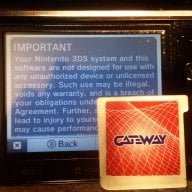
This is an explorer extension that shows covers for .3ds files, along with some moderately useful information below in the properties view.

http://no-info.no-ip.info/3ds/

Source code is also included for those of you too paranoid to run random executables.


Enjoy.

Changelog:
Code:
1.5.3
 
  * Images are now resized to 182x instead of 182x182
 
1.5.2
 
  * Fixed error with red and blue colors swapped for CIA files.
  * 48x48 icons from CIA files are now upscaled using box filter.
 
1.5
 
  * Added support for CIA files.
 
1.4
 
  * Added editing for properies.
  * Added an option to content menu to change ROM picture.
  * PIDs can now only contain english letters, digits and dashes.
  * Fixed properties not showing when you have a file manually associated with a program.
  * Minor improvements for cases when there might bew no icons.
 
1.3
 
  * The extension will now try to add icon handler to a program that user manually specified to open .3ds files.
 
1.2
 
  * Removed debug code that was writing images to b:/.
  * Added Program ID and Save type properties.
  * Fixed image mask nor working for thumbs.
 
1.1
 
  * Fixed thumbnailer not working on Windows XP.
  * Fixed extension not installing into directories with spaces in filenames.
  * Changed property names to include the text 3DS so that they don't clutter similar names.
  * Added support for 3dz files.
  * Added some missing icons.
 
1.0
 
  * INITIAL RELEASE!
the download link is down :(
 
This is pure sex, my friend. Excellent work.

Any way for 3dsware to show up as well?

Make entries for each title you want to add in the "user-info" folder, with a .txt for each game named after its serial. Here's the entry for Super Mario 3D Land, "AREE.txt", as a foundation:
Code:
PID: AREE
PID-Original: CTR-AREE-USA
Title: Super Mario 3D Land
Region: US
Date: 2011-11-13
Rating: E
Publisher: Nintendo
Boxshot: AREE.jpg
Barcode: 045496741723
Just plug in the information for the game you're adding.
Then put the 182x182 image of your choice, named as the .txt was, in the "user-boxshot" folder.
 
This extension is awesome. I added about a dozen box arts and game info (and even made some myself!). If anybody has a request for a game without box art and/or info, feel free to make a request and I'll add them.

Latest boxarts: Download (2015-10-11)
Latest boxarts: Download

Zip file contains all of the files. You can view/download individual boxarts in the two folders.

Enjoy!

2015-01-02: Main download site is back up again, mirrored the downloads, you can find them in the "mirror" folder after clicking on Download above.
2015-10-30: Latest boxart grabbed from wiki can be found here: http://no-info.no-ip.info/3ds/database/
 
Last edited by rctgamer3,
Out of curiosity, how does this handle models in 3DS MAX format, which also have the extension .3ds? (I think that's actually been around even before the original DS.)
 
***Fixed. Copy the regsvr32.exe from %systemroot%\SysWoW64\ in the script folder and changed regsvr32 /s "%~dp0%DLL%" to regsvr32.exe /s "%~dp0%DLL%" ***
Can anyone help me? Its the 1.5.3 64bit version on win7 64bit and i got this error. (I edited the script a little bit to see whats not working)
He doesnt now regsvr32
 

Attachments

  • error.PNG
    error.PNG
    19.1 KB · Views: 588
Can't install it -__-
Cmd every time says that instalation was failed...
Help me
You sure you tried launching the installer for your architecture, 32/64bit?
Otherwise: Run cmd as administrator, navigate to the folder, register the dll:
Code:
regsvr32 3ds-shell-x64.dll
(or x86 for 32-bit). Next, log off or reboot computer and it should work.
 
  • Like
Reactions: Sirius64
You sure you tried launching the installer for your architecture, 32/64bit?
Otherwise: Run cmd as administrator, navigate to the folder, register the dll:
Code:
regsvr32 3ds-shell-x64.dll
(or x86 for 32-bit). Next, log off or reboot computer and it should work.


doesn't work....
can you explain me in detail?

EDIT: Problem has solved. Thanks a lot to rctgamer3 :lol:
 

Site & Scene News

Popular threads in this forum