

Homebrew 3DS CFW Error while playing

  • Thread starter Thread starter renzlo
  • Start date Start date
  • Views Views 9,378
  • Replies Replies 12

renzlo

Member
Newcomer
Joined
Mar 12, 2018
Messages
7
Reaction score
0
Trophies
0
Age
35
XP
81
Country
Philippines
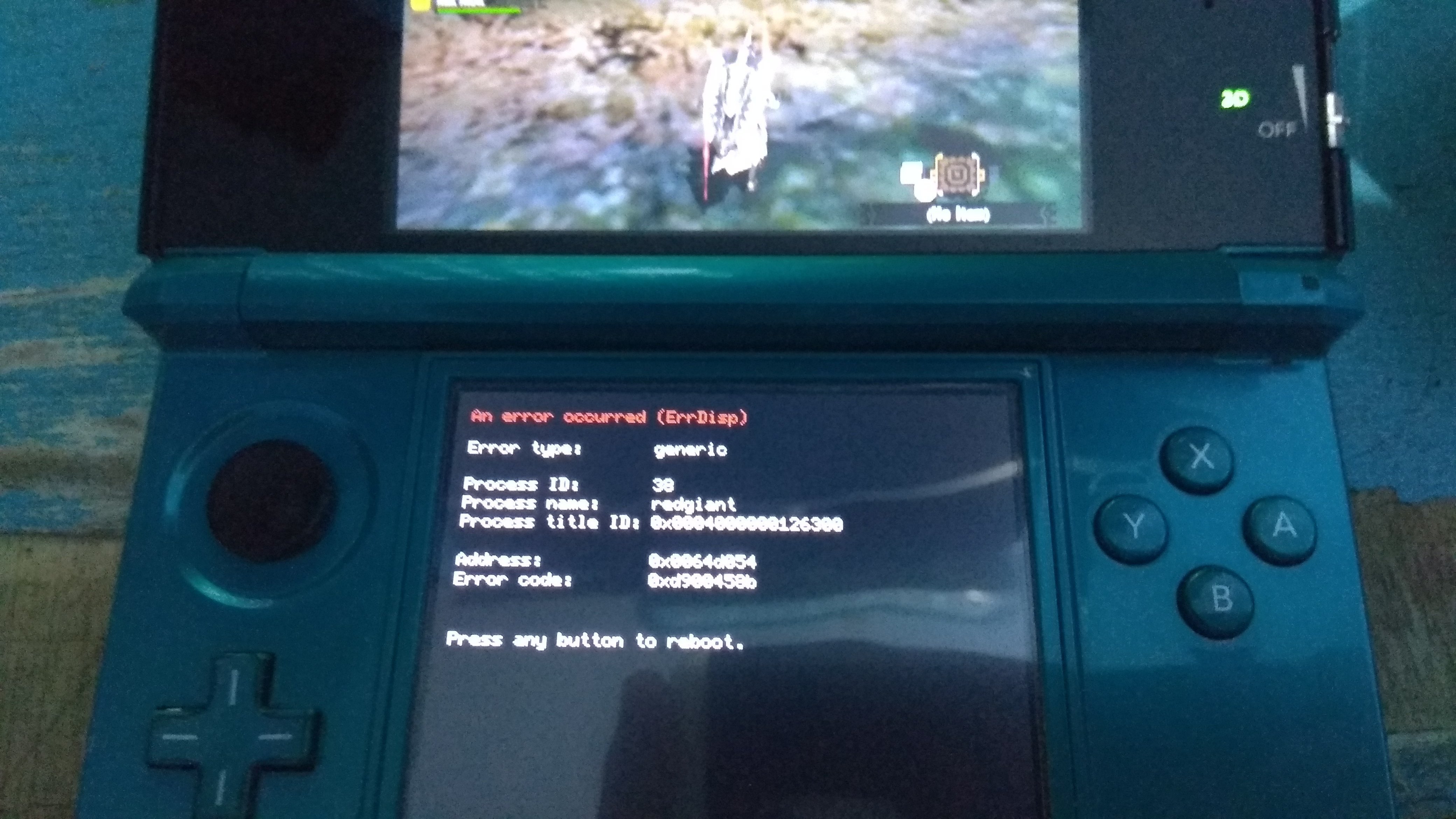
Good day. Lately 3ds and my brother's is having errors while playing a game and have to reboot the system.
2.jpg


It will just happened randomly while playing pokemon games (pokemon OR/pokemon SuMo). Reinstalling the CIA seems to be the fix tho i dont know whats causing them.

Now its happening again (currently playing MH4u) almost every mission this happens. Tried reinstalling already but still the same issue. I updated the system just in case its the issue but still no luck. Im on latest b9s btw.

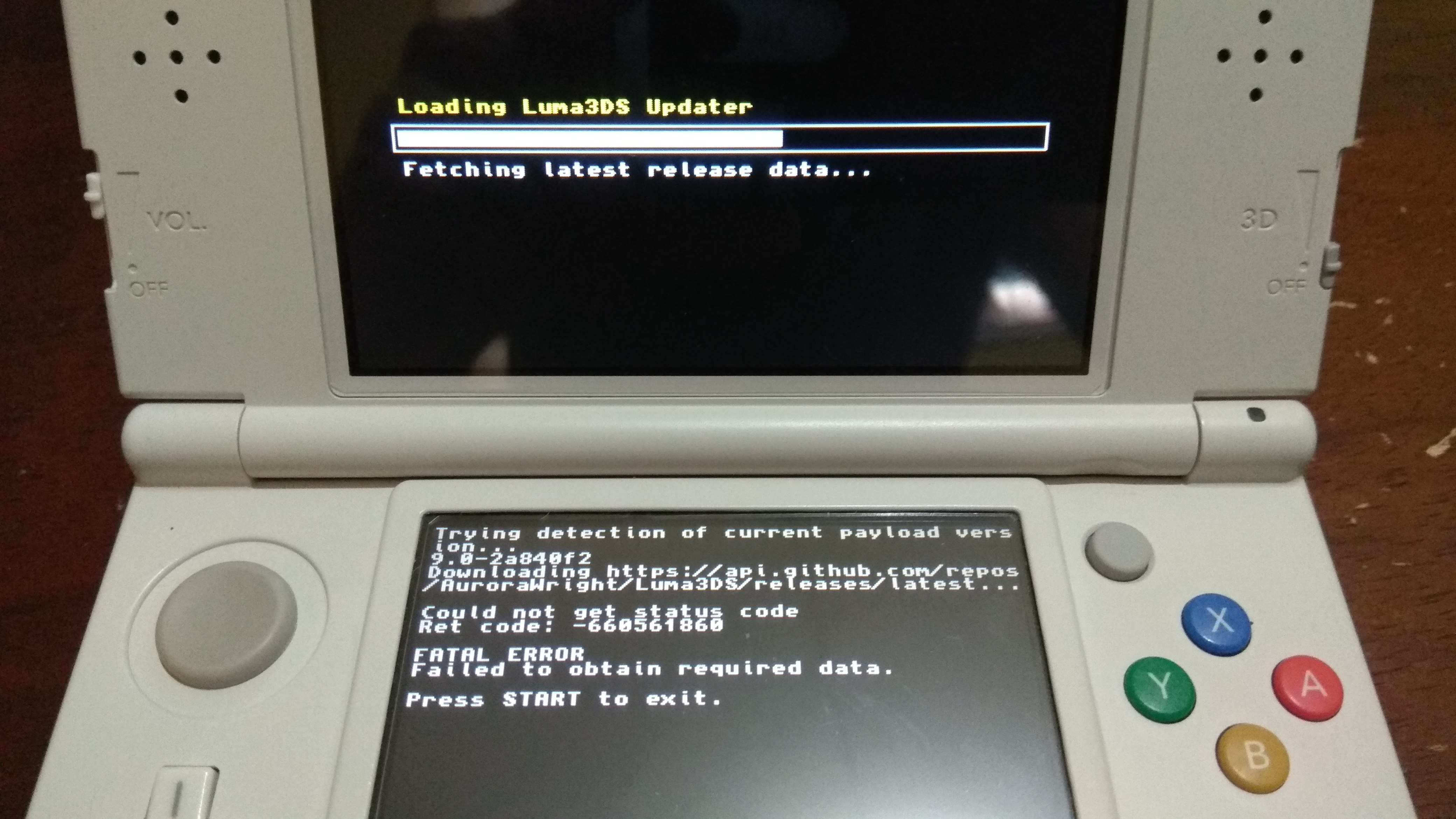
Another thing this past few days Im unable to update luma it shows me this error:
1.jpg


Hope someone can help and it will be very much appreciated. Sorry for bad english. Tnx in advance.
 
The F I have another problem. So I was planning on reformatting my brother's sd card thinking it might be corrupted (bcoz his 3ds shows the error more often). I was on the process on backing up his sd card on my PC when it shows an error midway. Then, when I opened the card, the contents are like this:
sdcard.png

Does this mean all the files are gone? The inside folders shows gibberish numbers.

Worst case scenario if I need to format this, can I copy my sd card to his even tho mine is new 3ds and his is regular? Are the save files for the games are saved on the system or the sd? What about the pokebank?

Sh*t my lil bros gonna kill me for deleting his 1k+hours gameplay on pokemon and MH. D:
 
The F I have another problem. So I was planning on reformatting my brother's sd card thinking it might be corrupted (bcoz his 3ds shows the error more often). I was on the process on backing up his sd card on my PC when it shows an error midway. Then, when I opened the card, the contents are like this:
View attachment 117579
Does this mean all the files are gone? The inside folders shows gibberish numbers.

Worst case scenario if I need to format this, can I copy my sd card to his even tho mine is new 3ds and his is regular? Are the save files for the games are saved on the system or the sd? What about the pokebank?

Sh*t my lil bros gonna kill me for deleting his 1k+hours gameplay on pokemon and MH. D:
  1. Check the backup to see if it has the other files.
  2. The inside folders are supposed to be "gibberish."
  3. No, you can't. SD Card contents are encrypted per system, so you can't just copy the contents.
  4. The encrypted save files are stored on SD. Pokémon Bank data is stored in Nintendo's servers...
Sorry, but that's all the help I can give you since I don't know what causes the error (nor what caused the file transfer error).
 
Tnx that gives me alot of info. I tried to recover the sd card using EasUS but unfortunately the files were all gone and replaced by some other folders. Will the 3ds still boot up if I place the boot.firm file?
 
Tnx that gives me alot of info. I tried to recover the sd card using EasUS but unfortunately the files were all gone and replaced by some other folders. Will the 3ds still boot up if I place the boot.firm file?
Yes.
Although it sounds like your SD card is dying, if you're able to replace it you should.
 
Last edited by ,
I just replaced the old card with this one :(. I bought a branded one (kingston) just to be sure that it will work correctly. And now its corrupted. Is it possible that my old 3ds is the one causing this sd card errors?
 
I just replaced the old card with this one :(. I bought a branded one (kingston) just to be sure that it will work correctly. And now its corrupted. Is it possible that my old 3ds is the one causing this sd card errors?
That's possible, likely even. If that's the case, then it'd be a hardware issue with your O3DS's SD card reader.
I'm not sure there's much you can do. Sorry about this whole ordeal
 
That's possible, likely even. If that's the case, then it'd be a hardware issue with your O3DS's SD card reader.
I'm not sure there's much you can do. Sorry about this whole ordeal
Tnx my 2nd problems resolved.

But my original problem happens even on my new 3ds. Tho it happens much more often on the old one, its still kinda annoying because I have to backup my save for that game, delete it, then reinstall the CIA. Is this a normal thing for CFWs? Or is there something wrong here? I've already updated luma using the app which @SCOTT0852 provided. It happened twice on my new 3ds while playing pokemon ORAS and once on MH4u.
 
Tnx my 2nd problems resolved.

But my original problem happens even on my new 3ds. Tho it happens much more often on the old one, its still kinda annoying because I have to backup my save for that game, delete it, then reinstall the CIA. Is this a normal thing for CFWs? Or is there something wrong here? I've already updated luma using the app which @SCOTT0852 provided. It happened twice on my new 3ds while playing pokemon ORAS and once on MH4u.
It's definitely not normal. I tried to look up the error, but didn't find any info. A few other people have encountered it, but I have no idea what could be causing it.
 

Site & Scene News

Popular threads in this forum