
- Joined
- May 2, 2007
- Messages
- 573
- Reaction score
- 0
- Trophies
- 1
- Age
- 43
- Location
- Chorley Uk
- XP
- 345
- Country

So, I installed my Wiikey over the Wiikend. I decided to go for a wiikey as It seemed like the best chip on offer plus it only required 6 solder points to install.
Before you look at these pics, please bear in mind I am a total n00b when it comes to hardware hacking, and I havnt done any soldering since I was 16 (im now 24)
I had a few practise attempts on an old DVD drive untill I thought I was ready to do the actual Wii. I think I've made a pretty good job of the whole mod and it all works perfectly so Im happy!
I decided I'd rather do as little work inside the console as possible to avoid frying the wii with my soldering Iron or just generally destoying something so, with this in mind, I opted for an external install. I also wanted to be able to remove the Modchip easily should I want to in the future. Therefore, I decided to use a kind of dongle method, similar to one I saw on another forum done by a german guy (thanks, you deserve props
 ) using a male/female 9pin Dsub connector as the connection point. This way, I could disconnect the dongle whenever I like and the console will work just like a normal, un-modded wii.
Sooo, on with the show,.
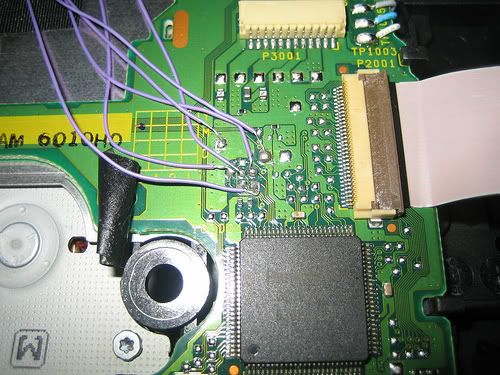
Here is a pic of the soldering I did. its not the best job ever, but it works fine, no shorts etc.
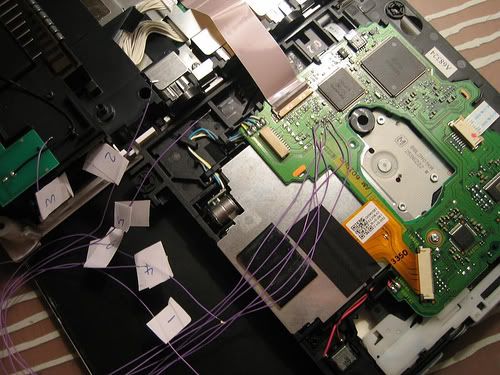
Here are the wires after soldering them to the DVD drive, taping them down and labelling them 1 - 6
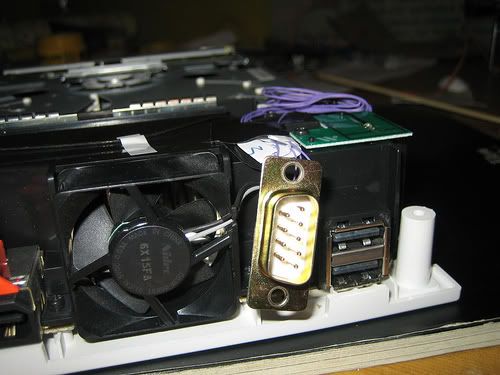
Here is the back of the console, after I fitted the wires, positioned the DVD drive back in its place and soldered the other ends to my female 9pin Dsub. In retrospect, I should have put the wires through the casing before soldering as it was very difficult topush the Dsub + wires through the hole.
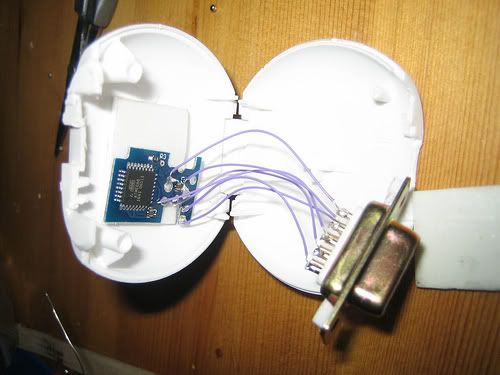
Here is the other end, my Wiikey, with the points soldered to a Male Dsub (points 1,2,3,4,5 & 6... doh!) and mounted in my dongle casing which is an empty Oral-B dental floss container. Its all I had to hand at the time

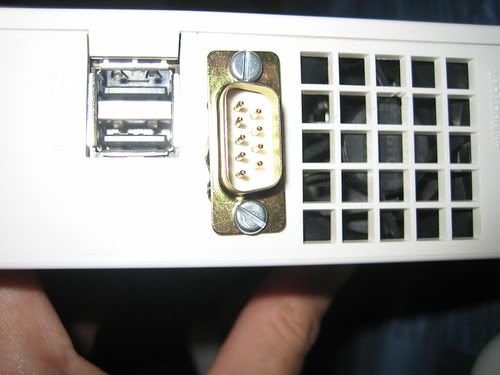
Here is a shot of the Dsub port I installed. To make the hole in the Wiis plastic casing, I used a crappy old soldering Iron I had & melted my way through. Not the best way but again, it worked for me!
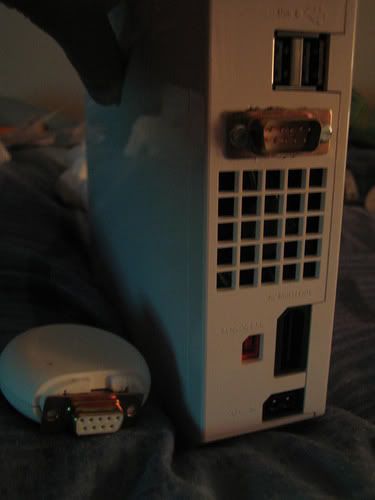
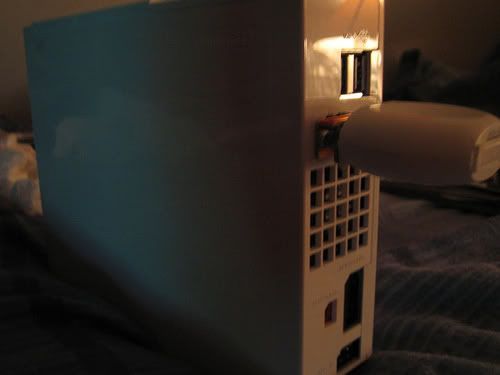
Here is a pic showing both...
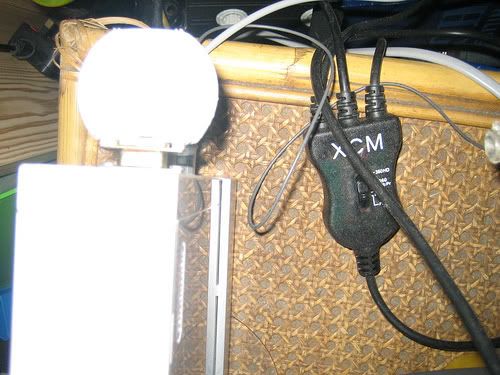
More pics! (note the XCM cable - a must have if you got a Wii60 combination and only one component input on your HDTV...
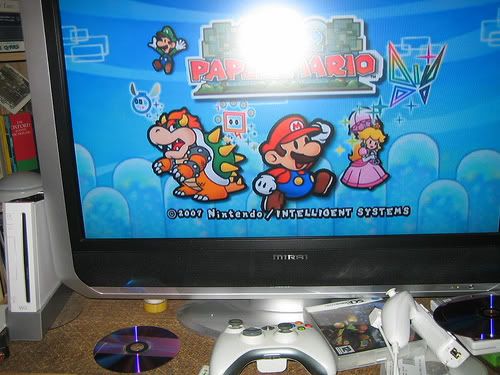
And finally, here is paper mario, booted up on my Pal -UK Wii. Its great!
In retrospect I could have done various things to make the install more seamless. Better planning, using a proper cutting tool to cut the case, mounting the Wiikey on some track-board etc etc... I know my cutting/soldering is not really up to scratch but like I said, its all worked for me!
More pics at my flickr! - Flickr!
Please give me some feedback on my work. Im very proud of it, maybe a little too proud. I think I need some constructive critsism!
Thanks for looking!
Before you look at these pics, please bear in mind I am a total n00b when it comes to hardware hacking, and I havnt done any soldering since I was 16 (im now 24)
I had a few practise attempts on an old DVD drive untill I thought I was ready to do the actual Wii. I think I've made a pretty good job of the whole mod and it all works perfectly so Im happy!
I decided I'd rather do as little work inside the console as possible to avoid frying the wii with my soldering Iron or just generally destoying something so, with this in mind, I opted for an external install. I also wanted to be able to remove the Modchip easily should I want to in the future. Therefore, I decided to use a kind of dongle method, similar to one I saw on another forum done by a german guy (thanks, you deserve props
Sooo, on with the show,.
Here is a pic of the soldering I did. its not the best job ever, but it works fine, no shorts etc.
Here are the wires after soldering them to the DVD drive, taping them down and labelling them 1 - 6
Here is the back of the console, after I fitted the wires, positioned the DVD drive back in its place and soldered the other ends to my female 9pin Dsub. In retrospect, I should have put the wires through the casing before soldering as it was very difficult topush the Dsub + wires through the hole.
Here is the other end, my Wiikey, with the points soldered to a Male Dsub (points 1,2,3,4,5 & 6... doh!) and mounted in my dongle casing which is an empty Oral-B dental floss container. Its all I had to hand at the time
Here is a shot of the Dsub port I installed. To make the hole in the Wiis plastic casing, I used a crappy old soldering Iron I had & melted my way through. Not the best way but again, it worked for me!
Here is a pic showing both...
More pics! (note the XCM cable - a must have if you got a Wii60 combination and only one component input on your HDTV...
And finally, here is paper mario, booted up on my Pal -UK Wii. Its great!
In retrospect I could have done various things to make the install more seamless. Better planning, using a proper cutting tool to cut the case, mounting the Wiikey on some track-board etc etc... I know my cutting/soldering is not really up to scratch but like I said, its all worked for me!
More pics at my flickr! - Flickr!
Please give me some feedback on my work. Im very proud of it, maybe a little too proud. I think I need some constructive critsism!
Thanks for looking!