Switch OLED teardown V1/V2

  • Thread starter Thread starter grubgrub
  • Start date Start date
  • Views Views 260,939
  • Replies Replies 1,138
  • Likes Likes 10
Yeah it's normal behavior, and you can use autohosoff on hekate to prevent it.
Like in here?
1638118251582.png

Just change it to 1?
Thx!
 
I recommend you guys choose SD File Based to create Emummc, because partition based somehow will not restore your files after doing backup on SD card.

Also emunand bases on sysnand, sysnand bases on device's storage capacity, which is 64gb. If you choose SD partition based, you can move 29 full (~32gb) or 29x2 (create 2 more partition, ~32gb each). I think it will corrupt.

Correct me if I'm wrong here. And after Nintendo release HOS 13.0, ATM and Hekate fully supported, SD file based (on Oled) is more reliable than before.
 
I recommend you guys choose SD File Based to create Emummc, because partition based somehow will not restore your files after doing backup on SD card.

Also emunand bases on sysnand, sysnand bases on device's storage capacity, which is 64gb. If you choose SD partition based, you can move 29 full (~32gb) or 29x2 (create 2 more partition, ~32gb each). I think it will corrupt.

Correct me if I'm wrong here. And after Nintendo release HOS 13.0, ATM and Hekate fully supported, SD file based (on Oled) is more reliable than before.
Currently there's no way to create 58.3Gb partitions via Hekate but it will create a 29Gb fine, which will work for OLED as well.

If you want to create a full 64gb partition you can use any partitioning program to create a 58.3Gb (actually a 58.27Gb will suffice) trailing partition on your SD and Hekate will "see and use" it as a full partition for your OLED.

Cheers!
 
  • Like
Reactions: lufeig
autohosoff =

0: Disable
1: If woke up from HOS via an RTC alarm, shows logo, then powers off completely
2: No logo, immediately powers off

😉
Thx, mate!
I had mine set as 0 and I will be making a test soon enough with it set as 2 :)
 
Thx, mate!
I had mine set as 0 and I will be making a test soon enough with it set as 2 :)
Setting it to 2 causes the console to do not show anything, just as the option says, immediately shutting it down.

The chip blinks purple then green, which is expected since it needs to do its thing before Hekate senses a power on after a power off to shut it down for good.

One "annoyance" down! :)

Cheers!
 
Thx, mate!
I had mine set as 0 and I will be making a test soon enough with it set as 2 :)
with autohosoff=2, when you turn the console off from horizon, it reboots to black screen, then the modchip comes into action again - you can see it from the status led - and as soon as the led becomes green, the console turns off automatically!
----------
EDIT: sorry, i wrote my answer when you were writing yours! glad that it worked for you too, mate!
 
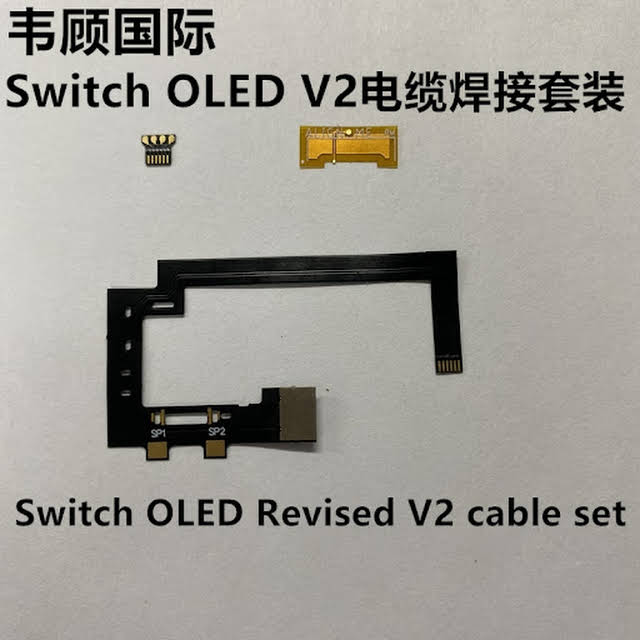
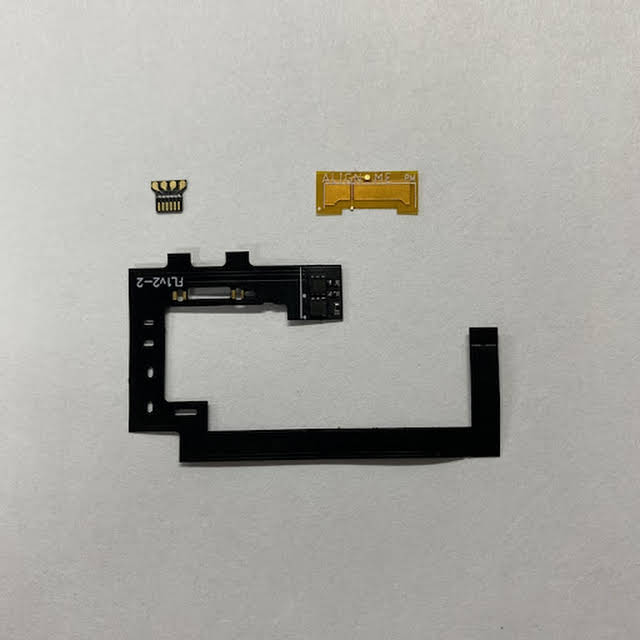
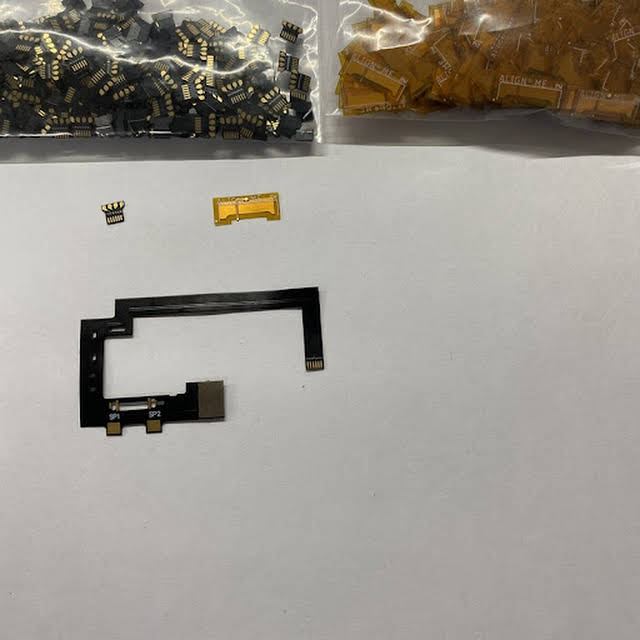
It seems like the HWFLY team has created a new OLED SoC cable and bundles it with the DAT0 adapter in a set.
It works on both the Lite and Core variant.

9eQaJ3C7La0T6z8q0FlYQRxkYONgaVNL-nHvfc4t__pXnIXZTrm06dSvdi0EMuNzQwfTTob_5jRP=s640-c-fcrop64=1,00000000ffffffff-nd-v1

gYaUTSRWxmxLVBBt49ClTKF0a7n7QuojlFqSfKyNK_4p0pNMpr21CCShYlMNITlYUOShWpI8KlH814g=s640-c-fcrop64=1,00000000ffffffff-nd-v1

VdZs976JGUPXUct-fn7pOaZeuVZCyAi5SJKLQicHFj6BWNDkl3Jy206_oaWbhrbTmiWcfCs6r7tqHQg=s640-c-fcrop64=1,00000000ffffffff-nd-v1

hRgxVamZYAYVmbQHVbZhEf8FQZVS0WAoHGUqpf3-MVgZogxcHDQE5HJXJjYaedeAhdyBIFQS_EV4=s640-c-fcrop64=1,00001ff1ffffe00e-nd-v1

JqwfF_21b_56iJF1WED9qfVBsQSIBGyNQQB8wZYR4Ukga-C7B9FAeCW-QqJPr0M661uF0NGTpQXr2A=s600-c-fcrop64=1,20000000dfffffff-nd-v1


As much as I would've wished for a revised PCB, this is probably better than nothing / as far as they will go.
If they would preinstall Spacecraft-NX 0.2 now on all units, we would be pretty much golden here.

 
It seems like the HWFLY team has created a new OLED SoC cable and bundles it with the DAT0 adapter in a set.
It works on both the Lite and Core variant.

9eQaJ3C7La0T6z8q0FlYQRxkYONgaVNL-nHvfc4t__pXnIXZTrm06dSvdi0EMuNzQwfTTob_5jRP=s640-c-fcrop64=1,00000000ffffffff-nd-v1

gYaUTSRWxmxLVBBt49ClTKF0a7n7QuojlFqSfKyNK_4p0pNMpr21CCShYlMNITlYUOShWpI8KlH814g=s640-c-fcrop64=1,00000000ffffffff-nd-v1

VdZs976JGUPXUct-fn7pOaZeuVZCyAi5SJKLQicHFj6BWNDkl3Jy206_oaWbhrbTmiWcfCs6r7tqHQg=s640-c-fcrop64=1,00000000ffffffff-nd-v1

hRgxVamZYAYVmbQHVbZhEf8FQZVS0WAoHGUqpf3-MVgZogxcHDQE5HJXJjYaedeAhdyBIFQS_EV4=s640-c-fcrop64=1,00001ff1ffffe00e-nd-v1

JqwfF_21b_56iJF1WED9qfVBsQSIBGyNQQB8wZYR4Ukga-C7B9FAeCW-QqJPr0M661uF0NGTpQXr2A=s600-c-fcrop64=1,20000000dfffffff-nd-v1


As much as I would've wished for a revised PCB, this is probably better than nothing / as far as they will go.
If they would preinstall Spacecraft-NX 0.2 now on all units, we would be pretty much golden here.
Thanks for letting us know!

Nice, but in the end we still have to solder 6 wires.

PS for newbies like me: on the core installation there’s another step: fold the ribbon cable and connect the adapter - in which the 4 wires are soldered to - to the modchip motherboard.
 
They are both using a variation of v1 it uses different APIs so it's not updatable even on V3 hwfly, it's also buggy because they made the storage that stores timing configurations to be read only, so it can never update timings per console and instead relies on the factory set timing.

That said all spacecraft-nx v2 allows is to use the OLED panel to display the NO SD screen, so you can make do with the status LED. Then again a legit SX Lite modchip is preferable assuming you can secure one.

What about the serial over USB connection on the modchip?
Iirc you could putty into it and press "r" to reset it - did they remove this feature?
 
  • Like
Reactions: flaviodiasd
It seems like the HWFLY team has created a new OLED SoC cable and bundles it with the DAT0 adapter in a set.
It works on both the Lite and Core variant.

9eQaJ3C7La0T6z8q0FlYQRxkYONgaVNL-nHvfc4t__pXnIXZTrm06dSvdi0EMuNzQwfTTob_5jRP=s640-c-fcrop64=1,00000000ffffffff-nd-v1

gYaUTSRWxmxLVBBt49ClTKF0a7n7QuojlFqSfKyNK_4p0pNMpr21CCShYlMNITlYUOShWpI8KlH814g=s640-c-fcrop64=1,00000000ffffffff-nd-v1

VdZs976JGUPXUct-fn7pOaZeuVZCyAi5SJKLQicHFj6BWNDkl3Jy206_oaWbhrbTmiWcfCs6r7tqHQg=s640-c-fcrop64=1,00000000ffffffff-nd-v1

hRgxVamZYAYVmbQHVbZhEf8FQZVS0WAoHGUqpf3-MVgZogxcHDQE5HJXJjYaedeAhdyBIFQS_EV4=s640-c-fcrop64=1,00001ff1ffffe00e-nd-v1

JqwfF_21b_56iJF1WED9qfVBsQSIBGyNQQB8wZYR4Ukga-C7B9FAeCW-QqJPr0M661uF0NGTpQXr2A=s600-c-fcrop64=1,20000000dfffffff-nd-v1


As much as I would've wished for a revised PCB, this is probably better than nothing / as far as they will go.
If they would preinstall Spacecraft-NX 0.2 now on all units, we would be pretty much golden here.

Wow nice
This saves me having to solder onto the SX/HWFLY chip now
Which aliexpress link are you using?
 
As much as I would've wished for a revised PCB, this is probably better than nothing / as far as they will go.
If they would preinstall Spacecraft-NX 0.2 now on all units, we would be pretty much golden here.

I originally bought an SX Core pre-installed with Spacecraft-NX 0.1. Updated it to Spacecraft-NX 0.2, and attempted to install it in my OLED (and gave up and bought a HWFLY Lite instead due to size). Anyways, I took that SX Core with Spacecraft-NX 0.2 and put it in my old Original V1 Switch, and it wouldn't boot! I managed to downgrade to Spacecraft-NX 0.1 and then it booted, all else the exact same. Spacecraft-NX dev also mentions if you don't have an OLED, no reason to update...so it seems it's hard for HWFLY to accomodate to both OLED and non-OLED users. We know for certain Spacecraft-NX 0.1 'works' with both devices, but not the other way around.
 
I originally bought an SX Core pre-installed with Spacecraft-NX 0.1. Updated it to Spacecraft-NX 0.2, and attempted to install it in my OLED (and gave up and bought a HWFLY Lite instead due to size). Anyways, I took that SX Core with Spacecraft-NX 0.2 and put it in my old Original V1 Switch, and it wouldn't boot! I managed to downgrade to Spacecraft-NX 0.1 and then it booted, all else the exact same. Spacecraft-NX dev also mentions if you don't have an OLED, no reason to update...so it seems it's hard for HWFLY to accomodate to both OLED and non-OLED users. We know for certain Spacecraft-NX 0.1 'works' with both devices, but not the other way around.
Question...Can the SX Core be flashed with Spacecraft before it is installed? or does it need to be in the switch and powered on before it can be flashed?
 
  • Like
Reactions: mvmiranda

Site & Scene News

Popular threads in this forum