Hacking SWITCH NOOB PARADISE - Ask questions here

  • Thread starter Thread starter APartOfMe
  • Start date Start date
  • Views Views 6,126,680
  • Replies Replies 47,984
  • Likes Likes 66
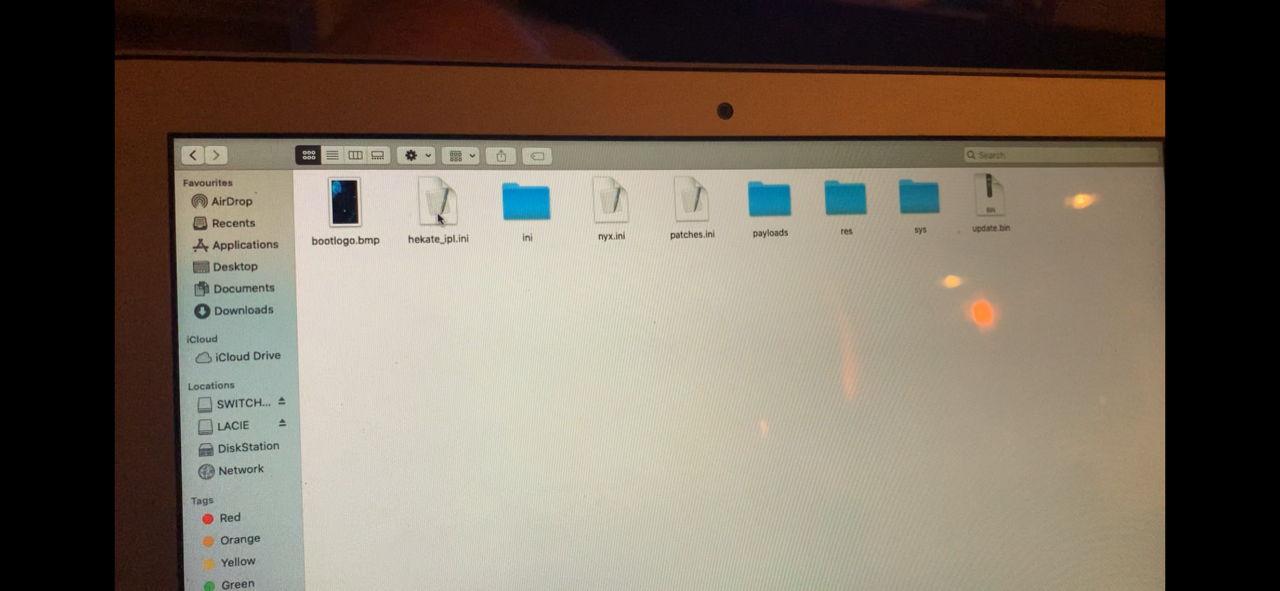
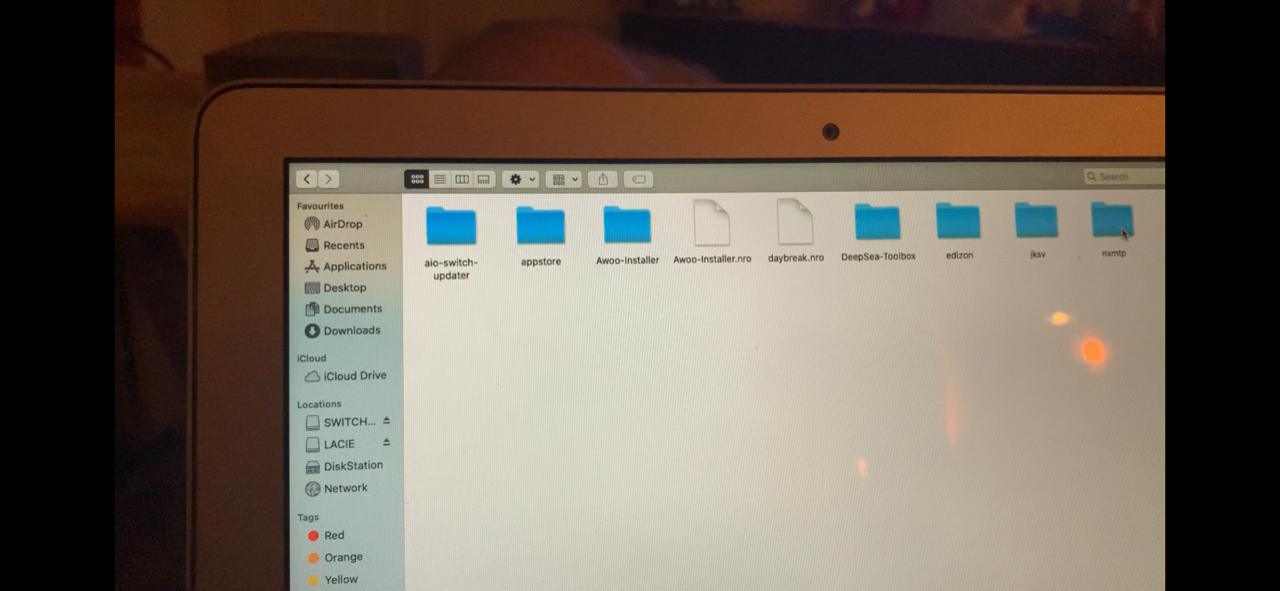
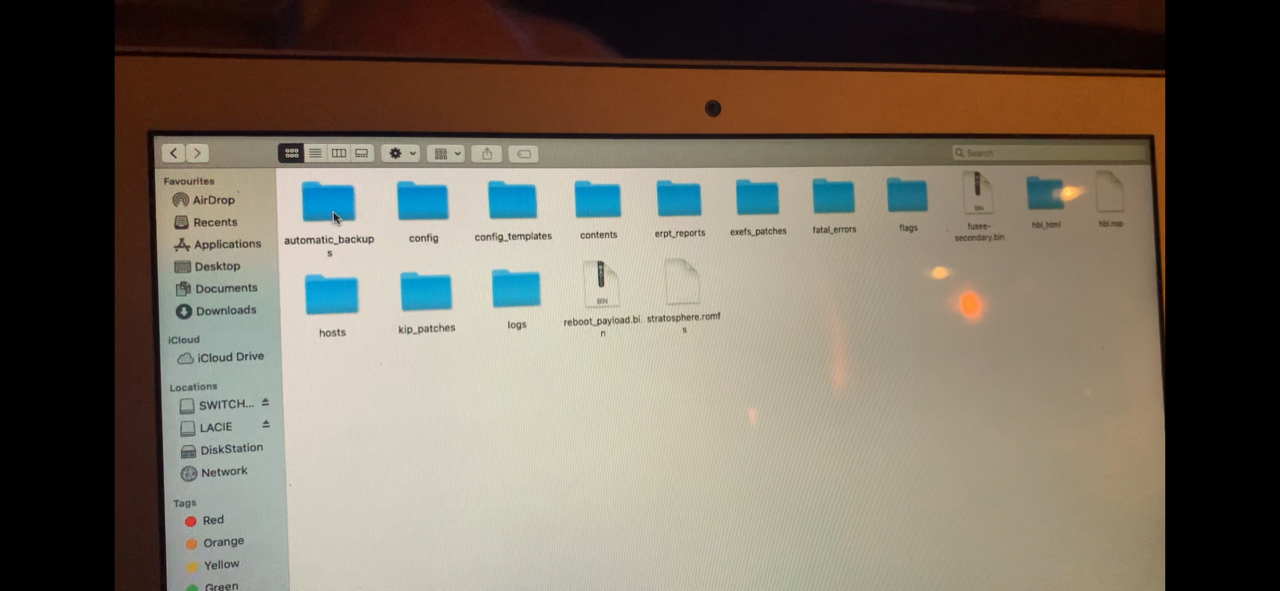
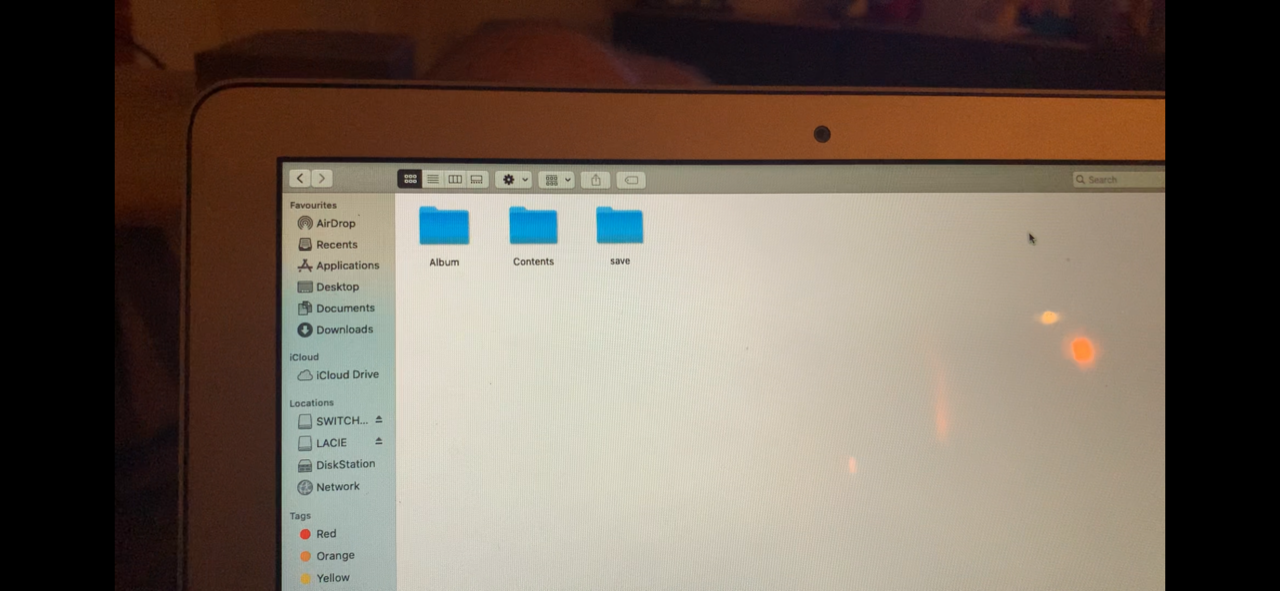
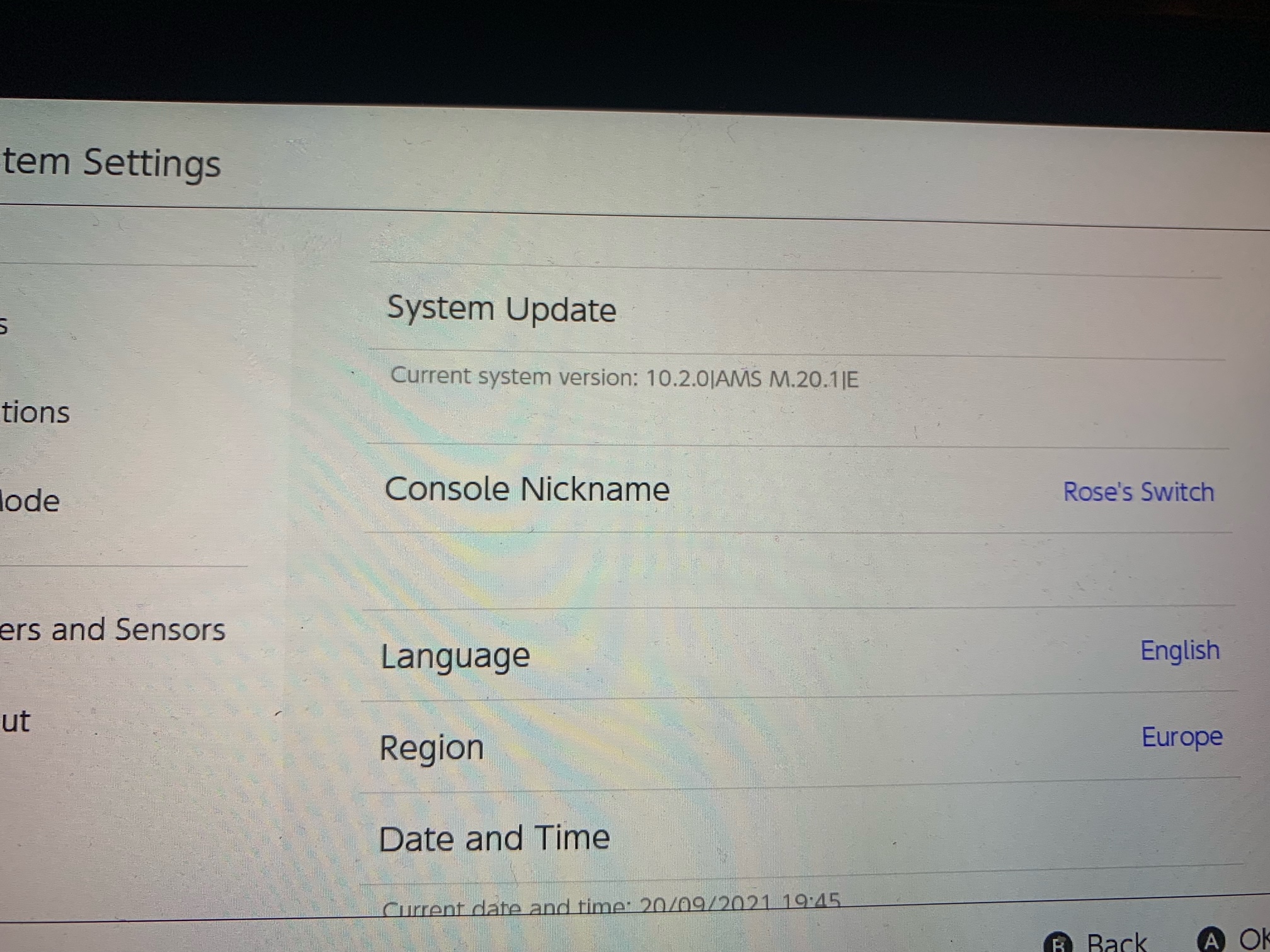
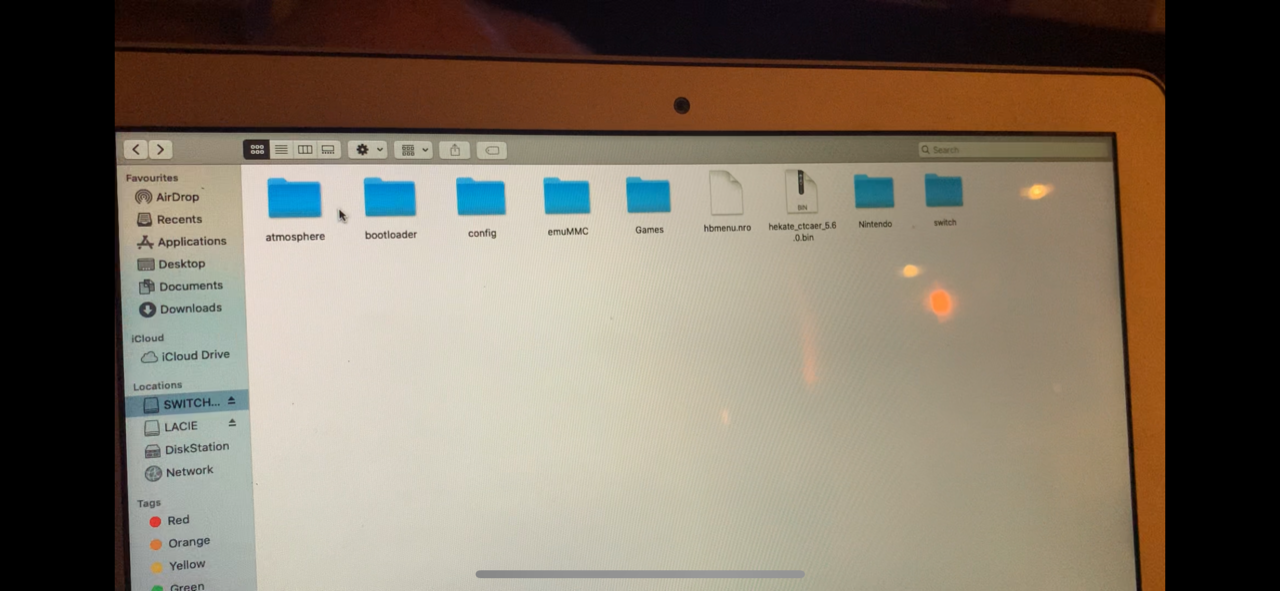
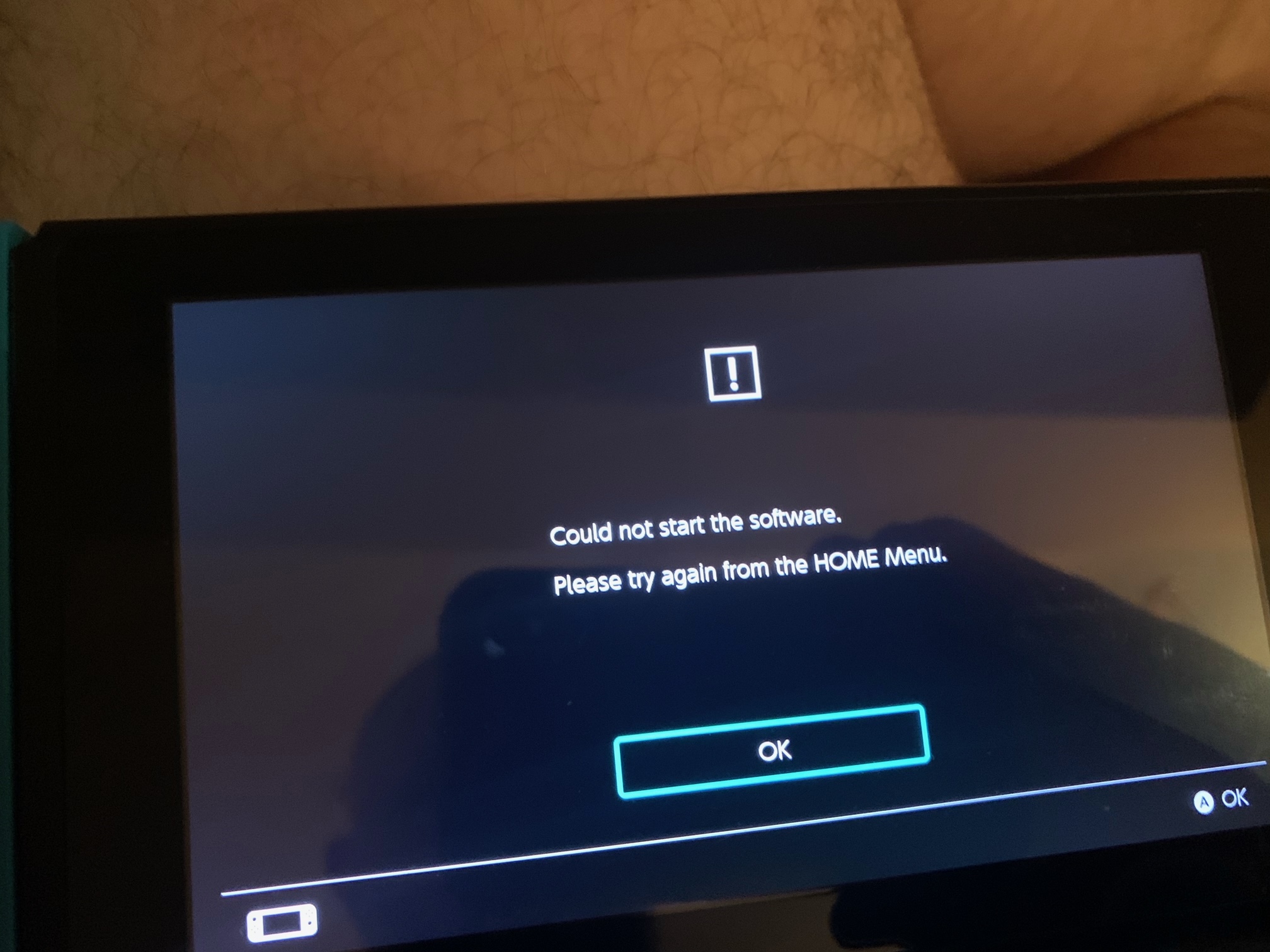
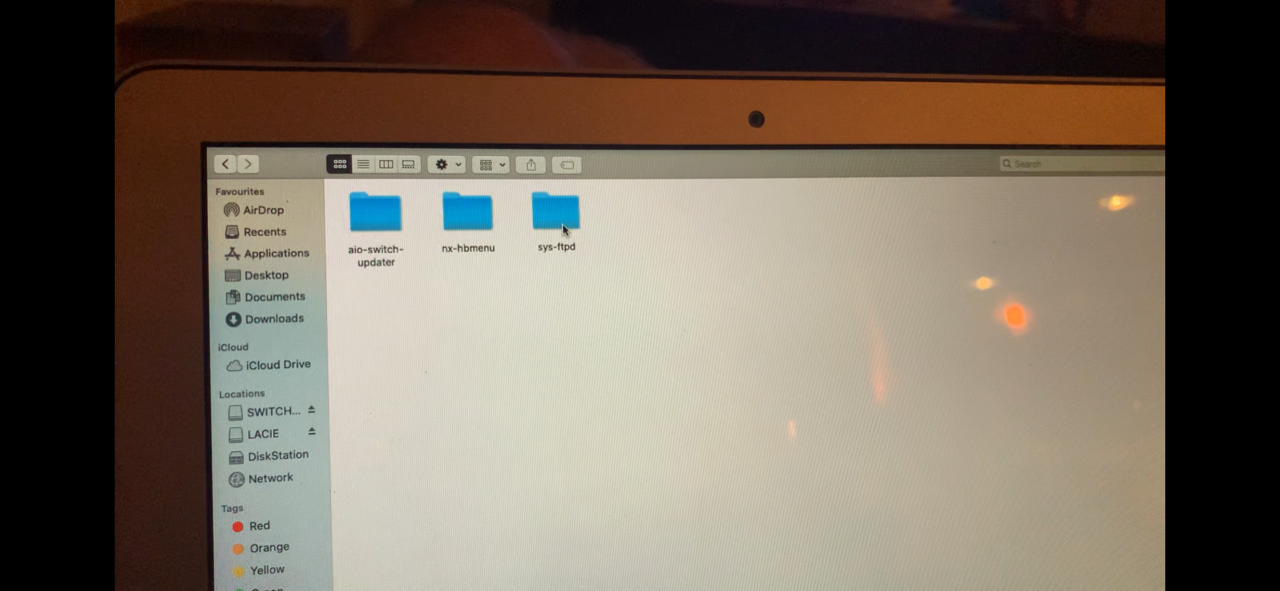
Hi there, any help appreciated this is driving me insane i had all this working before, after an update only a few games work I have been through the guide on here but it hasn't fixed it I am a Mac user I'll post some pics any help be greatly appreciated some games work I just got AC from a well trusted source and you can see the error message I receive when trying to open it I have uploaded these images in the hope somebody can spot something from the contents of my sd card I have installed latest version of deepsea tried to install latest sigpatches from both awoo installer and the ones hosted by shadowone 333.
Please please please help me fix this driving me nuts, thanks in advance Marc


image0-1.pngimage0.png image0-1.png image0.jpeg image0.png image1-1.png image1.png image2-1.jpeg image2-1.png image2.jpeg image2.png image3.jpeg image3.png image0.jpeg
image0-1.png
image0.jpeg
image0.png
image1-1.png
image1.png
image2-1.jpeg
image2-1.png
image2.jpeg
image2.png
image3.jpeg
image3.png
 
Hey guys new atmosphere user here. How do i install nsp games above 4gb? Can i do it over usb of so is there a guide
You can either split the .NSP file into <4BG chunks, use network install, or USB installation. Of the 3, I would recommend USB install.

Hi there, any help appreciated this is driving me insane i had all this working before, after an update only a few games work I have been through the guide on here but it hasn't fixed it I am a Mac user I'll post some pics any help be greatly appreciated some games work I just got AC from a well trusted source and you can see the error message I receive when trying to open it I have uploaded these images in the hope somebody can spot something from the contents of my sd card I have installed latest version of deepsea tried to install latest sigpatches from both awoo installer and the ones hosted by shadowone 333.
Please please please help me fix this driving me nuts, thanks in advance Marc


View attachment 276490View attachment 276492 View attachment 276490 View attachment 276491 View attachment 276492 View attachment 276493 View attachment 276494 View attachment 276495 View attachment 276496 View attachment 276497 View attachment 276498 View attachment 276499 View attachment 276500 View attachment 276491View attachment 276490View attachment 276491View attachment 276492View attachment 276493View attachment 276494View attachment 276495View attachment 276496View attachment 276497View attachment 276498View attachment 276499View attachment 276500
Try using the patches found here.
 
Hey guys new atmosphere user here. How do i install nsp games above 4gb? Can i do it over usb of so is there a guide

alternative way to install games over 4gb:

Install Goldleaf from HB Store.
Copy nsp games into a USB hard drive. Connect the USB hard drive to the Switch.
Open Goldleaf and click on Explore content. Click on USB Drives and browse your USB hard drive and click on the NSP file you want to install and Voila.
 
Hello, theres a way to check if my switch is banned without having to connect it to the internet?
That makes no sense. Being banned means you can't connect to Nintendo's servers so how else would you check without connecting to them? And even if there hypothetically was a way to check without connecting to the Internet, if you're searching for a way to do it without connecting to the Internet, that implies you believe there is a chance you will be banned if you connect to the Internet. Therefore after you conduct the preliminary check without connecting to the Internet, you are implying that you risk getting banned once you connect to the Internet anyways so you're avoiding the inevitable.
 
You can either split the .NSP file into <4BG chunks, use network install, or USB installation. Of the 3, I would recommend USB install.

Try using the patches found here.
Hi have read the wiki on the page you sent re sigpatches it says to :
  • If you're unsure on which release to get then check your hekate_ipl.ini file located in your /bootloader/ folder.
    • If you have no such file, then get the fusee.zip release.
    • If you see the following line payload=bootloader/payloads/fusee.bin in your hekate_ipl.ini file, download fusee.zip.
    • If you see the following line fss0=atmosphere/package3 in your hekate_ipl.ini file, download hekate.zip.
Mine says neither it says:
[config]
autoboot=0
autoboot_list=0
bootwait=0
autohosoff=0
autonogc=1
updater2p=1
backlight=100

[CFW - sysMMC]
fss0=atmosphere/fusee-secondary.bin
kip1patch=nosigchk
emummc_force_disable=1

[CFW - emuMMC]
fss0=atmosphere/fusee-secondary.bin
kip1patch=nosigchk
emummcforce=1

[Stock - sysMMC]
fss0=atmosphere/fusee-secondary.bin
emummc_force_disable=1
stock=1

Any ideas?
Thanks in advance Marc
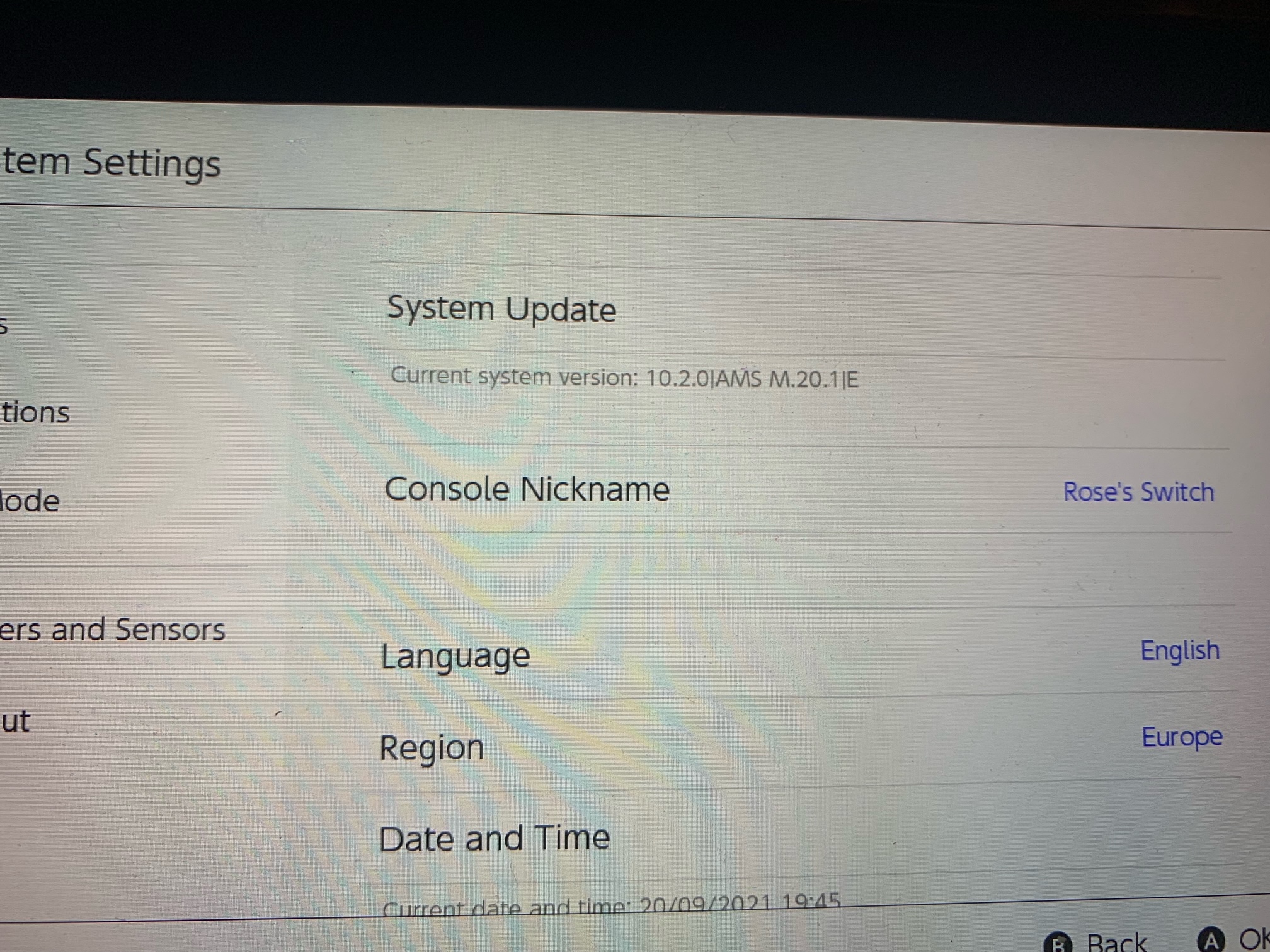
 
I use CFW using a SD file based emuMMC using hekate v5.6.2. I want to switch to using a partition based emuMMC. I have successfully created a partition using the built-in emuMMC tools. Is it possible to transfer my existing SD card based CFW to the new partition? Under the option "Migrate emuMMC" I only have the options "Fix RAW".
 
Hi all,

I just updated hekate & Atmosphère on my Switch (11.0.1):
hekate v5.6.2
Atmosphère 1.0.0

Content of hekate_ipl.ini:
[config]
autoboot=0
autoboot_list=0
bootwait=3
backlight=100
autohosoff=0
autonogc=1
updater2p=0
bootprotect=0
{------ Atmosphere ------}
[Atmosphere FSS0 EmuMMC]
fss0=atmosphere/package3
kip1=atmosphere/kips/*
emummcforce=1
icon=bootloader/res/emu_boot.bmp
{}
[Atmosphere FSS0 SYS]
fss0=atmosphere/package3
kip1=atmosphere/kips/*
emummc_force_disable=1
icon=bootloader/res/sys_cfw_boot.bmp
{}
{-------- Stock ---------}
[Stock SYS]
fss0=atmosphere/package3
stock=1
emummc_force_disable=1
icon=bootloader/res/stock_boot.bmp


I inject hekate_ctcaer_5.6.2.bin to launch hekate.
'Update Reboot 2 Payload' is turned ON.

When I launch 'Atmosphere F550 SYS' the Atmosphère logo will be displayed and then the screen turns black.

What have I done wrong? Can I turn on any logging or so?
Thanks for help.
 
Last edited by phazer,
Hi have read the wiki on the page you sent re sigpatches it says to :
  • If you're unsure on which release to get then check your hekate_ipl.ini file located in your /bootloader/ folder.
    • If you have no such file, then get the fusee.zip release.
    • If you see the following line payload=bootloader/payloads/fusee.bin in your hekate_ipl.ini file, download fusee.zip.
    • If you see the following line fss0=atmosphere/package3 in your hekate_ipl.ini file, download hekate.zip.
Mine says neither it says:
[config]
autoboot=0
autoboot_list=0
bootwait=0
autohosoff=0
autonogc=1
updater2p=1
backlight=100

[CFW - sysMMC]
fss0=atmosphere/fusee-secondary.bin
kip1patch=nosigchk
emummc_force_disable=1

[CFW - emuMMC]
fss0=atmosphere/fusee-secondary.bin
kip1patch=nosigchk
emummcforce=1

[Stock - sysMMC]
fss0=atmosphere/fusee-secondary.bin
emummc_force_disable=1
stock=1

Any ideas?
Thanks in advance Marc
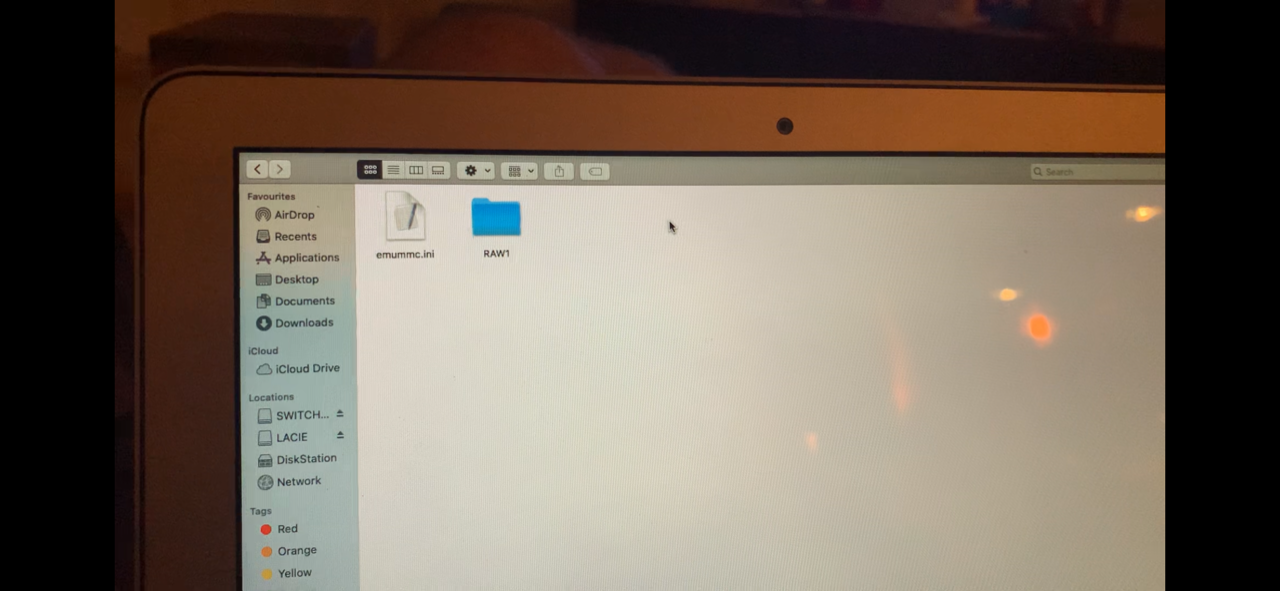
That wiki is outdated. Now fusee.zip and hekate.zip are identical so just download one of them. Doesn't matter which one you choose.
 
Hey guys and gals! Using Atmosphere and wanted to ask how the heck to install/unlock DLC since so-called unlocker files are not friends with Awoo/Goldleaf.
 
Hi all,

I just updated hekate & Atmosphère on my Switch (11.0.1):
hekate v5.6.2
Atmosphère 1.0.0

Content of hekate_ipl.ini:
[config]
autoboot=0
autoboot_list=0
bootwait=3
backlight=100
autohosoff=0
autonogc=1
updater2p=0
bootprotect=0
{------ Atmosphere ------}
[Atmosphere FSS0 EmuMMC]
fss0=atmosphere/package3
kip1=atmosphere/kips/*
emummcforce=1
icon=bootloader/res/emu_boot.bmp
{}
[Atmosphere FSS0 SYS]
fss0=atmosphere/package3
kip1=atmosphere/kips/*
emummc_force_disable=1
icon=bootloader/res/sys_cfw_boot.bmp
{}
{-------- Stock ---------}
[Stock SYS]
fss0=atmosphere/package3
stock=1
emummc_force_disable=1
icon=bootloader/res/stock_boot.bmp


I inject hekate_ctcaer_5.6.2.bin to launch hekate.
'Update Reboot 2 Payload' is turned ON.

When I launch 'Atmosphere F550 SYS' the Atmosphère logo will be displayed and then the screen turns black.

What have I done wrong? Can I turn on any logging or so?
Thanks for help.
Do you have a package3 file in your Atmosphere folder?

Hey guys and gals! Using Atmosphere and wanted to ask how the heck to install/unlock DLC since so-called unlocker files are not friends with Awoo/Goldleaf.
I would recommend not using the unlocker files.
 
A few questions about updating games.

First does one need to actually use every update or can you just load the latest and be good?

Is there a suggested method of updating and or is there any way to apply updates before putting the game on your system?

Are there any homebrew apps that help you update games, via the internet (like on OFW)?

Where can you go to see if a title has been updated or updated properly?

More of a specific question:

I got a game and downloaded several updates for it, transferred them to my system using ns-usbloader, but they didn't show up in the launcher at all. Did I do something wrong?

Thanks
 
A few questions about updating games.

First does one need to actually use every update or can you just load the latest and be good?

Is there a suggested method of updating and or is there any way to apply updates before putting the game on your system?

Are there any homebrew apps that help you update games, via the internet (like on OFW)?

Where can you go to see if a title has been updated or updated properly?

More of a specific question:

I got a game and downloaded several updates for it, transferred them to my system using ns-usbloader, but they didn't show up in the launcher at all. Did I do something wrong?

Thanks
  • Latest update is sufficient
  • Depends. If your game isn't pirated, you can download the update on your console. Otherwise, you will have to download them illegally from the Internet. You can also install game updates before installing the game but make sure that you have the game installed when you're done
  • There are no homebrew apps to help update games because that would be illegal
  • If the game has been updated, you can check the version info on the game itself
  • As for your specific question, what do you mean by the "launcher"?
 
  • Latest update is sufficient
  • Depends. If your game isn't pirated, you can download the update on your console. Otherwise, you will have to download them illegally from the Internet. You can also install game updates before installing the game but make sure that you have the game installed when you're done
  • There are no homebrew apps to help update games because that would be illegal
  • If the game has been updated, you can check the version info on the game itself
  • As for your specific question, what do you mean by the "launcher"?

Once again Draxzelex thanks for the info.

How can one update games before transferring them to the system? And what did you mean by "make sure that you have the game installed when done"?

Launcher, I meant the console default browser for selecting games and whatnot. I blanked on the actual name for it.
 
Hey guys,

I was apparently on Firmware 8.1 last time I used my switch. I tried to update using the AIO updater and of course it failed, likely because the newest Atmosphere doesn't work with my current firmware.

So I did a lot of monkeying around and ended up going back to Atmosphere 0.9.3.

Problem is, I can no longer load the original CFW, I can only load my Emunand. I'd like to update my CFW so I can do online play with legitimate games. How do I get back to the 0.8.1 CFW and not Emunand? I'm not sure how to format my hekate_ipl.ini as I (stupidly) forgot to back mine up. I was using Kosmos and my file looks like this:

[config]
autoboot=0
autoboot_list=0
bootwait=1
verification=1
backlight=100
autohosoff=0
autonogc=1

{AtlasNX/Kosmos v13.0.2}
{}
{Discord: discord.teamatlasnx.com}
{Github: git.teamatlasnx.com}
{Patreon: patreon.teamatlasnx.com}
{Pegascape DNS: pegascape.sdsetup.com}
{}

{--- Custom Firmware ---}
[Atmosphere (SYSNAND)]
emummc_force_disable=1
fss0=atmosphere/fusee-primary.bin
atmosphere=1
{}

[CFW (EMUMMC)]
fss0=atmosphere/fusee-secondary.bin
atmosphere=1
{}

{--- Stock ---}
[Stock (SYSNAND)]
emummc_force_disable=1
fss0=atmosphere/fusee-secondary.bin
stock=1
icon=bootloader/res/icon_switch.bmp
{}
 
Once again Draxzelex thanks for the info.

How can one update games before transferring them to the system? And what did you mean by "make sure that you have the game installed when done"?

Launcher, I meant the console default browser for selecting games and whatnot. I blanked on the actual name for it.
You can install updates in the form of .NSP files. If you install game updates without having a game installed, it will create an icon for the game on the Home menu but it cannot be launched since the actual game has not been installed.
Hey guys,

I was apparently on Firmware 8.1 last time I used my switch. I tried to update using the AIO updater and of course it failed, likely because the newest Atmosphere doesn't work with my current firmware.

So I did a lot of monkeying around and ended up going back to Atmosphere 0.9.3.

Problem is, I can no longer load the original CFW, I can only load my Emunand. I'd like to update my CFW so I can do online play with legitimate games. How do I get back to the 0.8.1 CFW and not Emunand? I'm not sure how to format my hekate_ipl.ini as I (stupidly) forgot to back mine up. I was using Kosmos and my file looks like this:

[config]
autoboot=0
autoboot_list=0
bootwait=1
verification=1
backlight=100
autohosoff=0
autonogc=1

{AtlasNX/Kosmos v13.0.2}
{}
{Discord: discord.teamatlasnx.com}
{Github: git.teamatlasnx.com}
{Patreon: patreon.teamatlasnx.com}
{Pegascape DNS: pegascape.sdsetup.com}
{}

{--- Custom Firmware ---}
[Atmosphere (SYSNAND)]
emummc_force_disable=1
fss0=atmosphere/fusee-primary.bin
atmosphere=1
{}

[CFW (EMUMMC)]
fss0=atmosphere/fusee-secondary.bin
atmosphere=1
{}

{--- Stock ---}
[Stock (SYSNAND)]
emummc_force_disable=1
fss0=atmosphere/fusee-secondary.bin
stock=1
icon=bootloader/res/icon_switch.bmp
{}
What happens when you try launching CFW?
 

Site & Scene News

Popular threads in this forum