Team-Xecuter Presents SX OS v2.3 BETA

TX is on roll, release after release, and today's big release is brand-new SX OS v2.3 BETA
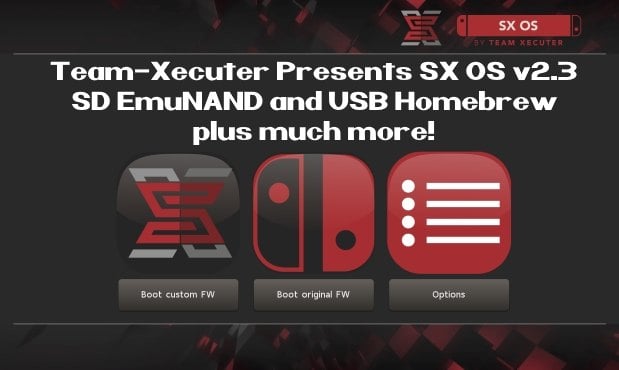
SX23.jpg

As you read thru TX's announcement below, you will quickly see that is jam-packed with all the features you have been requesting recently like SD EmuNAND and USB Homebrew, so check it out below:
Your favorite superheroes from Team Xecuter are back with another SX OS update.

In v2.3 beta of SX OS we have some exciting new functionality that you, the community, has been requesting a lot. As you know, we value your feedback and support.. so your wishes are our command!

Let's have a look at the changelog:
  • SD emuNAND support
    Since the introduction of our emuNAND feature we got a lot of comments about our initial decision to make the emuNAND data live on the actual system NAND. After lots of hard work we are happy to say we now have a workable solution for storing your emuNAND partition data on your microSD card. This has the upside of not using up any space on your Switch. In order to use the new microSD emuNAND system you will *not* have to format your microSD card. Simply enter the TX boot menu by holding Volume-+ while powering on your switch. Head into the options menu and select emuNAND on the left. Users of our existing emuNAND solution will see an option to migrate their existing emuNAND data. The migration process also cleans up the old emuNAND from the system NAND. Painless! We're interested in hearing your feedback about this exciting new functionality.
  • The 'Emutendo' folder
    In addition to the new microSD emuNAND system we also introduce the 'Emutendo' folder on your microSD card. As you've probably noticed, the Switch saves various data to a 'Nintendo' folder on your microSD card. To completely decouple this data between your Original Firmware and your EmuNAND enabled firmware we have made EmuNAND enabled systems use this differently named folder. If you want keep using your old SD card data with your emuNAND, simply copy/rename the 'Nintendo' folder to 'Emutendo'.
  • Added more directories to scan for content
    By popular demand we have added yet another list of subdirectories that will be scanned on your microSD card (or USB harddisk) for XCI/NSP/homebrew. The directories that have been added are:
    • – /sxos/updates
    • – /sxos/dlc
    • – /switch/updates
    • – /switch/dlc
  • Homebrew menu takeover of any title by holding R
    Homebrew is usually launched from either the TX menu or the Homebrew Launcher menu. Both of these applications run as an 'applet' on the Switch. Applets do not have access to all of the system's memory, and thus any homebrew apps or games launched from here are affected by this as well. The only way to allow full use of the system's memory was to build and install homebrew NSP files. But now we have added another way to give homebrew applications full memory access! You can now hold the (R) button while launching any regular title, and this will launch the Homebrew Launcher Menu. Any homebrew launched from here will run with the same capabilities as a regular Switch game/app. Enjoy!
  • Loading homebrew from USB
    More good news for homebrew lovers. You can now copy homebrew NRO files to your USB harddisk as well, and launch them directly from our SX OS menu.
  • Stability improvements
    Overall stability of many components has been improved. This includes LayeredFS and USB incompatibilities. We have also fixed a bug which would prevent people from launching more than 32 titles.
  • libusbfs update
    Last but not least a small update for developers. We've squashed a small bug in libusbfs pertaining the stat() function. If you had issues with this, grab an updated copy of libusbfs from our website!
The year 2018 is entering its final months. That does not mean we're taking a break from working on our beloved SX OS though. And yes, also those new 'unhackable' consoles are high up on the agenda. Don't worry, we will deliver.

Keep sending your feedback and ideas, they're very welcome.

See you all in the next update!

--< Team-Xecuter - Rocking the Switch in 2018 and beyond! >--

:arrow: Source: MaxConsole
 
Because the implementation is completely broken. And since most TX users are using exFAT SD Cards it opens up for massive corruption to files.

Can you point out who are TX users that got their SD corruppted massively ?I'm using SX since day1 and co-op with hekate atmosphere rajnx and even reinx. None of mentioned cfws that cause a single problem to my exfat SD.

--------------------- MERGED ---------------------------

Could anyone report if it runs more stable than the last release (2.2 beta)? I had some crashes when entering the album as well as closing some games. Any information is greatly appreciated!

As of beta, we wouldn't know just yet. For what I'm experiencing, none issue so far in terms of playing game or running homebrew.
 
  • Like
Reactions: BATMAN- and Kioku
Can you point out who are TX users that got their SD corruppted massively ?I'm using SX since day1 and co-op with hekate atmosphere rajnx and even reinx. None of mentioned cfws that cause a single problem to my exfat SD.
Oh my fucking god... The problem is with the emunand implementation not the actual CFW. This will be the last time I'll explain this. The """Emunand""" writes the same files over and over again. If something goes wrong the entire SD Card is fucked.
 
Oh my fucking god... The problem is with the emunand implementation not the actual CFW. This will be the last time I'll explain this. The """Emunand""" writes the same files over and over again. If something goes wrong the entire SD Card is fucked.

Right. Until my SD get exploded using """"""""""emunand""""""""" I will let you know.
 
  • Like
Reactions: Ra1d and maxx488
Is it normal it takes hours and hours to create SD emuNAND?

I've just started fresh with a FAT32 formatted Class 10 100MB/s 128gh Sandisk and it's at 40% after about 1 hour and a half.
 
Be sure to either DM me or quote me when it happens.

Do you know if there is any homebrew that read and write to SD continuously? I would like to test my exfat SD overnight.

Alright Tinfoil anyway lol. I will install 200GB of nsps to the """""emunand"""".
 
Last edited by thaikhoa,
Do you know if there is any homebrew that read and write to SD continuously? I would like to test my exfat SD overnight.
No. But if something unexpected happens like a crash or something then it may corrupt it. Go for it if you want to do it but make sure you have a backup first.
 
Oh my fucking god... The problem is with the emunand implementation not the actual CFW. This will be the last time I'll explain this. The """Emunand""" writes the same files over and over again. If something goes wrong the entire SD Card is fucked.

How does it write the same files over and over? -- It is basically doing a full nand backup into a set of files on your sdcard, same as the 'nand backup' function. -- biggest problem is it takes a while to dump 32gigs, -- and well if a user gets bored, and pulls the sdcard out while its dumping or turning off the power.

Or are you saying because its writing back and forth to the files on emunand all the time, people were not happy with it in sysnand claiming it would cause problems, now its moved to sd card and still its problems.

Why don't you tell nintendo how to fix their buggy exfat driver they licensed from microsoft, which does not close active 'write threads'. -- this issue exists with all custom firmwares, and even nintendo original firmware, its nothing to do with sx os itself, why do you think retroarch and other massive homebrew recommend only to use fat32. -- why do you think nintendo didn't include fat32 right away with their first few firmwares.

don't worry, by happy there is plan in works to fix all this possible 'corruption' issues, all tho you most likely will still not be happy with the plan either! :)
 
No. But if something unexpected happens like a crash or something then it may corrupt it. Go for it if you want to do it but make sure you have a backup first.

Then I will press Home buttom while installing nsp? If that's the case I did it a lot even pulling out the SD midway of installing stage. None issue.

One of corruption for sure is to run port games as homebrew. Press homen while playing will corrupt some of nros and kips when I used Hekate age ago.
 
How does it write the same files over and over? -- It is basically doing a full nand backup into a set of files on your sdcard, same as the 'nand backup' function. -- biggest problem is it takes a while to dump 32gigs, -- and well if a user gets bored, and pulls the sdcard out while its dumping or turning off the power.

Or are you saying because its writing back and forth to the files on emunand all the time, people were not happy with it in sysnand claiming it would cause problems, now its moved to sd card and still its problems.

Why don't you tell nintendo how to fix their buggy exfat driver they licensed from microsoft, which does not close active 'write threads'. -- this issue exists with all custom firmwares, and even nintendo original firmware, its nothing to do with sx os itself, why do you think retroarch and other massive homebrew recommend only to use fat32. -- why do you think nintendo didn't include fat32 right away with their first few firmwares.

don't worry, by happy there is plan in works to fix all this possible 'corruption' issues, all tho you most likely will still not be happy with the plan either! :)
1. See this tweet: https://twitter.com/hexkyz/status/1064600732618248192?s=19

2. The reason the same problems exist is because it's literally just a copy and paste of the original emunand.

3. I wasn't bashing your team for that reason. I was bashing it because the """"Emunand"""" your team worked on writes the same files over and over. Thus causing corruption on a format that is known for corruption.

4. If you read some of my posts I was pretty optimistic for this. But then it was a copy + paste hackjob whilst sprinkling in some stolen code from Atmosphere.

Nice response Garyopa.

--------------------- MERGED ---------------------------
 
Last edited by Essasetic,
Hmmm ... If emunand takes up 32GB ... and my Switch only comes with 25.9GB of usable storage ... why do i have OVER 10GB freespace of my system memory left after installing EMUNAND?
Because it uses "Timelord Technology"
 
Nice, now we need a new tut to hack for the 1st time directly to mSD emunand and update it offline without updating the game card FW and also not burn e-fuses which SX OS already protect us from that automatically right?

Also I would like to know if we can rely on TX payload to backup the whole nand for the 1st time just like hekate?
 
1. See this tweet: https://twitter.com/hexkyz/status/1064600732618248192?s=19

2. The reason the same problems exist is because it's literally just a copy and paste of the original NAND.

3. I wasn't bashing your team for that reason. I was bashing it because the """"Emunand"""" your team worked on writes the same files over and over. Thus causing corruption on a format that is known for corruption.

4. If you read some of my posts I was pretty optimistic for this. But then it was a copy + paste hackjob whilst sprinkling in some stolen code from Atmosphere.

Nice response Garyopa.

--------------------- MERGED ---------------------------

Sorry for quoting you again. Unless you actually encountered the issue yourself when using the new emunand on SD. Please don't assume and spread as it will be a major issue.
 
Last edited by thaikhoa,
  • Like
Reactions: Ra1d and maxx488
Nice, now we need a new tut to hack for the 1st time directly to mSD emunand and update it offline without updating the game card FW and also not burn e-fuses which SX OS already protect us from that automatically right?

Also I would like to know if we can rely on TX payload to backup the whole nand for the 1st time just like hekate?
I've made a fresh full raw backup yesterday on my exfat card. 0 problems.
 
Sorry for quoting you again. Unless you actually encountered the issue yourself when using the new emunand on SD. Please don't assume and spread as it will be a major issue.
exFAT SD cards are known for corruption. And this writes the same files over and over again. So pretty safe to assume it would cause a lot of damage.
 
2. The reason the same problems exist is because it's literally just a copy and paste of the original NAND.

But what do you want instead of complete nand backup. - if its not complete nand backup, or the same setup, then what do you recommend would be right way, besides a partition for the 32gigs, but that still would be copy of original nand.
 
  • Like
Reactions: nWo
But what do you want instead of complete nand backup. - if its not complete nand backup, or the same setup, then what do you recommend would be right way, besides a partition for the 32gigs, but that still would be copy of original nand.
Should've said emunand. My bad on that part.
 
exFAT SD cards are known for corruption. And this writes the same files over and over again. So pretty safe to assume it would cause a lot of damage.

but that is nintendo's bug -- if they updated the exfat driver to the one that samsung re 1:1 from microsoft's licensed code, they use on android phones then it would not be a problem.
 

Site & Scene News

Popular threads in this forum