Homebrew [Discontinued] TWLoader - CTR-mode NDS app

  • Thread starter Thread starter RocketRobz
  • Start date Start date
  • Views Views 1,818,949
  • Replies Replies 9,252
  • Likes Likes 147
Status
Not open for further replies.
How do I add games from my acekard2(i) to the twl menu? "Start -> game location: flashcard -> add games" only launches the game via a different menu (YSMenu) without adding smth to the TWL menu...
Btw Luma made my flashcard working again, so the only difference from normal launch is higher clock (less lag), right?

 
I reported this earlier, but here's the log for Pokemone white boxart not being downloaded, even though the path exists: http://art.gametdb.com/ds/coverS/US/IRAO.png
white 2, black and black 2 downloaded just fine.

Code:
Method: <DownloadBoxArt.Read_BoxArt> :
        Message:<Flashcard boxart read correctly.>
Method: <DownloadBoxArt.downloading_process> :
        Message:<Downloading missing boxart (Flashcard side)>
Method: <downloadBoxArt_internal> :
        Message: <Downloading boxart for TID>     Additional info:<IRAO>
Method: <WifiStatus> :
        Message: <Active internet connection found>     Additional info:<16:19>
Method: <downloadFile.error> :
        Message: <Error accessing resource.>     Additional info:<404>
 

Attachments

TWLoader v5.3.0

What's new?
  • You can now enter HOME Menu by pressing HOME, during the DS/DSi boot screen.
  • The "TWLNAND side not found" message now appears in the settings screen, and is shown properly.
What's new?/Bug fix
  • To finally fix the bug that causes a crash after the DS/DSi boot screen plays, the DSP firm will now be dumped on startup, in order for sound to play! (thanks to @zoogie)
Bug fix (6/15/2017)
  • Now contains the correct version number.
 
Last edited by RocketRobz,
TWLoader v
5.3.0


What's new?
  • You can now enter HOME Menu by pressing HOME, during the DS/DSi boot screen.
What's new?/Bug fix
  • To finally fix the bug that causes a crash after the DS/DSi boot screen plays, the DSP firm will now be dumped on startup, in order for sound to play! (thanks to @zoogie)
Thanks for the frequent updates, Robz8!
Just a few observations:
The version shows as 5.2.2, not 5.3.0
When updating from the homebrew itself, after a new version is found and I accept the update, my N3DS freezes on "Checking wi-fi connection..." nothing responds and I'm forced to restart the system. A couple of versions ago the homebrew crashed, so it could be an improvement over that.
The settings menu show "L Previous" and "R Next" while the game menu shows "L Previous Page" "R Next Page". It would be possible to make the game menu also shows "L Previous" and "R Next" for consistency and also so the text won't be squished?
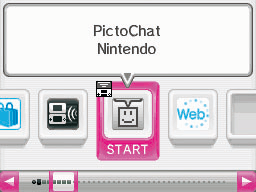
The Settings and Cartridge icons on the scroll bar of the DSi Menu appears as different icons from the rest of the games, while in TWLoader the scroll just disappears when one of those are selected. Do you intend on updating it and making the bubble text centered?
NTR_DSI_4c_UKV_SCR_Browser_08.gif


Thank you again for all the work invested! It sure is a beautiful piece of homebrew!
 
Thanks for the frequent updates, Robz8!
Just a few observations:
The version shows as 5.2.2, not 5.3.0
I fixed that just now.
When updating from the homebrew itself, after a new version is found and I accept the update, my N3DS freezes on "Checking wi-fi connection..." nothing responds and I'm forced to restart the system. A couple of versions ago the homebrew crashed, so it could be an improvement over that.
I don't know yet, why this happens.
The settings menu show "L Previous" and "R Next" while the game menu shows "L Previous Page" "R Next Page". It would be possible to make the game menu also shows "L Previous" and "R Next" for consistency and also so the text won't be squished?
Good idea!
The Settings and Cartridge icons on the scroll bar of the DSi Menu appears as different icons from the rest of the games, while in TWLoader the scroll just disappears when one of those are selected. Do you intend on updating it and making the bubble text centered?
NTR_DSI_4c_UKV_SCR_Browser_08.gif
I believe @GerbilSoft fixed the un-centered text issue, but he hasn't made a pull-request yet.
And the reason why the scroll disappears, is because the settings and the cart/add games icons exceed past the 20 games per page limit.
Thank you again for all the work invested! It sure is a beautiful piece of homebrew!
You're welcome! :)
 
Last edited by RocketRobz,
  • Like
Reactions: Jubash
Yes, it will be updated. As ahezard confirmed, it's not dead.
Is he busy or some thing?

--------------------- MERGED ---------------------------

on the compatibility sheet, It says mkds works online but I tested it with someone and it gives connection error due to slower loading times.
 
I believe @GerbilSoft fixed the un-centered text issue, but he hasn't made a pull-request yet.
And the reason why the scroll disappears, is because the settings and the cart/add games icons exceed past the 20 games per page limit.
I need to rebase my branch due to all the recent changes, so it might be some time before I send a PR.
 
  • Like
Reactions: RocketRobz
My original R4 boots normally through TWLoader, but when I switch the game location to Flashcard instead of the SD card, then hit "Add Games", it shows the DS boot screen, and ends up on a grey top screen with a black bottom screen. I'm using all the correct files and everything, and I have all 3 TWLoader cias installed, not sure what the issue is :/
 
Hey, thanks for the new version!

I have a litte problem.

I installed TWloader.cia, both side cia. TWloader works like a charm, but not really with my flashcard:

When i launch a game it just opens the flashcard / R4 Wood Menu, like when i use my flashcard normally. Same for "Add Game" Option. The flashcard itself works.

I'm using
R4i RTS Gold 3 DS Revolution

(http://www.r4ids.cn/)

Install steps:

Copied "sdroot" from TWloader7.z to my 3DS SDCARD root.

Copied the contents of \flashcardsdroot (DSTT, R4i Gold, R4i-SDHC, SC DSONE)\for 3DS SD Card\ to my 3DS SDCard root

Copied the contents of \for Slot-1 microSD (R4i Gold, R4i-SDHC)\ to my flashcards root (also tried the other r4 folder, didnt function)

\flashcardsdroot (all)\ also to Flashcard root.

Thanks in advance.
Cheers Tim
 
What order need install cias?

TWLoader - TWLNAND side (part 2).cia
TWLoader - TWLNAND side.cia
TWLoader.cia

And I need copy to SD this folders?

flashcardsdroot (all)
flashcardsdroot (DSTT, R4i Gold, R4i-SDHC, SC DSONE)

Thanks in advance

Order doesn't matter when installing the CIA's and only copy those folders if your using a flashcart.
 
On 5.3.0 the 3dsx version crash to Home menu every time I tried to load a game or the cart. The CIA version works fine. I have a M3 Real.
 
Status
Not open for further replies.

Site & Scene News

Popular threads in this forum