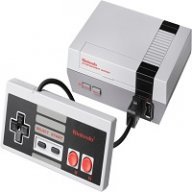
Official hakchi2 - NES Mini very simple pimp tool

  • Thread starter Thread starter Cluster
  • Start date Start date
  • Views Views 4,413,872
  • Replies Replies 18,558
  • Likes Likes 138
Long-time lurker, new NES Classic owner.

Few questions... I see that the NES classic has Game Genie support; is there a way to incorporate a set of common GG codes for the most popular (if not all) games? I see you can manual input, but was hoping for a database of sorts (maybe in a future release?) to automatically apply the GG cheat list per game.

When new builds come out, is there a tutorial of sorts to update without having to redo all the boxart/ROMs?

Yes. Major Game Genie update coming with the next release. https://gbatemp.net/threads/hakchi2-nes-mini-very-simple-pimp-tool.456256/page-124#post-7071426

Updating is simple. Copy/paste config, dump and games.

Hey all. Also long-time lurker.
So, I just built 2.12 off of the latest and greatest on the GitHub, and things seem to be going fine... kind of. Hackchi2 is running just fine, and interacting with my NES Classic just fine, except when I try and flash anything except for the stock kernel with the stock 30 games, the wee console is stuck in a bootloop...

https://github.com/ClusterM/hakchi2/issues/102

Not a solution but something to keep an eye on.
 
  • Like
Reactions: themyst
You are using a Mac? If yes put the hakchi2 folder in C:\ and flash again.

Rgs.

@nesito Nope, custom built Windows PC. Legal install of Windows 10, legal copy of VS2015... I'm a recent CS grad, so it's all pretty standard stuff.
hackchi2 folder is in C:\ (as in, executable path is 'c:\hackchi2\hackchi.exe').

Seems to only manifest if I add RA to the custom kernel. Which is unfortunate, as that's the goal...

EDIT: @jphriendly ah, I see. Well, at least I'm not the only one. Wish I could pinpoint why it's failing though... research time.
 
Last edited by iNinjax,
Works great with SNES games with the new mod soon to be released?
I will be testing this over the weekend, but so far everything I've tested with it has worked. I'm still surprised people are paying $40-80 for other options, when this my arcade pro controller is $20 and is made for the NES classic and does a great job..
 
Last edited by NESCLASSIC,
Built from Git - v2.12rc3 - Custom Folders work fine, NES roms work fine, SNES roms work fine... ZERO Sega Genesis Roms load... anyone else having this issue? thanks.
 
  • Like
Reactions: _Punk_Frog_
@nesito Nope, custom built Windows PC. Legal install of Windows 10, legal copy of VS2015... I'm a recent CS grad, so it's all pretty standard stuff.
hackchi2 folder is in C:\ (as in, executable path is 'c:\hackchi2\hackchi.exe').

Seems to only manifest if I add RA to the custom kernel. Which is unfortunate, as that's the goal...

EDIT: @jphriendly ah, I see. Well, at least I'm not the only one. Wish I could pinpoint why it's failing though... research time.
Sorry when you tell us add RA, you refer to modules install option, not?

Rgs.
 
Sorry when you tell us add RA, you refer to modules install option, not?

Rgs.

Yup, <Modules> => <Install extra modules> => check the 'retroarch' box. Bad results everytime.

Just kidding, flashing a NES game with a a custom kernel with no modules even causes it to happen. Gonna try rebuilding hackchi2 off of RC3
 
Last edited by iNinjax,
Built from Git - v2.12rc3 - Custom Folders work fine, NES roms work fine, SNES roms work fine... ZERO Sega Genesis Roms load... anyone else having this issue? thanks.

My Genesis loads fine. Tested Sonic 1, Toejam & Earl and Altered Beast. Still can't get Game Gear working.
 
' ClusterM RetroArch mod moved to https://github.com/ClusterM/retroarch-clover''

Hes awake :O :) Latest commit eb456f2 9 minutes ago
4236181
ClusterM RetroArch mod moved to https://github.com/ClusterM/retroarch-clover
 
Yup, <Modules> => <Install extra modules> => check the 'retroarch' box. Bad results everytime.

Just kidding, flashing a NES game with a a custom kernel with no modules even causes it to happen. Gonna try rebuilding hackchi2 off of RC3
Are you tried the "subzero" solution that I tell you?

Rgs.

PS: Are using Windows? flash original kernel first. then flash your hacked kernel, then the roms and its all done. working great now. Solution by VashTS
 
Last edited by nesito,
Are you tried the "subzero" solution that I tell you?

Rgs.

PS: Are using Windows? flash original kernel first. then flash your hacked kernel, then the roms and its all done. working great now. Solution by VashTS

'subzero'? Not sure what you mean, I haven't seen that in your previous posts, unless I'm super blind.
I'll try VashTS' solution right now though.
 
  • Like
Reactions: nesito
i wonder if you can have AutoFire enabled when you use the Classic Controller. Tried to play SNES Contra III and I couldnt shoot.

--------------------- MERGED ---------------------------

No special config. RA Module installed. 700+ games. Split equally. Use extended font. No epilepsy. Separate folders for SNES. GENESIS...etc.

uUnaS8d.png
well shit :( No idea what I'm doing wrong then. Because everything else works except Genesis. All my Genesis Roms are .bin of that matters.
 
What do your command line arguments look like for your Genesis games? mine says /bin/path-to-your-app then a bunch of other stuff. That seems weird. The SNES command line arguments say /bin/snes then other stuff

--------------------- MERGED ---------------------------

Interesting. Mine are .gen and work fine.
could i just change all my extensions from .bin to .gen?
 

Site & Scene News

Popular threads in this forum