Guide to use 2TB HDD/SSD on PS3

  • Thread starter Thread starter depaul
  • Start date Start date
  • Views Views 17,727
  • Replies Replies 8
  • Likes Likes 3

depaul

Well-Known Member
Member
Joined
May 21, 2014
Messages
1,392
Reaction score
998
Trophies
1
XP
3,493
Country
France
(All thanks to this guy: https://www.reddit.com/r/PS3/duplicates/qlf8mk/2tb_ssd_on_ps3_works_as_1525_gb/)

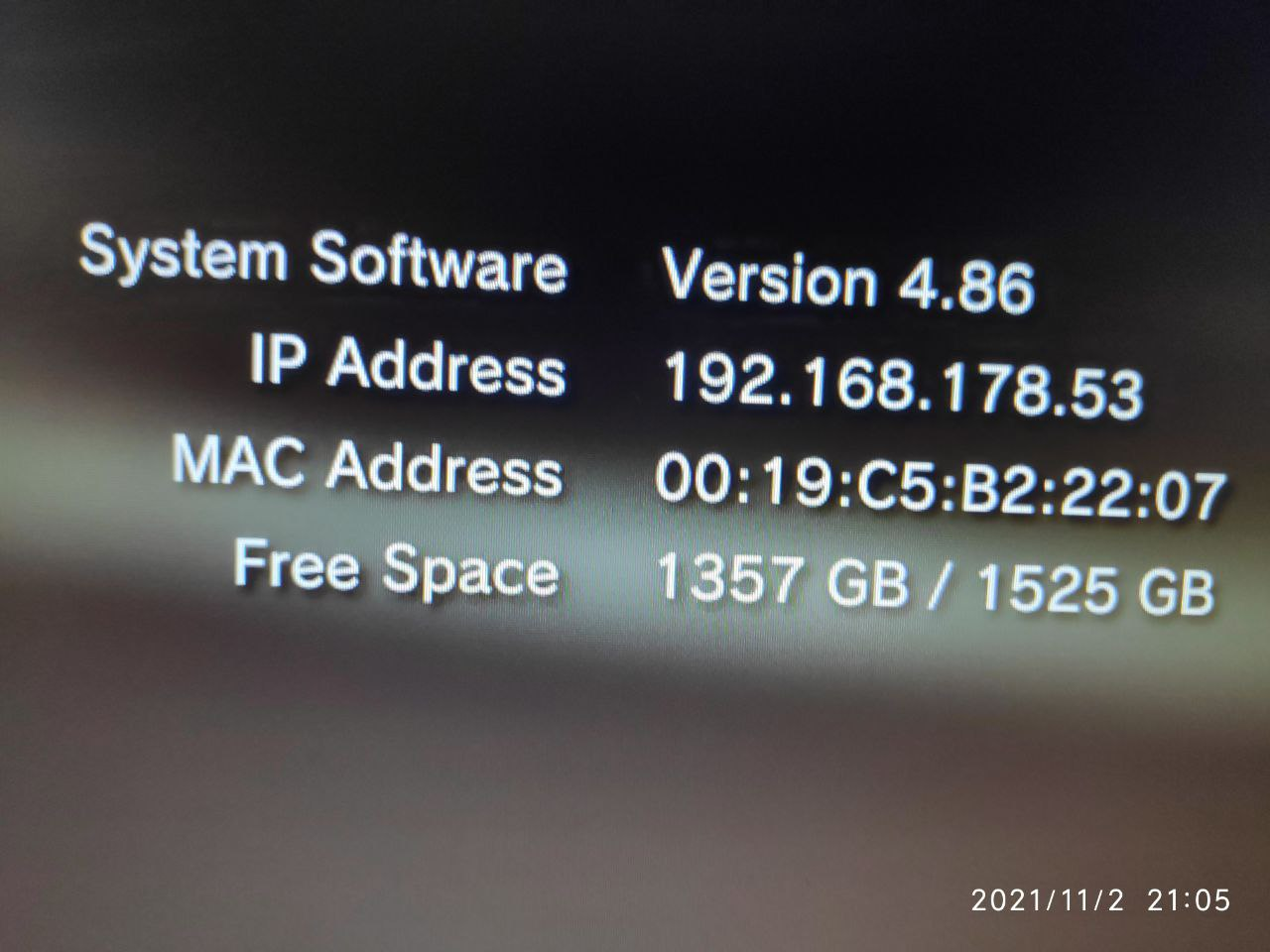
By default, PS3 doesn't support 2TB drives.

If you have a 2TB storage (HDD/cheap SSD) you want to use with a PS3, you can 'convert' it to 1.5TB which will work without problems with a PS3.

You have to use Linux to change drive LBA address.

"I can confirm that it works PERFECTLY on the service boot menu, it works if you ask it to restore the system, works just like a smaller drive.
You're losing 1/4th of the SSD size? Yeah. But this works reliable, works AS IT SHOULD."

"In a nutshell, what I did was:
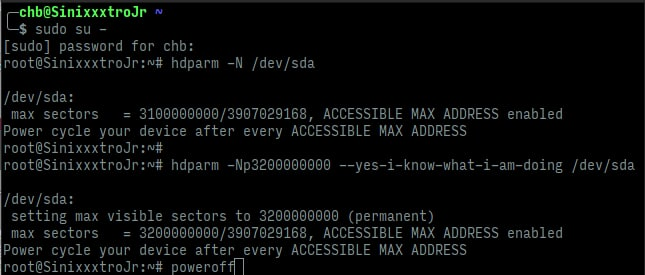
  1. connect it directly to the SATA cable/ports on a PC (laptop or desktop)
  2. elevate yourself to root (using sudo su -)
  3. run hdparm with the parameters shown on the picture below
  4. power off your computer
  5. remove the drive, place it on your PS3, format it and have fun"

1691510877664.png


1691510890688.png
 
Last edited by depaul,
Does this work on every ssd or only on specific models? I have a QVO 2TB and before i open it i would like to know if it work, otherwise i don't think the store will take it back if opened.
 
  • Like
Reactions: depaul
Does this work on every ssd or only on specific models?
Anything that supports HPA (host protected area), it's almost as old as ATA security so it's very common, but still nothing requires drives to support it (and it can generally be disabled via DCO if you want to)
 
Anything that supports HPA (host protected area), it's almost as old as ATA security so it's very common, but still nothing requires drives to support it (and it can generally be disabled via DCO if you want to)
Thanks, i guess i have to try it to see if it really work or not right? I just checked this website https://smarthdd.com/database/Samsung-SSD-870-QVO-2TB/SVQ01B6Q/ and reading the specifics the drive support HPA so it's probably fine use it.
 
Last edited by Kibbutz90,
  • Like
Reactions: depaul
Thanks, i guess i have to try it to see if it really work or not right?
Yeah, ok if you have another drive of the same model/firmware/arbitrary factory choices (or know someone who does) you can just check hdparm -I for the SET_MAX feature support :)
 
  • Like
Reactions: Kibbutz90
Yeah, ok if you have another drive of the same model/firmware/arbitrary factory choices (or know someone who does) you can just check hdparm -I for the SET_MAX feature support :)
I just checked online and apparently the QVO series support HPA (i posted the link in the post above).
 
  • Like
Reactions: depaul and Ryccardo
Worked great for me! I’d recommended adding list drives before since I had to use /sdh instead of /sda. Thank you for the tutorial now I have a 1.5TB SSD internal
 
  • Like
Reactions: depaul
Great tutorial
I think everyone who is doing this is probably trying to max out their storage on a ps3.
So I think it should be mentioned that there is a small tool (for cfw and hen) to unlock even more storage Unlock up to 8% extra total space on the PS3 internal hard drive
Otherwise you are reserving more than 100gb+ as system memory, which is totally wasted.
 
  • Like
Reactions: depaul
tried this a long time ago and it bricked the console , i was never able to fix it afterwards it stayed in the attic , i think it's still there.
 

Site & Scene News

Popular threads in this forum