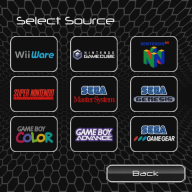

If you don't use Priiloader to autoboot WiiFlow Lite and you launch it using the WiiFlow Lite Forwarder on the system menu screen does this still happen? If not, it's because your Priiloader WiiFlow .dol needs to be one that launches the WiiFlow Lite Forwarder channel (and not the boot.dol in in rhe apps folder).Hey, been away a while, but I've meaning to get to the bottom of my loader issues. I took your advice and changed the settings, it seemed to work so I thought it was fixed. But then the problem came back. Again, other games and apps load fine, but wbfs titles, in particular Mario Kart, freezes up the Wii before the loading graphic appears on the bottom (white line that scrolls from left to right).
I did notice something interesting, however: If I go into something and then exit back to WiiFlow Lite (for example, play a SNES title or watch a video on WiiMC), then upon returning to the loader, Mario Kart loads up fine if selected. If I try to access it upon initial boot, however, that's where I run into issues. I'm wondering, is something happening right after boot that would keep certain resources from being "ready"?
I've actually noticed a few times that the controllers wouldn't connect right away after boot if my kids pressed them too fast after booting up. I'm booting straight into it from Priiloader, if that makes a difference. If they wait until the loading screen finishes, and THEN press a button to connect, it works fine. If they try to connect too early though, sometimes it won't connect after that. None of the controllers will, so we have to turn it off and back on again. It doesn't happen often enough that I'm concerned about it being a major bug, but perhaps it is related to the wbfs loading issues?
Like:
Priiloader >> WiiFlow Lite Forwarder >> WiiFlow Lite
I had similar issues until @fledge set me straight. (Thanks Fledge
 )
)
Last edited by WesMods,