Hacking WiiFlow - an open source GUI USB-Loader

  • Thread starter Thread starter zorglub07
  • Start date Start date
  • Views Views 3,101,573
  • Replies Replies 16,228
  • Likes Likes 6
With the mplayerce Plugin I cna't get covers to show up
I got a whole set of just fronts for my movies I point it movies


or am I suppose to wiiflow/covers/movies

?

Thanks in adance
all i can say is :yay: hell yeah.. an i to would like to know were to put covers? in with the regular covers or should i make a separate folder in the plug ins an have the ini point to it,
all my movie collection works great. (in some cases showing better then in wiimc.)


I 3RD that ;) I tried placing covers in wiiflow\boxcovers,mplayerce,wiiflow/movies & nothing.......do these need extensions like roms i.e 007-Goldeneye.avi.png???

Keep up the hard work budds im loving it
well i would say put it in wiiflow/movies folder. an just give the covers the name of the movies. (little less work :) ).
Yep yep! Put the covers wherever you want.as long as you point the ini there too.
The png's must have the full file name like the ROM covers do.
I.e terminator.avi will have the cover terminator.avi.png


THX Budds gonna test it out right now......

 
If you check out the ini you'll see coverFolder is set to "mplayerce", so the covers need to be in wiiflow/boxcovers/mplayerce for full or wiiflow/covers/mplayerce for front, they also need the extension too ofc.
 
having lil bit o trouble.....movies not showing up :(

movies r on HD and ini. is - romDir=Movies/Series & Shows but dont.....had roms on usb too but have since moved to SD

All emulators seem to be loading fine,covers r showing fine & exit to wiiflow

Just updated to r426
 
Noticed a lot of code dumps after returning to wiiflow from emulators. That was after deleting my lists and summary before going to r426. After I deleted my entire cache the problem went away. Just code dumps on wiiware still.
 
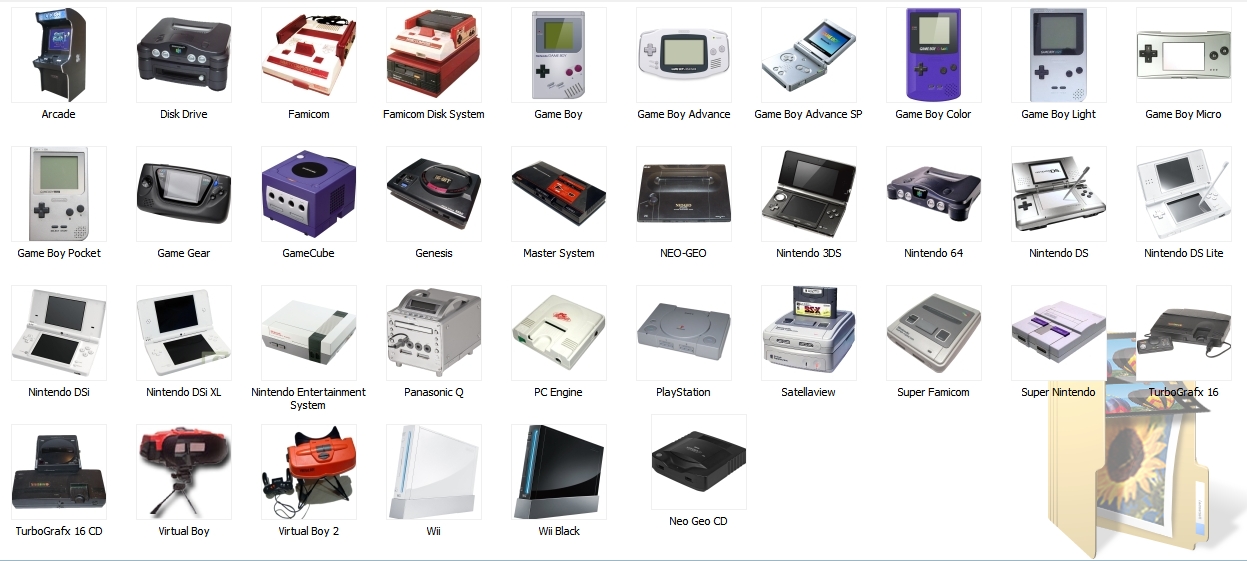
@fledge68 - Great work on this Icon setup man!! I had a bunch of icon's from my forwarders already made, gonna do some more adjusting when i get home from the weekend! Thanks man, looking great! My only question is... Will support come for a 3rd page? I could use a few more icons!
IMAG0160.jpg
IMAG0161.jpg
hey guys, I've made these icons for my custom forwarders. If someone wants to use it.... just let me know and I will send all the png files
gallery_244868_110_307844.jpg
Do share.
@[member='fledge68'] and [member='fix94'] Also, I second the need for a third page. Would it be hard to make it just add and remove pages as needed?
While we're at it, it would be nice to have a shorcut to the plugin selection screen, possibly pressing the (+) botton on the favorites icon or the (-) on the selection button
Also, I have a complaint about http://www.gametdb.com/. Some of the full covers don't have a link to view the full size image. (Sonic and sega all stars racing and Samurai warriors 3 being among them.)
I think only the HD full covers have a link above the thumbnail. If it doesn't have a link it just has a full cover (not an HD full cover) and that's the actual size of the image.

Well, when I download the pic, it's only 512x340. http://art.gametdb.c....png?1317736304
the pal cover is HQ 1024x680, why not NTSC?

Also, noticing a few bugs still present. plugin page 2 is still broken, and the nand button in select source has some issues. Clicking A on it goes to emunand, pressing B does nothing, it just backs out back to coverflow. Have to disable emunand from emunand screen for it to go to real nand. And I've been wondering, Is it possible to load custom emu settings from the game settings? When I launch any N64 game, the emulator settings are default. When changed, save settings and back out and relaunch the game, the settings are back to default. It'd be nice to be able to save settings for a particular game, and when launched, the settings loaded. Same with Mplayer. I'm unable to access any picture settings or anything. I'd like to be able to stretch some of my videos and movies to full screen. Or do i need to launch it from homebrew and alter the settings for that to work?
 
This might have been mentioned before but what's the current setup to make the plugin source page show all the pngs? do we like still need the old pack? I updated to 426 but still having wiiflow exit to SM when I try to load the source page.
Thanks for the updates :)

so every time you try to see the source select menu wiiflow shuts down and exits to the SM? Did you get the source_menu folder and all it's contents that i supplied a mediafire link? did you put it in your sd:/wiiflow or usb:/wiiflow folder like this usb:/wiiflow/source_menu/? If you did a svn checkout it should be in the wii/wiiflow folder and just copy it to your usb or sd wiiflow folder.
 
Do you really need a separate dol for each? I had figured you'd just need different ini files that point to the right rom folder and same dol?
Yeah, I just set mine up and there is no need for seperate dols. just point the inis to the same one...

Sorry, I should have been clearer. Yes, you only need one .dol to seperate your roms with multiple .ini's... HOWEVER, if you want to have seperate coverflows, a seperate .dol is required for the startup_menu.ini. This may not seem very logical for gb/gbc/gba, but for both genplusgx and mednafen, i have multiple coverflows setup for the different systems that are emulated, thus requiring the additional .dol's. I guess i just continue to do this out of habit for this purpose.
 
Yes, i just realized why there needed to be different dols. The coverflow select part of start menu.ini uses the dol name
makes more sense to me to use the ini name. maybe we can get that changed?
 
  • Like
Reactions: 1 person
This might have been mentioned before but what's the current setup to make the plugin source page show all the pngs? do we like still need the old pack? I updated to 426 but still having wiiflow exit to SM when I try to load the source page.
Thanks for the updates :)

so every time you try to see the source select menu wiiflow shuts down and exits to the SM? Did you get the source_menu folder and all it's contents that i supplied a mediafire link? did you put it in your sd:/wiiflow or usb:/wiiflow folder like this usb:/wiiflow/source_menu/? If you did a svn checkout it should be in the wii/wiiflow folder and just copy it to your usb or sd wiiflow folder.
I did all the above with no luck so far.
Do I still need to edit the ini in order for it to work?
 
Very excited now. Will have to try later. Must ask though, all my movies are in sub-folders. Will they be recognized?
Sure, added reading subfolders a few days ago :)


Ok got my movies on usb1.....now they loaded but not all

only a few and not reading subfolders i.e. i have

Movies/
Series & Shows
Anime
Music Videos

random video files show....only good thing is covers r showing
 
I have a PAL Wii and I have a problem with Wiiflow's emu nand.Currently I have installed some NTSC Region Free wads and none of them load.Instead they show a black screen.The same games run perfectly with PAL wads.Has anyone else experienced the same problem?Is it something that needs to be done?
Also,I am using r348 as this is the only Wiiflow version that does not give me code dumps.
 
Hi,

Anyway to make the covers for the films look correct? The covers appear to be the same format as the emulator game covers.

Cheers!
 
ok got a little problem, went to put my son's transformers movie one.( the best one, from 1986!!). an mplayer doesn't even show on homebrew channel or any thing,
though it will show i have it as the plugin.? when i opened the sd card it shows that i have it in my apps folder. whats going on.. plus it's boot dol is gone?
 
The apps folder just contains the mplayer settings ;) You can rename the plugin dol to boot.dol and move it inside if you want.
 
  • Like
Reactions: 1 person
This might have been mentioned before but what's the current setup to make the plugin source page show all the pngs? do we like still need the old pack? I updated to 426 but still having wiiflow exit to SM when I try to load the source page.
Thanks for the updates :)

so every time you try to see the source select menu wiiflow shuts down and exits to the SM? Did you get the source_menu folder and all it's contents that i supplied a mediafire link? did you put it in your sd:/wiiflow or usb:/wiiflow folder like this usb:/wiiflow/source_menu/? If you did a svn checkout it should be in the wii/wiiflow folder and just copy it to your usb or sd wiiflow folder.
I did all the above with no luck so far.
Do I still need to edit the ini in order for it to work?

I'm surprised it's crashing on you even though you did that. Try editing the ini and make sure that everything is setup properly. Otherwise, sorry I'm a little clueless since it seems to be working for others.

Yes, i just realized why there needed to be different dols. The coverflow select part of start menu.ini uses the dol name
makes more sense to me to use the ini name. maybe we can get that changed?

yes i realized that last night too and will change it. makes it easier to have only one dol for all three gameboys or even one dol for all the mednafen's. i like easier. :)
 
OK, r426 works sometimes and not others. r417 works fine as far as I can see. When I start r426, I get the pulsating wiiflow screen but it does not load. I'm running from usb1 with a fat32/ntfs drive.
Update: tried r430 too and it's still not loading. If I could get dols/source for the builds between r417 and r425 then I would be able to say which is the last working version.
 
I noticed when I downloaded a pic to use for game boy and game boy color to hold me over till some of these nicer sets get released *wink* that for me the files download as jpg even if you rename the file to png when you download it. After resizing them to 90x90 and fixing the button info, I noticed that they were not showing up on the source select screen. I converted them to png on wiixplorer and they show up now. Just an fyi for anyone having issues with the pics showing up.
 
r430 changes - added 3rd page but honestly don't have that many plugins to test so maybe Mastershoes can make sure it's working right? Also changed emuflow setting for plugin buttons. now just add emuflow=# to any button that's a plugin. example:

[BUTTON_1]
source=plugin
magic=12345678
image=gba.png
image_s=gba.png
emuflow=2
 
  • Like
Reactions: 1 person
ok got every thing to work, the only few draw backs are.
the covers look squashed. i think the covers should be the size of wiiflow game covers. that way they look cleaner. also not sure if it's a mplayer thing. but i can only read the movies on my hard drive,after unplugging my game hard drive. ( i have two, one for just games, an one for the rest of my crap.). as wiimc will read from port1/2(?). so i can leave both hard drive plugged in with no problems. plus i know this isn't the latest build of mplayer.(newer build is v80, an this is v76).
so wondering if i update mplayer to the newer build. could i use it. as it is set up. also not all my movies are showing. ( 2012 i know is an avi file. an my movies start at 12monkeys,also avi) but there are more that don't show.( but i think this is mplayer an not wiiflow.). the same with the usb issue.
thanks for this addition to plugins.( it's the only one i'll use.) thank you fix94 great work as always.
 

Site & Scene News

Popular threads in this forum