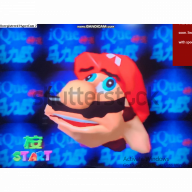
I recently bought my first r4 and so I tried installing everything by following tutorials online. I formatted by micro sd card, installed the kernel and added a game. I then tried to boot it up an initially everything seemed fine but when I tried to open the game I got an error saying: DEMON0.SYS error and I could not open up any games.
I did some searching and while I found no good solution I saw that the issue is most likely in the micro sd card. The card i used is a "Verbatim 8 gb Micro sdxc". I thought that it being a sdxc might be an issue since the r4 is called sdhc but it seems to be able to read the card just fine in the menu atleast.
Some info:
The card is a "2019 R4 3ds upgrade SDHC Gold Pro"
I have checked that the flashcard is not fake
I have formatted it to FAT32
Any help would be appreciated, thanks!
I did some searching and while I found no good solution I saw that the issue is most likely in the micro sd card. The card i used is a "Verbatim 8 gb Micro sdxc". I thought that it being a sdxc might be an issue since the r4 is called sdhc but it seems to be able to read the card just fine in the menu atleast.
Some info:
The card is a "2019 R4 3ds upgrade SDHC Gold Pro"
I have checked that the flashcard is not fake
I have formatted it to FAT32
Any help would be appreciated, thanks!