ROM Hack WIP Pokemon Quest Save Editor (PQSE)

  • Thread starter Thread starter xSillusx
  • Start date Start date
  • Views Views 126,517
  • Replies Replies 297
  • Likes Likes 21

xSillusx

Well-Known Member
Newcomer
Joined
Jun 3, 2018
Messages
71
Reaction score
73
Trophies
0
Age
26
Location
Berlin, Germany
XP
303
Country
Germany
Hello :) I guess I will just create my own Thread.
I am working on an easy-to-use Pokemon Quest Save Editor.

(SWITCH VERSION ONLY)

The current release can be downloaded here: https://github.com/xSillusx/PQSE/releases
(Download the latest version PQSE-GUI.zip (not source code))

(I personally stopped working this, because I have no fun with it anymore. Sorry. Watch the other Projects about this topic: PqSave, PqEdit and so on)


In advance I would like to thank everybody that helped me to understand how the de/en/crpytion, and de/se/rialization and the save structure works.
Credit goes to TheAlexBarney for providing the SaveStructure/de-encrpytion fo the save file.
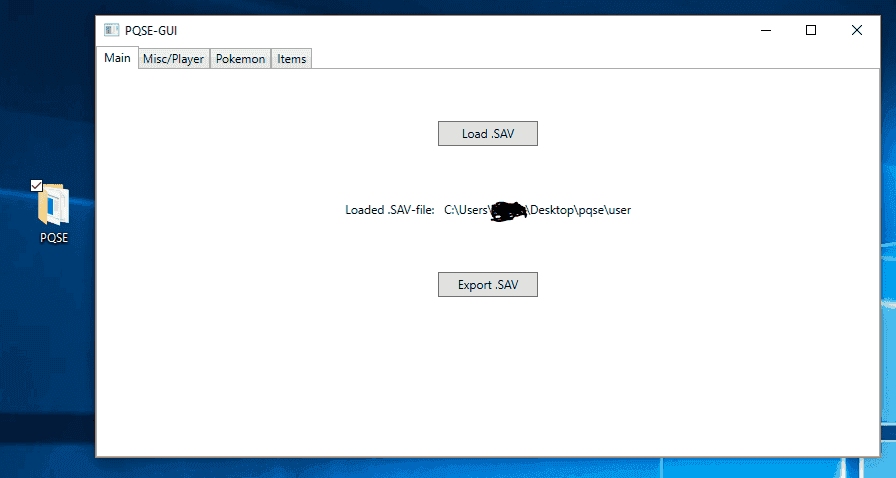
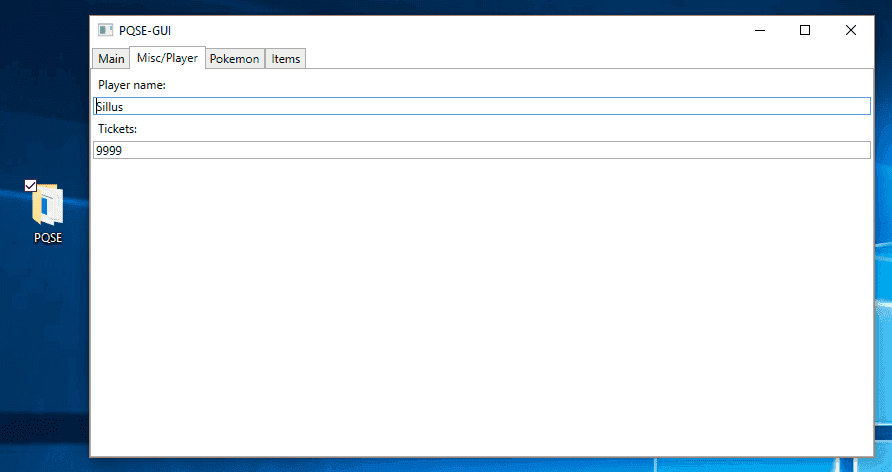
screenmain-png.131010
screenmisc-png.131011
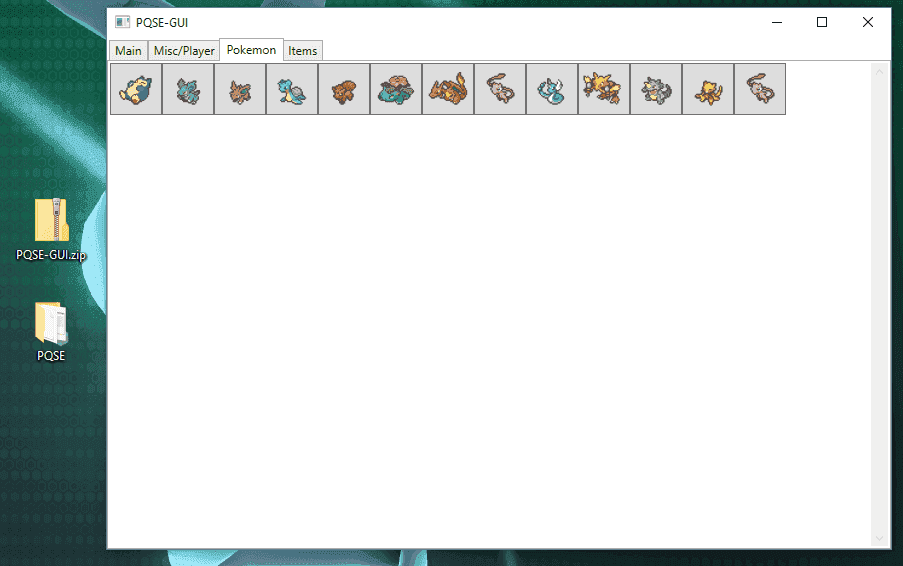
pokemontab-png.131395
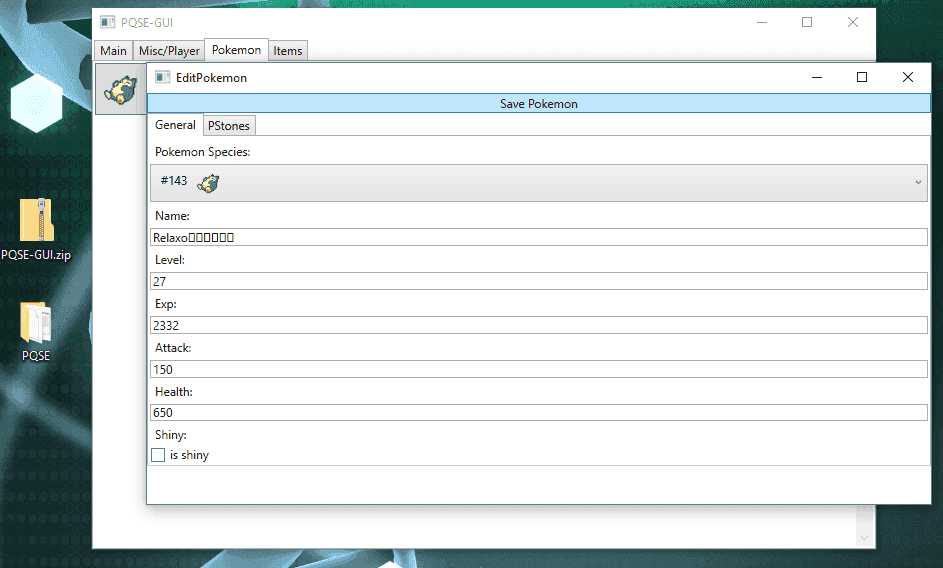
editingpokemon-png.131394
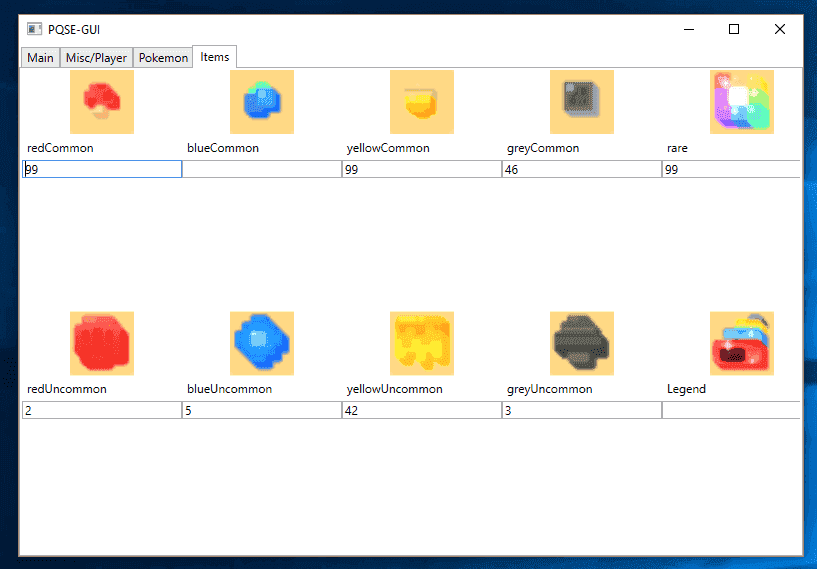
screenitems-png.131009

- changeable trainer name
- change amount of tickets
- basic pokemon editing
- added the item tab
- added images for pokemon and items
- added the ability to set what p-stone slot type the pokemon uses
- fixing bugs
- overhauled the pokemon tab
- pokemon editing is now way easier (see it for yourself)
- fixed an issue found by @kazzaluis - that crashed the pokemon list when loading multiple saves right after another
- tested with the ability to make pokemon shiny (failed tho)
- got help from @shearx with the shiny generation, works now
 

Attachments

  • screenItems.PNG
    screenItems.PNG
    16.2 KB · Views: 12,927
  • screenMain.PNG
    screenMain.PNG
    15.7 KB · Views: 12,555
  • screenMisc.PNG
    screenMisc.PNG
    14.3 KB · Views: 12,409
  • screenPokemon.PNG
    screenPokemon.PNG
    13.1 KB · Views: 3,575
Last edited by xSillusx,
Gonna test this out when I get home, thanks a bunch! Hopefully we get a Stone Slot editor (it's easy to do manually) and a Bingo Bonus Editor (no idea how exactly yet, I managed to change my bonuses but it's random as of now, no clue how to choose). Thanks again!
 
  • Like
Reactions: xSillusx
Gonna test this out when I get home, thanks a bunch! Hopefully we get a Stone Slot editor (it's easy to do manually) and a Bingo Bonus Editor (no idea how exactly yet, I managed to change my bonuses but it's random as of now, no clue how to choose). Thanks again!

Thanks a lot! I am currently researching how to implement the stones within the pokemon tab. Hopefully the next couple of hours I can make some progress!
 
  • Like
Reactions: lordelan
No problem man, hope you progress a lot! Appreciate it.
Also as I have absolutely 0% experience in coding and stuff, I'm sure what I think I discovered has already been discovered by you guys; but I'll put it here anyway just in case it helps or something.
Stones:
Code:
                "slotPropertyTypes": [
                  1,
                  2,
                  2,
                  0,
                  1,
                  1,
                  0,
                  2,
                  1
In which 0= Attack 1= HP 2= Hybrid

Also I think editing "seikaku" and/or "bingoPropertyIndices" changes the bingo bonus. Though I'm not sure, as I checked my Articunos "seikaku=19 bingo=0" has 3 elemental attack %, and placing those number on a Mewtwo which is previously had "seikaku=21 bingo=514" gave it random bonus, but at least it changed.


I don't think the above will help anyone, but yeah, I'm just trying, I didn't want to just leech around from the awesome work you guys do, but I really just don't understand much about this. Haha.
Thanks again!
 
  • Like
Reactions: xSillusx
No problem man, hope you progress a lot! Appreciate it.
Also as I have absolutely 0% experience in coding and stuff, I'm sure what I think I discovered has already been discovered by you guys; but I'll put it here anyway just in case it helps or something.
Stones:
Code:
                "slotPropertyTypes": [
                  1,
                  2,
                  2,
                  0,
                  1,
                  1,
                  0,
                  2,
                  1
In which 0= Attack 1= HP 2= Hybrid

Also I think editing "seikaku" and/or "bingoPropertyIndices" changes the bingo bonus. Though I'm not sure, as I checked my Articunos "seikaku=19 bingo=0" has 3 elemental attack %, and placing those number on a Mewtwo which is previously had "seikaku=21 bingo=514" gave it random bonus, but at least it changed.


I don't think the above will help anyone, but yeah, I'm just trying, I didn't want to just leech around from the awesome work you guys do, but I really just don't understand much about this. Haha.
Thanks again!

This actually helps me alot! I tinkered in the dark right now and wonder why the unlocked slots of my Pokemon look weird! With this information I should be able to implement it! Thanks :)
 
Adding the ability to edit each pokemon's stone slot type would be awesome as well. Currently I can use a script to set ALL stone types for all pokemon to multislot type using the following:

foreach (var character in Save.characterStorage.characterDataDictionary)


{

var slotTypes = character.Value.data.potential.slotPropertyTypes;

for (int i = 0; i < slotTypes.Count; i++)

{

slotTypes = 2;

}

}

Setting the slot type to "2" is the aforementioned change to multislot, both 1 and 2 are HP or attack respectively. Keep up the excellent work my friend!
 
  • Like
Reactions: xSillusx
Adding the ability to edit each pokemon's stone slot type would be awesome as well. Currently I can use a script to set ALL stone types for all pokemon to multislot type using the following:

foreach (var character in Save.characterStorage.characterDataDictionary)


{

var slotTypes = character.Value.data.potential.slotPropertyTypes;

for (int i = 0; i < slotTypes.Count; i++)

{

slotTypes = 2;

}

}

Setting the slot type to "2" is the aforementioned change to multislot, both 1 and 2 are HP or attack respectively. Keep up the excellent work my friend!

Hey guys :) A small little update: P-Stone selection is now implemented!

screenpokemon-png.131032
screenpstones-png.131033

(Small little detail I cant seem to find a solution to: When using the Unlock CheckBox it sets the ActiveSlot of the current Pokemon to 255, which means it will unlock all Slots except the 8th one. When set to 256 the Pokemon Slots appear to glitch out...If anyone know howo to truely unlock ALL slots (and not just the first 7) hit me up! :) )

You can find the newest release on the GitHub page: https://github.com/xSillusx/PQSE
 

Attachments

  • screenPokemon.PNG
    screenPokemon.PNG
    11.6 KB · Views: 11,386
  • screenPStones.PNG
    screenPStones.PNG
    11.7 KB · Views: 11,346
Last edited by xSillusx,

  • Like
Reactions: xTwized and P4RI4H
Getting some random closes when trying to edit stats of Pokemon, as I think it isn't recognizing some of them correctly. For example I have Mew and Articuno but in the editor it shows Mew's picture for both of them for some reason, and when I try to edit Articuno it freezes and closes out. Otherwise great work bro!
 
Last edited by TrunksSSJ23,
  • Like
Reactions: xSillusx
One thing i noticed is that if you have 0 of an item, changing it doesnt do anything. so you need at least 1 before you can edit it.
 
  • Like
Reactions: xSillusx
Getting some random closes when trying to edit stats of Pokemon, as I think it isn't recognizing some of them correctly. For example I have Mew and Articuno but in the editor it shows Mew's picture for both of them for some reason, and when I try to edit Articuno it freezes and closes out. Otherwise great work bro!
Do you mind sending me the save file in question? I would love to look further into it :)
 
Looks nice!
Is there support for changing the battery?

Not right now. But Its written down for future feature implementation. Thanks!
This isnt necessary with unlimited tickets. By the time you booted to cfw, dumped the save, etc., etc., top full 5/6 battery charges, you'd be better off just using the tickets. Unless it rendered recharging the battery unnecessary entirely that is.
 
  • Like
Reactions: xSillusx

Site & Scene News

Popular threads in this forum