Project Nsx Library Manager

  • Thread starter Thread starter ivaano
  • Start date Start date
  • Views Views 15,758
  • Replies Replies 62
  • Likes Likes 25

ivaano

Member
Newcomer
Joined
Dec 17, 2023
Messages
20
Reaction score
38
Trophies
0
Age
36
XP
333
Country
Mexico
I've been working on a Switch Library Manager because I wanted something a bit more flexible from what I found . That and I wanted something to try litedb and blazor stuff, so I couldn't think of any better than this.

the main features are:
  • Web based - Can be run on docker
  • Runs on Windows, Linux and Mac.
  • Supports NSP, NSZ, XCI, XCZ files.
  • Read a folder and analyze all the files.
  • Extract metadata from the files, like name, size, titleId, publisher and Icon.
  • Use titledb to aggregate more information.
  • Create a database with all the information, thanks to litedb, you can use the db explorer to manipulate the data even further.
  • Shows a list or grid of all your games.
  • Filter by name, publisher, size, titleId, region, type, etc.
  • Sort by name, publisher, size, titleId, region, type, etc.
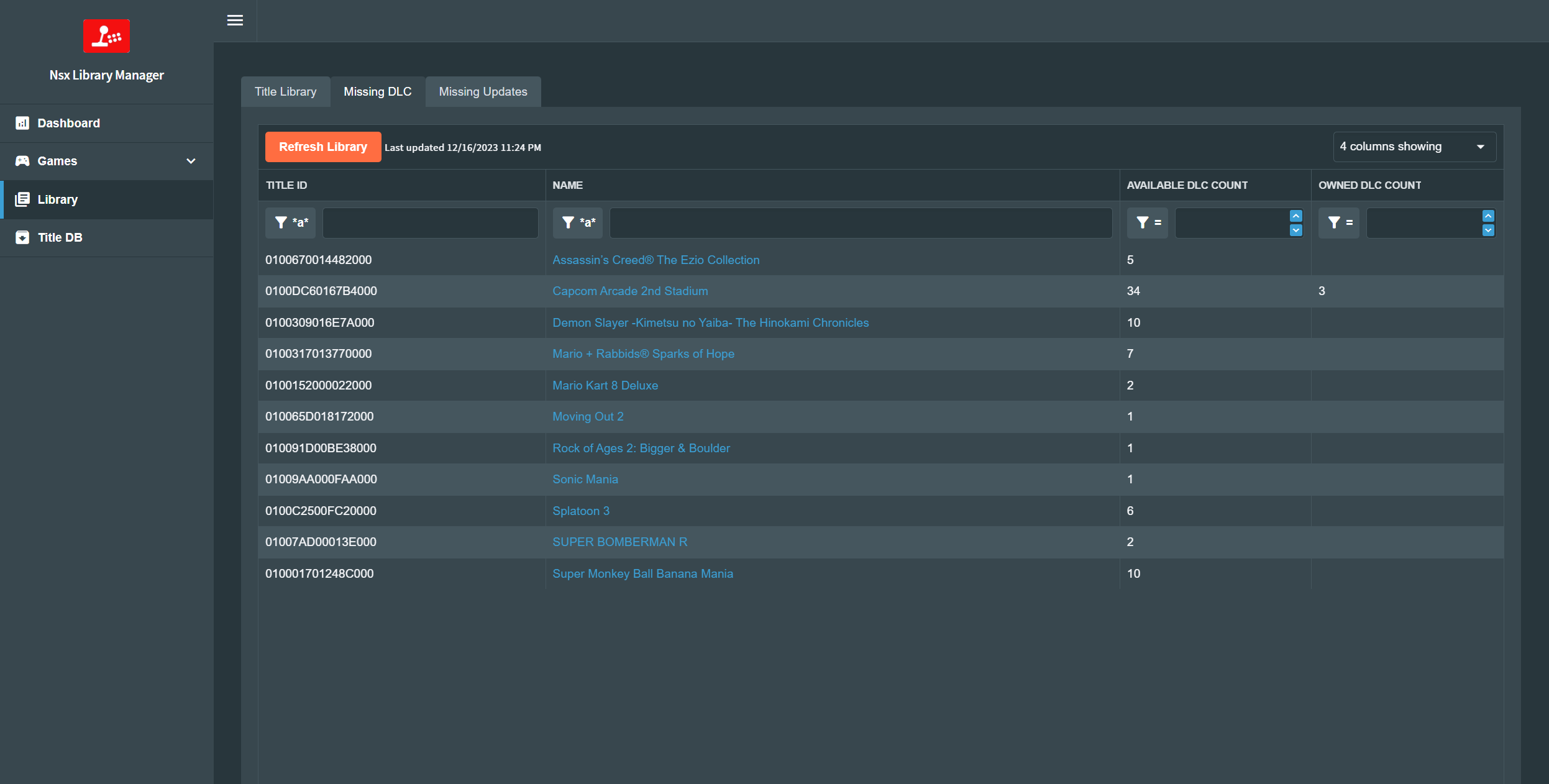
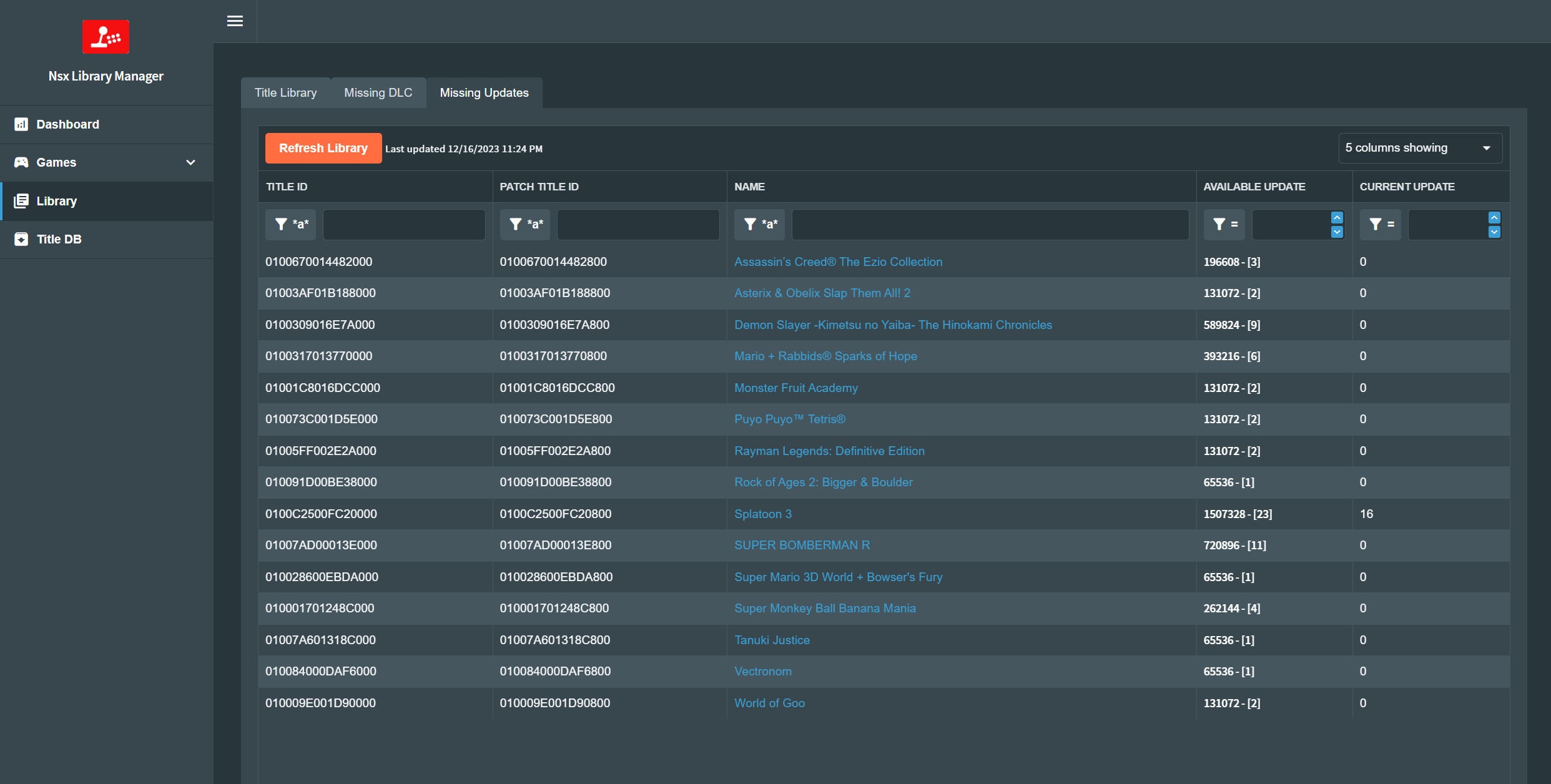
  • List missing DLC or updates for your games.
  • Local TitleDb, no need to download it every time.
keys are a requirement, if no keys are present you can still use the titledb browser I think.

dotnet 8 is required to run this

You can get the source or the binaries from github (unable to post links) github/ivaano/NsxLibraryManager/releases

I've been using it since November, but haven't tested extensively so if you find a bug or something weird please open an Issue on github so we can track it.


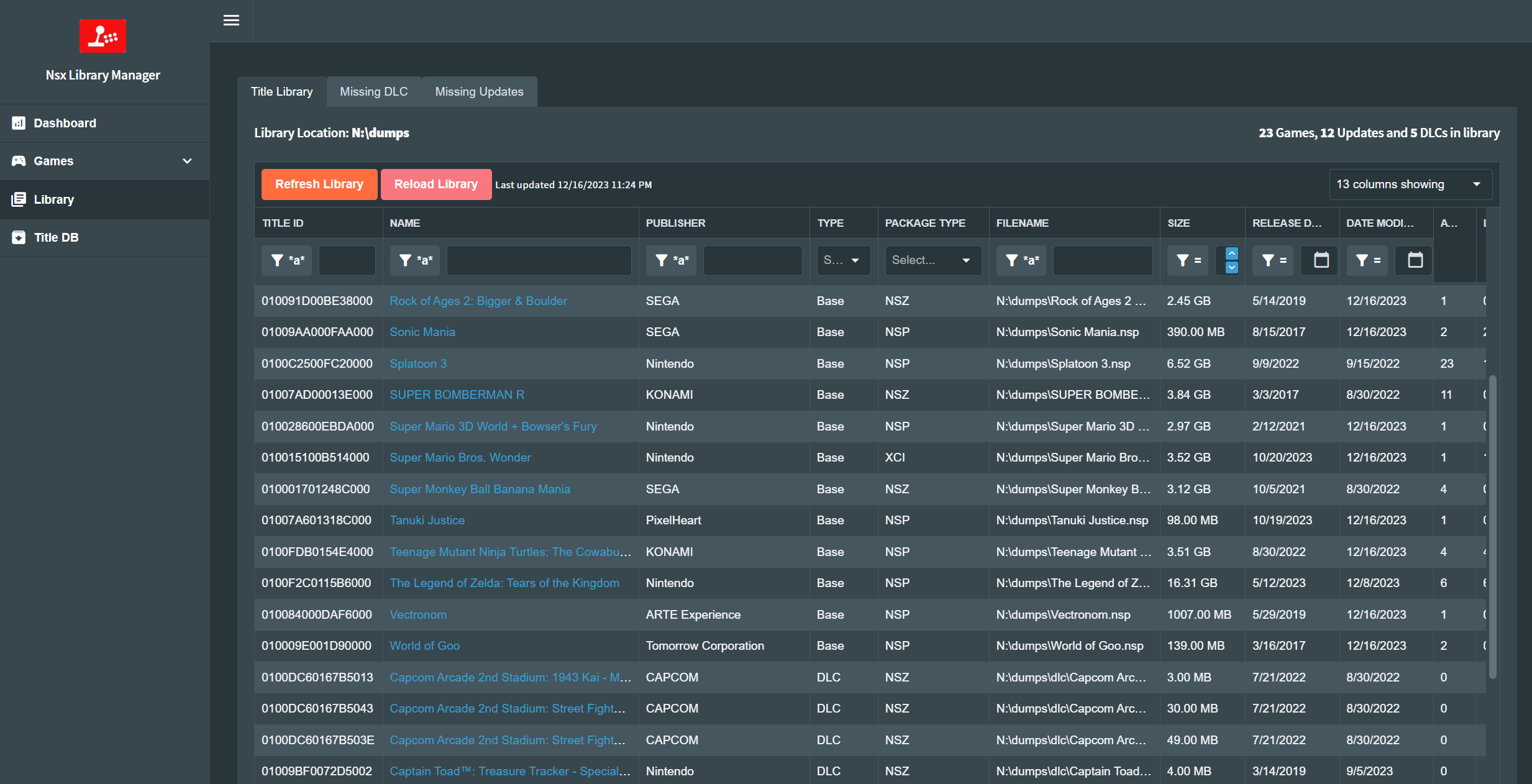
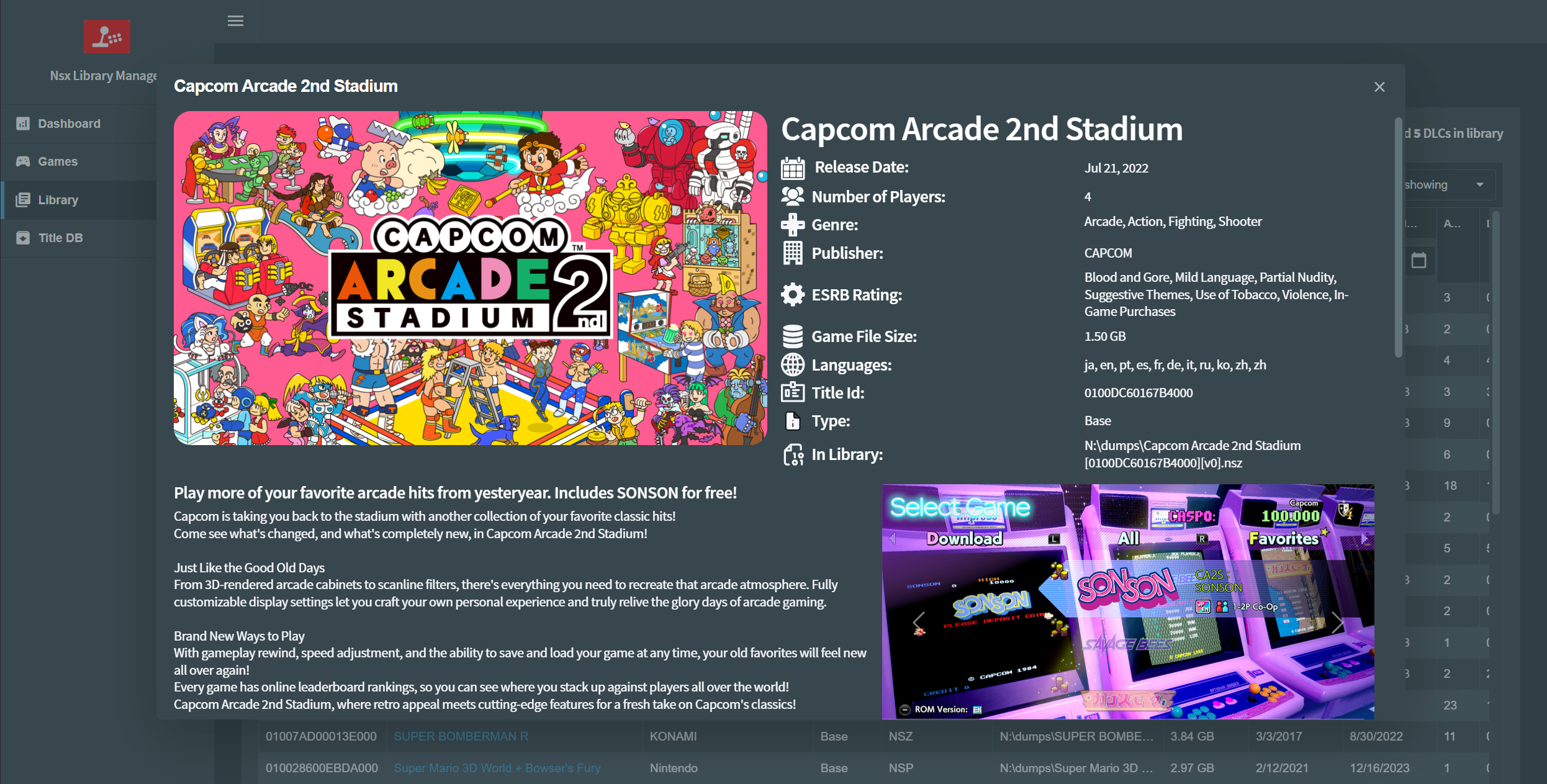
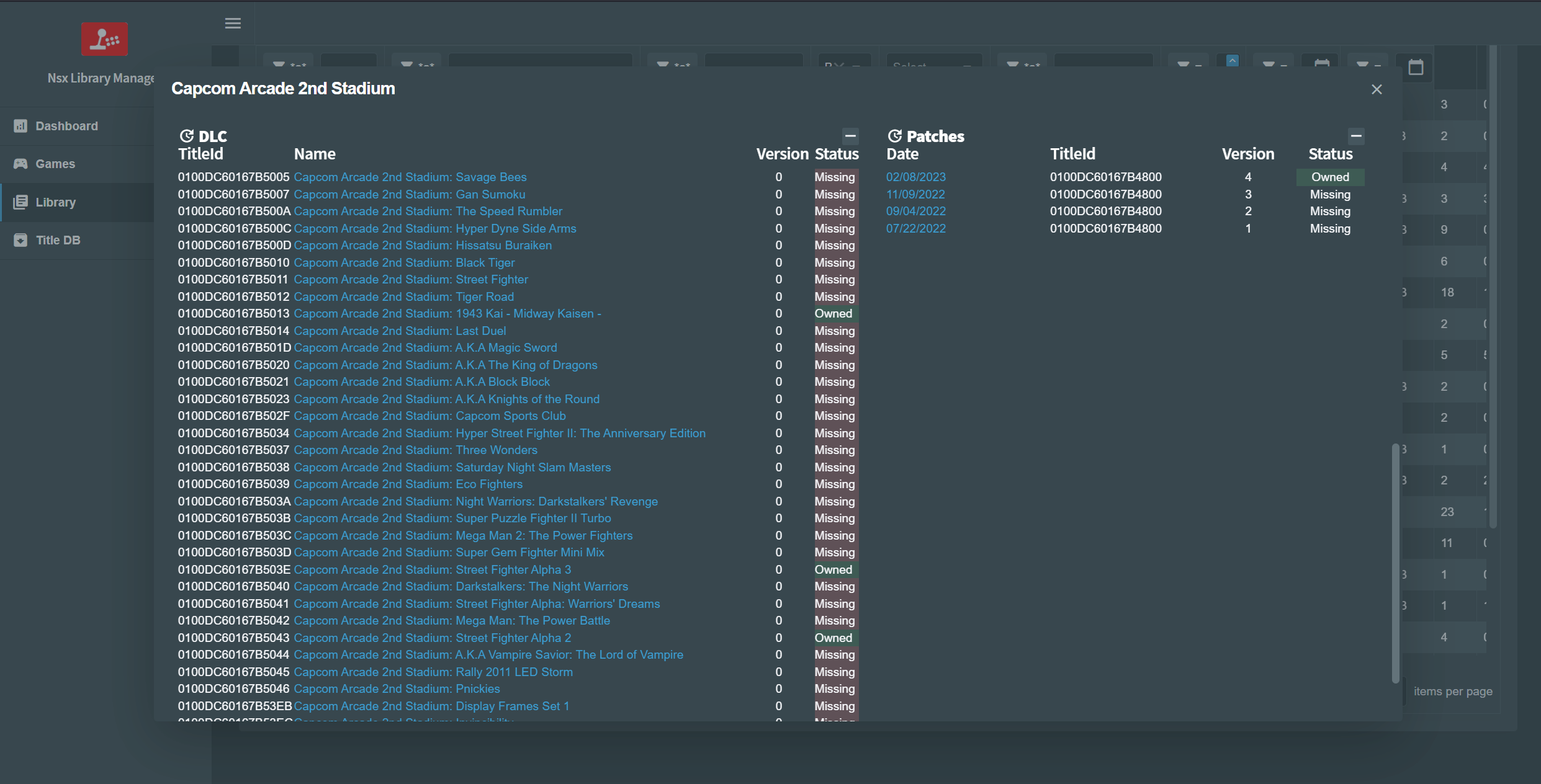
here are some screenshots.
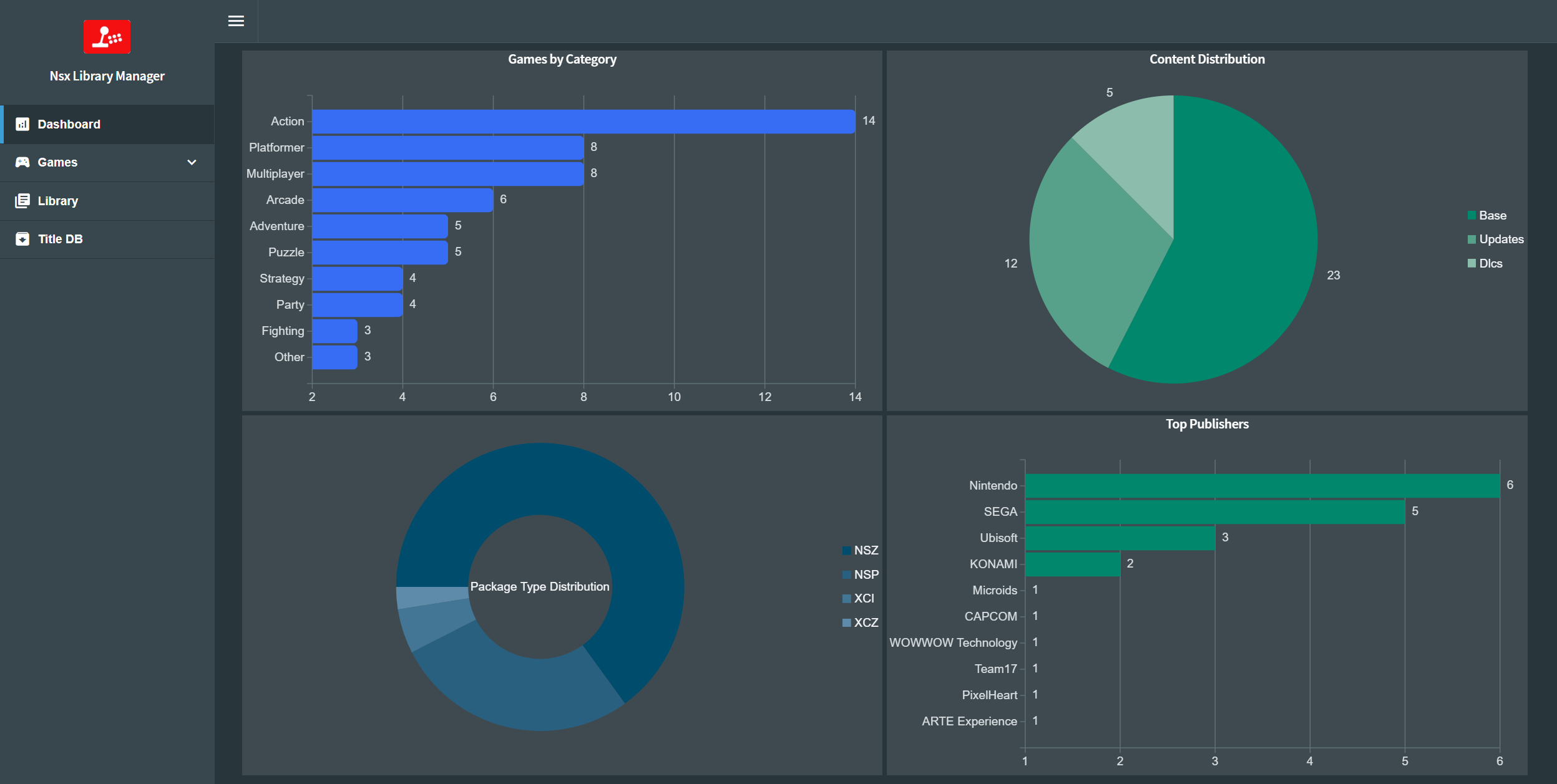
dashboard.png

gamecard.png

library.png
gamedetail.png
gamedetail-2.png
missingdlc.png
missingupdates.png
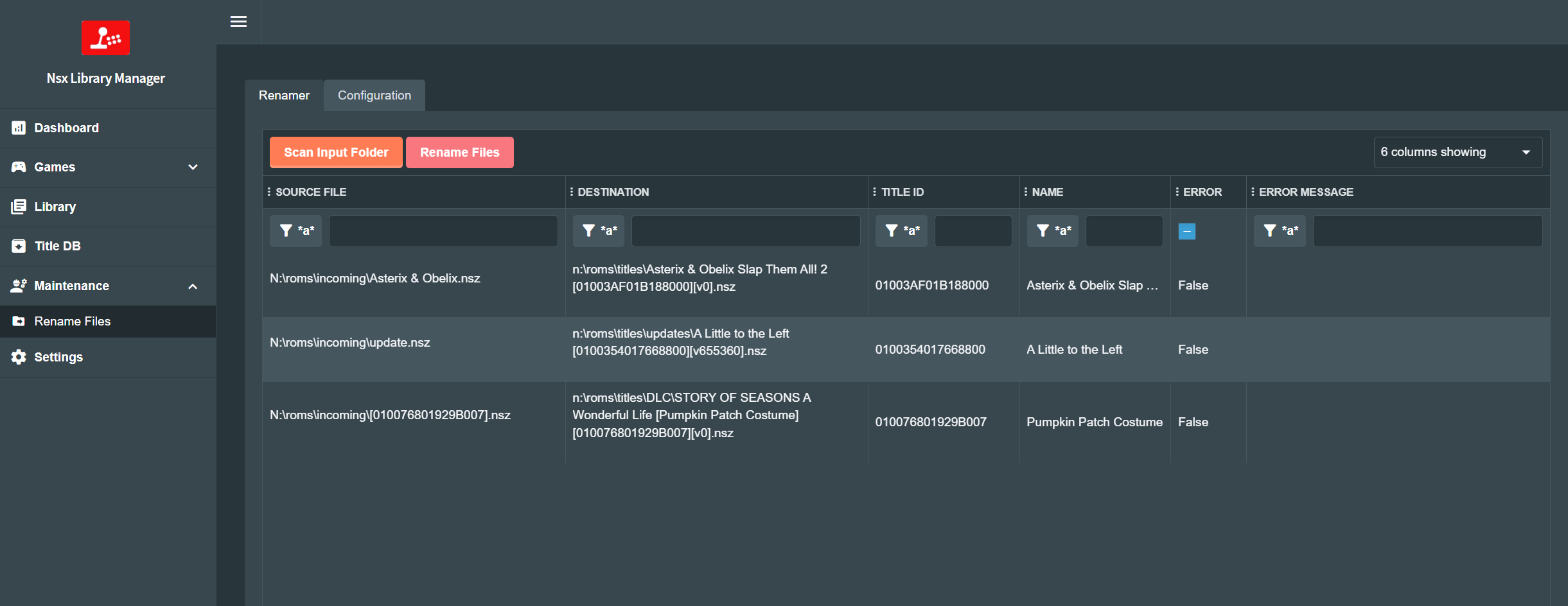
renamer.png
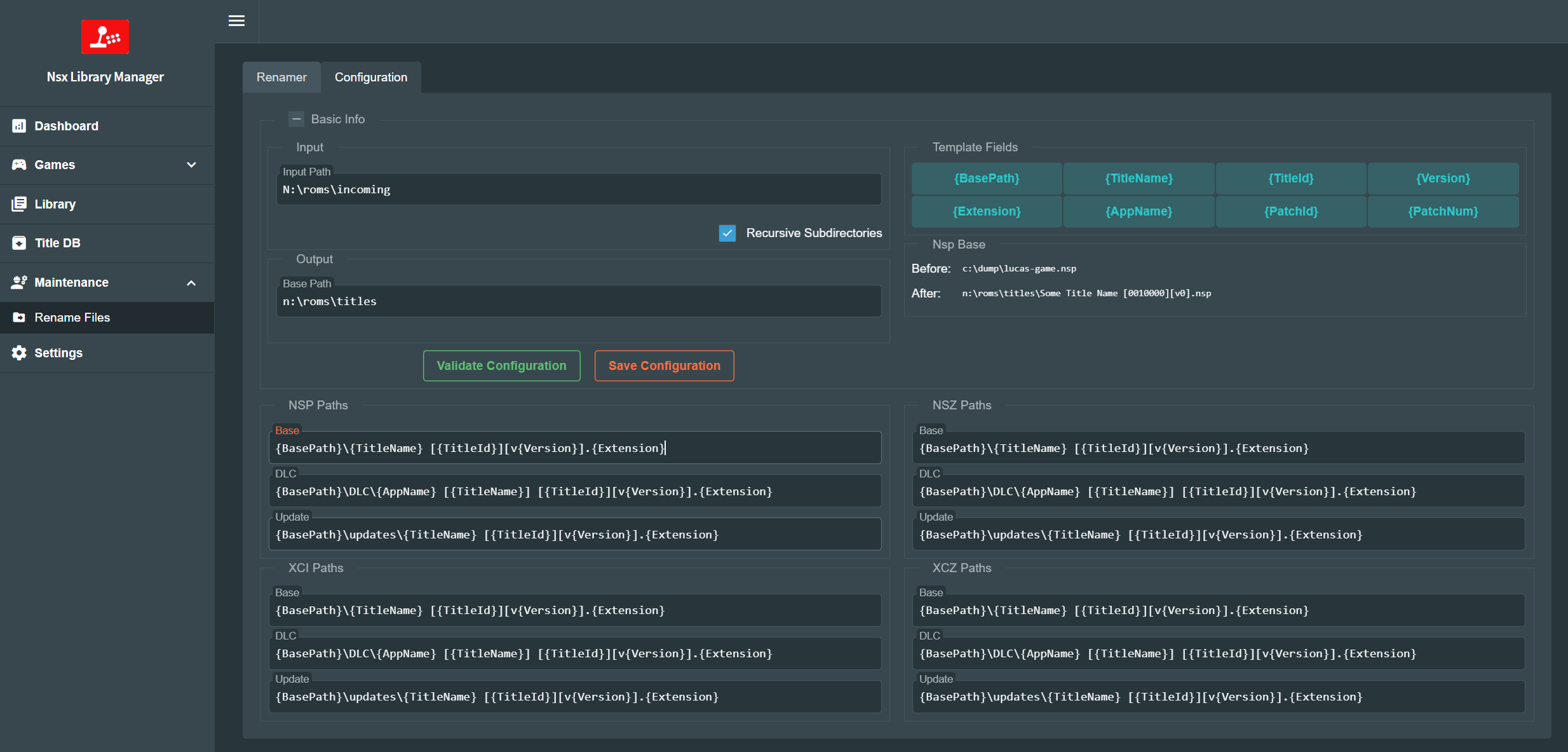
renamer-settings.png
 
Super! Thanks for your time taking into creating a current switch library manager. Nice to have a (in my case) PC app that scans for missing updates.
 
This might be a dumb question: What should the library path in the config file?
Same path as the exe/so file, If you run the app with no config file it will create a default config file you can then go to the web ui and it should redirect you to the settings page where you can set your paths.
 
Same path as the exe/so file, If you run the app with no config file it will create a default config file you can then go to the web ui and it should redirect you to the settings page where you can set your paths.
Great. It is working. I love your app. Please keep up the great work. Please add a feature so that we can save the filters on the web interface.
 
Wow! Thank you! This is what I was looking for.

Is it possible to scan subfolders? I have my games organized with each folder and it will not scan unless if I have every file in one folder.
Yes, it is working with me with subfolders. I think you need to tick the option 'Recursive' under library path in the settings section.
 
  • Like
Reactions: slam2001
Wow! Thank you! This is what I was looking for.

Is it possible to scan subfolders? I have my games organized with each folder and it will not scan unless if I have every file in one folder
Yes there is a recursive field on the setting page, or you can set recursive to true in config.json
Post automatically merged:

Great. It is working. I love your app. Please keep up the great work. Please add a feature so that we can save the filters on the web interface.
We have that only in the titledb grid, next release I'll add it to library titles grid
 
Last edited by ivaano,
Could you integrate a web server for Tinfoil or similar title installer? And title management (delete/move duplicate files) would be also really useful.
That would be great 😊
 
Last edited by evil_santa,
@ivaano could you please implement a "add to library" button in full Catalogue tab instead of searching from local folder?
I have in zip files, not worth extracting them.

thanks
 
thx for the app

great job

some point to consider :

in {AppName} remove the {TitleName} part which is redundant
or provide a {ShortAppName}


with this change you could put this, as default for renaming with the same logic for all

Base

{BasePath}\{TitleName}\{TitleName} [BASE] {AppName} [{TitleId}][v{Version}].{Extension}


DLC

{BasePath}\{TitleName}\{TitleName} [DLC] {AppName} [{TitleId}][v{Version}].{Extension}


Update

{BasePath}\{TitleName}\{TitleName} [UPD] {AppName} [{TitleId}][v{Version}].{Extension}
 
Last edited by samuzomoxo,
If a dlc is listed in Tinfoil but doesn't show in NSX Library Manager does it mean that it's just listed in a different .json that isn't being scanned? I'm specifically wondering about South Park: Snow Day! but I'm sure there are others.

As far as I can tell there are 8 dlc for this game, F001-F008. Tinfoil lists F001-F004 by name, F006 and F007 as Untitled, and doesn't list F005 and F008. None of them show up in NSX Library Manager.

Edit: They do show up as "Unknown" in Title DB

Oh edit 2: Forgot to say, nice app!
 
Last edited by InstantMash,
I've been working on a Switch Library Manager because I wanted something a bit more flexible from what I found . That and I wanted something to try litedb and blazor stuff, so I couldn't think of any better than this.

the main features are:
  • Web based - Can be run on docker
  • Runs on Windows, Linux and Mac.
  • Supports NSP, NSZ, XCI, XCZ files.
  • Read a folder and analyze all the files.
  • Extract metadata from the files, like name, size, titleId, publisher and Icon.
  • Use titledb to aggregate more information.
  • Create a database with all the information, thanks to litedb, you can use the db explorer to manipulate the data even further.
  • Shows a list or grid of all your games.
  • Filter by name, publisher, size, titleId, region, type, etc.
  • Sort by name, publisher, size, titleId, region, type, etc.
  • List missing DLC or updates for your games.
  • Local TitleDb, no need to download it every time.
keys are a requirement, if no keys are present you can still use the titledb browser I think.

dotnet 8 is required to run this

You can get the source or the binaries from github (unable to post links) github/ivaano/NsxLibraryManager/releases

I've been using it since November, but haven't tested extensively so if you find a bug or something weird please open an Issue on github so we can track it.


here are some screenshots.
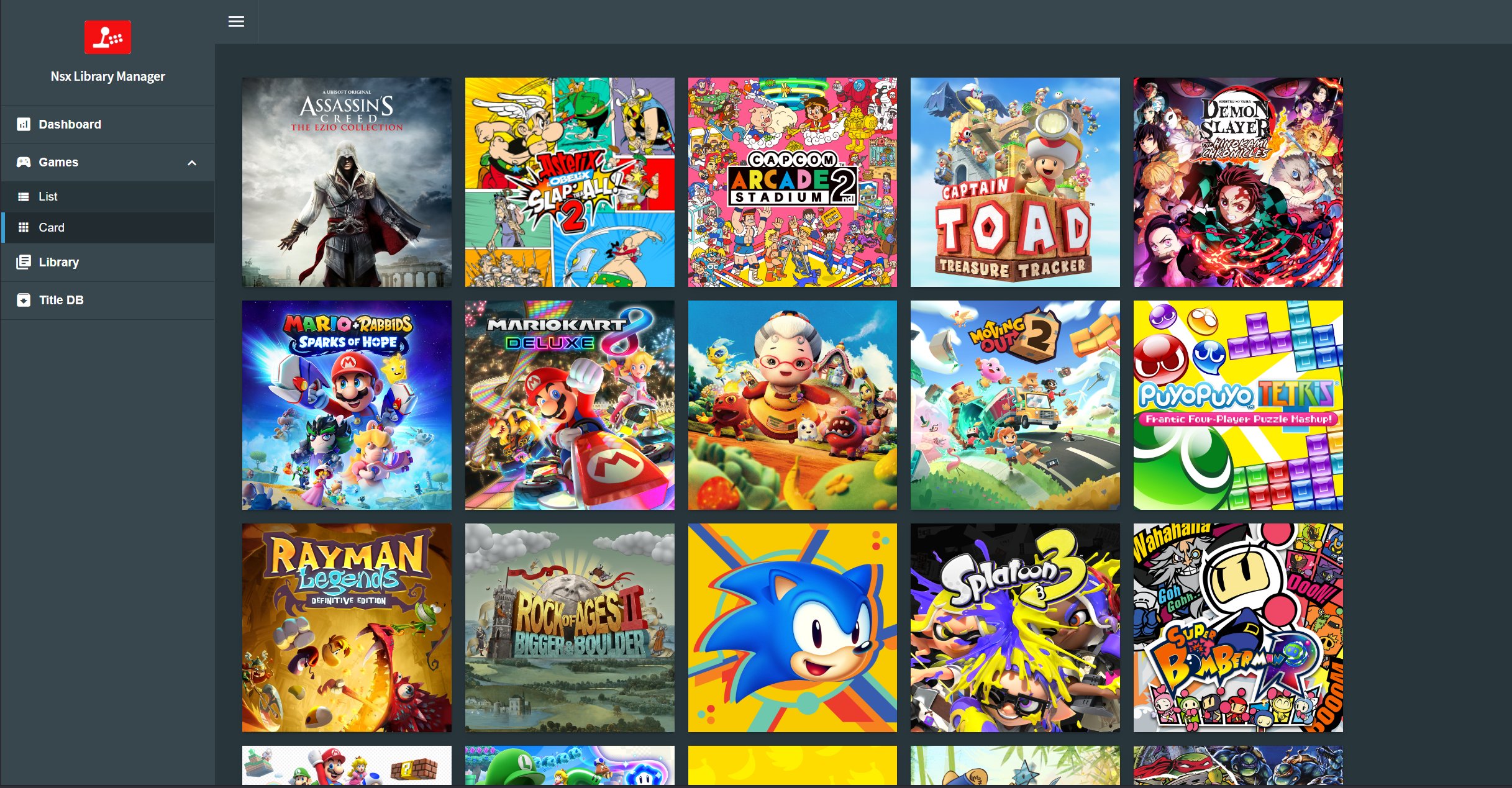
View attachment 414217
View attachment 414218
View attachment 414219View attachment 414220View attachment 414221View attachment 414222View attachment 414223View attachment 414224View attachment 414225
Thank you very much for the app and your free work.

No more updates?
 
@ivaano I love your Library Manager.
Do you have an idea why I see below "missing updates" wrong results?
When looking into the details, it shows me, that I am on the most recent version :!:

NsxLibraryManager_Update-Bug.png
 
@ivaano I love your Library Manager.
Do you have an idea why I see below "missing updates" wrong results?
When looking into the details, it shows me, that I am on the most recent version :!:

View attachment 467445
There is a new beta version, that has a lot of refactoring on this area, you can try that to see if you still see this problem and provide some feedback on github, the new beta version has a lot of changes, it wont replace your current installation, just use a different folder and a new db will be created. check it out and let me know.
Post automatically merged:

Thank you very much for the app and your free work.

No more updates?
There is a new beta version (v0.4.0-beta.1) with a lot of changes, most of the feedback raised on github has been addressed, please test and let me know.

https://github.com/ivaano/NsxLibraryManager/releases
Post automatically merged:

If a dlc is listed in Tinfoil but doesn't show in NSX Library Manager does it mean that it's just listed in a different .json that isn't being scanned? I'm specifically wondering about South Park: Snow Day! but I'm sure there are others.

As far as I can tell there are 8 dlc for this game, F001-F008. Tinfoil lists F001-F004 by name, F006 and F007 as Untitled, and doesn't list F005 and F008. None of them show up in NSX Library Manager.

Edit: They do show up as "Unknown" in Title DB

Oh edit 2: Forgot to say, nice app!
yes, because it is loading only the US region, so any title not in the US.en.json file from titledb wont have agregated data, only what the app can read from the nsp package, there is a new beta version that addresses this issue and many others, please check it and provide feedback if you can (v0.4.0-beta.1) https://github.com/ivaano/NsxLibraryManager/releases
Post automatically merged:

Gave it a try,
very promising tool but needs some update fixes.
new beta version is up, try it if you can and provide feedback if you see anything broken (v0.4.0-beta.1) https://github.com/ivaano/NsxLibraryManager/releases
Post automatically merged:

thx for the app

great job

some point to consider :

in {AppName} remove the {TitleName} part which is redundant
or provide a {ShortAppName}


with this change you could put this, as default for renaming with the same logic for all

Base

{BasePath}\{TitleName}\{TitleName} [BASE] {AppName} [{TitleId}][v{Version}].{Extension}


DLC

{BasePath}\{TitleName}\{TitleName} [DLC] {AppName} [{TitleId}][v{Version}].{Extension}


Update

{BasePath}\{TitleName}\{TitleName} [UPD] {AppName} [{TitleId}][v{Version}].{Extension}
There is a new bundle renamer, that allows you to use the name of the base as a placeholder, so you can now put all the related files on the same folder, please check it out and let me know what you think (v0.4.0-beta.1) https://github.com/ivaano/NsxLibraryManager/releases
Post automatically merged:

Hi...how i can run the app with my Mac?
yes, I've provided binaries for both arm64 and amd64 for osx on the new beta, check them out and let me know. https://github.com/ivaano/NsxLibraryManager/releases
Post automatically merged:

Could you integrate a web server for Tinfoil or similar title installer? And title management (delete/move duplicate files) would be also really useful.
That would be great 😊
This feautre is being worked on as well as a new collections feature, where you can tag your titles with a collection to have them moved to a collection folder, I'll probably be out after the v4 beta is released.
 
Last edited by ivaano,
  • Like
Reactions: evil_santa

Site & Scene News

Popular threads in this forum