Homebrew Minecraft DS (in 3D !)

  • Thread starter Thread starter smealum
  • Start date Start date
  • Views Views 625,214
  • Replies Replies 2,508
  • Likes Likes 28
acemaster1993 said:
the DSI never got a proper hack, and it will never happen to the 3DS it just won't, look just it will never be like the Wii was Nintendo learns from the hacks that they used.
The DSi did get a proper hack, 4 in fact.
 
Why is this acemaster guy acting like he's a super h4xxor and a long-time member in the ds scene?

I can't play the new version because my DSi is slowly dieing
frown.gif

The new "start where you saved" feature sounds great, especially the part that my creations won't get corrupt...
 
acemaster1993 said:
Why would you need to up load texture packs they take normal mine-craft texture packs, i know the because I use them all the time but what you need is a better idea on what to do. uploading texture when you don't need to, it's a better idea just go to mine-craft forums or another site to download textures.
It might take normal Minecraft packs - but as I found out we don't NEED all the files in the pack ....... It seems all we need is the 'terrain.png' file for the blocks in DSCraft...

If/When survival mode appears THEN we may need the extra files - but until that happens...
Would you prefer to have a 'texture pack' of up to ~1Mb or just a single graphic file of ~80Kb on your SDcard ???
 
if you would open the texture packs folder given by the website gives you would see you where wrong there is more than terrain.png
did you look?
 
acemaster1993 said:
if you would open the texture packs folder given by the website gives you would see you where wrong there is more than terrain.png
did you look?
I think he's saying that you don't need those other files. Only terrain.png.
 
acemaster1993 said:
if you would open the texture packs folder given by the website gives you would see you where wrong there is more than terrain.png
did you look?
Yeah - I do see that BUT we don't need all those extra files for this version of DSCraft (perhaps they were only put up as a temporary measure) - only the 'Terrain.png' is needed. I'm sure that Smealum will confirm/deny that DSCraft ONLY uses the 'terrain.png' graphic ...

IF we do get survival mode etc then I guess we will need all those other graphics etc.

I only mention this fact as some people may still have small MicroSD cards that are getting a little full & that they can delete all the excess 'waste' in the texture packs to make more room.
It's also easier for people to make new texture packs for DSCraft if they know that they only have to make the one graphic instead of trying to make ALL the graphics
 
acemaster1993 said:
that is true
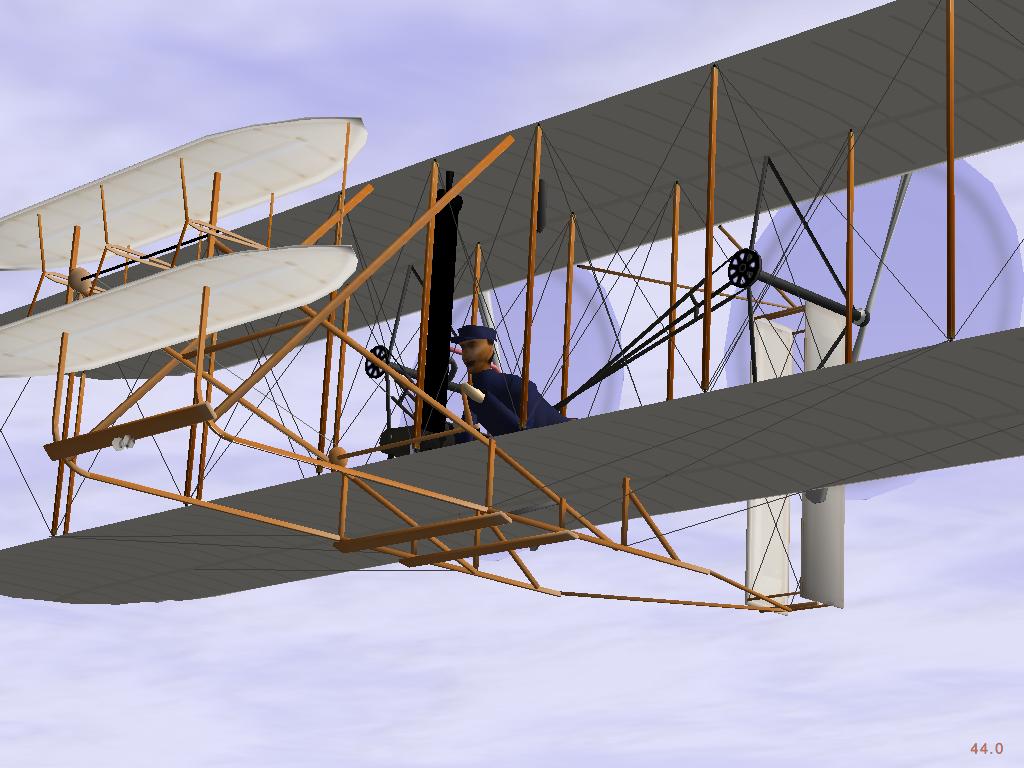
the wright brother have made you smart
FlightGear_-_1903_Wright_Flyer.jpg
Sorry, what the fuck are you talking about? Nothing that you have said has even approached correct. It's all just you talking out of your ass.
 
About 'maps'.....
I'm no expert, but I know [very] little about hex edits etc... so I thought I'll have a look at some map data in a Hex editor (just for my curiosity actually)

Now I'm guessing that a 128x128 map with a height of 64 'blocks' would contain data that is 1015808 bytes long (128x128x64), with each byte containing a value based on the block that located there (e.g. 01=dirt,02=cobble,03=glass etc)

Comparing different 128x128 map files, I've noticed that there's huge blocks of data starting @ 00000800 (Hex-offset) - each 'block' of code seems to be 512bytes in size... (although SOME blocks are 64byte....weird)
So I guessing that each 512 is a 'layer' of the map, & that there's should be 64 'blocks' of 512 bytes - each 'describing' each layer,
- however my theory is blown out of the water since theres MORE than 64 '512byte blocks' (I think there's ~128 'blocks') which I can't understand why...

Nevertheless, some bright developer could possibly figure out this data & possibly produce a 'map editor' for DSCraft
- I'm not talking something as complicate as MCEdit (for minecraft), but perhaps one that will allow you view each 'layer' & change individual blocks on a grid. Might be able to make some interesting maps up - like an island perhaps ??

Anyone fancy the challenge ??
 
@Acemaster1993

No body here knows what you are talking about first you start talking about microsoft having first pick of a retail game in the homebrew topic then you start talking about how the farm states are smarter than every one and how "the wright brothers made us smart" you know nothing seeing as you said " the dsi didnt have a proper hack" When it does and you act like your Mr.Ds Homebrew And that no one els here knows anything and i am very sorry that you have trouble having decent ontopic converstaion about DSCraft The topic your in so please do us all a favour and stop flapping your mouth without know jack first and please learn to type and spell.
thank you

-Nexus
 
I'm not understanding how to use mapgen. I start it up, the command prompt opens, and it always spits out a 32MB map file. I was aiming for a bigger map of my own creation, but for the life of me, I have no idea how to make it my own.

Any help?

Edit: Never mind. I figured out I just needed to edit the .bat file. I may have just generated a 2048x2048 map. k, that crashes the game when trying to load. Good to know.

 
Nathan Drake said:
I'm not understanding how to use mapgen. ..... Edit: Never mind. I figured out I just needed to edit the .bat file
True - using the Map generator is a little confusing, since theres no real instructions to it (BTW the LOWEST number you can use is '32' - this produces a 128x128 map that works, any lower it makes a map but DSCraft locks up on loading)
... but you could always try IDaNL GUI interface for it...... although I can't seem to get it to run

I have 'mapgen.exe' in the same folder, but when I try running 'DScraft Map Generator GUI.exe' all I get is a popup as shown
Image1.jpg
BTW - I'm running Windows XP
 
CannonFoddr said:
Nathan Drake said:
I'm not understanding how to use mapgen. ..... Edit: Never mind. I figured out I just needed to edit the .bat file
True - using the Map generator is a little confusing, since theres no real instructions to it (BTW the LOWEST number you can use is '32' - this produces a 128x128 map that works, any lower it makes a map but DSCraft locks up on loading)
... but you could always try IDaNL GUI interface for it...... although I can't seem to get it to run

I have 'mapgen.exe' in the same folder, but when I try running 'DScraft Map Generator GUI.exe' all I get is a popup as shown
Image1.jpg
BTW - I'm running Windows XP

I got this too. I then used the one provided with dscraft and i spawned outside map. Luckily water got me out with it properties in this game.

@smealum
with all the guru errors, is it possible to get a soft reset?
 
Schnida said:
Don't ignore me, smealum ;D
Schnida said:
Tried the new version, the bug with guru meditation error still exists when i create something on the edge of the map.
So, I switched back to the first version. again.
I hope it will be fixed in the next version
smile.gif


I'll try.

xpgnome said:
Super mario bros 3D Texture PACK!
scr00011.png

Created by my, other textures not work
Looks nice.
smile.gif


TheDreamLord said:
[youtube]http://www.youtube.com/watch?v=9k--F0i-2Fw[/youtube]
Theres the glitch
tongue.gif

That's weird, no idea what's going on.

DragonRider said:
whwn was smealum online the latest time?!
Don't worry, I usually keep track of the thread.

CannonFoddr said:
acemaster1993 said:
if you would open the texture packs folder given by the website gives you would see you where wrong there is more than terrain.png
did you look?Yeah - I do see that BUT we don't need all those extra files for this version of DSCraft (perhaps they were only put up as a temporary measure) - only the 'Terrain.png' is needed. I'm sure that Smealum will confirm/deny that DSCraft ONLY uses the 'terrain.png' graphic ...

IF we do get survival mode etc then I guess we will need all those other graphics etc.

I only mention this fact as some people may still have small MicroSD cards that are getting a little full & that they can delete all the excess 'waste' in the texture packs to make more room.
It's also easier for people to make new texture packs for DSCraft if they know that they only have to make the one graphic instead of trying to make ALL the graphics

Not quite true actually. The game uses terrain.png, but it also uses foliagecolor.png, grasscolor.png and items.png.

DragonRider said:
@smealum: when you release the next version?
I cant wait
smile.gif

Probably on the 31st. And there probably won't be much (if anything) new.

CannonFoddr said:
About 'maps'.....
I'm no expert, but I know [very] little about hex edits etc... so I thought I'll have a look at some map data in a Hex editor (just for my curiosity actually)

Now I'm guessing that a 128x128 map with a height of 64 'blocks' would contain data that is 1015808 bytes long (128x128x64), with each byte containing a value based on the block that located there (e.g. 01=dirt,02=cobble,03=glass etc)

Comparing different 128x128 map files, I've noticed that there's huge blocks of data starting @ 00000800 (Hex-offset) - each 'block' of code seems to be 512bytes in size... (although SOME blocks are 64byte....weird)
So I guessing that each 512 is a 'layer' of the map, & that there's should be 64 'blocks' of 512 bytes - each 'describing' each layer,
- however my theory is blown out of the water since theres MORE than 64 '512byte blocks' (I think there's ~128 'blocks') which I can't understand why...

Nevertheless, some bright developer could possibly figure out this data & possibly produce a 'map editor' for DSCraft
- I'm not talking something as complicate as MCEdit (for minecraft), but perhaps one that will allow you view each 'layer' & change individual blocks on a grid. Might be able to make some interesting maps up - like an island perhaps ??

Anyone fancy the challenge ??
Nice try, but no.
tongue.gif
The map format really isn't complicated and I could explain how it works, but I'd rather only do so if someone actually has a project. A Minecraft DScraft converter would be nice and really not too hard to make, but I'm a little too lazy... (the conversion code itself I could make without a problem, I just really don't want to make an interface and all that stuff... and yeah, an interface is necessary since DScraft can't support full sized minecraft worlds (half the height for example), so you'd have to select which part of the world you want to convert...)

QUOTE(Nathan Drake @ Aug 28 2011, 05:44 AM)
I'm not understanding how to use mapgen. I start it up, the command prompt opens, and it always spits out a 32MB map file. I was aiming for a bigger map of my own creation, but for the life of me, I have no idea how to make it my own.

Any help?

Edit: Never mind. I figured out I just needed to edit the .bat file. I may have just generated a 2048x2048 map. k, that crashes the game when trying to load. Good to know.
Yeah, as I've said a few times already, the DS version can only handle maps up to 1024x1024 (give or take). 2048x2048 and above are only supported in DSi mode (like with sudokuhax). However, 2048x2048 already means a 512MB file, so I doubt that many people would want to play with that.

QUOTE(dairyfarmer777 @ Aug 28 2011, 02:37 PM)
QUOTE(CannonFoddr @ Aug 28 2011, 07:05 AM)
QUOTE(Nathan Drake @ Aug 28 2011, 03:44 AM)
I'm not understanding how to use mapgen. ..... Edit: Never mind. I figured out I just needed to edit the .bat file
True - using the Map generator is a little confusing, since theres no real instructions to it (BTW the LOWEST number you can use is '32' - this produces a 128x128 map that works, any lower it makes a map but DSCraft locks up on loading)
... but you could always try IDaNL GUI interface for it...... although I can't seem to get it to run

I have 'mapgen.exe' in the same folder, but when I try running 'DScraft Map Generator GUI.exe' all I get is a popup as shown
Image1.jpg
BTW - I'm running Windows XP

I got this too. I then used the one provided with dscraft and i spawned outside map. Luckily water got me out with it properties in this game.

@smealum
with all the guru errors, is it possible to get a soft reset?
I have no idea how soft reset works and honestly don't plan on looking into it, sorry.
 
smealum said:
CannonFoddr said:
Yeah - I do see that BUT we don't need all those extra files for this version of DSCraft (perhaps they were only put up as a temporary measure) - only the 'Terrain.png' is needed....Not quite true actually. The game uses terrain.png, but it also uses foliagecolor.png, grasscolor.png and items.png.Ah so I was nearly right - So close yet....

EDIT: Hmm
unsure.gif
just looked at the textures packs - seems like some of those graphics aren't included in some packs - I guess that if they're missing then a 'default' graphic is used instead


smealum said:
QUOTE(CannonFoddr @ Aug 27 2011, 10:44 PM)
About 'maps'.....
....I'm guessing that a 128x128 map with a height of 64 'blocks' would contain data that is 1015808 bytes long ...blah...blah...blah...
........Nevertheless, some bright developer could possibly figure out this data & possibly produce a 'map editor' for DSCraft
Nice try, but no.
tongue.gif
The map format really isn't complicated and I could explain how it works, but I'd rather only do so if someone actually has a project.
it's times like this I wished I took up computer programming ... & not just dabbled now-&-again... then I would've had an attempt - shame that I'm getting on in the years
 
Survival mode and the addition of doors/furniture/animals would be great! This is an amazing port so far, keep up the good work!

Any chance of local multiplayer or possibly even Wi-Fi soon?
tongue.gif


Is it confirmed that crafting will not be in this game and we will have unlimited resources? I think it'd be a lot better this way.

Finally, is the next update due soon? kekeke
 

Site & Scene News

Popular threads in this forum