- Joined
- Dec 18, 2015
- Messages
- 974
- Reaction score
- 444
- Trophies
- 0
- Age
- 33
- Location
- D.F. - Zona Cero.
- XP
- 755
- Country

Big sis just gave me her 8GB SD Card, just to see if I can fix it.
So, I plug in the SD, and it appears for a brief and mere second as a white paper icon with "SD something" and then it disappears.
Now, when using CMD (yes, I'm on Windows) and looking at CMD -> Diskpart -> List Disk it appears this:
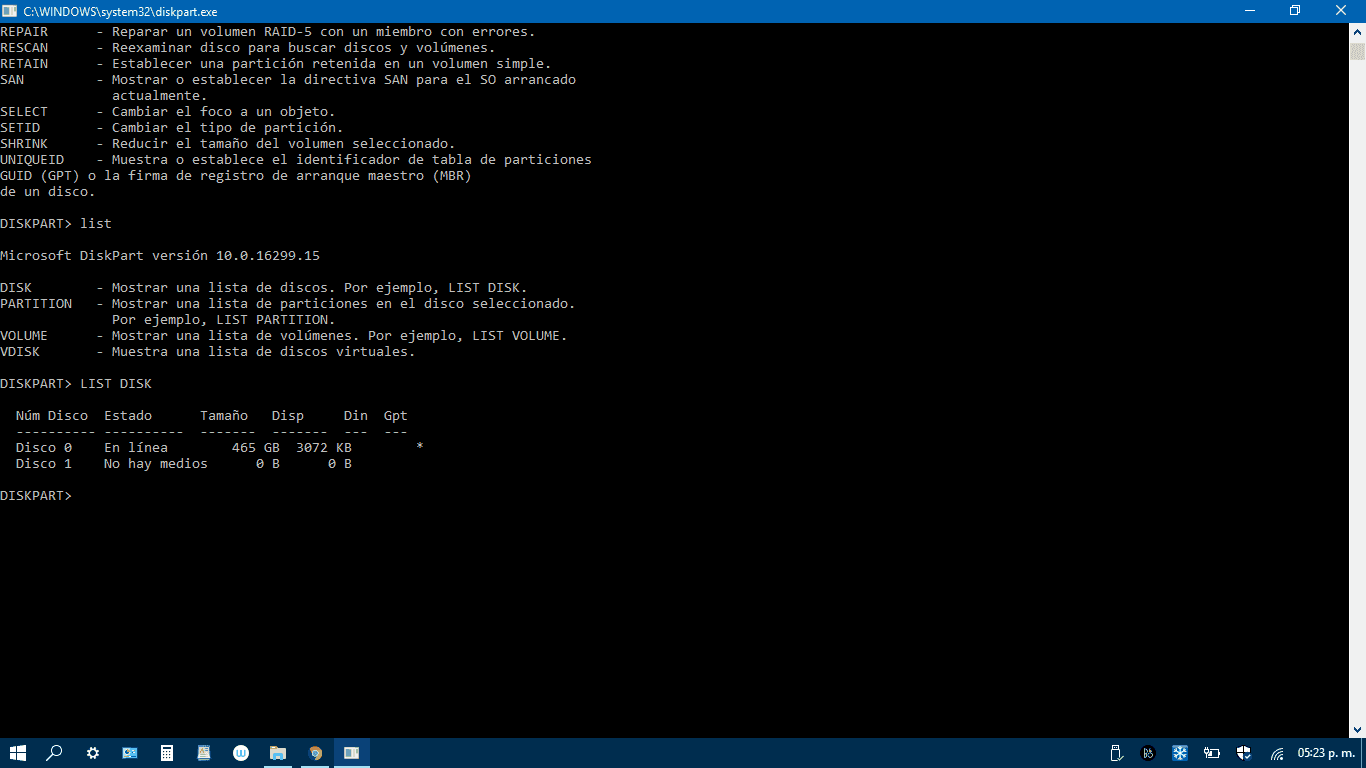
Now, before I execute the FORMAT command... I want to be sure that DISK 1 is the SD and not my RECOVERY disk partition.
Is there any way to see if Disk 1 is the SD?
I'm thinking about, taking out the SD and running CMD again, with all these commands and, if DISK 1 isn't there, then that must mean that it DOES IS the SD... no?
I've took out the SD and now this appears:
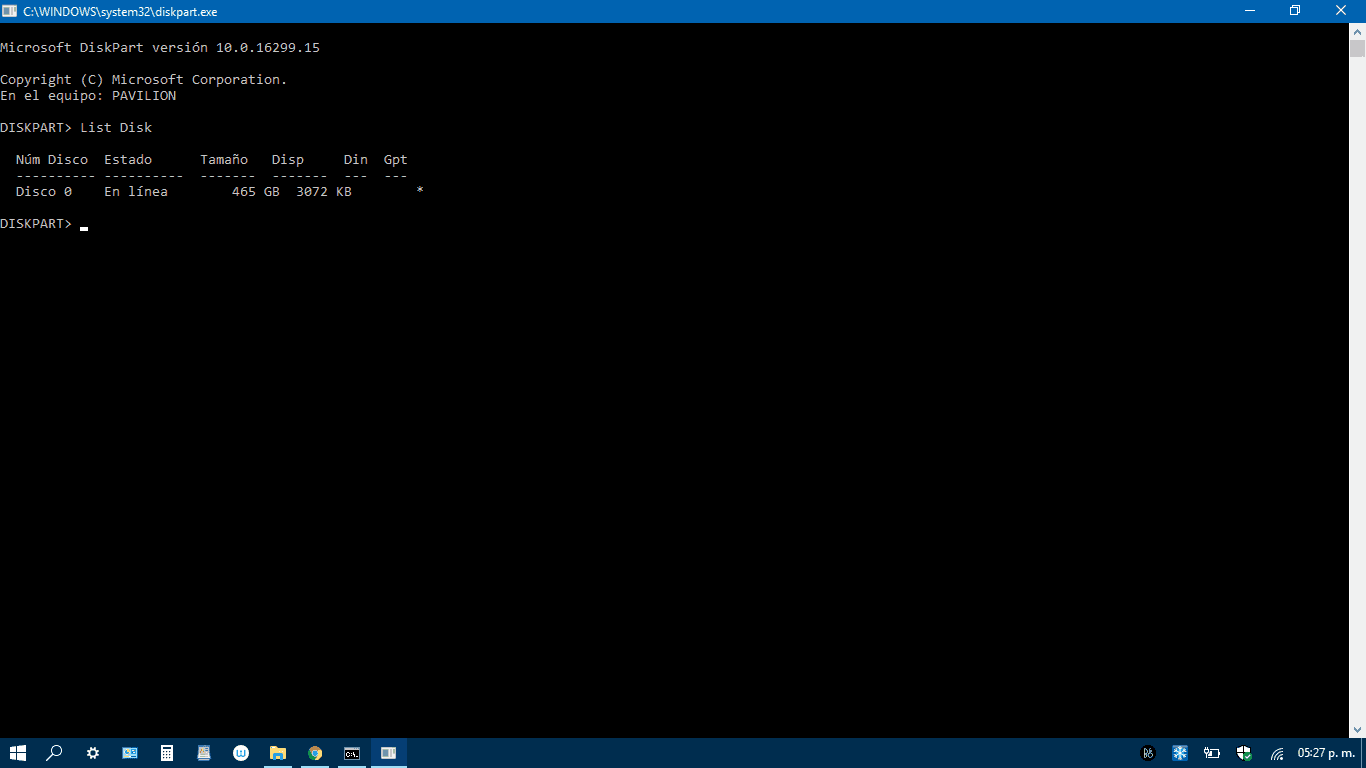
What do you think? Am I right? I wouldn't like to be formatting my entire Hard Drive by accident.
I've inserted the SD card again, used the RESCAN command, then LIST DISK and it does appears to be Disk 1.
Uh... but I've noticed that it is listed as 0GB... is there a way to fix this?
So, I plug in the SD, and it appears for a brief and mere second as a white paper icon with "SD something" and then it disappears.
Now, when using CMD (yes, I'm on Windows) and looking at CMD -> Diskpart -> List Disk it appears this:
Now, before I execute the FORMAT command... I want to be sure that DISK 1 is the SD and not my RECOVERY disk partition.
Is there any way to see if Disk 1 is the SD?
I'm thinking about, taking out the SD and running CMD again, with all these commands and, if DISK 1 isn't there, then that must mean that it DOES IS the SD... no?
I've took out the SD and now this appears:
What do you think? Am I right? I wouldn't like to be formatting my entire Hard Drive by accident.
I've inserted the SD card again, used the RESCAN command, then LIST DISK and it does appears to be Disk 1.
Uh... but I've noticed that it is listed as 0GB... is there a way to fix this?
Last edited by Gizametalman,