


Official hakchi2 - NES Mini very simple pimp tool

  • Thread starter Thread starter Cluster
  • Start date Start date
  • Views Views 4,445,105
  • Replies Replies 18,558
  • Likes Likes 138
[QUOTE = "Maurobr76, poste: 7377205, membre: 414700"] Est-il possible d'obtenir une peau zelda? [/ QUOTE]
YES You can personalize nes.png
Exemple:
 
  • Like
Reactions: Maurobr76
2.14b is fast too bro. No need to go above it.
I have a suspicion you just kept overwriting newer versions on top of the old ones. Did you ever uninstalled your previous hmods and Hakchi properly and started over from scratch? I have 338mb writable space under 2.17b with RA installed along with cores for N64, SNES, GB, and GBA.
 
I'm going to reinstall everything.. but I do have another question. I have a perfectly setup folder of games from my 2.13e install.. can I simply copy
those games over to 2.17b? Or is it best practice to go through the entire compression setup on the new version of 2.17b?
Besides the games folder you need also to move your old config.ini over to the new Hakchi2. If you used custom folder images you need to move that folder as well. Couldn't hurt to move your old dump folder and user_mods as well.
 
I have a suspicion you just kept overwriting newer versions on top of the old ones. Did you ever uninstalled your previous hmods and Hakchi properly and started over from scratch? I have 338mb writable space under 2.17b with RA installed along with cores for N64, SNES, GB, and GBA.
No no no lol the diff is after 2.14b the original 30 games start to actually count against the memory bar at the bottom where as in 2.14b or earlier they didn't. So if on 2.14b I have 299/300mb flashed and working. If I use the exact same setup in 2.15 and on then it will show 319/295.8 and won't sync. Also in 2.15 or above if I clear it out to the full 344mb available. And then put my mods on then after the mods I now have that 295.8 number even tho I install 43mb of mods. Also if you start adding games on and and trying them and taking them back off then it gradually takes away from the 295.8 available. Like it would go to 294 available even tho I don't have the game on anymore. And keep going lower. Mods do the same thing. Add them on and take them off a few times and it starts taking memory available away from you. If I stay on 2.14b I can have 299mb of games installed. And have 43mb of mods installed. And it syncs fast just not AS fast as 2.15 and on. And dont have to be in fel mode so it's plenty fast.
 
Anyone able to get Arcade versions of X-Men Children of Atom and Street Fighter Alpha 2 to work?

I have X-Men vs Street Fighter working so I know about the cps2 command line change and the qsound bios etc.

I tried multiple sites with different roms still a no go... anyone out there successful?
 
Windows 10. Now that you mention it, W10 took a long update about 2 weeks ago. I wonder if that applies to my problem somehow.

Also, sorry I took so long to reply, I've been very busy.
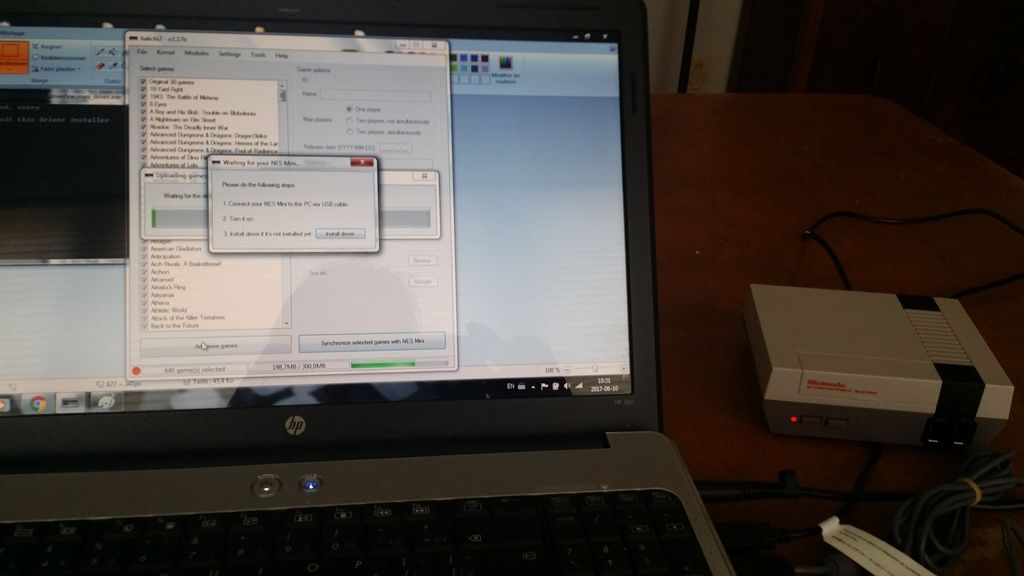
Does anybody know what can I do about this? The NES Mini not passing the "Waiting for your NES Mini" regardless of what option or USB cable (Including the original one) I use.
 
Hey guys, I have a problem here.

I've installed a custom kernel on my NES Mini using VirtualBox on OS X. That worked fine, but I can't transfer games because it says it does not find the device.
Does anyone know how to fix this? :S
 
Anyone able to get Arcade versions of X-Men Children of Atom and Street Fighter Alpha 2 to work?

I have X-Men vs Street Fighter working so I know about the cps2 command line change and the qsound bios etc.

I tried multiple sites with different roms still a no go... anyone out there successful?
Don't know about Street Fighter, but I have Children of The Atom working just fine. It doesn't have the qsound working for some reason, but when the game actually starts, all the sound is there. I don't have a controller with enough buttons to properly play it, but it does work.
 
Don't know about Street Fighter, but I have Children of The Atom working just fine. It doesn't have the qsound working for some reason, but when the game actually starts, all the sound is there. I don't have a controller with enough buttons to properly play it, but it does work.

Where did you get the X-Men Children of Atom rom? I would love to have the copy you have.
 
Bit of a scary scenario happened early this morning. I was playing a game, nestopia emulator if that matters, and I went into the retroarch menu to futz with the settings a bit. Don't know what happened, but the mini froze. I unplugged it and plugged it back in. It started but wouldn't let me play ANY of the games. So, doing something I've never done before, I reflashed the original kernel, which put the mini back to it's original state. Then, I flashed the games and reinstalled all my hmods....which seems to have worked.

I don't know what happened there. I DID end up taking off a bunch of games, but they were ones that I really don't think I'd ever play....like Barbie. Just wanted to see if it was as bad as the angry video game nerd said.....it was.

From now on, I'm going to be EXTRA careful when adding and taking off games.

--------------------- MERGED ---------------------------

Where did you get the X-Men Children of Atom rom? I would love to have the copy you have.
This is the version that I used....I think. http://www.filehosting.org/file/details/671651/xmcota.zip

If this doesn't work, let me know. I do have a couple of other versions we can try. If not, then this website is great, as long as you know what version of mame you're using. Mame 2000 is 0.37b5 and Mame 2003 is 0.78.
https://archive.org/details/MAME2003_Reference_Set_MAME0.78_ROMs_CHDs_Samples
 
Bit of a scary scenario happened early this morning. I was playing a game, nestopia emulator if that matters, and I went into the retroarch menu to futz with the settings a bit. Don't know what happened, but the mini froze. I unplugged it and plugged it back in. It started but wouldn't let me play ANY of the games. So, doing something I've never done before, I reflashed the original kernel, which put the mini back to it's original state. Then, I flashed the games and reinstalled all my hmods....which seems to have worked.

I don't know what happened there. I DID end up taking off a bunch of games, but they were ones that I really don't think I'd ever play....like Barbie. Just wanted to see if it was as bad as the angry video game nerd said.....it was.

From now on, I'm going to be EXTRA careful when adding and taking off games.

--------------------- MERGED ---------------------------


This is the version that I used....I think. http://www.filehosting.org/file/details/671651/xmcota.zip
If this doesn't work, let me know. I do have a couple of other versions we can try. If not, then this website is great, as long as you know what version of mame you're using. Mame 2000 is 0.37b5 and Mame 2003 is 0.78.
https://archive.org/details/MAME2003_Reference_Set_MAME0.78_ROMs_CHDs_Samples

Thank you for the file! I will try it once I get home.

I have not had any issues with games not working, but my controller (Official Wii Pro Controller) 1 out of 10 times will not work, it would be dead for a minute or two then it would work again. In rarer occasions it would stop working completely and I would have to turn off the NESC and turn it back on. It's odd not sure why that would happen.

EDIT: Thanks just got home and tried X-MEN and it works! Yes I also have the same issue with the boot up Q Sound, it doesn't play but the in game sound works fine it seems.

Now I need to find the proper ROM for Street Fighter Alpha 2...if anyone has it please share it would make my life so much easier! =)
 
Last edited by TooMuchPower,
No no no lol the diff is after 2.14b the original 30 games start to actually count against the memory bar at the bottom where as in 2.14b or earlier they didn't. So if on 2.14b I have 299/300mb flashed and working. If I use the exact same setup in 2.15 and on then it will show 319/295.8 and won't sync. Also in 2.15 or above if I clear it out to the full 344mb available. And then put my mods on then after the mods I now have that 295.8 number even tho I install 43mb of mods. Also if you start adding games on and and trying them and taking them back off then it gradually takes away from the 295.8 available. Like it would go to 294 available even tho I don't have the game on anymore. And keep going lower. Mods do the same thing. Add them on and take them off a few times and it starts taking memory available away from you. If I stay on 2.14b I can have 299mb of games installed. And have 43mb of mods installed. And it syncs fast just not AS fast as 2.15 and on. And dont have to be in fel mode so it's plenty fast.

You are right my friend..2.14b forever..lol...even tho I havent used it since getting my ras pi..lol..

--------------------- MERGED ---------------------------

Thank you for the file! I will try it once I get home.

I have not had any issues with games not working, but my controller (Official Wii Pro Controller) 1 out of 10 times will not work, it would be dead for a minute or two then it would work again. In rarer occasions it would stop working completely and I would have to turn off the NESC and turn it back on. It's odd not sure why that would happen.

EDIT: Thanks just got home and tried X-MEN and it works! Yes I also have the same issue with the boot up Q Sound, it doesn't play but the in game sound works fine it seems.

Now I need to find the proper ROM for Street Fighter Alpha 2...if anyone has it please share it would make my life so much easier! =)

I have qsound working..you have to make an hmod for it..
 
I updated to latest version today, from 2.12, I saw that now you don't need to hold reset...

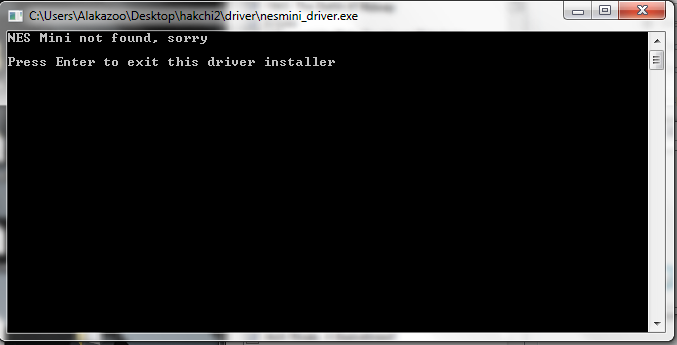
thing is It wont detect it, I installed the plugin and it still turn on and never detect. I cannot even hold reset and then power like on previous versions.

help please?
 
I updated to latest version today, from 2.12, I saw that now you don't need to hold reset...

thing is It wont detect it, I installed the plugin and it still turn on and never detect. I cannot even hold reset and then power like on previous versions.

help please?


Using official micro usb cable that came with it?

See if it allows you to flash custom kernel.

--------------------- MERGED ---------------------------

Hey guys, I have a problem here.

I've installed a custom kernel on my NES Mini using VirtualBox on OS X. That worked fine, but I can't transfer games because it says it does not find the device.
Does anyone know how to fix this? :S

Virtual box usb settings, add device twice...once, while in fel (power + reset), and once in powered on mode with red led.
 
  • Like
Reactions: sromeroi
NES Classic - CPC Amstrad Test - Part 1


NES Classic - Manual Compression - Part 1


NES Classic - Memory Overview


--------------------- MERGED ---------------------------

No no no lol the diff is after 2.14b the original 30 games start to actually count against the memory bar at the bottom where as in 2.14b or earlier they didn't. So if on 2.14b I have 299/300mb flashed and working. If I use the exact same setup in 2.15 and on then it will show 319/295.8 and won't sync. Also in 2.15 or above if I clear it out to the full 344mb available. And then put my mods on then after the mods I now have that 295.8 number even tho I install 43mb of mods. Also if you start adding games on and and trying them and taking them back off then it gradually takes away from the 295.8 available. Like it would go to 294 available even tho I don't have the game on anymore. And keep going lower. Mods do the same thing. Add them on and take them off a few times and it starts taking memory available away from you. If I stay on 2.14b I can have 299mb of games installed. And have 43mb of mods installed. And it syncs fast just not AS fast as 2.15 and on. And dont have to be in fel mode so it's plenty fast.

2.14 is great, as long as you are on a 64 bit operating system. Remember, clusterm did not patch the memory bug for 32 bit operating systems til 2.15. So, yes, 2.14 is awesome. But, only for 64 bitters, hehe:) 2.15 and on is necessary, if on 32 bit. You lose approximately 50 mb flash ability if 32 bit on 2.14. And, 2.13e can flash about 10-15 mb more than even 2.14, since it does not use clovershell. The slow transfer is the major drawback, however.
 
Last edited by KMFDManic,
  • Like
Reactions: youngtune27
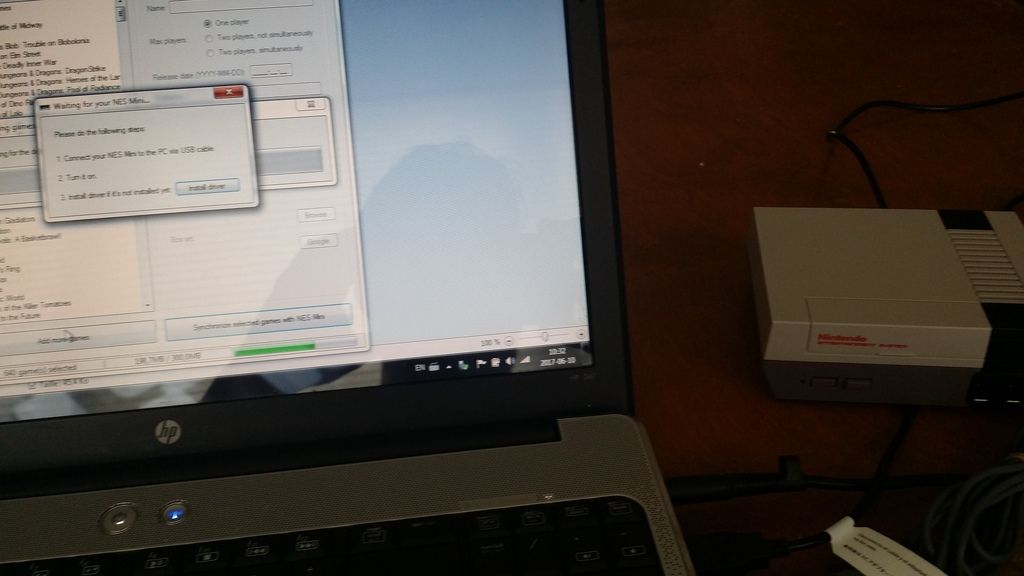
What is actually happening is, I'm trying to use hakchi2 v2.17 on Windows 7 (also tried on a Win 10 PC)
I'm all hooked correctly
power_on_zps4el7wx6i.jpg

When power is on I get this when trying to install the driver
new%20method_zps9ikjtqzj.png


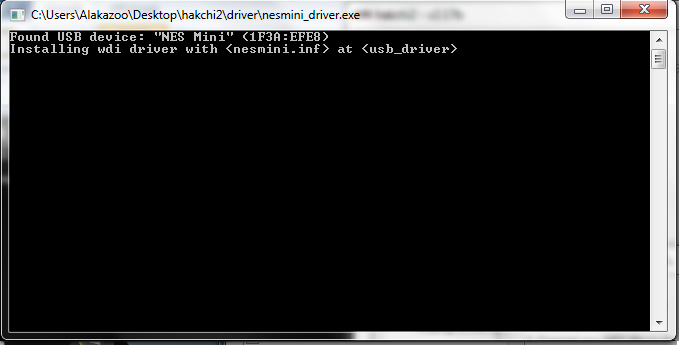
When using the old reset/power method I can get to installing the driver
classic_mode_zpsqlmrd8np.jpg

old%20method_zps93qaua0p.png

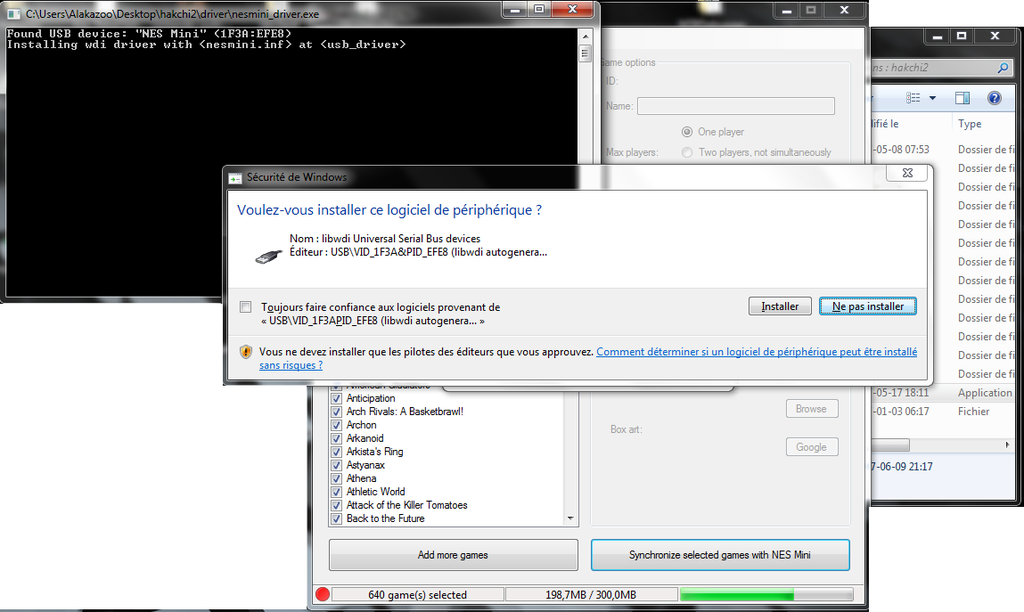
Windows asks for permission to install the driver, I thought this was the problem but even on Windows 10 which didn't ask such permission it gave same result.
permission_install_zpsfyrjwiet.png


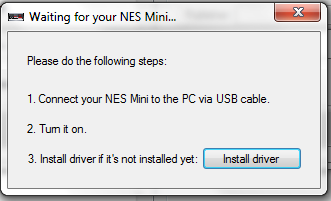
then when trying either detection method, power on or reset/power it stays on this message
hakchi2_message_zps0ow9l5bd.png


I cannot get to installing the kernel onto the NES Classic...

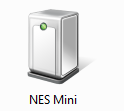
When I use classic Reset/Power On method Windows sees the NES Mini as:
nes_mini_zps3nqdntki.png


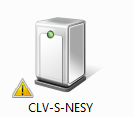
When using simple Power On it's like this:
nesy_zpspykqr2qm.png


I'm seriously contemplating restarting everything with 2.12 but I wanted to change the options without reuploading everything each time...
 
I can't get X-Men vs. Street Fighter to work. I also can't get Marvel vs. Capcom or Marvel Super Heroes Vs. Street Fighter to work, either. I got the proper roms for mame2003, and used the cps2 command line. Just now, I put the roms that I had on my computer that worked in Mame64 and mameUI64 0.152. If that doesn't work, I'll try the roms for mame 2000 and see if that works.
 

Site & Scene News

Popular threads in this forum