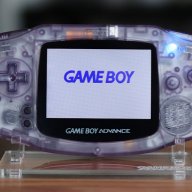
Gameboy Color Blown Fuse

  • Thread starter Thread starter goemon_guy
  • Start date Start date
  • Views Views 28,844
  • Replies Replies 14

goemon_guy

Well-Known Member
Member
Joined
Aug 16, 2011
Messages
117
Reaction score
10
Trophies
1
Age
30
Location
Canada
XP
1,197
Country
Canada
I have two Gameboy Colors that no longer power on.
One of which I am sure has two blown fuses; the other a problem I cannot identify precisely, (although one of the fuses DID wind up blowing, according to my multimeter.)

They're both limited edition GBCs, which is why I want to fix them.
I'm aware that I could buy two regular GBCs and take the motherboard and replace it, but, first I'd like to exhaust my options, such as possibly bridging the fuses to avoid having to spend $50 on a used GBC on eBay.

At any rate, how would I go about bridging over the fuses?
I have limited knowledge in terms of dealing with this sort of thing, so what materials would I need?
Judging by what I've read, I've seen that I have to solder the two ends of a wire to the ends of the fuses.
I've also read that you can bridge it with a 'blob of solder,' bypassing the need of a wire.
The only reason that I want to do this is because there are no places that come to mind in my city that sells wires or anything for this task.

 
It is not recommended to bypass a fuse in such ways, because whatever blew those fuses is going to do a lot more damage when they are bypassed.

So now that you have that in mind and still want to do it, then you are going to need some "basic" tools.

  • A soldering iron, one that is suited for soldering on small electronics and that isn't too hot.
  • Solder, try to find solder with rosin core otherwise get some flux. The flux is to make the solder "stick" better and not leave a mess behind, make sure to wipe of the remaining residue with some isopropanol/isopropyl alcohol.
  • A sponge that is specifically made for wiping off the excess solder on the soldering iron.
Now the fastest way to do this is to just drop a blob of solder above the fuse so it covers both ends.
As seen in the picture bellow.

The component (C125) is first shown untouched, although this is not a fuse, you can still use the same method.


Here is the same component with a blob of solder on top.


Another method is to add an abundant amount of solder on both sides of the fuse and then rapidly shifting from one side to the other adding heat until the fuse is removed.
After it has been removed just close the circuit with some solder.
As in the picture bellow.

Same component as before, but this time I've added solder to both sides.


Heat up the solder on both sides by quickly alternating the soldering iron, and gently give the component a nudge every time you shift the iron, until the component releases.
BE CAREFUL TO NOT RIP UP ONE OF THE PADS!


Then just close the circuit with some solder.


The recommended alternative would be to replace those fuses with matching ones!​
 
I don't think it is possible to buy the fuses for this case.
Honestly, I think the problem may have been using a USB adapter that outputted too much voltage into the system. I'd be using batteries anyhow, so limited risk, from what I understand.

You suggested multiple methods of bypassing the fuse.
Is there any benefit to removing the fuse first, rather than just putting solder over the installed fuse?

I guess it would also be worth asking if you know what would be considered too hot?
I have a soldering iron that reaches 250°C (401°F), at 25W.

Thanks for your help!
 
  • Like
Reactions: Ozito
Any of the methods would do, the only benefit you get from removing the fuse is that it becomes easier to bridge the circuit (according to me) and you get a smaller blob of solder.

The iron you have should be enough so give it a try, the wattage indicates how fast it recuperates the heat it looses after using it.

When you're done bridging the fuses, make sure there's no solder splash or debris on the mainboard since that could be the end of your game boy.

You could check the power switch on the second game boy that didn't seem to have fuse problem at first.
 
It's definitely not "recommended" for sure, but the same method of bridging fuses for F1/F2 has been used on the DS/Lite for quite a while with seldom an issue.

As far as removing the solder fuse (edit - I'm drunk) by what's usually called the "flooding" method, yeah, your iron ought to be enough. I did a bunch of 0603 sized SMD LEDs for RoL mods on 360 controllers, all removed via the flooding method with a 30w iron without a single issue. Edit - just collect a big blob of solder on the tip of the iron, engulf the fuse with it, hold it for a sec, and wipe away. Then clean the tip on a slightly damp sponge.

And as far as wire for this sort of purpose goes, depending on what kind of stuff you keep around the house, you could use the wire out of old floppy/IDE ribbon cables (usually around 32 AWG), any broken USB cables you have lying about (I always hang on to them, the wire connection usually gets broken at the mini/microUSB end, chop that off and you have multiple feet of 4 strands of usually 26/28 AWG color-coded wire, very useful for little projects), or failing that, run to your local RadioShack (if you guys have them in Canada) or any other electronics store that has a small DIY hobbyist section or any kind of home theater/car audio section, they'll usually sell small spools of solid and/or braided wire at ~22 AWG give or take. Speaker wire is usually gonna be a bit too thick for this sort of purpose though, probably somewhere between 10 and 16 AWG depending on brand and quality. Food for thought ;)

Edit: ALSO, since i don't know how experienced you are with soldering, make sure you have some rosin core solder, preferably leaded (60/40 is usually pretty good, 62/36/2 is good too but a little less "sticky"), some flux (paste or no-clean liquid flux both will work, if it's not no-clean make sure you clean the area well with isopropyl alcohol and a rag afterwards, if it is no-clean clean it anyways lol), and solder braid/wick is very useful too for cleaning up excess solder. If you think you might try to get into more little projects like this, these are all very useful things to have. If you are just going to try to fix these two GBC boards, you could most likely get by without the wick, maaaaybe without the flux if you're really tight on money, but it's a big help.
 
  • Like
Reactions: Ozito
I forgot to mention that the second gameboy did have a power switch issue. Any idea how to fix it?

--EDIT--
FIRST, before doing what I wrote bellow, check if the legs on the switch look fine, remelt the solder to make sure it isn't just some cold solder issue.


Could be corrosion that has formed inside of the switch.
Fixing this properly is a bit harder, since you have to remove the metal "lid".

This is a GB pocket, but as far as I know, almost all power switches look the same, some are loaded with springs, in this case it isn't.
If you do buy some solder braid as Sicklyboy mentioned earlier, then it should be used for this.


Remove the solder on one side of the switch with the braid.

IMAG0047.jpg


Make sure the "leg" is free and isn't connected with solder underneath, then with something flat, like a razor, pry it up so it "unhooks" from the plastic base.

IMAG0048.jpg


Then just hold the loose side with tweezers or your fingers and desolder it from the other side and remove it.

IMAG0049.jpg


Now that the "lid" is off, examine the inside, look after dark spots of corrosion.
Grab a needle or a razor and scratch gently but firm away a thin layer of the metal, until it's shiny and nice again.

BEFORE
IMAG0051.jpg


AFTER
IMAG0055.jpg


While you are at it, give the pins on the actual switch a gentle bend outwards, so it has more contact with the conductive parts.

IMAG0053.jpg


Then when you are done, just put everything back together.
Start by soldering the side you soldered last, first.

IMAG0057.jpg


Then add solder to the other side.

IMAG0058.jpg


Hopefully, that'll get your GBC going again otherwise you might have a problem somewhere else on the mainboard.
 
I finally got around to the repair, and the fuse bridging was a success on one GBC.

However, I could not remove the power switch off of the other one's PCB, as I wasn't sure how to desolder the leg of the power switch carefully or correctly.
I tried melting the solder on one side and trying to gently pry it up, but it wasn't exactly working out.

I should mention I have no solder braid, as I couldn't find any. Is there anything I can substitute this for?
 
I finally got around to the repair, and the fuse bridging was a success on one GBC.
Congrats on succeeding on the fuse bypass, which method did you go with?

However, I could not remove the power switch off of the other one's PCB, as I wasn't sure how to desolder the leg of the power switch carefully or correctly.
I tried melting the solder on one side and trying to gently pry it up, but it wasn't exactly working out.

I should mention I have no solder braid, as I couldn't find any. Is there anything I can substitute this for?
You really should buy a braid, it's messy, difficult and you wish you had 2 extra arms if you try to do it without the braid.
Another alternative is a solder sucker, but that tool work for bigger blobs of solder and doesn't really remove all the solder and that's what you want.
 
  • Like
Reactions: goemon_guy
I wound up going with the blob method for one and a removal for the other.

To be honest, I'm not even 100% sure if the power switch is the issue, but I found a cheap GBC on Kijiji, and I'm gonna pick that up and transplant the motherboard into the one that has issues. It's probably easier.

I would have bought a braid if Canadian Tire happened to have them. Canada isn't blessed to have Radioshack, so my options are fairly limited locally.
 
  • Like
Reactions: Ozito
I did the same to two GBA SP AGS-001 consoles that I bought for parts by bridging the fuses, and I was able to get them working with no front light because that was my purpose is to use those lights in my GBA and GBC. :D
 
Just thought I'd end with an update to my situation, I got the GBC from the person, but it had no sound.
It just so happened that I have a broken DS Lite that I could salvage the speakers from.
I'm definitely pleased with the results.

Both my limited edition GBCs work just as new again.

Thanks for the assistance, guys!
 
  • Like
Reactions: Ozito
Any of the methods would do, the only benefit you get from removing the fuse is that it becomes easier to bridge the circuit (according to me) and you get a smaller blob of solder.

The iron you have should be enough so give it a try, the wattage indicates how fast it recuperates the heat it looses after using it.

When you're done bridging the fuses, make sure there's no solder splash or debris on the mainboard since that could be the end of your game boy.

You could check the power switch on the second game boy that didn't seem to have fuse problem at first.
Mate, will bypassing work only for fuses or c125 too beacause c44 on my gba is coroded
 
Mate, will bypassing work only for fuses or c125 too beacause c44 on my gba is coroded

Usually components marked with a "C" are capacitors and capacitors don't lead current through them.
Instead they store energy and have different functions in a circuit in comparison to a fuse.

So short answer, no it shouldn't work.
 

Site & Scene News

Popular threads in this forum