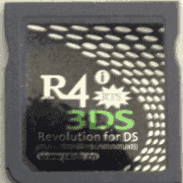
Hacking Functionless R4i RTS Flashcard

  • Thread starter Thread starter Stephano
  • Start date Start date
  • Views Views 2,510
  • Replies Replies 22

Stephano

pessimism = Realism
Member
Joined
Feb 18, 2016
Messages
1,570
Reaction score
1,469
Trophies
0
Location
Nowhere
XP
1,701
Country
United States
So a long while ago I posted a thread asking for help as to why my flash card was not working. Some very nice people tried to help yet the problem was never able to be fixed. I'm not sure if i can ask this but would anyone who has this exact flashcard be willing to share the (NON WAREZ) files of their flashcard in order to get mine working? I bought this card from nds-cards.com (Gbatemp's Proud sponsor :hrth:)
For those who try to link me to a firmware download page for this card, believe me, I have tried many, MANY times but to no avail. :(
Thanks a lot.
upload_2017-5-23_13-45-22.png
 
I upgraded the cart on my DSi and then tried to load a game on my 3ds. It says there is not enough space on disk,
 
I fixed the not enough space on disk error but now i'm back to square one. When ever i launch a game, i will get the nintendo logo but it will stay on that screen and not advance.
 
Since you say you have a Dsi, you'd need to use that .nds file to flash your cart. Not the one I used. Also, you should have an _rpg folder on your sdcard from ryccardo's post. Which you probably already have. Also also, what you are now explaining is normal when there is no sdcard inserted.
 
Since you say you have a Dsi, you'd need to use that .nds file to flash your cart. Not the one I used. Also, you should have an _rpg folder on your sdcard from ryccardo's post. Which you probably already have. Also also, what you are now explaining is normal when there is no sdcard inserted.

I still don't understand, I did use the DSi nds file and what do you mean there is no SD card inserted? There is one.:mellow:
 
oh damn, you used the right .nds file. It seems like you've done all the troubleshooting you could. Your sdcards work in the other flash cart. I didn't know flashcarts can die, but it seems yours may have. What is the other flashcart you have? You mentioned that your sdcards work in that one.
 
oh damn, you used the right .nds file. It seems like you've done all the troubleshooting you could. Your sdcards work in the other flash cart. I didn't know flashcarts can die, but it seems yours may have. What is the other flashcart you have? You mentioned that your sdcards work in that one.
It's an Acekard RPG
 
Is it possible there may be a conflict with the _ds_menu.dat and _rpg? I mean, did you delete both (file and directory) before adding the ones for your 3ds rts? Let's say you had the _rpg folder from both acekard and r4i 3ds rts. That would confuse your flashcart and it probably won't boot.
 
Is it possible there may be a conflict with the _ds_menu.dat and _rpg? I mean, did you delete both (file and directory) before adding the ones for your 3ds rts? Let's say you had the _rpg folder from both acekard and r4i 3ds rts. That would confuse your flashcart and it probably won't boot.
That couldn't be it. After i tried the SD card on the AceKard, I formatted the SD card and but the R4i files back on it. I could try formatting it again and then redownloading the firmware files above, but i don't know if that will fix it
 

Site & Scene News

Popular threads in this forum