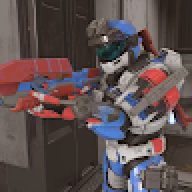
none of these work for me can anyone help? i download and put it in the correct folder but when it boots that switch logo still there and it wont change..help?
Post automatically merged:
none of these work for me can anyone help? i download and put it in the correct folder but when it boots that switch logo still there and it wont change..help?
Post automatically merged:
none of these work for me can anyone help? i download and put it in the correct folder but when it boots that switch logo still there and it wont change..help?
Post automatically merged:
I need help please i add the folder where it suppose to but it wont boot the custom logo
Post automatically merged:
I need help please i add the folder where it suppose to but it wont boot the custom logo
none of these work for me can anyone help? i download and put it in the correct folder but when it boots that switch logo still there and it wont change..help?
Post automatically merged:
none of these work for me can anyone help? i download and put it in the correct folder but when it boots that switch logo still there and it wont change..help?
Post automatically merged:
none of these work for me can anyone help? i download and put it in the correct folder but when it boots that switch logo still there and it wont change..help?
Post automatically merged:
I need help please i add the folder where it suppose to but it wont boot the custom logo
Post automatically merged:
I need help please i add the folder where it suppose to but it wont boot the custom logo
So sorry but yeah i have no idea where those extra post got there, well i have try to add some of the logo
uploaded here but every time i add the folder with the files to exefs_patches nothing happens i reset my switch
and switch logo still there not sure what to do anymore and i am good using python so yeah have no idea on how to
use that one either. so any help is useful maybe a program that does this that i haven't heard about it is some where...anything with a gui.
So sorry but yeah i have no idea where those extra post got there, well i have try to add some of the logo
uploaded here but every time i add the folder with the files to exefs_patches nothing happens i reset my switch
and switch logo still there not sure what to do anymore and i am good using python so yeah have no idea on how to
use that one either. so any help is useful maybe a program that does this that i haven't heard about it is some where...anything with a gui.
You were asked to show a picture of where you have placed the files on your SD card so we can tell you where you went wrong. Clearly you have them in the wrong place or you haven't unzipped them. Until we see,we can't help!
You were asked to show a picture of where you have placed the files on your SD card so we can tell you where you went wrong. Clearly you have them in the wrong place or you haven't unzipped them. Until we see,we can't help!
Is ok i manage to find how it works it was add to Atmosphere/exefs_patches/logo but first nothing happen i had to rebuild the logo from scratch using that python script then it work, downloading it here seems not to work, i even add a sound mp3 to it. thanks
Is ok i manage to find how it works it was add to Atmosphere/exefs_patches/logo but first nothing happen i had to rebuild the logo from scratch using that python script then it work, downloading it here seems not to work, i even add a sound mp3 to it. thanks
Is ok i manage to find how it works it was add to Atmosphere/exefs_patches/logo but first nothing happen i had to rebuild the logo from scratch using that python script then it work, downloading it here seems not to work, i even add a sound mp3 to it. thanks
Is simple install python install it.
Download the python script switch logo patcher.
switch-logo-patcher:
1. download the zip
2. extract the zip
3. you need gen_patches.py (drag to a new folder)
4. make folder called "logo" (you can choose whatever name)
5. drag the bootlogo image (308 x 350) 32 depth to the same location as gen_patches.py
6. rename the image to folder name "logo.png"
7. right click: Open in Terminal
8. enter these cmds:
pip install ips.py
pip install pillow
python gen_patches.py logo logo.png
9. drag the "logo" folder into: \atmosphere\exefs_patches folder
10. reboot the switch and enter emmumc
Is simple install python install it.
Download the python script switch logo patcher.
switch-logo-patcher:
1. download the zip
2. extract the zip
3. you need gen_patches.py (drag to a new folder)
4. make folder called "logo" (you can choose whatever name)
5. drag the bootlogo image (308 x 350) 32 depth to the same location as gen_patches.py
6. rename the image to folder name "logo.png"
7. right click: Open in Terminal
8. enter these cmds:
pip install ips.py
pip install pillow
python gen_patches.py logo logo.png
9. drag the "logo" folder into: \atmosphere\exefs_patches folder
10. reboot the switch and enter emmumc
Post automatically merged:
guys i need your help again i want to change this logo but i can't find any info
on how to do it i know you can cause my friends switch has it change with a
Pirate Luigi.
Anyone knows how to change this logo? or splash or whatever is call....
been trying to figure this out for a while now and there no tutorials or
anything that i can follow.
Anyone knows how to change this logo? or splash or whatever is call....
been trying to figure this out for a while now and there no tutorials or
anything that i can follow.
Hello I tried searching for this but it doesn't seem there's necessarily a solid answer, can we have animated custom boot logos? I Jsut want this bootup with the sound, but Nintendo switch instead lol
Hola a todos,
Quiero añadir un logotipo de arranque personalizado entre el de Hekate, el de Atmosphere y el de Switch. Si es posible, entre el de Atmosphere y el de Switch. ¿Cómo puedo añadirlo? Supongo que necesito cambiar algún archivo para configurar el orden de los logotipos y el tiempo en pantalla, pero soy nuevo en esto. ¡Gracias de antemano!
After being announced last week, the first of two broadcasts is set to go live later today with a stark focus on The Legend of Zelda and its 40th anniversary...
The PlayStation 5 scene has received a massive breakthrough with the public release of Relapse, a new exploit chain developed by Nathan Fargo in collaboration with...
It's that time again folks, an update for the Switch and Switch 2, and a surprisingly big one at that! At lease for folks on the Switch 2. The most notable feature...
It is with a heavy heart that I announce the departure of our beloved Chary from the position of Chief Editor. Chary took over early 2021 and has done a wonderful job...
The second of a two-part special, a more traditional Nintendo Direct is set to air today. Unlike the Zelda Direct the contents of this one is still relatively up in...
The 2007 Nintendo Wii classic Super Mario Galaxy has reportedly been 100% decompiled by the SMGCommunity under the project codename Petari, and now a standalone PC...
It's that time again. Prepare your Switch updates! Or prepare to forgive your sister's nephew's dog for updating your Switch a few weeks ago. Atmosphere v1.12.0 has...
After an accidental leaking of their review video from Linus Tech Tips last week, we somewhat knew that news on Steam's latest VR venture was imminent. Today the...
Over the weekend a number of Switch and Switch 2 related subreddits came alive with people reporting bans on their Switch 2 consoles out of nowhere. The error code...
Are you tired of waiting for Nintendo to release a definitive version of their GameCube classic on a console that's sold more than four units? Then step right up! A...
After being announced last week, the first of two broadcasts is set to go live later today with a stark focus on The Legend of Zelda and its 40th anniversary...
It's been something of a quiet week in the gaming space, with the deluge of big hitters trying to find their place before GTA 6 launches really kicking off next week...
The in-progress Switch port of the 2013 Rockstar Games Grand Theft Auto V has been forced to end progress after Take-Two Interactive has threatened legal action...
It is with a heavy heart that I announce the departure of our beloved Chary from the position of Chief Editor. Chary took over early 2021 and has done a wonderful job...
Are you tired of waiting for Nintendo to release a definitive version of their GameCube classic on a console that's sold more than four units? Then step right up! A...
After an accidental leaking of their review video from Linus Tech Tips last week, we somewhat knew that news on Steam's latest VR venture was imminent. Today the...
The second of a two-part special, a more traditional Nintendo Direct is set to air today. Unlike the Zelda Direct the contents of this one is still relatively up in...
Announced a few days ago, Nintendo of America have today launched their Customer Appreciation Sale. Featuring 30% discounts across a wide range of popular first-party...
From my post earlier this week you probably already know which game I'm talking about. Fire Emblem released yesterday to some pretty rave reviews. Looking at...
A few days ago Chary stepped down as Chief Editor after 5 wonderful years, and everyone guessed the seat wouldn't stay empty for very long. Back in 2021 I proudly...