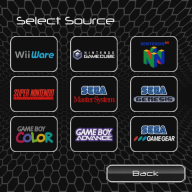
I've been looking for a while now on how to create a channel so it will load to a specific Wii U game, specifically TMNT Arcade, guessing I'll need to go through retroarch. The problem I'm running into is that I cannot figure out how to get the core and game to boot at the same time. Here's a video of someone that was able to do it, but when asked what his paths were set to, he didn't offer any assistance. Anyone have an idea?
So far, I have the haxchi and hbl2hbc downloaded and DS VC game ready to install over, just can't figure out where to put the direct paths. If anyone could help out, I'll post up the games when completed. Looking at creating TMNT Arcade, Turtles in Time, X-Men, and Simpsons to start out. So Far, FBAlpha 2012 works for these games as well as mame.
Good luck with getting answers to this, Lawd knows I've asked the same question. it would be nice to inject a known working core and rom and know it would work (almost) everytime. If RA doesn' support auto boot/load you would likely have to take that up with RA team.
Having this a a possibility would be aweome
In my book. Don' listen to the nay sayers there probly is a way.
300 game limit blah blah blah.....
I've had no issues with the emulator as a whole with those games thus far, and any other classic game I want to play, i've made a Wii U VC for. Guess the search continues.
I was thinking about the Retroarch version of the snes classic mini. The snes9x cores used there accept an argument to start the desired game. Maybe it's possible to implement something like this in the Wii U version of these cores.
I was thinking about the Retroarch version of the snes classic mini. The snes9x cores used there accept an argument to start the desired game. Maybe it's possible to implement something like this in the Wii U version of these cores.
That's a good call. I was also looking at how it's used with the PS3 as I've been able to make specific channels for specific games. Just trying to figure where the path is for that for that argument. Havent' had any luck
That would be nice to have that for the Wii U. Looks like it may be a ways off. I have reached out on the forums for the Wii U build on the Retroarch site, but no replies yet
@cagerhager and anyone else who has seen that video.
DON'T see it, he doesn't deserve the views, he only posted the vid as bragging material.
The guy is a fucking douche and refuses to even post instructions on how to do it because "he figured it out himself".
As if the asshole figured out Wii U hacking on his own, and he thinks high about himself just because he got that working.
@ploggy@cucholix
Guess there are more people interested in this.
Don't know if you guys figured this out already or not, but I think here is a good way to go about it: Modifications to original RetroArch:
* Make a RomFS.
* Hard-code RetroArch to load Content from romfs:/rom.bin hard-coding that directory in the RetroArch launch parameters. This means the rom is injected in the CIA. It won't be in the SD.
* Set RetroArch language based on system language.
* Change savefile directory to sdmc:/retroarch/forwarders/<CIA Title ID>/savefiles.
* Change savestate directory to sdmc:/retroarch/forwarders/<CIA Title ID>/savestates.
* Now the retroarch.cfg will be loaded from RomFS. This means custom configuration per game.
* Removed "Press Start" message when exiting RetroArch (now it just exit).
* Removed debug console.
* Set bottom screen to an image in romfs:/bottom.bin if there is any. Otherwise, the bottom screen will shut down.
* Removed the debug console toggle. Now touching everywhere on the screen toggles the Menu.
* Removed green menu border.
* Removed RetroArch and core version from menu.
* Removed timestamp from menu.
* English: changed 'Quick Menu' to 'Game Menu'.
* English: changed 'Core Cheat Options' to 'Cheat'.
* English: changed 'Quit Retroarch' to 'Quit Game'.
* English: changed 'Close Content' to 'Reset Game'.
* English: changed 'Resume Content' to 'Continue Game'.
* Removed 'Restart Content' menu option from Quick Menu.
* Removed 'Take Screenshot' menu option from Quick Menu.
* Removed 'Core Options' menu option from Quick Menu.
* Removed 'Core Input Options' menu option from Quick Menu.
* Removed 'Core Disk Options' menu option from Quick Menu.
* Removed 'Cheat File Save As' menu option from Core Cheat Options.
* Removed 'Start Core' menu option.
* Removed 'Load Content' menu option.
* Removed 'Load Recent' menu option.
* Removed 'Settings' menu option.
* Removed 'Information' menu option.
* Removed 'Restart Retroarch' menu option.
* Removed 'Load Configuration' menu option.
* Removed 'Save Current Config' menu option.
* Removed 'Save New Config' menu option.
* Removed 'Help' menu option.
* Mute audio when suspending the app and un-mute when restoring.
* Removed 'Cheats' menu option from Quick Menu.
* Removed 'Save slot' menu option from Quick Menu.
* Core options load from RomFS.
From what I see, I believe that we might need to create a RetroArch channel for Wii U with the ROM we want to autoboot compiled into the channel as well (romfs) and specifying which content to load when compiling as well.
Those two seem to be the key to get this working.
@cagerhager and anyone else who has seen that video.
DON'T see it, he doesn't deserve the views, he only posted the vid as bragging material.
The guy is a fucking douche and refuses to even post instructions on how to do it because "he figured it out himself".
As if the asshole figured out Wii U hacking on his own, and he thinks high about himself just because he got that working.
@ploggy@cucholix
Guess there are more people interested in this.
Don't know if you guys figured this out already or not, but I think here is a good way to go about it: Modifications to original RetroArch:
* Make a RomFS.
* Hard-code RetroArch to load Content from romfs:/rom.bin hard-coding that directory in the RetroArch launch parameters. This means the rom is injected in the CIA. It won't be in the SD.
* Set RetroArch language based on system language.
* Change savefile directory to sdmc:/retroarch/forwarders/<CIA Title ID>/savefiles.
* Change savestate directory to sdmc:/retroarch/forwarders/<CIA Title ID>/savestates.
* Now the retroarch.cfg will be loaded from RomFS. This means custom configuration per game.
* Removed "Press Start" message when exiting RetroArch (now it just exit).
* Removed debug console.
* Set bottom screen to an image in romfs:/bottom.bin if there is any. Otherwise, the bottom screen will shut down.
* Removed the debug console toggle. Now touching everywhere on the screen toggles the Menu.
* Removed green menu border.
* Removed RetroArch and core version from menu.
* Removed timestamp from menu.
* English: changed 'Quick Menu' to 'Game Menu'.
* English: changed 'Core Cheat Options' to 'Cheat'.
* English: changed 'Quit Retroarch' to 'Quit Game'.
* English: changed 'Close Content' to 'Reset Game'.
* English: changed 'Resume Content' to 'Continue Game'.
* Removed 'Restart Content' menu option from Quick Menu.
* Removed 'Take Screenshot' menu option from Quick Menu.
* Removed 'Core Options' menu option from Quick Menu.
* Removed 'Core Input Options' menu option from Quick Menu.
* Removed 'Core Disk Options' menu option from Quick Menu.
* Removed 'Cheat File Save As' menu option from Core Cheat Options.
* Removed 'Start Core' menu option.
* Removed 'Load Content' menu option.
* Removed 'Load Recent' menu option.
* Removed 'Settings' menu option.
* Removed 'Information' menu option.
* Removed 'Restart Retroarch' menu option.
* Removed 'Load Configuration' menu option.
* Removed 'Save Current Config' menu option.
* Removed 'Save New Config' menu option.
* Removed 'Help' menu option.
* Mute audio when suspending the app and un-mute when restoring.
* Removed 'Cheats' menu option from Quick Menu.
* Removed 'Save slot' menu option from Quick Menu.
* Core options load from RomFS.
From what I see, I believe that we might need to create a RetroArch channel for Wii U with the ROM we want to autoboot compiled into the channel as well (romfs) and specifying which content to load when compiling as well.
Those two seem to be the key to get this working.
Thanks mate, I really hope this happens not just because it would be cool to get Retroarch VC Channels on the home menu but to push that knob rot off his high and mighty stance and kill any "recognition" he may get.
Me and @cucholix tried a few things but sadly nothing came from it Thanks again Cucholix for giving me a hand to try though
This isn't something that should be hoarded, it should be shared.. All the work/effort that's been put into Retroarch WiiU since its started back in late 2016 just to have some ass find a solution to Retroarch VC's and keep it to himself just for some YT views?... Twat..
My ideal thing would be an icon for each system that would load the specific core and start you off in that consoles rom directory.
So click on the SNES icon and it loads the snes9x core and starts you off in sd/roms/snes/
Kinda got it to work recently, seeing as the lynx core doesn't work with the no intro romset I replaced a channel's rpx with the Handylynx core and it did boot up in the black/green old retroarch main menu but trying to exit either froze it or reloaded the menu...
Anyone make any progress on this? You're looking to do the exact games I want and I would be glad to help make this happen. I have a ton of WiiU modding experience
It’s about that time of year again where I check in with the community to see if we can get the front page aligned with what people are interested in knowing and what...
WiiCompiled is a new project that lets PC gamers play Mario Kart Wii natively on PC without emulation. Using static recompliation to convert the code into native PC...
Images for the rumoured Zelda-themed limited edition Switch 2 for The Legend of Zelda's 40th Anniversary have started to leak online.
The leak shows only the...
After being announced last year, the fan-made remake Gamma Emerald has finally gotten its first early access release. A complete rebuild of fan-favourite Pokemon...
The long awaited Grand Theft Auto VI Extended Look gameplay trailer has finally dropped on YouTube. As you all know, it had dropped 6 hours earlier on Netflix, and...
Though we knew all the way back in May that this was coming, the exact numbers remained a mystery for prospective Nintendo gamers in the UK. If you happen to have...
Thanks to the recent decomplication efforts; The Minish Cap 3DS brings the Game Boy Advance classic Zelda title to your 3DS.
The port takes full advantage of the 3DS...
In the wake of Sony's shift to a digital-only ecosystem within the next year, Xbox have today announced a surprising scheme. Aiming to offer physical buyers the same...
GBAtemp is and always has been an independent community. Since 2002 our staff have voluntarily kept the site running, added new forums, features, provided constant...
To celebrate its 25th anniversary, XBOX has launched pre-orders for the XBOX 25th Anniversary Collection. For the occasion, the trailer below was aired.
This...
It’s about that time of year again where I check in with the community to see if we can get the front page aligned with what people are interested in knowing and what...
In the wake of Sony's shift to a digital-only ecosystem within the next year, Xbox have today announced a surprising scheme. Aiming to offer physical buyers the same...
Though we knew all the way back in May that this was coming, the exact numbers remained a mystery for prospective Nintendo gamers in the UK. If you happen to have...
Images for the rumoured Zelda-themed limited edition Switch 2 for The Legend of Zelda's 40th Anniversary have started to leak online.
The leak shows only the...
The long awaited Grand Theft Auto VI Extended Look gameplay trailer has finally dropped on YouTube. As you all know, it had dropped 6 hours earlier on Netflix, and...
It is with a heavy heart that I announce the departure of our beloved Chary from the position of Chief Editor. Chary took over early 2021 and has done a wonderful job...
After being announced last year, the fan-made remake Gamma Emerald has finally gotten its first early access release. A complete rebuild of fan-favourite Pokemon...
Thanks to the recent decomplication efforts; The Minish Cap 3DS brings the Game Boy Advance classic Zelda title to your 3DS.
The port takes full advantage of the 3DS...
GBAtemp is and always has been an independent community. Since 2002 our staff have voluntarily kept the site running, added new forums, features, provided constant...
After being announced last week, the first of two broadcasts is set to go live later today with a stark focus on The Legend of Zelda and its 40th anniversary...













 he may get.