Hacking CrazyIntro V0.31

  • Thread starter Thread starter WiiCrazy
  • Start date Start date
  • Views Views 19,605
  • Replies Replies 111
Ok i need help as its really need some help please

all i want is the same set up like the original helath screen but with my own picture and Press a button, but i want it to look the same, so my a button in roughly same place and blinking.

here is my XML file
my boot image is 400x400
and my A button is 600x96

if someone could help i would really apreciate it



mailand said:
Now I Have tried to check the title_id with anytitle deleter:

WBLP (57424C50) Bubble Bobble Plus!
WGOE (57474f45) World of goo
WTPE (57545045) Tetris Party

Bubble:Nand
World: Nand
Tetris: (Is Installed on the sd, just to trie some thing)


Here is the Crazyintro.xml

CODE

I'll check the channel launching code and see if there is indeed a bug


Littlegreenmen said:
Ok i need help as its really need some help please

all i want is the same set up like the original helath screen but with my own picture and Press a button, but i want it to look the same, so my a button in roughly same place and blinking.

here is my XML file
my boot image is 400x400
and my A button is 600x96

if someone could help i would really apreciate it

... xml snipped...

CODEÂÂÂÂ
If you want to make it center on the screen, above offsets will possibly work...

CODE
ÂÂÂÂ

Changed effect to 0 since I guess you'll not use tileset animation for press picture... If effect 0 is used there is no need to supply tilewidth&tileheight&tileordering, now I'm not sure if animspeed was a required element. Again offsets are pretty much will work with the size of press picture you mentioned.

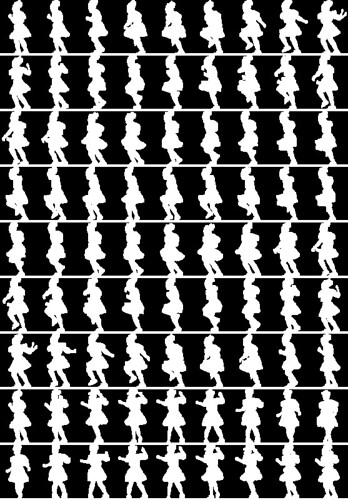
If effect is selected as 1 or 2 your press picture image should look like below image (tiled I mean) then you should set the tilewidth & tileheight & tileordering accordingly...

3693219963_bf85bd8b82.jpg
 
Actually I had already started merging the common parts of two applications Crazy Intro & Crazy Intro Video... but it will take some time until I finish the job. In the mean time you can assign Homebrew channel in one of the other buttons (up, down, left, right)
 
WiiCrazy said:
Actually I had already started merging the common parts of two applications Crazy Intro & Crazy Intro Video... but it will take some time until I finish the job. In the mean time you can assign Homebrew channel in one of the other buttons (up, down, left, right)
So what did you got, is this the new v0.33 listed on google?
 
So does 0.33 support JODI?

CrazyIntroVideo is the only thing I have that doesn't work with JODI.

EDIT: Downloaded it, looks like it does support JODI.
 

Site & Scene News

Popular threads in this forum