


BedrockLink
Microsoft sign-in fix and your own server for Minecraft (Bedrock) on a modded Switch
Who it's for
Anyone who wants to play Minecraft (Bedrock) online on a Switch that stays off Nintendo's servers:
- an emuMMC with Nintendo's servers blocked (90DNS, a DNS blocker or Atmosphère's hosts file), or
- a banned console,
Hi all! I play Minecraft (Bedrock) on an emuMMC with Nintendo's servers blocked and a community server setup for online play, and two things were in the way:
- Minecraft couldn't sign in to my Microsoft account. From 3.5.7, Nextendo's Prelude points Microsoft's sign-in servers at its own server (for Minecraft Dungeons II). The hosts file is shared by every game, so Bedrock's Xbox Live sign-in ends up there too and fails.
- There's no "Add Server" button on Switch, so no way to join your own server (in my case a Geyser server for friends).
BedrockLink fixes both, with one or two clearly marked lines in Atmosphère's hosts file.
What it does
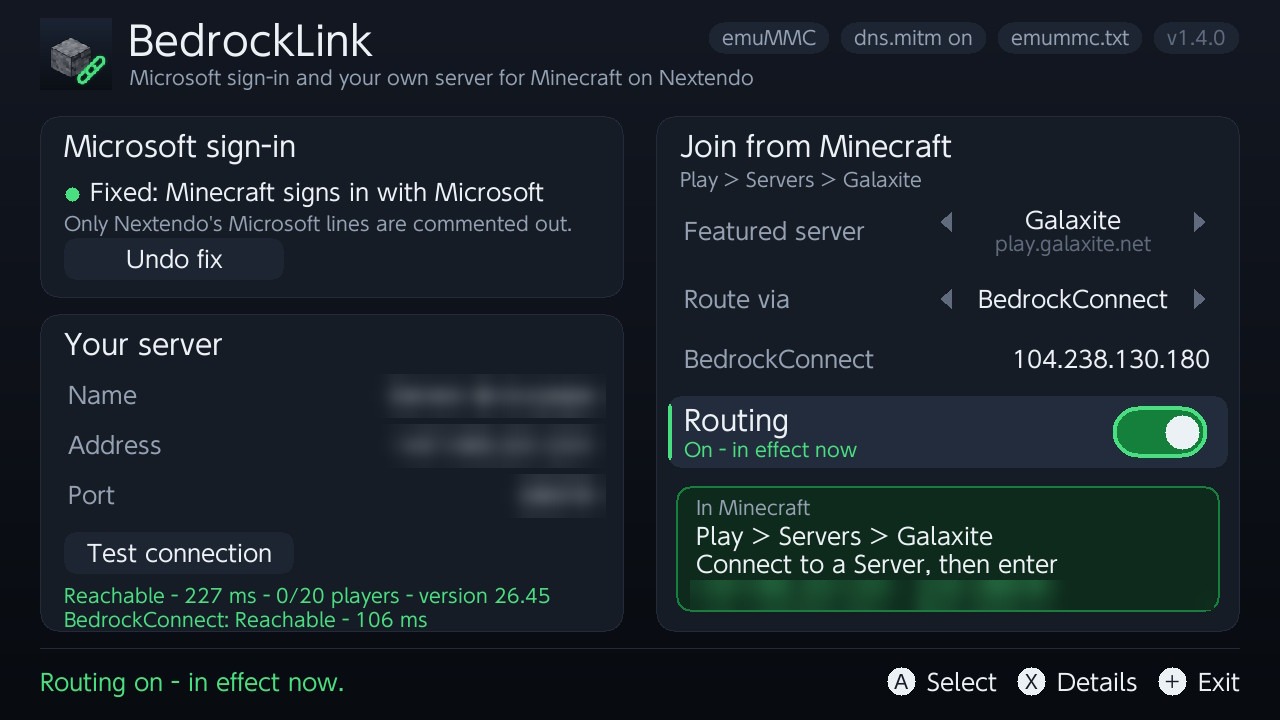
- Microsoft sign-in fix: comments out only the hosts lines that send Microsoft/Xbox sign-in somewhere else. One button, and undoing it puts the files back byte for byte.
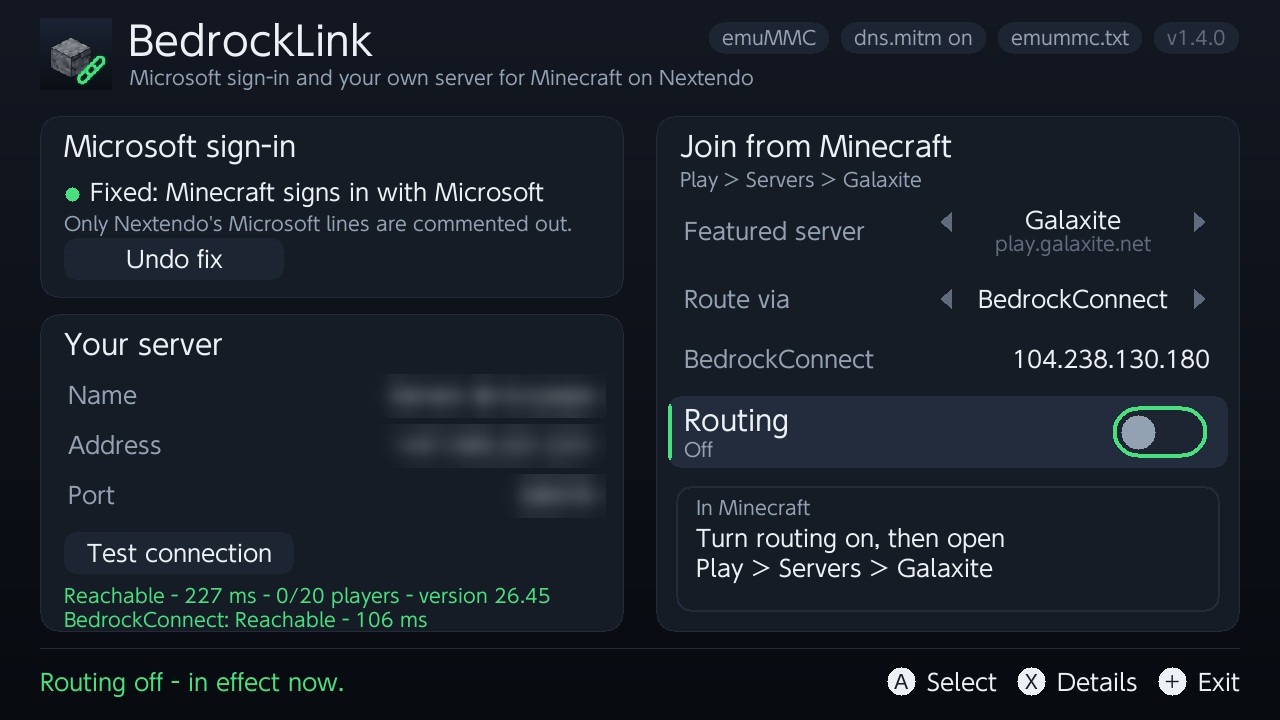
- Join your own server: turns one featured server in Play > Servers (Galaxite, The Hive, CubeCraft, ...) into a door to the server you choose, through BedrockConnect (any port) or directly (servers on port 19132). The other featured servers aren't changed.
- Graphical app with touch, plus an Ultrahand/Tesla overlay to switch routing on and off.
- Changes apply at once, no restart (it uses Atmosphère's hosts reload command).
Safety
- Nintendo's lines are never touched: a write is refused unless every Nintendo host resolves exactly as before, and every file is backed up first.
- BedrockLink contacts nothing on its own. Test connection sends one status ping to your server (and the BedrockConnect server).
- Use at your own risk: it can't promise anything about what Nintendo, Microsoft or a game does.
Screenshots (server details blurred)
Requirements
- Atmosphère with an emuMMC and dns.mitm on (Atmosphère's default)
- Minecraft (Bedrock) and a Microsoft account
- For your own server: a Bedrock or Geyser server
- Optional: Ultrahand or Tesla Menu for the overlay
Install
Unzip BedrockLink-1.4.0.zip to the root of the SD card and open BedrockLink from the homebrew menu. The README has step-by-step use.
Tested on: Switch (Mariko), firmware 22.5.0, Atmosphère 1.11.2, emuMMC, Minecraft 1.26.44, Nextendo Prelude 3.5.5 and 3.5.11. So far that's only my console (not banned, with Nintendo blocked by DNS), so reports from other setups, banned consoles included, are very welcome.
Privacy: when you join through BedrockConnect, its server sees your gamertag (like any server you join) and stores the servers you save in its menu. You can run your own BedrockConnect and enter its address in the app, or use Direct.
Download: https://github.com/TomasUribe/switch-bedrocklink/releases/tag/v1.4.0
Source (GPL-2.0-or-later): https://github.com/TomasUribe/switch-bedrocklink
How it works: https://github.com/TomasUribe/switch-bedrocklink/blob/main/docs/how-it-works.md
Credits: BedrockConnect by Pugmatt, Atmosphère, libtesla by WerWolv, devkitPro/libnx, SDL2.
BedrockLink is not affiliated with Nintendo, Microsoft, Mojang, Nextendo or BedrockConnect.
Last edited by Papux200,


