

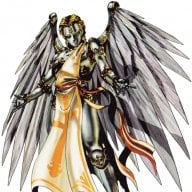

This is a port of Tsukimori's fantastic English translation patch of Dengeki Bunko Fighting Climax Ignition for PS3 to the PS4 version. This is a direct port so everything translated in their patch is the same for this one.
Details of what is and isn't translated can be found in the original release thread. This port also borrows the character selection vertical to horizontal text fix from the latest version of the PS Vita translation patch by VinceTea64.
This patch utilizes the excellent AFR plugin for GoldHEN found here by SiSTR0 and jocover. I've included the latest AFR plugin in the 7zip with the translation as well as a plugins.ini file that will enable this patch. If you already have a plugins.ini, don't copy this one over and instead add the following two lines at the bottom of yours:
Download here (Google Drive)
Installation instructions are pretty straightforward:
1. Extract 7zip to your computer and copy to a USB drive if using PS4Xplorer or connect to PS4 with FTP.
1.5. As noted above, if you don't have a plugins.ini, copy this one over with the rest of the files, otherwise update yours.
2. Copy the data folder into your PS4 root directory.
3. Make sure patches are enabled in your GoldHEN settings.
4. Play the game!
This will work with digital or disc copies with no problem.
I'm quite sure you can get this working with ShadPS4 but I haven't the foggiest idea how to do that, if someone does, please lemme know and I'll be happy to update the install instructions.
Screens:


Tools used:
Image Conversion
.pac file Python script
Details of what is and isn't translated can be found in the original release thread. This port also borrows the character selection vertical to horizontal text fix from the latest version of the PS Vita translation patch by VinceTea64.
This patch utilizes the excellent AFR plugin for GoldHEN found here by SiSTR0 and jocover. I've included the latest AFR plugin in the 7zip with the translation as well as a plugins.ini file that will enable this patch. If you already have a plugins.ini, don't copy this one over and instead add the following two lines at the bottom of yours:
[CUSA03475]
/data/GoldHEN/plugins/afr.prx
/data/GoldHEN/plugins/afr.prx
Download here (Google Drive)
Installation instructions are pretty straightforward:
1. Extract 7zip to your computer and copy to a USB drive if using PS4Xplorer or connect to PS4 with FTP.
1.5. As noted above, if you don't have a plugins.ini, copy this one over with the rest of the files, otherwise update yours.
2. Copy the data folder into your PS4 root directory.
3. Make sure patches are enabled in your GoldHEN settings.
4. Play the game!
This will work with digital or disc copies with no problem.
I'm quite sure you can get this working with ShadPS4 but I haven't the foggiest idea how to do that, if someone does, please lemme know and I'll be happy to update the install instructions.
Screens:
Tools used:
Image Conversion
.pac file Python script


