
Hi everyone,
First post here!
I just recently modded my old, forgotten 3DS, and I always wondered how hard development would be for this platform. Let me say, it is not easy with everything being super depreciated, and, the lack of documentation. I hap-haphazardly stumbled through input controls, shaders and rendering, and I got a super WIP prototype, that builds, and plays!
If anyone can provide any documentation or anything else regarding input controls, shaders and more that would be amazing! Let me know what you think of this!
And, to help others on the 3DS journey in 2026, here are some shaders I made to get you started and tips I've learned.
First, forget all of the default shaders materials have. They either don't work, crash your 3DS/game, or are a buggy mess. You will need to code your own. Here are some very simple ones I've made or found online. If your game is crashing when attempting to run in an emulator, what I have found is its most likely because:
1. You have not set publisher settings in the Player Section
2. You have materials using Built-In Shaders
3. You have sprites that bigger than 512x512 trying to be displayed (Sprites even from a spritesheet thats over 512x512 will still crash the game, meaning a 32x32 sprite, from a 2048x2048 spritesheet will crash the 3DS, even if its just a 32x32 sprite on its own!)
*All of this information is based on my experience, and their may be workarounds or other fixes that may make it possible for these to not crash the game, however, it's what worked for me after hours of trial and error!
Shaders
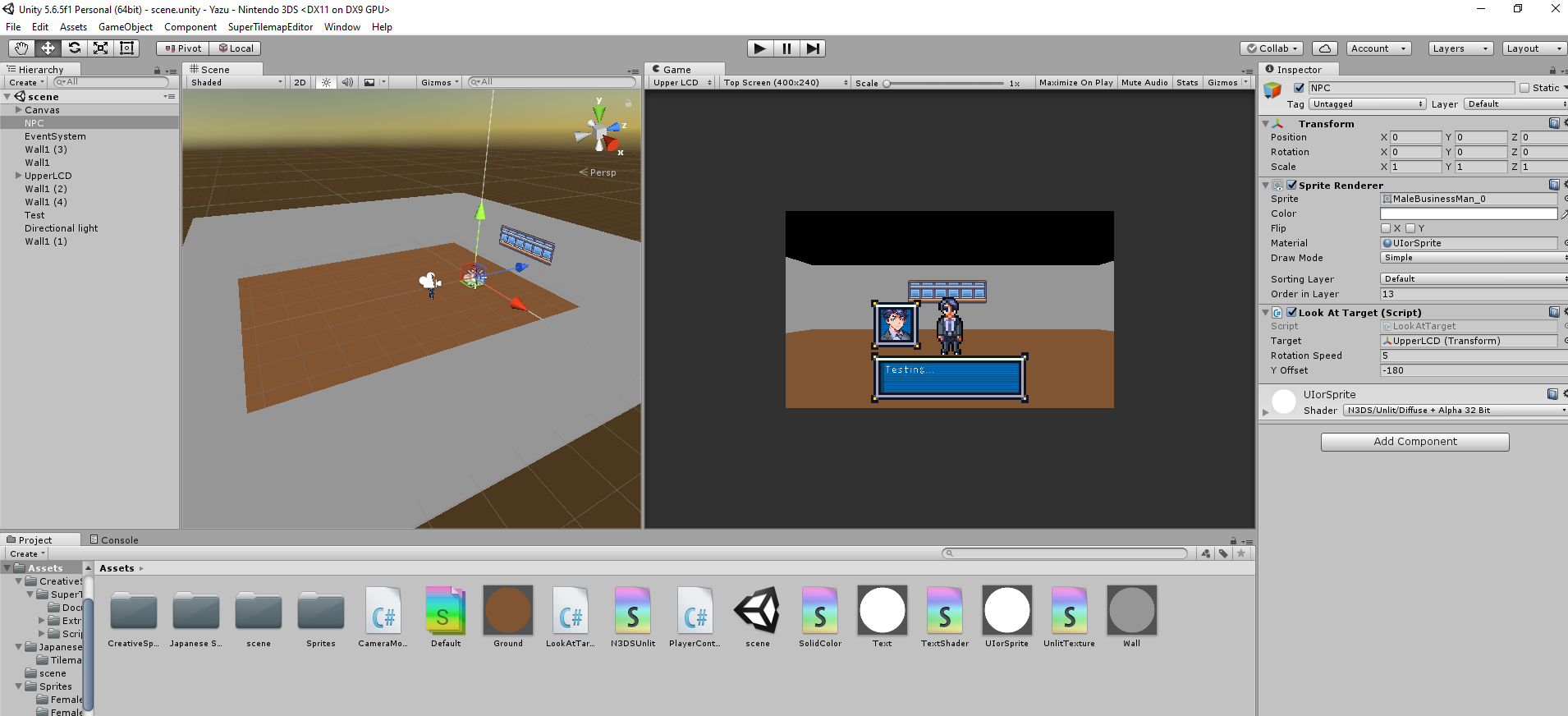
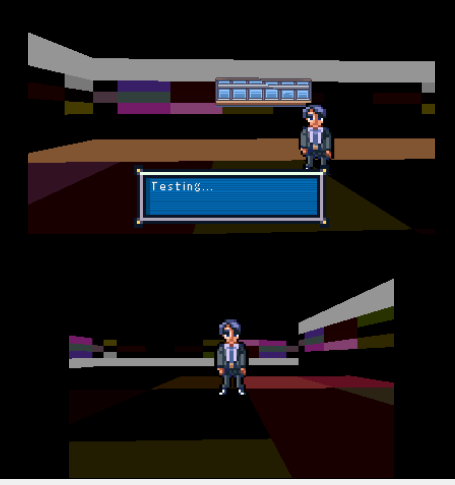
And here's what I am working on, going for that Novel type of game! Having to relearn Unity 5.6 and missing out on all of the cool stuff in the newer versions really slows you down lol. It's going to be a murder horror game, where you can see your player in the lower LCD and you move and interact with the world in the Upper LCD screen.
Yazu Game
Very rudimentary, just a proof of concept that I could actually build and make something that runs on a 3DS!
First post here!
I just recently modded my old, forgotten 3DS, and I always wondered how hard development would be for this platform. Let me say, it is not easy with everything being super depreciated, and, the lack of documentation. I hap-haphazardly stumbled through input controls, shaders and rendering, and I got a super WIP prototype, that builds, and plays!
If anyone can provide any documentation or anything else regarding input controls, shaders and more that would be amazing! Let me know what you think of this!
And, to help others on the 3DS journey in 2026, here are some shaders I made to get you started and tips I've learned.
First, forget all of the default shaders materials have. They either don't work, crash your 3DS/game, or are a buggy mess. You will need to code your own. Here are some very simple ones I've made or found online. If your game is crashing when attempting to run in an emulator, what I have found is its most likely because:
1. You have not set publisher settings in the Player Section
2. You have materials using Built-In Shaders
3. You have sprites that bigger than 512x512 trying to be displayed (Sprites even from a spritesheet thats over 512x512 will still crash the game, meaning a 32x32 sprite, from a 2048x2048 spritesheet will crash the 3DS, even if its just a 32x32 sprite on its own!)
*All of this information is based on my experience, and their may be workarounds or other fixes that may make it possible for these to not crash the game, however, it's what worked for me after hours of trial and error!
Shaders
Code:
Shader "N3DS/Unlit/Solid Color 3D"
{
    Properties
    {
        _Color("Main Color", Color) = (1,1,1,1)
    }
    SubShader
    {
        Tags { "Queue"="Geometry" "RenderType"="Opaque" }

        Pass
        {
            Cull Back
            ZWrite On
            ZTest LEqual

            Color[_Color]
        }
    }
}
Code:
Shader "N3DS/Unlit/Diffuse + Alpha 32 Bit 3D"
{
    Properties
    {
        _Color("Main Color", Color) = (1,1,1,1)
        _MainTex("Diffuse (RGB) Alpha (A)", 2D) = "white" {}
    }
    SubShader
    {
        Tags { "Queue"="Geometry" "RenderType"="Opaque" }

        Pass
        {
            Cull Back
            ZWrite On
            ZTest LEqual

            SetTexture[_MainTex]
            {
                constantColor[_Color]
                combine constant * texture
            }
        }
    }
}
Code:
Shader "N3DS/GUI/3DSFont"
{
    Properties
    {
        _MainTex ("Font Texture", 2D) = "white" {}
        _Color ("Text Color", Color) = (1,1,1,1)
    }

    SubShader
    {

        Tags{"QUEUE" = "Transparent" "IGNOREPROJECTOR" = "true" "RenderType" = "Transparent" }

        ZWrite Off
        Lighting Off
        Fog { Mode Off }

        Blend SrcAlpha OneMinusSrcAlpha

        Pass
        {
            // Use the alpha channel of the texture to mask the color
            SetTexture[_MainTex]
            {
                   constantColor[_Color]
                   Combine texture alpha * constant
            }
           }
     }
Fallback "GUI/Text Shader"
}
And here's what I am working on, going for that Novel type of game! Having to relearn Unity 5.6 and missing out on all of the cool stuff in the newer versions really slows you down lol. It's going to be a murder horror game, where you can see your player in the lower LCD and you move and interact with the world in the Upper LCD screen.
Yazu Game
Very rudimentary, just a proof of concept that I could actually build and make something that runs on a 3DS!
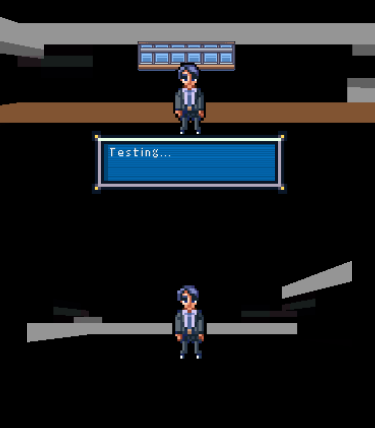
And some headaches I dealt with for the heck of it
Last edited by Cgreen58,