Status
Not open for further replies.

TX Presents SX OS v2.9 BETA - With Full v9.0 Firmware Support!

NEW UPDATE FIXES UPGRADE ISSUES!


PLEASE USE V2.9.1b INSTEAD OF 2.9


YOU CAN NOW USE CHOIDUJOURNX 1.0.2 WITH 2.9.1b

**********************************************


Good day, fans and believers! We hope you are all having a good weekend.
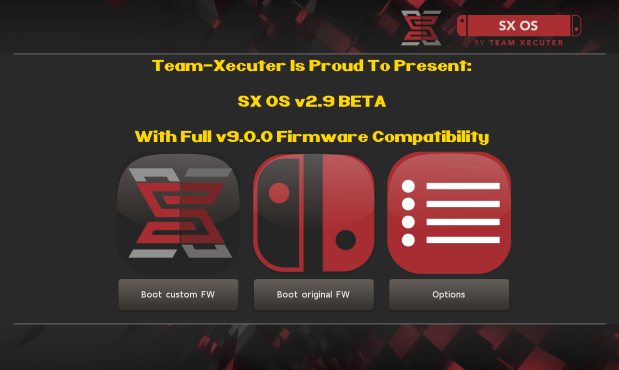
SXOS29.png

Team-Xecuter has done it again, they have updated their world-famous SX OS to now support the latest v9.0 Switch firmware from Nintendo.
Today, we bring you a much needed update of SX OS. Full compatibility with the latest Switch firmware 9.0! Sorry that we kept you waiting, we wanted to make sure all our unique features still properly work.

Additionally, we also introduced support for the "Horizon split format". This means that people who use FAT32 can have folders named 'game.xci' with split parts contained therein (named 00, 01, 02, etc.). Make sure the folder has the 'archive' bit set.

We know you are waiting for some other big features in SX OS, they are coming.. We wanted to get this compatibility update out first though.

So what are you waiting for? SX OS 2.9 beta is available for download on our website now! (and also through the builtin online updater part of SX OS.)
—< Team-Xecuter - Rocking the Switch in 2019 and beyond! >—

:arrow: Source: MaxConsole
 
Last edited by SonyUSA,
I am bricked!!! I have backup but tried restore, it then it hangs on Nintendo logo!! Permanent brick, THANKS SX!!
after restore your nand, are you sure your nand backup is exfat format, if you took your backup with only fat32 support and if your sd is exfat now, you probably will stuck on black screen.
 
  • Like
Reactions: newgen2005
I've managed to update to 9.0.0! Here are the steps:

- On your PC: Insert your SD card.
- Install ChoiDujourNX version 1.0.1!
- If you already updated SX OS to 2.9 delete boot.dat on your SD card. Copy the boot.dat from SX OS 2.8 instead on your SD card!
- Copy the 9.0.0. firmware on your SD card.
- Double check the formation from your SD card: FAT32 or ExFAT?

- Insert the SD card on your Switch.
- Turn on your Switch and go to your EmuNAND.
- Now start ChoiDujourNX and select the folder with your 9.0.0. firmware.
- Start the install process! It should be work without any errors. Important: Chose the correct version depend on your SD card formation!
- After the installation select turn off your console!

- Back on your PC: Remove the SX OS 2.8 boot.dat on your SD card and copy the boot.dat from the newest SX OS 2.9!

- Insert the SD card. Start your Switch. Check the "system" in the settings: It should be on 9.0.0 now!
 
I've managed to update to 9.0.0! Here are the steps:

- On your PC: Insert your SD card.
- Install ChoiDujourNX version 1.0.1!
- If you already updated SX OS to 2.9 delete boot.dat on your SD card. Copy the boot.dat from SX OS 2.8 instead on your SD card!
- Copy the 9.0.0. firmware on your SD card.
- Double check the formation from your SD card: FAT32 or ExFAT?

- Insert the SD card on your Switch.
- Turn on your Switch and go to your EmuNAND.
- Now start ChoiDujourNX and select the folder with your 9.0.0. firmware.
- Start the install process! It should be work without any errors. Important: Chose the correct version depend on your SD card formation!
- After the installation select turn off your console!

- Back on your PC: Remove the SX OS 2.8 boot.dat on your SD card and copy the boot.dat from the newest SX OS 2.9!

- Insert the SD card. Start your Switch. Check the "system" in the settings: It should be on 9.0.0 now!

This is a good guide however i would only use Choi 1.0.2 ONLY! version 1.0.1 has caused installation failures that needed a restore to correct.. version 1.0.1 does NOT have BIS protection.. use 1.0.2 only please.
 
Things like updating should be thoroughly tested, it’s not like they didn’t take the time to push 2.9 beta, taking time is good but make it work.

I hope the problems for everyone will me minimal and easy to fix!
 
Things like updating should be thoroughly tested, it’s not like they didn’t take the time to push 2.9 beta, taking time is good but make it work.

I hope the problems for everyone will me minimal and easy to fix!

I've already talked to people who have updated to 9.0 with errors and no backup.. make sure to use 2.8 ONLY to update to 9.0.0
 
  • Like
Reactions: mmajunkie77
There are breaking bugs on Choi 1.0.2 with 9.0.0. on SX OS. See the post from one of the SX OS staff earlier in this thread. In this case it's important to use Choi 1.0.1!

No it's not - I updated fine with ChoiDujourNX 1.0.2, the problem is installing when using SXOS 2.9 - if you use Atmosphere to update or SXOS 2.8 - you'll be fine.
 
Anyone else having issues with 9.0 on 2.9 seeing large NSP files? I was able to copy and install a 150MB NSP but i just tried to copy and install two different NSP files greater than 6GB and I'm unable to even see them in tinfoil.. If i put SD card into PC I can see the NSP is there..

P.S: im on 9.0.0 (exFAT)
 
Last edited by SaggyBeans,
2.9b, fw9.0, docked, opening and closing the album using the B button causes a hard crash, hopefully hotfix soon. Handheld B button works fine
 
1.0.1 gets me stuck on "Flashing firmware packages 0/6"

That happened to me earlier.. this is why I am telling people NOT to use Choi 1.0.1 on 2.9.. I got the same "Flashing firmware packages 0/6" and I needed to do a NAND restore to get it back up and running.
 
  • Like
Reactions: pustal
How do I get my hands on SXOS 2.8?
I tried to go from 6.2 - 8.1
using CHOI 101
on SXOS 2.9 emunand, and it froze.
 
Last edited by feight,
  • Like
Reactions: MykoSyko
@ everyone, don't use TX's BETA releases until enough people confirm it works.
@ TX, don't release code that is not even BETA as you have breaking bugs/incompatibilities. Maybe have your own firmware updater instead of ChoiDujourNX, so you don't have to rely on updates from the other side?
 
XCI loading is busted for me, 9.0 sxos 2.9, all just error or hard crash, were workign on 8.1.0 and 2.8 sxos previously. LOL
 
Yes, You must update to 9.0.0 using SX OS 2.8 and Choi 1.0.2.. then you can update the boot.bin to version 2.9.. but this seems pretty buggy at the moment.

Yay, thank you. This was an adventure. Choi and SX should have a big red banner warning this crap.
 
  • Like
Reactions: SaggyBeans
Status
Not open for further replies.

Site & Scene News

Popular threads in this forum