Xecuter Presents SX INSTALLER v1.5

Also Introducing 'SX Server' v1.1, a new separate download for advanced users!
SX_Server_11_1.jpg

Team-Xecuter has updated their SX Installer app, check out the changes below:
While our SX OS team is hard at work on our upcoming update supporting Nintendo's 7.0.x firmware, the SX Installer team is happy to bring you another update adding some of the most requests features we received from users by email.
  • increased single-threaded install speed.
  • added option for multi-threaded network install to increase install speed.
  • fixed memory issue with tiny game icon diplay.
  • fixed slow boot time when retroarch has a large collection of thumbnails.
  • more responsive UI menus.
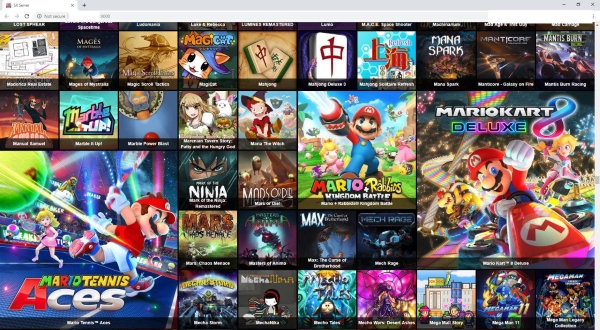
  • added support for the new "SX Server" to easily install NSP's from a windows PC over the network or through direct USB connection.
  • General UI enhancements.
SX Server v1.1 is a separate download for advanced users (Windows PC is required).

SX_APP_15.jpg SX_Server_11_2.jpg

More to come soon from us, meanwhile, enjoy this update and thank you for your patience.

-=< Team-Xecuter - Rocking the Switch in 2019 and beyond! >=-

:arrow: Source: MaxConsole
 
Last edited by garyopa,
Not when the mods online are vehement anti SXOS fanbois... then there ares glaring and obvious difference in handling of moderation in SXOS threads.
If the mods do not help just block the 3-4 toxic users and you will not see their post and all thread will look clean to you
 
If the mods do not help just block the 3-4 toxic users and you will not see their post and all thread will look clean to you

as has been mentioned multiple times already, whenever someone else quotes the blocked users you still see their posts / rubbish / drama.
 
Am i missing something herE? How do i connect to the homebrew store in this app?

How do i connect to updates and dlc servers like everyone who posts screencaps?
SX Server is an application that you run on your pc.
You have to put it in the same folder as your games, dlcs and updates.
You can then connect the switch per USB cable or wirelessly to your PC and install games that way.
Updating from online-servers, afaik, isnt possible on a banned switch.
 
when trying to move file from HDD to SD etc SX Installer crashes black screen Nintendo error code thing or freezes.
Does anyone else have this issue? also setting i set ie threads and overclock don't seem to save
 
had no idea what above comments were in relation to, but then spotted in discord there is an updated SX Installer v1.51 - from the source it has updated libnx, some bugfixes and more stability (TM).
 

Site & Scene News

Popular threads in this forum