Tutorial
Updated
Generate RetroArch NSP Forwarders (with proper icon and title)
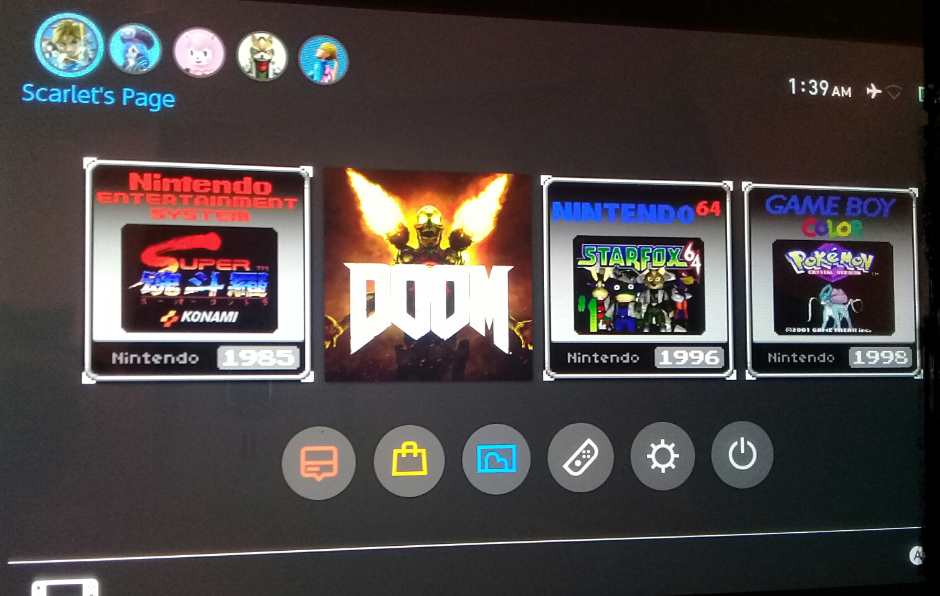
This tutorial will show you how to generate a RetroArch NSP Forwarder. The end result is a game on your HOME menu, and when you open it RetroArch is launched with the game directly running. Here's a video showing what it looks like (video by @bobdamnit).
I may or may not make an automated version of it, in a nice GUI, without any external dependency required. Time will tell. If someone wants to do it, go ahead.
1. What's needed
Extract hacBrewPack somewhere and follow these steps:
If a content path is set in argv when running RetroArch, the content is loaded instead of opening the menu.
This is a simple mod of hbloader which reads the NRO path ("nextNroPath") as well as argv ("nextArgv") from its romfs.
I may or may not make an automated version of it, in a nice GUI, without any external dependency required. Time will tell. If someone wants to do it, go ahead.
1. What's needed
- The latest release of hacBrewPack : https://github.com/The-4n/hacBrewPack/releases
- keys.dat (I recommend using Lockpick to dump it)
- The latest release of my modded hbloader : https://github.com/natinusala/nx-hbloader-retroarch-forwarder-mod/releases (build.zip)
- The core (NRO) and the game you want to forward on your SD card (download the core through RA's online updater)
- A 256x256 JPG icon of the game you want to forward (I suggest that you make your own)
- (optional) a PNG to be displayed in the top-left corner of the screen while loading (normally Nintendo logo) and a GIF to be displayed in the bottom-right corner (normally an animated Switch logo)
Extract hacBrewPack somewhere and follow these steps:
- copy your keys.dat where hacbrewpack.exe is
- copy both "control" and "exefs" from my modded hbloader to the folder where hacbrewpack.exe is
- inside the new "control", copy your 256x256 JPG and rename it "icon_AmericanEnglish.dat"
- create a folder called "logo" where hacbrewpack.exe is
- inside, copy both "NintendoLogo.png" and "StartupMovie.gif" from here https://github.com/natinusala/nx-hbloader-retroarch-forwarder-mod/tree/master/logo
- or you can use your own images, they are displayed in the corners of the screen when loading (normally Nintendo logo and animated Switch logo)
- now the important part: create a folder called "romfs" where hacbrewpack.exe is
- inside, create two files: "nextNroPath" and "nextArgv"
- in "nextNroPath", write the path to the core on your SD card starting by "sdmc:" (for example sdmc:/retroarch/cores/quicknes_libretro_libnx.nro)
- in "nextArgv", write the path to the core on your SD card starting by "sdmc":, followed by a whitespace and the path to the game on your SD card between quotes (for example sdmc:/retroarch/cores/quicknes_libretro_libnx.nro "sdmc:/roms/nes/Super Mario Bros. 3 (USA).nes")
- Be sure not to put newlines in the end of any of those files
- Open cmd in the folder where hacbrewpack.exe is and run "hacbrewpack.exe --titleid <title id> --titlename <game name> --titlepublisher <game publisher>"
- replace <title id> by a free title id on your console (you can use this script to generate one https://github.com/natinusala/nx-hbloader-retroarch-forwarder-mod/blob/master/random_tid.bat)
- replace <game name> by the game name, that will be the title shown in the HOME menu (don't forget quotes if it has spaces)
- same for <game publisher> but for the publisher (don't forget quotes if it has spaces)
- If everything went fine, you should have your NSP in the "hacbrewpack_nsp" folder (called by its title id)
If a content path is set in argv when running RetroArch, the content is loaded instead of opening the menu.
This is a simple mod of hbloader which reads the NRO path ("nextNroPath") as well as argv ("nextArgv") from its romfs.
- you run the title
- hbloader starts
- hbloader reads the NRO path and its arguments from its romfs
- hbloader starts the NRO (the core), giving the arguments (the content path)
- The core is started, and loads the content given in arguments
Last edited by natinusala,