ROM Hack [Release] MessAnimDSIco - Simple Nintendo DS Icon editor

  • Thread starter Thread starter Olmectron
  • Start date Start date
  • Views Views 44,799
  • Replies Replies 23
  • Likes Likes 20

Olmectron

Well-Known Member
Member
Joined
Dec 31, 2012
Messages
2,660
Solutions
1
Reaction score
1,838
Trophies
2
Age
33
Location
A game
XP
3,955
Country
Mexico
I made this little Java app with the help of @Robz8. It's a simple Nintendo DS banner and palette editor for PC.

Current Features
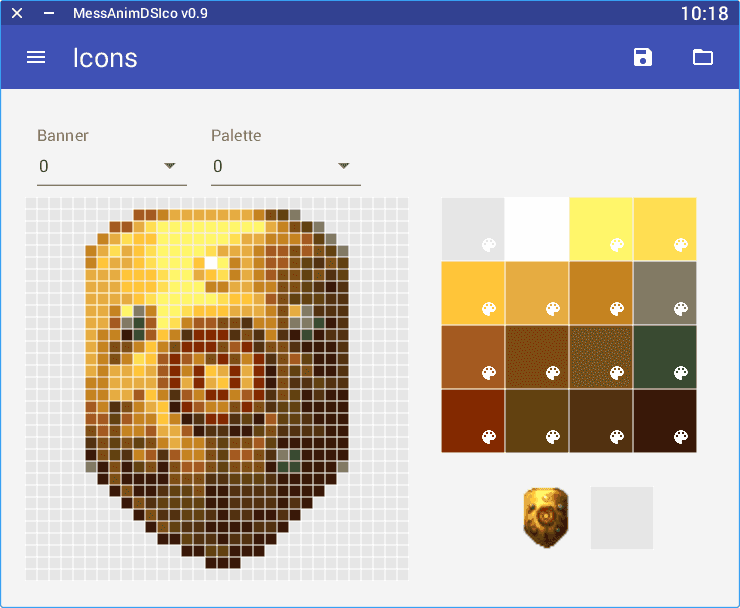
  • Edit banners and palettes manually. If you load a DSi enhanced game, you can edit any of their 8 banners and 8 palettes.
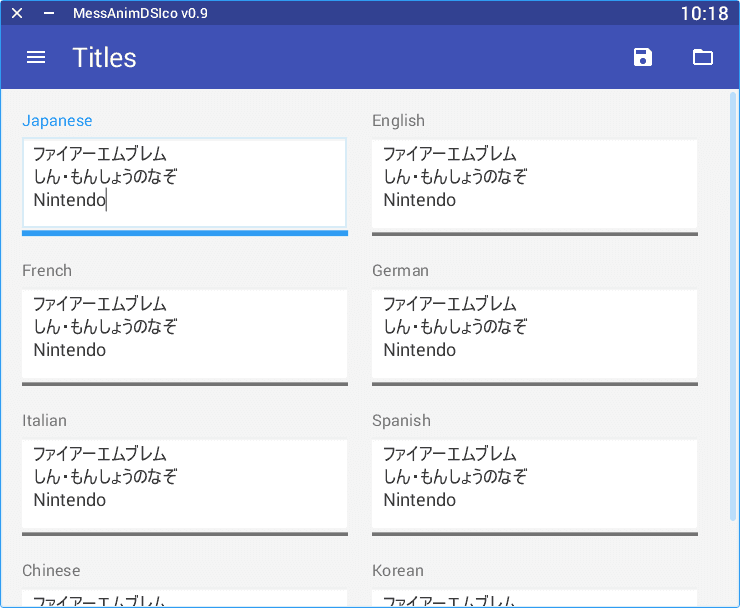
  • Edit the different language titles of the game.
  • You can edit the banners as BIN files generated by the Forwarder3DS app in the @Robz8 thread about Forwarcer CIAS for NDS games in flashcards. The BIN files exported from Forwarder3DS have always length of 0x23C0. (This way, you can export from Forwarder3DS to BIN format, edit with this app, and import it back to Forwarder3DS, so your Forwarder will use the edited banner).
Future Features
  • Edit animations of DSi enhanced games frame by frame.
  • Import and export of PNG and GIF picture files.
Releases
September 2nd, 2016: v0.9
Java JAR build (you need to have Java latest release installed)
Windows x64 build (no need to have Java installed)
  • First release.

How to use
  1. Open a NDS game file or a BIN file exported from Forwarder3DS, pressing the folder icon button in the upper-right corner.
  2. Edit whatever you want to edit. Change between titles and icons options using the menu button in the upper-left corner.
  3. Press the floppy disk icon button in the Action Bar for saving your changes. You can whether to Overwrite the opened file (this will work on both NDS and BIN files), or Save as... (which currently works only for exporting the BIN files, you'll need to backup your NDS file before saving the changes).
  4. Only if using Forwarder3DS BIN files, import the BIN file of 0x23C0 back to the game you want. Note: BIN files gotten with the "Save as..." option in this app will only work on Forwarder3DS if they are from DSi enhanced games, this will be fixed in the next release.
icons1.PNG


titles1.PNG


Thanks to @Robz8 for the original idea and the name of the app. He is the one who conceived the concept of this tool, and suggested all of the actual and future features. You should check his Forwarder CIAs for NDS games thread.
 
Last edited by Olmectron,
This is actually really cool. I don't suppose there is some way to actually change the icon of the image for our R4 cards is there? I'm sick of mine showing up as some random Japanese Konami game, would love to change the image, and the text that displays as the title for my R4 Gold RTS cartridge. But I'm not certain if that can actually be done.
 
This is actually really cool. I don't suppose there is some way to actually change the icon of the image for our R4 cards is there? I'm sick of mine showing up as some random Japanese Konami game, would love to change the image, and the text that displays as the title for my R4 Gold RTS cartridge. But I'm not certain if that can actually be done.
I just looked about it, and found this thread:

https://gbatemp.net/threads/is-ther...con-of-a-ds-flashcard-on-the-3ds-menu.422017/

However, it seems you're the OP of it, so... What Jackus said on that thread is really a way of doing so, to use a Slot 1 launcher with your own icon.

I remember I read somewhere a lot of time ago that some cards were "reflashable", so you could write your own NDS image into them. However, I remember they said it was risky, since most times it would break the card, and that it needed additional hardware. I don't know if what I'm saying is nonsense, but I recall a thread somewhere similar to that from 2010. I could be completely wrong about this, but that's what I remember.
 
There's a bug in Animation. The words horizontally and vertically are mixed up.
 
I tried using this to add the animation for Volt White 2 using a clean White 2 banner, but I found that it would not let me add the complete text description. The full description on the actual nds file (and the current, non-animated forwarder I'm using) is

Pokémon
Volt White 2
Nintendo & Drayano

but the editor only allows me to go up to to the first character on the third line (so the third line would read only "N"). Even when I try to put in White 2's official description, it only allows me to go up to "Ninten" on the third line. Could you please update the character limit in order to allow the full descriptions?
 
  • Like
Reactions: Olmectron
I tried using this to add the animation for Volt White 2 using a clean White 2 banner, but I found that it would not let me add the complete text description. The full description on the actual nds file (and the current, non-animated forwarder I'm using) is

Pokémon
Volt White 2
Nintendo & Drayano

but the editor only allows me to go up to to the first character on the third line (so the third line would read only "N"). Even when I try to put in White 2's official description, it only allows me to go up to "Ninten" on the third line. Could you please update the character limit in order to allow the full descriptions?
I will do it this weekend, thanks for telling me about the issue.

It's been a frozen project, but I still want to work on it.
 
  • Like
Reactions: ThisIsDaAccount
But I'm still waiting for a new version with all the features included.
Sorry for that.

I've been having some real life things going on this year.

@Robz8 had already asked me about it, and I promised him to update about 3 or so months ago. I simply couldn't.

Not going to promise anything, but I could have some time starting the second week of september. I'll try to have something by then, and as I said, share the source code after that, so anyone can go on with the app if they wish.

Again, no promises, but I really want to do this first before sharing the source code.
 
Sorry for that.

I've been having some real life things going on this year.

@Robz8 had already asked me about it, and I promised him to update about 3 or so months ago. I simply couldn't.

Not going to promise anything, but I could have some time starting the second week of september. I'll try to have something by then, and as I said, share the source code after that, so anyone can go on with the app if they wish.

Again, no promises, but I really want to do this first before sharing the source code.
Alright. Thanks for the info.
 
I know this is a few years late, but I have the NDS file from my R4 and I was wondering how I could change the icon. when I try to import the file it won't register it.
 
One of the new features is icon exporting as GIF.
how did you get past the character limit to write out the full title for the blaze black and volt white games

--------------------- MERGED ---------------------------

Sorry for that.

I've been having some real life things going on this year.

@Robz8 had already asked me about it, and I promised him to update about 3 or so months ago. I simply couldn't.

Not going to promise anything, but I could have some time starting the second week of september. I'll try to have something by then, and as I said, share the source code after that, so anyone can go on with the app if they wish.

Again, no promises, but I really want to do this first before sharing the source code.
its still giving me his issue
 
what does the hex editor enable and how do I hex edit it to get the full title did you need to use this app in addition to it or no?
afaik, you can use MessAnimDSIco to extract the banner .bin file.
Open the .bin file using the hex editor of your choice, and one you see the text, and after looking at the left and right sides, it should be self-explanatory on how to edit the title.
 
Last edited by RocketRobz,

Site & Scene News

Popular threads in this forum