8 Bitdo have Updated their controllers to work with the Switch

This is great news for those wanting to purchase a cheap controller but weren't able to. Well, now they can. The only problem is that the 8 Bitdo controllers are meant for NES/SNES games so not adequate to play games which require too many buttons (would work fine with Mario Kart 8 Deluxe, for example).
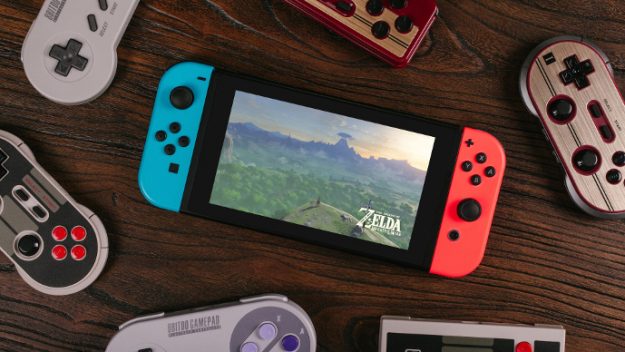
1-switch-zelda-8bitdo-625x352.jpg

Source: Nintendo Everything
 
How's the D-Pad the on the SNES30?

Might look to grab a couple for 2D platformers and 2D fighters on the Switch.
 
Anyone used the NES/FC30 Pro with the Switch? How does it feel with games like BoTW?

Want to get a controller but didn't like the Switch Pro Controller's D-Pad.
 
Anyone used the NES/FC30 Pro with the Switch? How does it feel with games like BoTW?

Want to get a controller but didn't like the Switch Pro Controller's D-Pad.
Yes. I haven't tried it with BotW, but it works magnificently, and it's pretty awesome that they even assigned the home and share button to the power and sync buttons.
 
The prices of the 8 Bitdo are probably going to increase whether sold by official retailers or third party due to the Switch support now. I'm thinking about buying the NES30 Pro controller but the prices are a tad too high and already own the Switch Pro Controller, plus, the Joy-Cons are pretty good but the NES30 Pro is something else.
 
If VC ever comes to the switch, 8 bitdo should make a deal with nintendo. A deal to offer free super mario stars codes with every nes or famicon stytle sold. Plus a different code with the pro modles, perhaps mario 64?
 
If VC ever comes to the switch, 8 bitdo should make a deal with nintendo. A deal to offer free super mario stars codes with every nes or famicon stytle sold. Plus a different code with the pro modles, perhaps mario 64?
I have a feeling that Nintendo isn't happy with this - this is taking away a lot of sales of joy cons and pro controllers, and a number of people in this topic, myself included, just had a reason not to get one anymore.
 
I experienced minuscule amounts of lag on my NVIDIA Shield TV using Retroarch. Android could be to blame... but as someone who has played the same games hundreds of times over the last 25+ years even the smallest delay impacts game play. Plus I'm quite sensitive to these things, I know to some people input lag is less noticeable but I can't even use wireless mice as the lag throws me off. Guess I'm just captious...

Lon Seidman did an interesting video regarding bluetooth input lag that others may be interested in watching.
I can atest that It's because Android, because in PC, and Wii U AND Switch modes, it's lagless (to me). And I bougth the thing for the Android....Emulators, wich is where it lags the worst! (but in and android native game, say, Sonic 2, it does work almost if not lagless) So it boils down to Software issues.
 
Last edited by Xabring,
picked up a nes30 pro controller today for use with emulators on PC, my retropie connected to the TV as well as a cheaper alternative to the switch pro controller. As long as the game doesn't require motion control or amiibo the nes30 pro (or fc30 pro) has enough buttons and analog sticks for every function the switch pro controller has. Even the home and screenshot buttons are mapped (power is home, pair is screenshot). So far no noticeable difference in input latency between it and my joycons and pro controller. I decided to purchase another one because I need more pro controllers and for $40 I can get controllers that work on multiple devices included the switch, because the standard switch controllers are a bit pricey.
 
They're there but sort of awkwardly placed, it's all just shoulder buttons that you need your fingers to get used to.
Feels somewhat weird to press one button with the middle part of your finger and press another button with the tip of the same finger.
And specially annoying when you have to rapidly press say L1, then L2, then L1, but not press them at the same time.
 
  • Like
Reactions: Saiyan Lusitano
And specially annoying when you have to rapidly press say L1, then L2, then L1, but not press them at the same time.
I have yet to see a situation like that presented in any game I have ever played on any system. and even then unless you grip the controller a specific way it would still be clunky doing that on other system's controllers including the pro controller.
 
  • Like
Reactions: Saiyan Lusitano
I have yet to see a situation like that presented in any game I have ever played on any system. and even then unless you grip the controller a specific way it would still be clunky doing that on other system's controllers including the pro controller.
Yes I've personally seen such a case, but take into consideration that I have my FC30 Pro since ages ago, and I have used it for playing all kind of games on all kind of platforms. I haven't seen that on a Switch game yet though.
 
  • Like
Reactions: Saiyan Lusitano
I've been trying to pair my NES30 pro with my Switch all day and it never recognizes it on the Switch....
I've upgraded the firmware, turned it on (Power + Y), and put it in pairing mode (hold down Pair), but the Switch never seems to find it..
 
I've been trying to pair my NES30 pro with my Switch all day and it never recognizes it on the Switch....
I've upgraded the firmware, turned it on (Power + Y), and put it in pairing mode (hold down Pair), but the Switch never seems to find it..
Don't hold the pair button. Just turn it on holding power and y. You should see the light flash 4 times continuously. Go into controller settings and change controller order, then wait for it to connect.
Holding the pair button will actually cause it to leave switch pairing mode in my testing.
 
  • Like
Reactions: daitienshi
Don't hold the pair button. Just turn it on holding power and y. You should see the light flash 4 times continuously. Go into controller settings and change controller order, then wait for it to connect.
Holding the pair button will actually cause it to leave switch pairing mode in my testing.
hmmmm tried that now and still no dice..
 

Site & Scene News

Popular threads in this forum