Official hakchi2 - NES Mini very simple pimp tool

  • Thread starter Thread starter Cluster
  • Start date Start date
  • Views Views 4,419,425
  • Replies Replies 18,558
  • Likes Likes 138
I'm hoping someone can help. Yesterday I loaded the full NES library, a couple SNES, N64 and one Sega ROM. I loaded with 2.14b and retroarch. I have two classic controllers with extension cords. Everything worked except for games that needed the additional controls....

Any idea why I cannot use an extension cord on both controllers at the same time? If I use two extension cords together in series with one controller it does work, which leads me to believe the cord is not bad.

I did uninstall to revert to stock and then reinstalled everything, and the problem remains.

Maybe it is a problem with the flow resistance of your extention cords being just too much for the nes mini. Did you try another power supply?
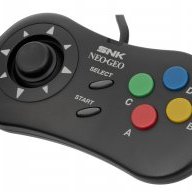
 
Thats actually what I was having problems with. I don't use bios hmod now. I had bios mod with 1.5mb with fba strictly for metal slug x and it worked. Decided to try mame mini and made another bios hmod with smaller neo geo bios in it for mame mini and then it worked but fba stopped reading the other bios when I tried to go back to it and I couldn't get it too work again so I really don't know. I gave up on the bios hmod. Uninstalled then Will only use it for samples. I now combo zip the game and bios then upload and it's working better.

I would think it's "cleaner" to have 2 separate .hmod's. That way you can uninstall/install each independently of one another and there's more flexibility.
 
I heard we're still supposed to limit the games to 30/40 games per folder. Is there any size limit to the folders themselves (I read that's no longer an issue)?

For example) If I have 20 SNES games in a folder (with 4 save state slots) and the size of that folder is 90MB, is that now OK?

I think you are not supposed to have more than 30 MB in a folder to keep all save slots.
 
I would think it's "cleaner" to have 2 separate .hmod's. That way you can uninstall/install each independently of one another and there's more flexibility.
Well that's what I tried to do and it didn't work for me. Also had other issues tho so maybe that's why
 
I think you are not supposed to have more than 30 MB in a folder to keep all save slots.

See I heard the SIZE LIMIT per folder is no longer an issue, but the NUMBER OF GAMES per folder is still 30/40.. hopefully someone can chime in.
 
As I understood it, the transfering method has changed. You can now transfer chunks bigger than 30 MB. But I don´t think other limits (30 MB for folders to keep in RAM) has changed. But maybe it did too. :)
 
I think some people might be a bit confused concerning the last update; the folder and game limit in Hakchi itself has been resolved, also the limit of 30mb in RetroArch is no longer an issue. It is still recommended not to put more then 30 - 40 games in a folder because of C8 errors (unfortunately this hasn't been resolved).

This states the folder limit is no longer an issue.. but to keep the number of games 30-40 (per folder).
 
View attachment 82862 not sure what this means ,back to 2.14b & it syncs fine update (windows 7 compat mode made this go away ... which is good ?! now windows 10 default mode is fine too .. strange...(os is windows 10)


Same problem. I have even less space with 2.15 somehow. I'm still deleting stuff to see if it will eventually sync :(
 
I think he was talking about hakchi, that some games were not uploaded propperly when you came over a certain size. Then those games had to be uploaded 1st. And when you added games in hakchi, bigger than 27MB, it refused to upload.
 
Same problem. I have even less space with 2.15 somehow. I'm still deleting stuff to see if it will eventually sync :(
That happened to me on 2.14b. I couldn't get past 85mb. I had to completely uninstall hakchi. Reflashed original kernel. Reset to factory settings. Reflashed custom kernel. And then it seemed to be working again. Got up to 137 then upgraded to 2.15 and now have 191 and it's working good
 
Something to note with my experience of 2.15 which is working very well. Nice to also have SNES2010 core up and running again.

Anyway;
If the NES mini is not plugged into the computer the memory gauge at the bottom will read 305.4MB/300MB in red font.

If I select sync games a message comes up saying too many games and will not allow me to sync.

Now if I plug the NES to my computer my gauge at the bottom changes saying 305.5MB/322MB and will allow me to add more games etc.

I'm guessing when it is plugged in it gives you the memory allowance for the entire system that you have left minus what you have installed with games, art, hmods and save states.

Just an observation and I could be wrong but having it plugged in allows more of a visual of what you actually have left and can add more games this way.
 
Last edited by DR1001,
Version 2.15

Not so many changes, just a bunch of critical fixes:
  • Using internal games packing instead of external "tar" util, it will fix "Can't pack games" error.
  • RAM memory usage optimizations, hakchi2 should work fine on x86 systems now.
  • Possible memory leak fix during folder navigation (testing required).
  • Free flash memory space automatic check and basic memory usage statistics when not enough flash memory available.
  • clovercon driver creates /dev/clovercon1 and /dev/clovercon2 now, you can read current buttons state from it, it's useful for some scripts.
  • Translations to German, Greek, Spain, Italian and Polish languages. Write if you want to help with translation.
Also check for new RetroArch mod: https://github.com/ClusterM/retroarch-clover/releases/tag/0.7

Regarding the controller debug test that you requsted us to send a few days ago, have you made any progress about it on this 2.15 update? Thank you.
 
So if I have been using SNES2010 all along, do I need to remove it and add back a newer version of the snes2010 core when upgrading to 2.15, or will the one I have previously installed have the compressed save state fix?
 
Last edited by nenned,
i'm going to stress my console by browsing/opening/exiting folders in a few minutes for around 15-30 minutes which would be more than anyone would do in normal usage. Will post here with results. Thanks for your hard work, Cluster.
 
  • Like
Reactions: maande80
I think it must be firmware 1.05 Beta0 on the Retro Receiver to map the extra buttons, If you have a later firmware it won't work.....
Well I flashed 1.05beta0 (original I had 1.05beta3)
Sir!, Iwould kiss you if you were a girl!
All works well!! even NO mapping needed!

Verry happy with Retro receiver and WII U Pro controller!
 
Last edited by psygho,
  • Like
Reactions: D-an-W and Jojse
Well I flashed 1.05beta0 (original I had 1.05beta3)
Sir!, Iwould kiss you if you were a girl!
All works well!! even NO mapping needed!

Verry happy with Retro receiver and WII U Pro controller!
Nice to hear it worked for you :) I agree about Retro Receiver, It's GREAT.....
 
i'm going to stress my console by browsing/opening/exiting folders in a few minutes for around 15-30 minutes which would be more than anyone would do in normal usage. Will post here with results. Thanks for your hard work, Cluster.
around 20 minutes of entering/exiting folders, scrolling fast, and playing a few retroarch, SNES, normal NES games (I tried to add some variety to the testing) I get a black screen when entering a folder, then I get a C8 on shut down, have to reset it again, didn't get a C2 error this time though, so I guess the emptying of the cache did make some progress on that front. I would like to note that this issue is definitely not an urgent matter at all. I don't think anyone would scroll/enter exit folders really fast for 20 minutes straight. The chances of the average person encountering this error would only occur after maybe 2-3 hours of playing multiple (50+ games) for extended periods of time. Not very likely.
 
I like this icon, but it's not perfect. It was missing the white "16 BIT" across the top. So, I copied over the one from the Mega Drive icon. It's....better, but the "16 BIT" is the wrong colour. Could someone here who is better at this sort of thing, make the sort of tan/brown "16 BIT" white ? I tried, but it looked horrible.

The icon I need help with is in this link...
https://www.dropbox.com/sh/gib1b2tn...&preview=NESC+Console+Icons+With+Logos+HD.zip

It's called New Folder Sega Genesis Layers 1
 
  • Like
Reactions: byevoltor
around 20 minutes of entering/exiting folders, scrolling fast, and playing a few retroarch, SNES, normal NES games (I tried to add some variety to the testing) I get a black screen when entering a folder, then I get a C8 on shut down, have to reset it again, didn't get a C2 error this time though, so I guess the emptying of the cache did make some progress on that front. I would like to note that this issue is definitely not an urgent matter at all. I don't think anyone would scroll/enter exit folders really fast for 20 minutes straight. The chances of the average person encountering this error would only occur after maybe 2-3 hours of playing multiple (50+ games) for extended periods of time. Not very likely.

I've noticed this on 2.13e as well. After I mod a new system a user usually scrolls through the menu quite a bit triggering a C2 or C8 error. It appears
that extended in and out of the folder system causes this..
 

Site & Scene News

Popular threads in this forum