Hardware How do the Joy-cons charge?

  • Thread starter Thread starter Futurdreamz
  • Start date Start date
  • Views Views 30,403
  • Replies Replies 33

Futurdreamz

Well-Known Member
Member
Joined
Jun 15, 2014
Messages
2,276
Solutions
1
Reaction score
1,395
Trophies
2
Age
34
XP
2,183
Country
Canada
C2BduBKWgAARJhG.jpg

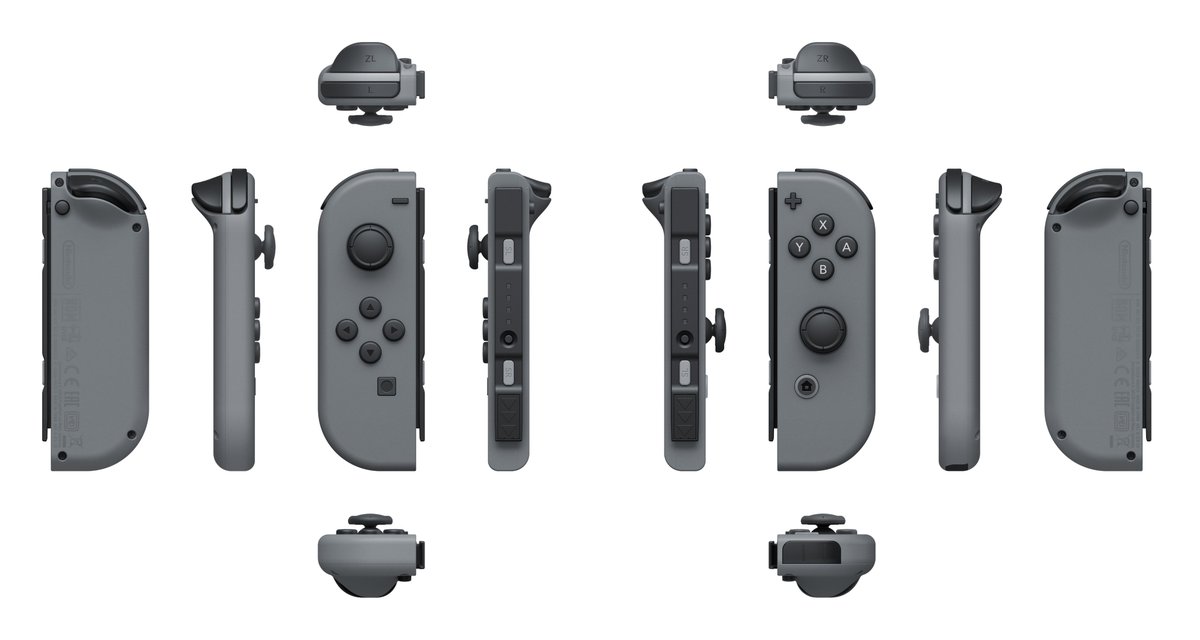
I'm not seeing any metal contacts on them. Are they induction or something?
 
Oh crud, I didn't think to ask about that D: I recall reading that they charge while connected to the screen while docked and the grip con. So maybe it is wireless charging
 
  • Like
Reactions: Deleted User
it's most likely wireless charging, or there are pins in those thin slots that the joycons hook into
 
I was just going to make a post about this.
I believe they are charging wireless like the cellphones and smart watches.
Couldnt find any pin on anything so that the only thing it could be.
Also heard that the joy-con will charge them self while connect to the switch even if the switch is off. Pulling power from the built in battery.

Seems pretty cool and the controller are said to have a very high battery life so all that should be good.
I do wonder when they will be releasing custom controllers. I can see some kirby, zelda, and mario theme ones coming out.
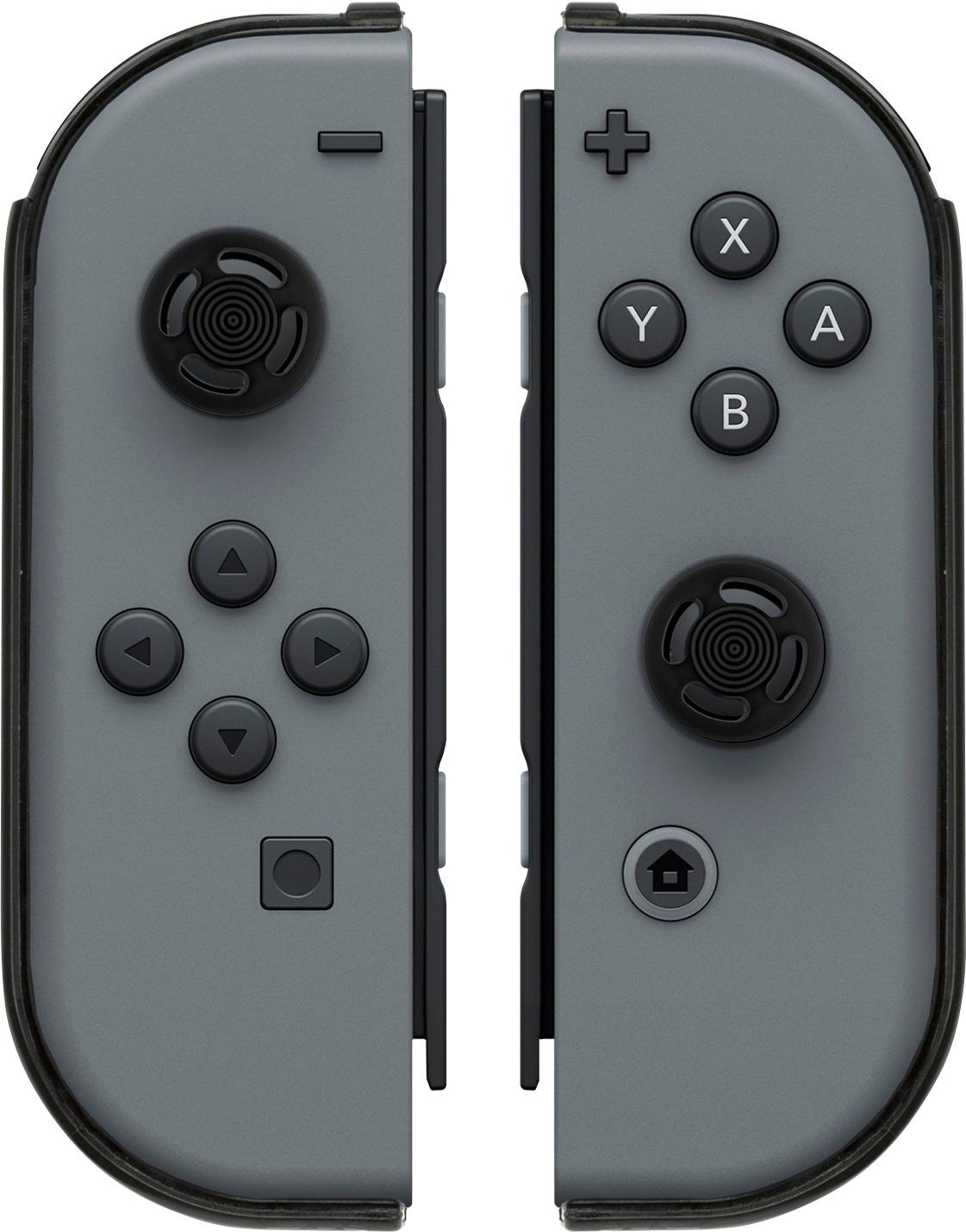
Also pdp has made a grip for the joy-con (looks like the wii u gamepad)
http://www.bestbuy.com/site/pdp-arm...switch-joy-con-2-pack/5721100.p?skuId=5721100

5721100_sd.jpg
 
I was just going to make a post about this.
I believe they are charging wireless like the cellphones and smart watches.
Couldnt find any pin on anything so that the only thing it could be.
Also heard that the joy-con will charge them self while connect to the switch even if the switch is off. Pulling power from the built in battery.

Seems pretty cool and the controller are said to have a very high battery life so all that should be good.
I do wonder when they will be releasing custom controllers. I can see some kirby, zelda, and mario theme ones coming out.
Also pdp has made a grip for the joy-con (looks like the wii u gamepad)
http://www.bestbuy.com/site/pdp-arm...switch-joy-con-2-pack/5721100.p?skuId=5721100
5721100_sd.jpg
Woah that looks cool, I wonder if it would make it more comfortable.
 
Yeah, I didn't know the controllers would be that small. Really neat how you printed out that though!
Yea a guy released the files a while back, I downloaded them but never printed. https://www.myminifactory.com/object/nintendo-switch-replica-25431
But since its close to the release date and everything seems to be the same. I decided i would print out a joy-con and grip to see how everything feels.
The controller isnt bad up right one hands. You can wrap your hand around it as i have pictured. feels good.
Sideways its a bit to small and its off center.
 
  • Like
Reactions: Deleted User
Yea a guy released the files a while back, I downloaded them but never printed. https://www.myminifactory.com/object/nintendo-switch-replica-25431
But since its close to the release date and everything seems to be the same. I decided i would print out a joy-con and grip to see how everything feels.
The controller isnt bad up right one hands. You can wrap your hand around it as i have pictured. feels good.
Sideways its a bit to small and its off center.
Getting a little off topic here, but how long did it take to print that out? Just curious.
 
Getting a little off topic here, but how long did it take to print that out? Just curious.
Yea im going to make a thread about it in a bit.
But just the joy-con as pictured it was about 1h,30min
I am printing the analog sticks, triggers and shoulder buttons now. (eta about 40mins)
Then im going to print the right joy-con. and the grip after.
 
There is a small 10-pin terminal at the bottom of the docks rail slot that connects to pins on the bottom of the joycon rail (behind the >>> directional arrows) that are used for communication and charging.


Dock example, see 17.

360244-Screenshot%202017-01-18%20at%2023.jpg


Joycon sliding in:

360256-Screenshot%202017-01-18%20at%2023.jpg
 
Last edited by shaunj66,
There is a small 10-pin terminal at the bottom of the docks rail slot that connects to pins on the bottom of the joycon rail (behind the >>> directional arrows) that are used for communication and charging.


Dock example, see 17.

360244-Screenshot%202017-01-18%20at%2023.jpg
Ahh alright thanks you for showing this! Really informative. Where did you get these schematics?
 
Is this up to date?
I remember nintendo said changes a few things from the last pat. That was released
 
Hm. Do the joy cons only charge if the switch is on? Seems like they doesn't charge if the switch is fully powered off while the switch itself charges fine. :-?
 

Site & Scene News

Popular threads in this forum