Emulation [RELEASE] Cemu - Wii U emulator

  • Thread starter Thread starter Exzap
  • Start date Start date
  • Views Views 7,711,657
  • Replies Replies 21,671
  • Likes Likes 284
This emulator runs better than i thought it would my only complaint is i have my wii u games on an external hdd and when im done playing cemu i try to eject my external hdd and i gives me the error this drive is in use by another program close the program and try again. I have closed cemu i even tried looking in task manager to see if its still running it is not i have to shutdown my computer to safely eject my hdd.

Windows task manager is rubbish killing processes used by various applications, for instance I can crash a cmd window by feeding it broken command script and it'll hang forever, but any attempt to close cmd.exe results in nothing, instead I have to kill
conhost.exe with
https://technet.microsoft.com/en-gb/sysinternals/processexplorer
 
This emulator runs better than i thought it would my only complaint is i have my wii u games on an external hdd and when im done playing cemu i try to eject my external hdd and i gives me the error this drive is in use by another program close the program and try again. I have closed cemu i even tried looking in task manager to see if its still running it is not i have to shutdown my computer to safely eject my hdd.
This doesn't happen with my external drive. This issue most likely isn't related to CEMU directly. As for ejecting your drive even when Windows will not, external media should already be set to Quick Removal, and it shouldn't necessarily harm the device as long as you are sure that you are not writing data to the drive.

You can edit the write cache settings for any drive from the Device Manager. Just expand the Disk Drives section, right click on the drive you want to edit, and hit Properties. Go to the Policies tab, and click the "Quick Removal" radio button to disable the cache (or click "Better Performance" to enable the write cache).

If you insist on Ejecting even when Windows refuses, I recommend USB Safely Remove.
 
Last edited by Serfrost,
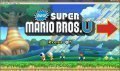
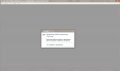
New Super Mario Bros U run and the game menu, and click to start the game (START). And once the game is closed .. Who faced with this problem?..... PLS HELP
other games work
 

Attachments

  • vp6hyGaTQPY.jpg
    vp6hyGaTQPY.jpg
    36.7 KB · Views: 144
  • 2FMXJ1waYMw.jpg
    2FMXJ1waYMw.jpg
    201.4 KB · Views: 135
Last edited by Juli,
New Super Mario Bros U run and the game menu, and click to start the game (START). And once the game is closed .. Who faced with this problem?..... PLS HELP
63052-3c6d972a693ce0143d4fb7a5532f5212.jpg
63051-d080e3671b7a69335c2e26e3e090bb3e.jpg

other games work

you need extra files to run the game. just google "nsmbu extra files cemu"
 
I'm not sure if it's reported, but if you finish rolling the Credits on Mario Kart 8, Cemu hangs on a black screen until closed.
 
5 minutes of the game Mario Kart 8...FPS 35 - 55.
After 2 minutes of the game FPS 15-20 and again after 2 minutes of the game FPS 35 - 55.
You can disable graphic?? or how to increase FPS. how to setup?
My computer
Amd Phenom II x4 955 3.2GHz
Nvidia Geforce GTX650 Ti Boost
5RAM
 

Attachments

  • rger.jpg
    rger.jpg
    215.9 KB · Views: 208
  • hrthht.jpg
    hrthht.jpg
    231.2 KB · Views: 164
Last edited by Juli,
5 minutes of the game Mario Kart 8...FPS 35 - 55.
After 2 minutes of the game FPS 15-20 and again after 2 minutes of the game FPS 35 - 55.
You can disable graphic?? or how to increase FPS. how to setup?
My computer
Amd Phenom II x4 955
Nvidia Geforce GTX650
5RAM

you have a processor just above mine it looks like. head over to the Cemu Discord Server and i will try my best to help you out ^-^
 

Site & Scene News

Popular threads in this forum