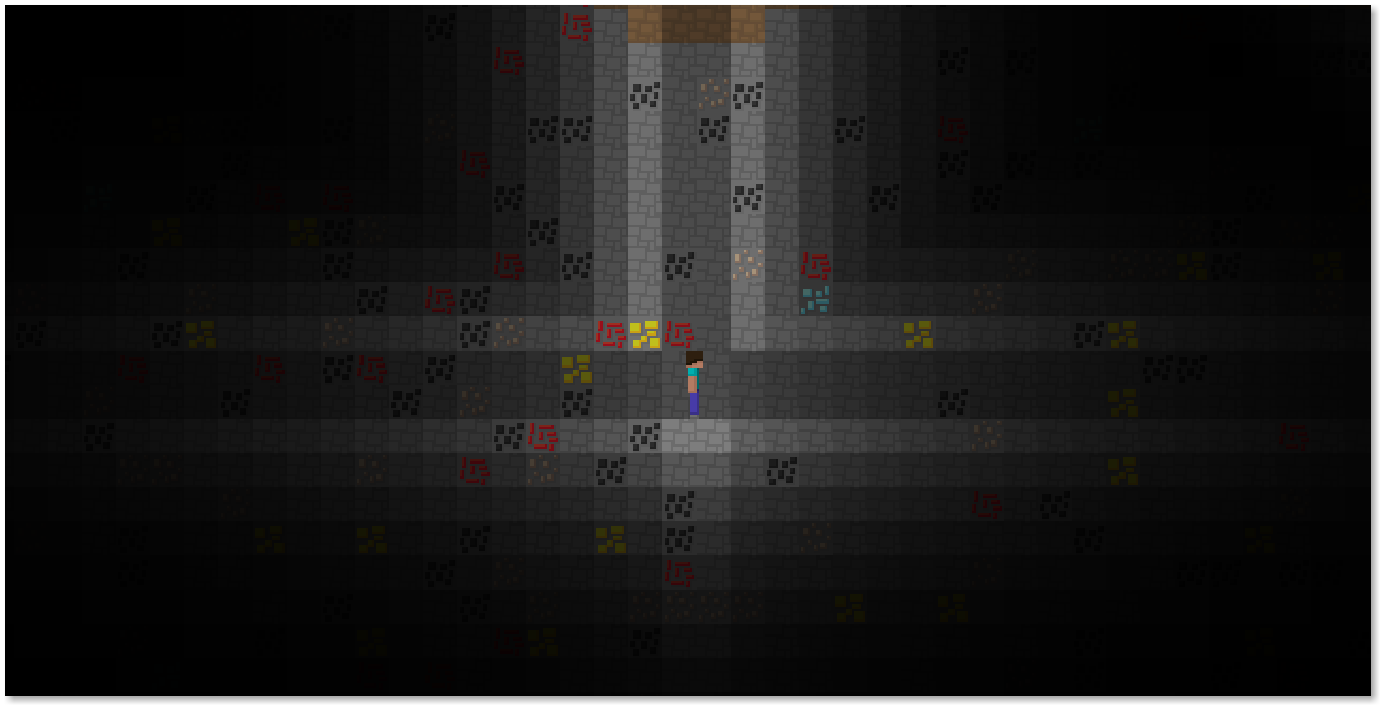
Homebrew Mine DS

  • Thread starter Thread starter Wolfgange
  • Start date Start date
  • Views Views 39,826
  • Replies Replies 117
  • Likes Likes 19
Are there any texture packs for this? Such as the Default Minecraft pack? And where do I put one if I'm using the nitrofs version?
Note: Make sure to use this newer thread.

There were two alternate texture packs for this (Minecraft's and another) however I can't seem to find them. Anyone can create their own using the texture compiler thing I made a while ago. For that you can download the following as templates for creating your own: blocks.png, mobs.png, and UI.png. Even with the nitrofs version you should still be able to put the .tex files in the folder:
Code:
data/MineDS/Textures/
(Note the capitalization).

By the way, Mine DS is becoming Port Craft which is a rewrite of the whole game. This rewrite will support Both PC (Windows, Mac, and Linux) and the DS.
 
Good to know. We should make a tab on the website, for texture packs and stuff like maps. Great idea with creating port craft. I had no idea you were still developing this. Excited for the future! :yaynds:
 
  • Like
Reactions: Wolfgange
How exactly do I use that tool? I have the images ready. :D
 

Attachments

  • mobs.png
    mobs.png
    1.5 KB · Views: 280
  • sub_bg.png
    sub_bg.png
    2.4 KB · Views: 277
  • block_small.png
    block_small.png
    5.8 KB · Views: 232
  • Like
Reactions: Wolfgange
Just one question, how am i supposed to add blocks to the background area where they won't get in my way when I move?
say for instance, I wanted to place windows in the background...
 
Just one question, how am i supposed to add blocks to the background area where they won't get in my way when I move?
say for instance, I wanted to place windows in the background...
Hold the crouch button (down) to interact with the background :).
 
What is the difference between this and Minecraft PC?
Well, for one it's in 2D. Water is also more physically correct (all water is preserved). Herobrine exists in Mine DS. And obviously, Minecraft doesn't run on the DS.

Edit: By the way, here's a picture of Port Craft:
TYHtRpZ5.png
 
Last edited by Wolfgange,
It is in the settings, easy to find. -.-
I'd like to add that it is rather buggy, in fact, extremely buggy, but I guess that's sort of the point of herobrine. Oh, and there's actually a bug that causes herobrine to spawn much too frequently.
 
I'd like to add that it is rather buggy, in fact, extremely buggy, but I guess that's sort of the point of herobrine. Oh, and there's actually a bug that causes herobrine to spawn much too frequently.
Yes just noticed, pretty challenging/annoying.

By the way, was just wondering if there was a way to detonate the TNT in creative mode, or craft it in survival mode?

--------------------- MERGED ---------------------------
 
Yes just noticed, pretty challenging/annoying.

By the way, was just wondering if there was a way to detonate the TNT in creative mode, or craft it in survival mode?

--------------------- MERGED ---------------------------
No, there's not. It's actually really easy to implement; I just never got around to it.
 
Perhaps in a later update?:)
not a big deal if it doesn't happen right away;) would love to blow stuff up though!:gun:
 
This is adorable. I love it.

Perhaps in a later update?:)
not a big deal if it doesn't happen right away;) would love to blow stuff up though!:gun:

Same here :D

Perhaps I'll cut a small release with TNT added this weekend although beyond that future updates will be to Port Craft. And since SketchyPixel contributed those image files I can execute the command to turn that into a texture pack. So, expect TNT and a half-finished default minecraft texture pack by this upcoming Sunday :D.
 
  • Like
Reactions: KingpinSlim

Site & Scene News

Popular threads in this forum