Long Story Short;
I dont know if 4nxci has a Batch Mode, or a graphical mode, probably not, even though the commands are pretty simple, even with the drag and drop, i found myself having a tedious task dragging and dropping EVERY single file.. so..
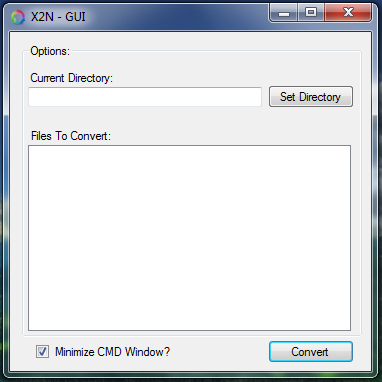
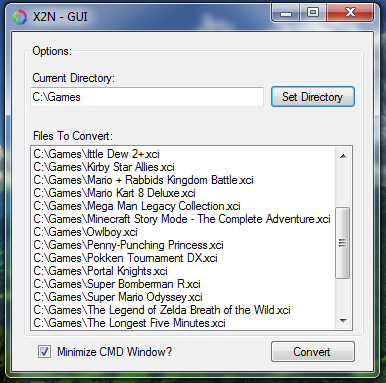
I made a VERY SIMPLE GUI for it, its so simple that even the code its a mess.
This can also be done with a .bat file, but you know.. here a tool for that.
This tools scan only for .xci files on the directory given, and do a batch convert ;D
Note: Probably will be useless once 4nxci implements a graphic / batch mode, if its not implemented already.
Also take in consideration that This need 4nxci.exe and keys.dat on the same folder to work!
So Enjoy! C:
Open to edits and request if somebody needs something here!
Download:
v0.0.1 -- https://gbatemp.net/download/x2n-gui.35126/
I dont know if 4nxci has a Batch Mode, or a graphical mode, probably not, even though the commands are pretty simple, even with the drag and drop, i found myself having a tedious task dragging and dropping EVERY single file.. so..
I made a VERY SIMPLE GUI for it, its so simple that even the code its a mess.
This can also be done with a .bat file, but you know.. here a tool for that.
This tools scan only for .xci files on the directory given, and do a batch convert ;D
Note: Probably will be useless once 4nxci implements a graphic / batch mode, if its not implemented already.
Also take in consideration that This need 4nxci.exe and keys.dat on the same folder to work!
So Enjoy! C:
Open to edits and request if somebody needs something here!
Download:
v0.0.1 -- https://gbatemp.net/download/x2n-gui.35126/