Hacking Wiiflow Plugins - Not Working

  • Thread starter Thread starter A4orce84
  • Start date Start date
  • Views Views 10,504
  • Replies Replies 11

A4orce84

Well-Known Member
Newcomer
Joined
Jul 3, 2014
Messages
67
Reaction score
7
Trophies
1
Age
31
XP
260
Country
United States
Hello Everyone,

I want to use Wiiflow Plugins mainly for my roms (SNES, NES, Sega, etc.) to have a cool way of opening them easily. I recently installed Wiiflow + Wiiflow Plugins by following the below articles:
1. https://sites.google.com/site/wiiflowiki4/installing-wiiflow
2. https://sites.google.com/site/wiiflowiki4/plugins-setup

My problem is, when I click on the sources button (like in the video below), my WiiFlow instead shows my channels instead of systems (wiiflow, snes9x, fceugx, etc.) and hangs when I click on any of my "channels":


I'm not finding anywhere in the settings to setup my Plugin to read my SD card, or set it up correctly. If anyone could offer some assistance, it would be greatly appreciated!

Thanks!

 
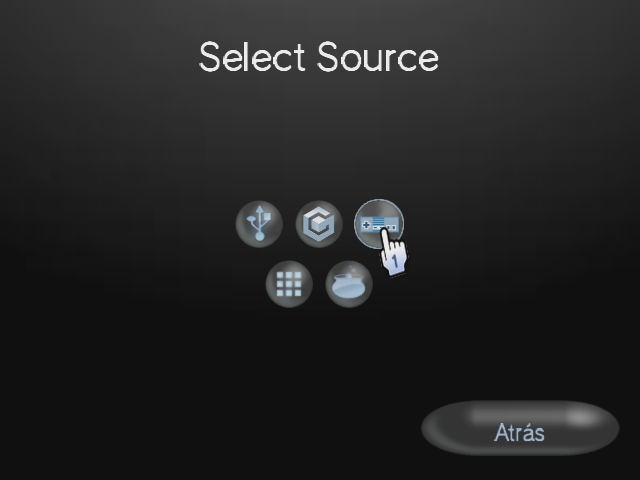
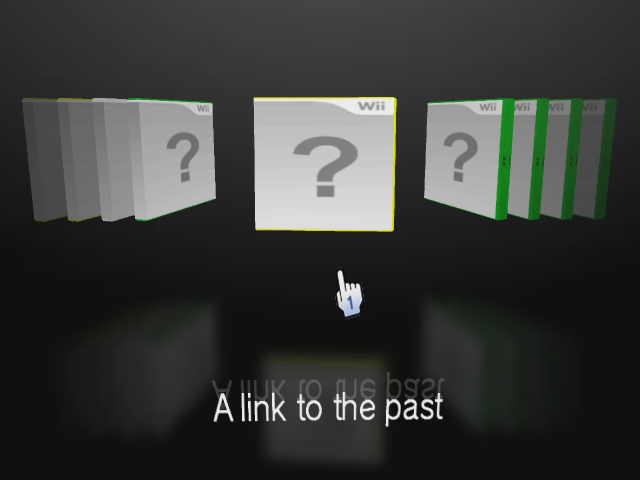
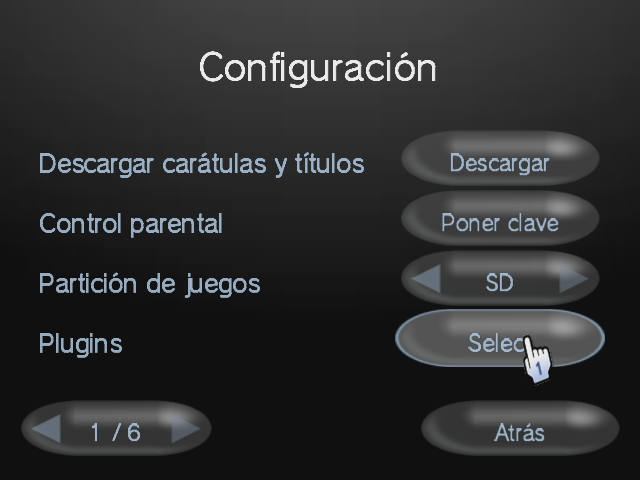
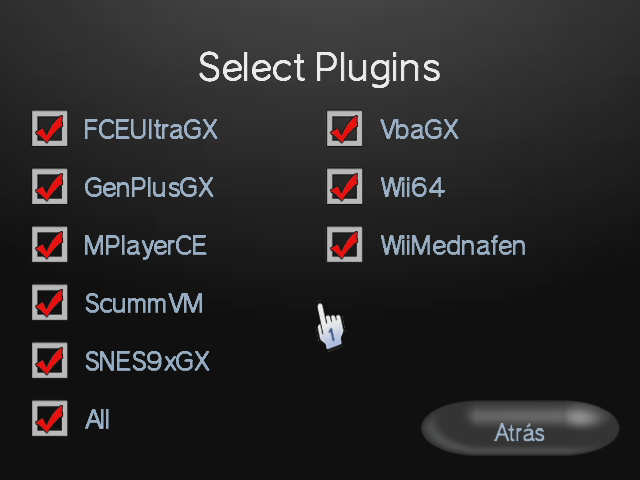
if you press B in the menu and you select the nes control that will show you just emulated roms, then you must do the next to active the plugins, press the home button>Settings>plugins>and active all the plugins, you should have the plugins files in SD:/wiiflow/plugins/ "here you should put the plugins" and something else, im not sure about this but you shoud have all the emulators in homebrew channel, my wiiflow is in spanish but the options are the same, if i said something that you didnt understand then jus do what see in the images and you will active the plugins
jul-05-2014-10h36m15s.png


jul-05-2014-10h36m19s.png


jul-05-2014-10h36m24s.png


jul-05-2014-10h36m28s.png
 
So I figured it out (partially):

1. There are 4 screens in WiiFlow (homebew, games, nand, emulator). I was looking at the settings for games, and not for the emulator section. So figured that out! Now I can see the plugins settings and select my emulators.

Questions:
A. When I go to emulator, it displays ALL my games (NES, SNES, N64, etc.). Is there a way to filter it out by system, like the video above shows?
B. How do I get the emulator screen in Wiiflow to be the default (to always be the one that comes up when I launch the app)?

Thanks again for all your time and help guys, it is greatly appreciated!
 
http://doux91blog.wordpress.com check here, are you using the last version of wiiflow 4.2.1 then i recomend you to use wiiflow 4.1.3 why? = because 4.2 version got some bugs that 4.1.3 didnt have, about your questions
1 - Till i know your cant filter the games but im not sure
2 - Wiiflow always start in the last game you played, then you just have to play 1 rom and that will be the default game for wiiflow, that will be the main game till you play another, i hope i have explained well this and that you understand all because i speak spanish no english
If you cannot see the images then update your browser, java and flash player, because i tried to see the images with firefox and i could


thats my blog i just use it to upload images
 
Hey Guys,

I finally resolved this out with the help of ShadowOne333's help! While I'm not sure exactly what the root-cause of the issue was, I ended up stealing ShadowOne333's wiiflow folder, which contains the source_menu and plugin folders, and the source menu started working. His wiiflow version is 4.2.1, and everything is working correctly with it.

You can access his wiiflow config files in the following dropbox URL:

Link:
https://www.dropbox.com/s/cz9lwhl3g9kijf4/wiiflow.rar?m=

Thanks again ShadowOne333, you rock sir! =)

Thanks,
A4orce84
 
  • Like
Reactions: ShadowOne333
Hey Guys,

I finally resolved this out with the help of ShadowOne333's help! While I'm not sure exactly what the root-cause of the issue was, I ended up stealing ShadowOne333's wiiflow folder, which contains the source_menu and plugin folders, and the source menu started working. His wiiflow version is 4.2.1, and everything is working correctly with it.

You can access his wiiflow config files in the following dropbox URL:

Link:
https://www.dropbox.com/s/cz9lwhl3g9kijf4/wiiflow.rar?m=

Thanks again ShadowOne333, you rock sir! =)

Thanks,
A4orce84

Hey ShadowOne333 the link ain't working can you please do a guy a favour and put a new one up, please
 
Hello, I don't know what's going on, but I can't go in to activate the plugins
I mean, Wiifliw from rhapsody I choose Retro consoles Click Nintendo
,, nes,, On the wiilot I click home
From the options I hover over
,,select Plugin, I click on wiilot And nothing just flashes
 

Site & Scene News

Popular threads in this forum