Hacking Why is the sd2vita so fragile?

Nincompoopdo

Well-Known Member
Member
Joined
May 20, 2017
Messages
724
Reaction score
614
Trophies
0
XP
3,632
Country
United States
This is a warning for those new to sd2vita adaptor.

My adaptor arrived yesterday, I put my sd card in but I find it hard to slide the card in - like there's something blocking it. Eventually I managed to push it in and it works fine, all the games shows up and I can play them. So I removed the sd and put it in my PC to install some new games. Afterwards when I put the sd card back into the sd2vita, it stopped working - Vita reported corrupted files.

I removed the sd, slide it back in and put the sd2vita back, now there's no orange blinking lights anymore. After 30 mins of frustration, I decided to open up the adaptor.

I am shocked to find all the pins bent, twisted and broken inside. That's what blocking the sd card when I slide it in - those long pins inside! Who designed pins like that? It's like they intentionally make you break it so you will spend money to buy new ones.

No R4 or Sky3ds or any adaptor I ever use has pins sticking out like like. If you bought a sd2vita you need to be very careful when sliding the sd card in. Pressed down on the top of adaptor when you put the sd in (this will keep the pins down) and slide the sd in very slowly to make sure you don't bend the pins.

 
This is a warning for those new to sd2vita adaptor.

My adaptor arrived yesterday, I put my sd card in but I find it hard to slide the card in - like there's something blocking it. Eventually I managed to push it in and it works fine, all the games shows up and I can play them. So I removed the sd and put it in my PC to install some new games. Afterwards when I put the sd card back into the sd2vita, it stopped working - Vita reported corrupted files.

I removed the sd, slide it back in and put the sd2vita back, now there's no orange blinking lights anymore. After 30 mins of frustration, I decided to open up the adaptor.

I am shocked to find all the pins bent, twisted and broken inside. That's what blocking the sd card when I slide it in - those long pins inside! Who designed pins like that? It's like they intentionally make you break it so you will spend money to buy new ones.

No R4 or Sky3ds or any adaptor I ever use has pins sticking out like like. If you bought a sd2vita you need to be very careful when sliding the sd card in. Pressed down on the top of adaptor when you put the sd in (this will keep the pins down) and slide the sd in very slowly to make sure you don't bend the pins.
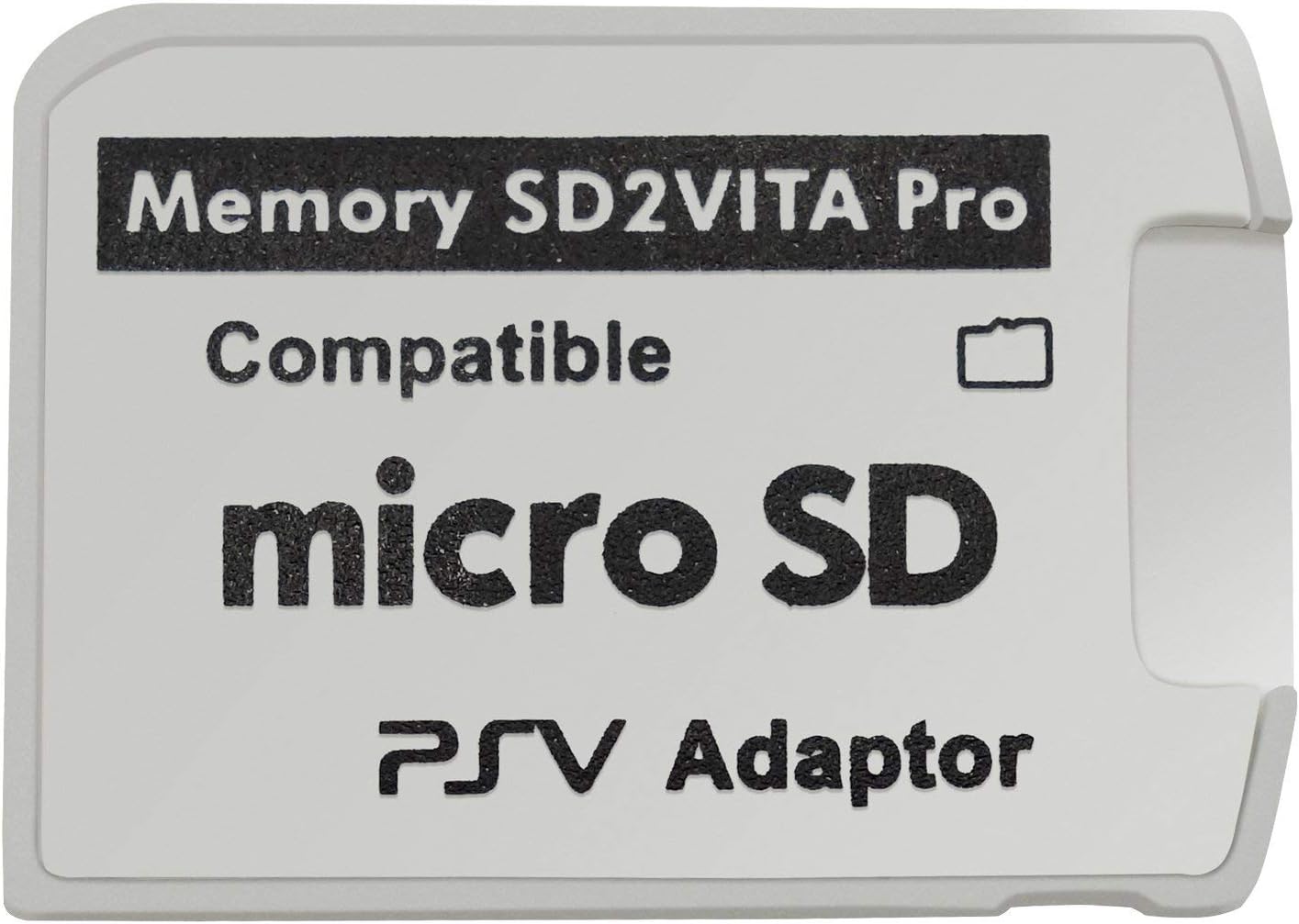
Pic of this sd2vita?
 
Pic of this sd2vita?

61AA5GeuerL._AC_SL1500_.jpg
 
I had that exact version for almost two years, works great, no problems here. You probably just got a faulty unit. I’d recommend you try to get it replaced (or just buy a new one since they are dirt cheap).

Never heard of that „all hardware Version“, sounds pretty shady tbh
 
I dunno about it being fragile, since I just put the microSD in and felt no need to ever take it out. It's much simpler to just copy stuff with the Vita hooked up through USB in Vita Shell. Really, all adapters like these are pretty flimsy. The Photofast-style adapters that myself and a lot of other folks use in our PSPs are exceptionally shitty.
As far as taking the SD2Vita out and replacing it in the slot, they definitely handle that a lot better than the Photofast ones.
Any time I get a new microSD for my Vita, I grab an SD2Vita, too, since they're so cheap, and that's where the microSD lives after that. Saves a lot of hassle.
 
  • Like
Reactions: DinohScene
I dunno about it being fragile, since I just put the microSD in and felt no need to ever take it out. It's much simpler to just copy stuff with the Vita hooked up through USB in Vita Shell. Really, all adapters like these are pretty flimsy. The Photofast-style adapters that myself and a lot of other folks use in our PSPs are exceptionally shitty.
As far as taking the SD2Vita out and replacing it in the slot, they definitely handle that a lot better than the Photofast ones.
Any time I get a new microSD for my Vita, I grab an SD2Vita, too, since they're so cheap, and that's where the microSD lives after that. Saves a lot of hassle.

This.

Make sure to occasionally run diskcheck on the microSD.
The Vita's exFAT driver seems to be shitty from what I read.

Anyway I have multiple versions, I currently have the black one with red text in me Vita, works fine.
 
that smiley face brought back memories
had my v3 i think for what a couple years now and never taken it out.
in fact it’s pretty much baked in and won’t budge even if i tried
not that’s there ever need to remove, just use pkgj on the vita/usb or ftp vitashell interface
 
Strange, the v3 model( black with red text hasn`t failed me and doesn't cause me issues. Bought about 10 to share with friends and they haven`t complained about it ether. My camera doesn't work so if DinohScene can provide a pic, that would be nice.
 
This.

Make sure to occasionally run diskcheck on the microSD.
The Vita's exFAT driver seems to be shitty from what I read.

Anyway I have multiple versions, I currently have the black one with red text in me Vita, works fine.
I have that one, as well as the white one.
Both work great.
 
This.

Make sure to occasionally run diskcheck on the microSD.
The Vita's exFAT driver seems to be shitty from what I read.

Anyway I have multiple versions, I currently have the black one with red text in me Vita, works fine.

It's the same on Switch, if you use exFAT there will be corruption - but at least there's a choice to use Fat32 on Switch.
 
Had the same issue last week. When it arrived the micro sd was not getting in very well. Did not use force but one pin was bent when I opened it. Seller did send me a new one and that one works flawless. I ordered two new ones through Ali Express to have some spare ones.

The quality is not that great. I have put in my SD and not gonna take it out any time soon. Transfering through Vitashell is not that fast but no issues so far. That’s worth something.

I also got the white one with black text. Black one should be better if you have a fat Vita.
 
I have one rule for sd2vita. Always turn the system off the console in case you need to take it out. And when you're done with the sdcard, put it back and then turn the system on. Never had a single issue with sd2vita. Also I got a cheap one from Aliexpress so that's what you can do as well. Transferring data can be done with usb cable so not sure why would somebody need to take out sd2vita more oftenly.
 
  • Like
Reactions: KeoniAzugon

Site & Scene News

Popular threads in this forum