Video Editing

  • Thread starter Thread starter Prior22
  • Start date Start date
  • Views Views 1,676
  • Replies Replies 18

Prior22

Well-Known Member
Member
Joined
Sep 23, 2010
Messages
959
Reaction score
141
Trophies
1
XP
3,475
Country
United States
I'm looking for a video editor for PC with an easy to use interface. The main purpose of the editor would be to trim down video clips. For instance lets say I have a 30 minute video. I would want to trim a four minute or so section of the best part.

Also the conversion speed would ideally be quick as well. Any recommendations?

 
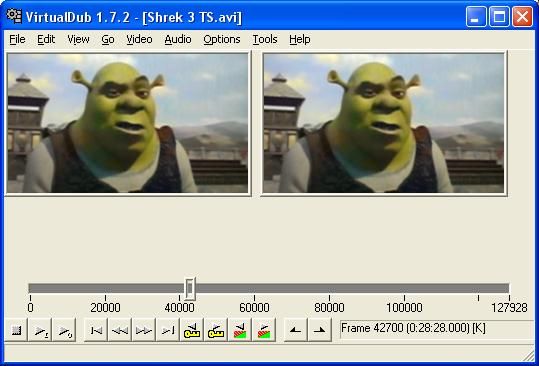
If you are purely trimming and no other encoding, filters or anything then you could do that with a muxer in many cases (most of the ones I use have such functionality but I can't be sure all you find will have it), no need for any editing software to mix things up for -- something like virtualdub will also happily split up avi files but then you have to make sure you have direct stream copy selected.
In any case speed should be as fast as your hard drive can handle.

Be aware that if you go searching for a "splitter" then that is a different type of program/concept, though annoyingly some programs that will split apart video do have split in the name.
 
I use Blender, it is free, but it isn't easy to use. But for your case I would recommend you Windows Movie Maker or iMovie(if you're an Apple guy)
 
side recomendation:
if you have a fast enough upload speed, and you plan to share that movie, you can upload to youtube and use their own editor...
it made the job when i was in a friends house wanted to quickly edit a movie without the trouble of install anything and then unninstall when i was done
 
What I use is Shotcut. Very simple interface for simple process, and in case you want to trim, just slect "split at header". It's free and not very heavy.
 
If you just need to split video and nothing else, use Windows Movie Maker. Sony Vegas would be way to heavy for the job, but it would get it done.
 
  • Like
Reactions: luckymouse0
If you just need to split video and nothing else, use Windows Movie Maker. Sony Vegas would be way to heavy for the job, but it would get it done.

I used it for so long and it was so good!

But the problem is that it isn't shipped with windows anymore. And the portable versions sucks (Many errors, crash, etc.)!

So what I ended using AVS Video Editor.

But if anyone have a open-source suggestion i will be all ears :D
 
  • Like
Reactions: Deleted User
Windows Movie Maker, good... *tries to choose between laughing riotously and backing away nervously*

WMM is to video making what MS paint is to image editing. No doubt you can get a lot of stuff done and it more than does for a lot of things in a pinch but it is not a place to grow, unless you especially want the aesthetic.

You also want to be careful with simple trimming as some cheap and cheerful editors might force an encode and in doing so drop the quality.

We have previously discussed video editors, http://gbatemp.net/threads/best-free-video-editing-software.455826/#post-6980404 . My chosen one is avisynth ( http://avisynth.nl/index.php/Main_Page ) but I was not going to suggest that for the OP.
For a basic option I would probably point people at avidemux
http://fixounet.free.fr/avidemux/

http://virtualdub.org/ if you can get it to work with your workflow (it does not have the most input or output formats as is but can be expanded in various ways) is also very good. It is still also the best option I have for video capture.
 
For a basic option I would probably point people at avidemux
http://fixounet.free.fr/avidemux/

http://virtualdub.org/ if you can get it to work with your workflow (it does not have the most input or output formats as is but can be expanded in various ways) is also very good. It is still also the best option I have for video capture.

Both of those are pretty bad. Not even worth a mention. Sorry.

3000.jpg


avidemux-37.png
 
Free Option:

Although it's discontinued Windows Movie Maker is perfect for this and still works fine on Windows 10

Paid Option:

Adobe Premier Elements is around £65 and great if you don't want spend £40+ a month on Adobe Creative Suite, you can do basic edits and get quite advanced with it.

Although from what you have said Windows Movie Maker can do everything you want and more, without you spending a penny.
 
Both of those are pretty bad. Not even worth a mention. Sorry.
Care to elaborate some? Neither are timeline or clip based (the more popular options for all the big NLEs/non linear editors) but both support opening video files, trimming said video files, appending video files, extensive quality improvement and alteration filters ( http://www.infognition.com/VirtualDubFilters/ http://www.avidemux.org/admWiki/doku.php?id=using:video_filters ) and export to usable formats.
For a 50 take, multicamera highly edited music or comedy show it would be a nightmare but if you just need to trim you walking back to your mark, a tangent that went nowhere or you walking to the camera at the end, and intersperse something from another source or another filming session then it does fine. Given the OP specifically limited things to just trimming then they are more than suitable, some might argue even geared for it. Bonus is the GUI shots you linked for no apparent reason have the buttons you would press to select the segment right there in the shots.
 
Windows Movie Maker is very simple and easy to find. If all you want is to cut clips out or cut down videos without any other editing, that's the way to go. It's incredibly easy to use.

Otherwise I like Sony Vegas. Pretty easy to learn, does the job. Can pretty easily edit videos/add transitions/ add audio/ etc.

As usual ask your local pirate for Sony Vegas. Massively overpriced otherwise.
 
ffmpeg is quick if all your doing is trimming videos with no re-encoding.
It's command-line driven but you can find guis for it.

Over the next couple days I'll be checking on some of the other recommendations, but I tried ffmpeg (with myffmpeg as the gui). I was shocked at how good the video quality was for such small file sizes. A six minute 45 megabyte mp4 file looked pretty decent on a 32 inch TV.
 
Even smaller with h.265 and vp9, only the more recent 4k tv's seem to support it though for youtube and netflix,
1080p tvs only seem to have h.263/4 and vp6/8.
 

Site & Scene News

Popular threads in this forum