Hacking USB Loader... my turn ;)

  • Thread starter Thread starter WiiShizzza
  • Start date Start date
  • Views Views 817,772
  • Replies Replies 4,239
this is my new config:
Code:
images_path=SD:/images/
background = bg.png
wbackground = wbg.png
covers = 1
download = 1
layout = ultimatew
simple = 0
home = reboot
console_coords = 40,98,350,286
covers_coords = 482,136
console_color = 0,15
entry_lines = 12
max_characters = 37
savesettings = 0
video = game
ocarina = 0
language = console
parentalcontrol = 0
downloadinstall = 1
hidesettingmenu = 0
widescreen = 0
sorry for the double post but its still not working im not a code dump now but the loader still looks messed up, and it isnt the correct background.
This is the background i want:
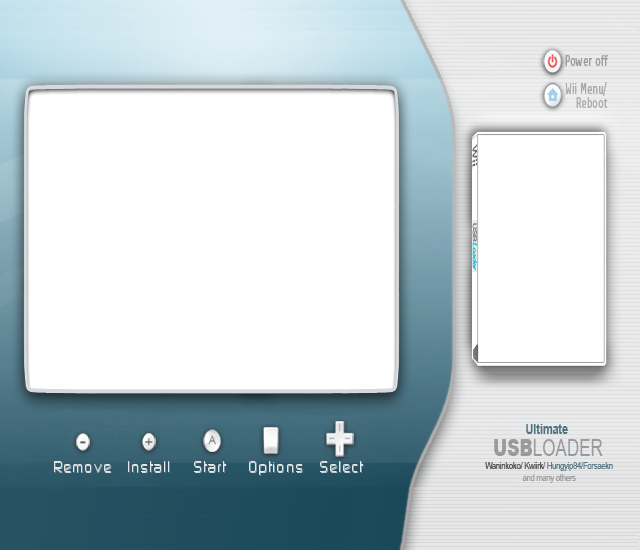
3452548823_ae38d8a0a8_o.png
 
sigh im getting that corrupt game bug, i think its caused by deleting games then installing new ones?

is there any way around it? apart from not deleting games
 
Seems perfect until now...(besides the dumping issue)...even with "tougher games" like Tatsunoko vs Capcom.

If i could, i would like to ask a new feature for the next version,

Can you add to the menu, or display the region of the game, so we could know if we have to patch it or not?

That would be perfect
smile.gif


Thanks anyway
 
nintendolinky said:
this is my new config:
Code:
images_path=SD:/images/
background = bg.png
wbackground = wbg.png
covers = 1
download = 1
layout = ultimatew
simple = 0
home = reboot
console_coords = 40,98,350,286
covers_coords = 482,136
console_color = 0,15
entry_lines = 12
max_characters = 37
savesettings = 0
video = game
ocarina = 0
language = console
parentalcontrol = 0
downloadinstall = 1
hidesettingmenu = 0
widescreen = 0
sorry for the double post but its still not working im not a code dump now but the loader still looks messed up, and it isnt the correct background.
This is the background i want:
3452548823_ae38d8a0a8_o.png

Hey mate replace it with this one and use these coords.


console_coords=56,88,340,290
covers_coords=476,128

bgpal.png


Will work fine no dumps
 
im having the same probs as nintendoliky. everything was fine up to 6.7. after i went to the 7's, everythings messed up. i tried copying every config.txt i could find from here, but i got nothing. im getting the wrong background with no boxart and the "no image" is the wrong size on the screen. what do the widescreen background and widescreen boxarts have to be resized to?

its like the loader cant even see the folders. do i have to have both image AND wimage folders if im not gonna use the regular size?
 
Okay im using that, but im still getting the screen with install game +, uninstall game -, video 1, ocarina 2, language b, select game A, ARGH
 
Seems if you enable widescreen your images folder has to be called "wimages" and not "images" or have 2 folders
1, called images
1, called wimages
both in root of your sd. Or so is the case for me. otherwise images don't display. Also the bg needs to be called bgpal.png otherwise default loader background is displayed
 
dsfanatic5 said:
I'll keep my fingers crossed about my Seagate Freeagent Go 500gb that should be arriving in the next couple days. Thanks for the input
wink.gif

And that's exactly the model he got to replace it! LOL! That model worked PERFECT for us, copied well, never crashed, was fast... Good choice, you should be quite happy with it. FWIW we partitioned off 300GB for the ISOs and the rest of it as FAT32 for media and other stuff.
 
@nintendolinky:
do you get any boxart? im having the same prob as you. only getting the wrong background regardless of all the advice everyones giving. im not getting any boxart. all i get is a wrong sized "no image" box thats too big and the old background.

we need your help.....keep the advice coming people! thanks a bunch
 
Um, resetting doesn't seem to work quite well on the USB Loader, I guess. For example, when I'm trying to hit "return" (to title screen) on Link's Crossbow Training, it resets the Wii, instead of the software/game. Anybody knows how to fix it, or does this just happens to me?
 

Site & Scene News

Popular threads in this forum