
Hacking USB Loader GX

  • Thread starter Thread starter blackb0x
  • Start date Start date
  • Views Views 8,061,733
  • Replies Replies 30,225
  • Likes Likes 74
Game titles from GameTDB are not showing up correctly. Even though I have the title data downloaded, USB Loader GX is grabbing the game names from the disc header.
Do you have the "Titles from gameTDB" setting enabled?

With a Japanese copy of Wind Waker (GZLJ01)...

Titles from GameTDB: Zelda no Densetsu: Kaze no Takuto
Force titles from disc: THE LEGEND OF ZELDA kaze no takuto

And if I change the loaders language to Japanese while using GameTDB titles then I see "ゼルダの伝説 風のタクト".

This is a problem I've noticed for a long time. RiiTag does not work properly if there are multiple connections on your Wii. It's touchy. For example, if I have a Connection 1 and a Connection 2 on my Wii Settings, and I'm currently using Connection 1, RiiTag will likely not connect to the server when I launch a game until I delete Connection 2.
Have you tested this with WiiFlow or any other homebrew that uses networking?

When I added proxy support I encountered a similar issue if I didn't let connection testing complete after editing settings. It prevented all homebrew from connecting until validation was completed.
 
Last edited by blackb0x,
I configure my usbloaderGX to auto load when wii turns on.

On homebrew launcher, each .dol of retroarch cores appears as launcheable title, leaving the screnn a mess. @blackb0x can you look at it on yout next super duper update, please? it makes more sense only to show the retroarch main .dol.
 
On homebrew launcher, each .dol of retroarch cores appears as launcheable title, leaving the screnn a mess. @blackb0x can you look at it on yout next super duper update, please? it makes more sense only to show the retroarch main .dol.
Sure, I'll take a look. I should just need to limit it to boot.dol files only.
 
Sure, I'll take a look. I should just need to limit it to boot.dol files only.
For it to behave more like the HBC, perhaps have it list boot.elf's and boot.dol's, and if both exist, the elf should take priority (I. E. Only the elf should be listed when both exist)

Thanks!
 
  • Like
Reactions: almmiron
Hi,
maybe you can help me with my USB Loader GX.

I wanted to play Wii and GameCube games with my GamePad over the loader.
So I used "TeconMoon's WiiVC Injector" to inject the program in my WiiU.
That works just fine. I can load the program in WiiU-mode and use the GamePad, but the program can't initialize the USB-device, so i am stuck with GameCube games over the sdCard.

I tested loading a non-injected Usb Loader GX over vWii-Mode and the USB-device was found, so maybe there is a problem with injecting the program?

If you want to test my injection, here is the file I installed into my WiiU:
https://drive.google.com/file/d/10fC3-vuV7AL-OJqk534mdfc4LXDRDNIj/view?usp=sharing

PS: I know I can inject the games into the WiiU, but I prefer using USB Loader GX.
 
WiiU injections can't access the wii HDD. They can only use the sdcard. Which is pointless for ulgx as it doesn't support loading wii games from sdcard, only GC games.
 
WiiU injections can't access the wii HDD. They can only use the sdcard. Which is pointless for ulgx as it doesn't support loading wii games from sdcard, only GC games.
Which is pointless for USB Loader GX because Nintendont doesn't seem to support loader arguments when running in Wii Virtual Console mode*
 
Hello guys, whats up?

On Nintendont + Dml options, what is the difference between force NTSC + progressive patch and Force NTSC 480p ?
 
Thank you @blackb0x for the enhanced version of USB Loader GX. The game header caching makes a huge difference to the startup time, it is much appreciated. There are plenty of other good tweaks too.
The only thing left that annoys me about USB Loader GX is that the 1 button is for downloading covers, and the 2 button is for displaying covers. It would be better the other way around, as most people will want to view covers more often than download them.
Would you be able to add this to your next update please? Of course the corresponding tool tips would have to be swapped too.
Many thanks.
F.
 
Please send me a private message if you need to report a problem.[/QUOTE]

hi! sorry for don't replying into a private message (don't know how to do it), but i've recently updated the boot.dol archive and the meta archive to the updated ones, but still no solution to the friend code in ac city folk :(, and there still appear the "23904" error code... i don't know what to do
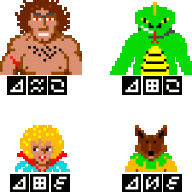
 
The only thing left that annoys me about USB Loader GX is that the 1 button is for downloading covers, and the 2 button is for displaying covers. It would be better the other way around, as most people will want to view covers more often than download them.
But because it's been that way for years I don't know if everyone would like the change.

I suppose I could make it a setting, but I'm trying to avoid adding too many settings :unsure:

hi! sorry for don't replying into a private message (don't know how to do it), but i've recently updated the boot.dol archive and the meta archive to the updated ones, but still no solution to the friend code in ac city folk :(, and there still appear the "23904" error code... i don't know what to do

Are you using an unmodified backup and have you set the games private server setting to Wiimmfi?
 
But because it's been that way for years I don't know if everyone would like the change.

I suppose I could make it a setting, but I'm trying to avoid adding too many settings :unsure:

It's a nonsensical change to even consider... why is it any harder pressing button 1 instead of 2? They're literally next to each other. It adds nothing to usability, just complicates your settings (if you choose to do this) or changes the existing behaviour that thousands(?) of people have used for years and have in their muscle memory.
 
  • Like
Reactions: jeannotte and XFlak
I've always felt that the downloading and displaying of covers was counter intuitive. But I'm sorry, when I raised it as an issue I incorrectly described things, so here is another go:

When you hover the mouse over a cover, the tooltip says 'download covers' and pressing the A button opens the downloading covers screen. I suggest it would be better if the tooltip said 'display cover' and pressing the A button would open the cover for display.

I now agree that it would be pointless to change the functionality of the 1 and 2 buttons, thanks @zfa for your input.

I don't believe this would need a new option in the settings, as people would still be able to download covers in the existing way using the 1 button. However, if you feel it better via a setting that is fine.

@blackb0x in summary; the default action for clicking on a cover is download, and I feel display would be a better default. I hope this request is clearer and apologies for the confusion I caused. Please would you reconsider my request.
 
Last edited by fandango,
  • Like
Reactions: XFlak
I have two wii unlocked and one HD games backup used in the first Wii. That HD works perfectly with both Wii by USBLOADER.

Then I've copied all the files (with less games) from HD to a Flashdrive. Using this flashdrive with the second Wii, USBLOADER sees the games but doesn't load them. Black screen and return to main.

What's the problem?
 
I have two wii unlocked and one HD games backup used in the first Wii. That HD works perfectly with both Wii by USBLOADER.

Then I've copied all the files (with less games) from HD to a Flashdrive. Using this flashdrive with the second Wii, USBLOADER sees the games but doesn't load them. Black screen and return to main.

What's the problem?
The Flashdrive. Buy one of these and stick in any HD of your choice.

https://www.amazon.co.uk/POSUGEAR-Drive-Enclosure-Support-Transparent/dp/B077XVTTJC/
 
@blackb0x in summary; the default action for clicking on a cover is download, and I feel display would be a better default. I hope this request is clearer and apologies for the confusion I caused. Please would you reconsider my request.
But there's some homebrew guides on YouTube that tell people to download covers that way, so changing it's behaviour isn't a good idea.

Personally I use the carousel view, which behaves differently. And most of the time I use a GC controller, which has better button mapping in general.
 
But there's some homebrew guides on YouTube that tell people to download covers that way, so changing it's behaviour isn't a good idea.
Obviously I'm disappointed in your decision, but OK.

Personally I use the carousel view, which behaves differently.
I have a large game library (almost 2000) and find the carousel mode unusable. To move though the library requires holding the + or - buttons (or arrow keys on screen). Not only does it take forever to traverse my large library, but you have no idea as to progress, because the game names and covers go blank whilst scrolling fast.
In list mode I simply use the Wiimote to drag the bar on the right to a different place in the list. Eg if I want a game that starts with W, I just drag it to the end of the list, as W is near the end. It's very fast.
So using carousel mode isn't a solution for me, but it's great there are different modes that suit different people's usage.

I'd like to request that you consider changing the way the disk space is displayed. Currently mine displays as '324.65 GB free of 3960.75 GB'. Would it be possible to remove the numbers after the decimal point, so it shows as '324 GB free of 3960 GB'?
 
Last edited by fandango,
Hi @blackb0x , hi all,

I have problems with the WiiSXR emulator (https://github.com/Mystro256/wiisxr) when I start it from the USB loader (your modified version). When I exit WiiSXR, the Wii should reboot and go back to the USB loader. Instead, it freezes.

If I start WiiSXR from the HBC and exit it, I end up back in HBC, as you would expect.

The same is true for the WiiSXRX fork (https://github.com/niuus/WiiSXRX).

Could it be the way USB Loader starts homebrew?

EDIT: Just noticed that it works fine with WiiFlow Lite.
 
Last edited by ukigh4ie,

Site & Scene News

Popular threads in this forum

