Hacking USB Loader GX

  • Thread starter Thread starter blackb0x
  • Start date Start date
  • Views Views 8,061,690
  • Replies Replies 30,225
  • Likes Likes 74
dimok said:
The go back to Wii Menu Button goes back to HBC for us. We made it coz it is faster to test the programms instead of going HBC all the time. In a release this will be really back to Wii Menu (its only one line to change).

Why not make it so it can do both, so you have the option to go to Wii menu or HBC?

 
We will think about that. So that you have in the popupwindow buttons like WiiMenu, HBC and Cancel?
 
Im not sure if you have your loader set to auto download boxart , but if you have I have recoded my boxart images site so that if your getting images you can download any size now by doing it this way.

www.theotherzone.com/wii/resize/ {region} / {width} / {height} / { GAMEID} .png

example : http://www.theotherzone.com/wii/resize/nts.../600/RJ2E52.png

so now any height/weight is available and should help all people making auto loaders
 
This is the best GUI so far, but on 16x9 TVs, it looks really stretched x.x

It would be great if widescreen support was added
biggrin.gif
 
dimok said:
We will think about that. So that you have in the popupwindow buttons like WiiMenu, HBC and Cancel?

Exactly, can't be too hard right?

djtaz said:
Im not sure if you have your loader set to auto download boxart , but if you have I have recoded my boxart images site so that if your getting images you can download any size now by doing it this way.

www.theotherzone.com/wii/resize/ {region} / {width} / {height} / { GAMEID} .png

example : [url=http://www.theotherzone.com/wii/resize/nts.../600/RJ2E52.png]http://www.theotherzone.com/wii/resize/nts.../600/RJ2E52.png[/url]

so now any height/weight is available and should help all people making auto loaders

Okay, now autodownload just needs to be included in the code!

QUOTE(Child0fTwilight @ Apr 19 2009, 05:59 PM)
This is the best GUI so far, but on 16x9 TVs, it looks really stretched x.x

It would be great if widescreen support was added
biggrin.gif

Make this happen.
 
djtaz said:
Im not sure if you have your loader set to auto download boxart , but if you have I have recoded my boxart images site so that if your getting images you can download any size now by doing it this way.

www.theotherzone.com/wii/resize/ {region} / {width} / {height} / { GAMEID} .png

example : http://www.theotherzone.com/wii/resize/nts.../600/RJ2E52.png

so now any height/weight is available and should help all people making auto loaders

Oh hell yeah. This is great djtaz. Thank you i am sure we will implement this. But right now i am busy with school so...nIxx will probably do it
wink.gif
.

But one question does the {region} hast to be there too? since the region is also in the GameID.
It also would safe two lines of code if this goes out lol
wink.gif
. Cover problem is solved with this.

Awesome would be now if we could get the disc images somewhere.
 
cyrex said:
grante said:
r84 boot.dol with better font and wii system music:
http://rapidshare.com/files/223273328/r84-boot.zip

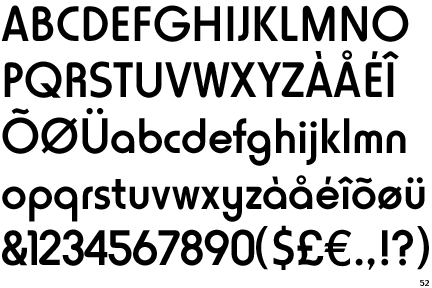
If you try to be part of this project by supportings us with mods maybe you can share the things you used. For example... what is the "better font"? Maybe you could tell us to check it
smile.gif
.


From the original thread, I believe this is the font he refers to:

QUOTE(adam_the_1st @ Apr 19 2009, 12:52 AM)
Where can I download the most receant source, I was intersted in testing out my skin.

Oh and also, the real Wii font is called Horatio...

LINK

it's a little smoother, easier to read.

Edit, here's a pic

Horatio.gif
 
dimok said:
We will think about that. So that you have in the popupwindow buttons like WiiMenu, HBC and Cancel?

I'd be more inclined to have this as a settings option in order to not clutter the UI.

As a side note, can't you just sue the Home button on the wiimote to go back to the wii menu.....?
 
QUOTE said:
As a side note, can't you just sue the Home button on the wiimote to go back to the wii menu.....?
reasonable suggestion man
smile.gif
i like that idea! i also think it couldnt hurt to:

when pressing "up" on the d-pad on the first game (ac/dc rockband) that it should go to the bottom of my list (zack and wiki)

rather than limiting the scroll from a-z have it "loop" so i can get to the last game in the list by pressing up one time ya know?

....also when left and right are pressed on the d-pad PAGE DOWN or PAGE UP! this would be a nice user friendly addition if your already mapping buttons
tongue.gif


Grantes kik ass moded version (as seen in the vid):


QUOTEQUOTE(grante @ Apr 19 2009, 12:16 PM) *
r84 boot.dol with better font and wii system music:
http://rapidshare.com/files/223273328/r84-boot.zip


400 Box Arts--- 3 digit names 160x224 png

184 Disc Arts---3 digit names 160x160 24 bit png

DOWNLOAD
http://www.megaupload.com/?d=3U986EFA
 
IMO,, the delete is too easy to delete something... usually my kids see cancel and instinctively go for the other button,, which would be "OK" or "play".. Is there a big WARNING when you hit the delete button?

I would rather it be changed to PLAY

just me though

Before all this usbloader stuff came out,, I used to get my cd covers for lightscribing my disks HERE!
I have not found ANY missing and usually they have several different versions,, custom/original.. Only thing is,, its a one by one thing... takes a long time
 
BlindDude said:
Before all this usbloader stuff came out,, I used to get my cd covers for lightscribing my disks HERE!
I have not found ANY missing and usually they have several different versions,, custom/original.. Only thing is,, its a one by one thing... takes a long time
A wonderfull site, they have also the back of the covers that coud be very nice to display in the loader.
But it is difficult to automatize the dowload, one by one, it would be very long.
 
BlindDude said:
IMO,, the delete is too easy to delete something... usually my kids see cancel and instinctively go for the other button,, which would be "OK" or "play".. Is there a big WARNING when you hit the delete button?

Totally agree, I also pressed almost few times on delete! Delete must be as hidden as possible. Play button instead is better.

Other things is the scrollbar, it is really difficult to get it to scroll down on next pages ... Maybe an idea is to scroll automatically down when cursor is below the titles box, or scroll up when it is above the title box?
Scrolling pages on click on the scrollbar would also be nice.

Also how about offering the games selection in few profiles? Like games for kids, games for adults etc? Or maybe bounding the games choice to a Mii?

Anyway great job guys - keep it up!
 
BlindDude said:
IMO,, the delete is too easy to delete something... usually my kids see cancel and instinctively go for the other button,, which would be "OK" or "play".. Is there a big WARNING when you hit the delete button?

I would rather it be changed to PLAY

just me though

Before all this usbloader stuff came out,, I used to get my cd covers for lightscribing my disks HERE!
I have not found ANY missing and usually they have several different versions,, custom/original.. Only thing is,, its a one by one thing... takes a long time
Okay, there go the CD covers, maybe those can be put in the database for the autodownloader? Oh, and I also think there should be a Play button and deleting should be harder to accidentally do.
 
ulysse57 said:
BlindDude said:
Before all this usbloader stuff came out,, I used to get my cd covers for lightscribing my disks HERE!
I have not found ANY missing and usually they have several different versions,, custom/original.. Only thing is,, its a one by one thing... takes a long time
A wonderfull site, they have also the back of the covers that coud be very nice to display in the loader.
But it is difficult to automatize the dowload, one by one, it would be very long.
There should be an option to turn OFF/ON auto download, or give the option to manually download covers once you're ready.
 
3dman said:
BlindDude said:
IMO,, the delete is too easy to delete something... usually my kids see cancel and instinctively go for the other button,, which would be "OK" or "play".. Is there a big WARNING when you hit the delete button?

Totally agree, I also pressed almost few times on delete! Delete must be as hidden as possible. Play button instead is better.

Other things is the scrollbar, it is really difficult to get it to scroll down on next pages ... Maybe an idea is to scroll automatically down when cursor is below the titles box, or scroll up when it is above the title box?
Scrolling pages on click on the scrollbar would also be nice.

Also how about offering the games selection in few profiles? Like games for kids, games for adults etc? Or maybe bounding the games choice to a Mii?

Anyway great job guys - keep it up!
Wow, now that's innovative thinking, making games favorited and bounding them to Miis! I LOVE where this is going. BTW, I can help out in virtually any way except for coding, not yet familiar with Wii coding.
 

Site & Scene News

Popular threads in this forum