Hacking USB Loader GX

  • Thread starter Thread starter blackb0x
  • Start date Start date
  • Views Views 8,106,809
  • Replies Replies 30,246
  • Likes Likes 74
try this and forget usb loader for different region discs. when powerup wii press reset and bring the priiloader menu (if you have priiloader instaled) and launch dvd drive it will definetly work.
 
Hi, I’m trying to run the Japanese Biohazard Archives (RE Archives: Resident Evil) on a PAL Wii (4.3E) via USB Loader GX with RGB SCART output on a CRT.


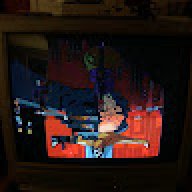
The game either black screens when forcing PAL60 / video patches, or shows a red/broken image when forced to NTSC. Sometimes the Wiimote disconnects when it fails to boot.


I already tried different USB Loader GX video settings (Auto / PAL / NTSC, VIDTV on/off, Force PAL60, etc.), but nothing works reliably.


Is there any known working config for this game on PAL Wii + RGB SCART?
 
  • Like
Reactions: impeeza
Is there any known working config for this game on PAL Wii + RGB SCART?
With the current release, no. However, the upcoming release will allow all NTSC games to display correctly via RGB SCART.

If you use composite or component, the games will already output correctly.
 
ORICO are one of the manufacturers that change their chipsets without changing the products model number, so I can't say for sure if it'll work.

I know that some popular enclosures from UGREEN, POSUGEAR, and ORICO are currently using the RTL9201, ASM225CM, and ASM235CM chipsets, and all of them seem to have issues. So that might be something I'll look into further over the next month.


Yeah, you could just call it a day, since the loader shouldn't randomly become unresponsive when running under a cIOS.

The difference is the base IOS. For cIOS 251, that's IOS 58, meaning it's a customised version of IOS 58.
I tested the ORICO-2526C3-V1 HDD enclosure and it doesn't even boot any game. The loader still only works with 251 cIOS. There is anything I can do?

Anyway already ordered the Sabrent you mentioned.

Edit:

I started using the cable adapter again, but now I'm unable to boot directly into ULGX. The HDD spins, all Loader info messages show on screen, but right after "Loading devices" it stops spinning and I get the error "USB Device not initialized".

When I open ULGX via Homebrew, without the autoboot, it works correctly.

Everything was working just fine until now. Checked the HDD with CrystalDiskInfo and it's healthy.

USB Port 0, HDD FAT32 32kb, cIOS 251 (d2x-v11beta3 rev 65535).
 
Last edited by hrmetic,
  • Like
Reactions: impeeza
I tested the ORICO-2526C3-V1 HDD enclosure and it doesn't even boot any game. The loader still only works with 251 cIOS. There is anything I can do?

Anyway already ordered the Sabrent you mentioned.

Edit:

I started using the cable adapter again, but now I'm unable to boot directly into ULGX. The HDD spins, all Loader info messages show on screen, but right after "Loading devices" it stops spinning and I get the error "USB Device not initialized".

When I open ULGX via Homebrew, without the autoboot, it works correctly.

Everything was working just fine until now. Checked the HDD with CrystalDiskInfo and it's healthy.

USB Port 0, HDD FAT32 32kb, cIOS 251 (d2x-v11beta3 rev 65535).
Is your external hard drive in MBR format and not GPT?
 
Is your external hard drive in MBR format and not GPT?
Yes, MBR. It's weird because it was working just fine until I tested the alternative adapter. And weirder because I only get an error when autobooting via Priiloader, so I can discard an USB Port failure or something, I guess.
 

Site & Scene News

Popular threads in this forum