USB Loader GX Theme v2 - Default Dark

  • Thread starter Thread starter chrisj91
  • Start date Start date
  • Views Views 5,032
  • Replies Replies 9
  • Likes Likes 4

chrisj91

Member
Newcomer
Joined
Dec 12, 2012
Messages
10
Reaction score
29
Trophies
2
Age
34
Location
Leeds
XP
230
Country
USB LOADER GX V2 DEFAULT DARK THEME v1.1
For anyone seeking the simplicity of the default theme with a bit less brightness!

Now has two background options:
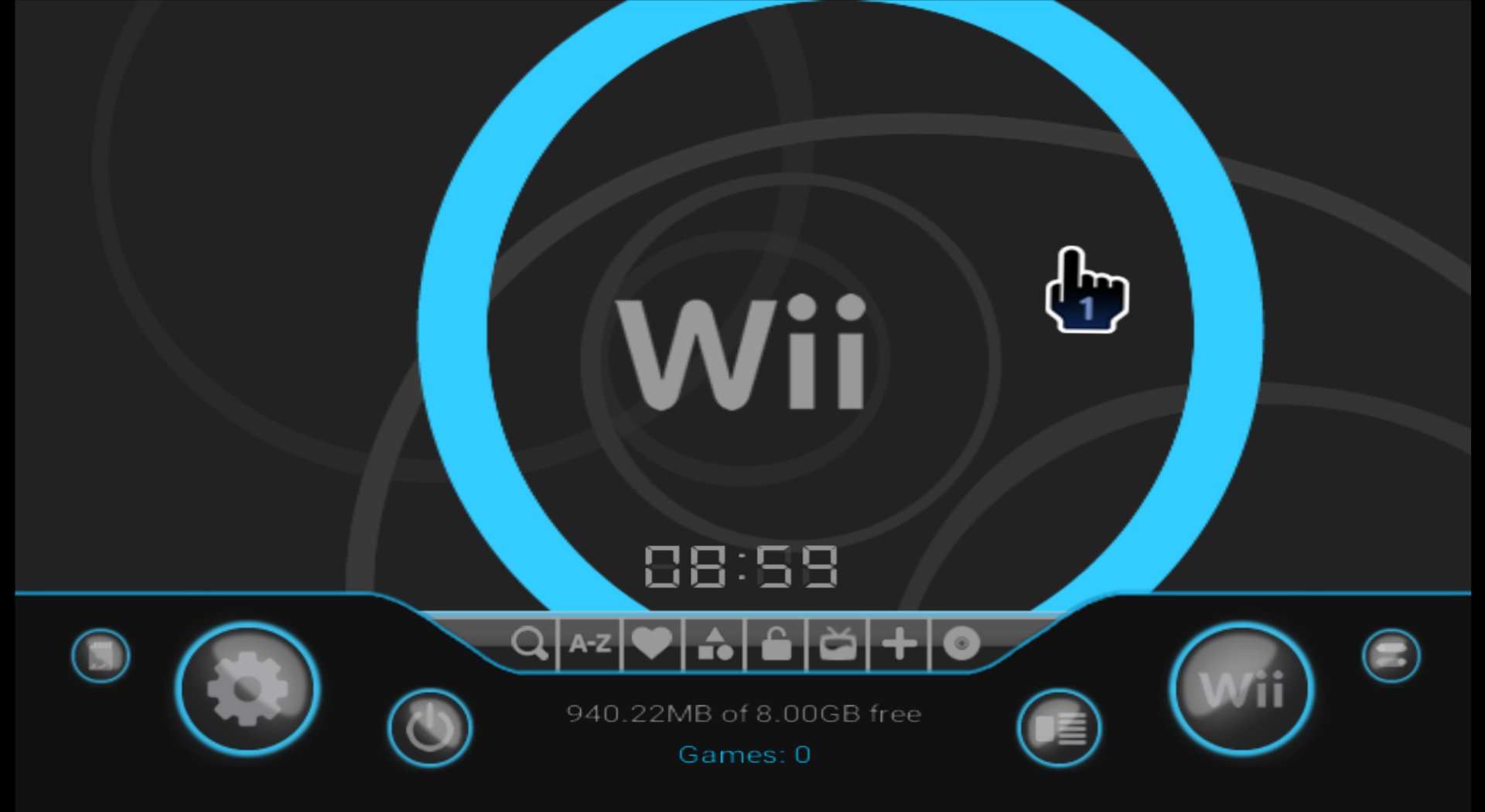
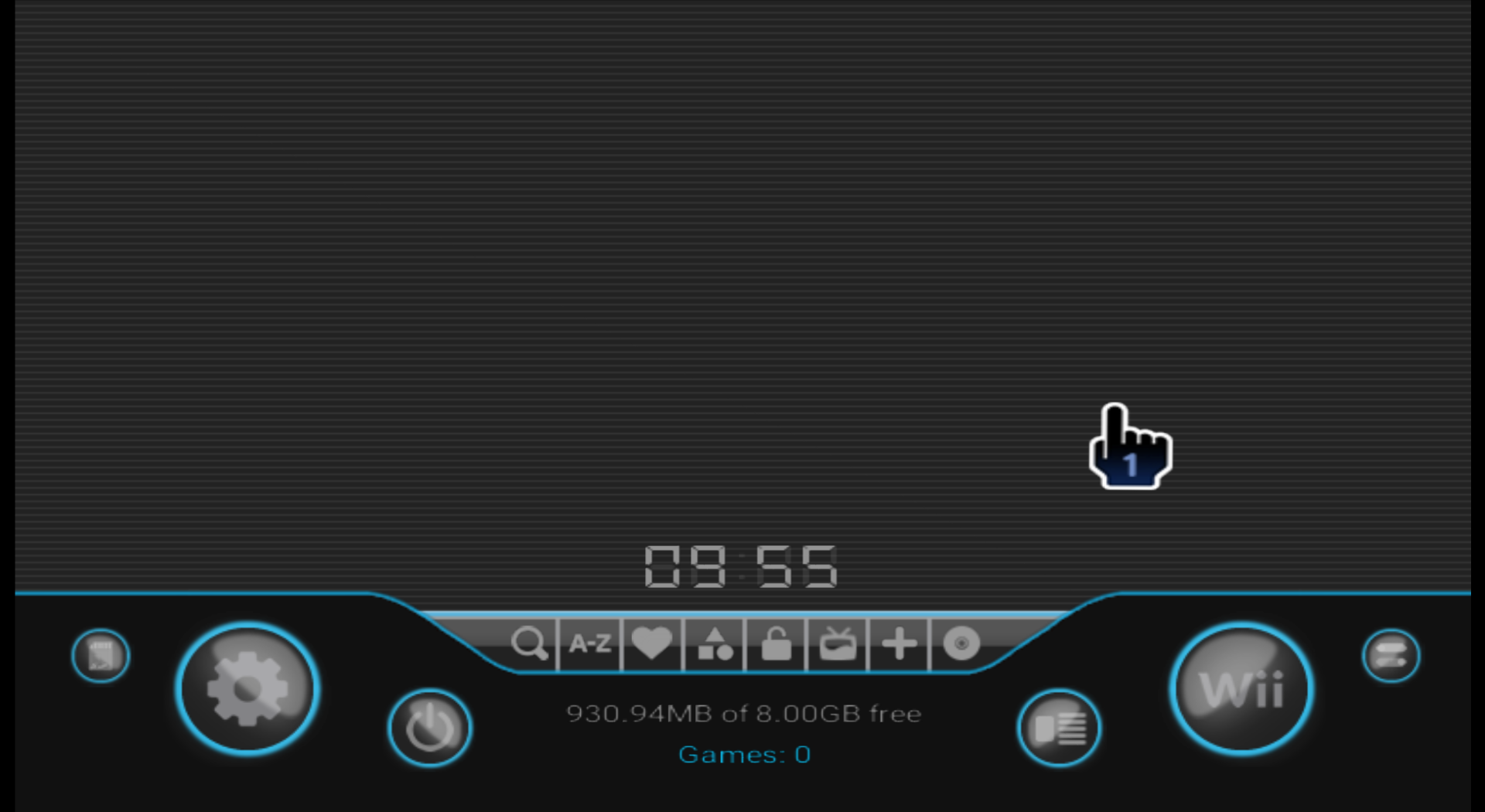
Background.png
Background - Simple.png


Download Here
v1.1
Important! This theme is specifically designed for new versions of USB Loader GX v4.0 (r1282 onwards)
Please visit the
official thread and update your loader.


Prior to these new releases, I had been using "Tab Mod" versions of GX, which did the trick but just weren't as polished. Not to mention missing all the features and fixes that blackb0x has worked through.

The only thing I was craving was a dark version of the default theme. After nully kindly shared his resources and guides for creating themes, I thought I would give it a go and share here as I've seen a couple of requests for a dark theme.

Some quick points about this theme:

  • v1.1 has two background options. Choose between original v1.0 circles background or new "simple" background reflecting a dark version of the standard Wii System Menu background.
    • Other updates include some fixes surrounding Channel Grid background, Folder/File Browser background and Theme Preview displaying in Theme Menu.

  • It is Widescreen compatible.
    • In fact, all the screenshots have been taken in Widescreen. I have tested in both 16:9 and 4:3 aspect ratios, however.

  • After loading the theme, select "Reset BG Music" (Located in Settings > Page 2 > Sound Settings), or simply exit and reload USB Loader GX.
    • This will load the background music bundled with this theme. You can of course set any file you prefer, or simply turn it off by setting "Music Volume" to "OFF".

  • Most of the graphics which couldn't be reused have been completely remade from the ground up.
    • This results in generally higher quality images (vs editing existing graphics), and means I can update them easier in future for different themes, or for refining this one.

  • For some reason, I could not get the preview picture for this theme working. Preview screenshots do exist in the folder, but they do not appear when viewing the theme in "Theme Menu" under Settings > Page 3.
    • This is purely cosmetic - the theme will show up as "Default - Dark" in the list.
    • FIXED - v1.1

  • And lastly, to quote what nully mentioned on one of his themes:
    • All my screenshots were captured from Dolphin, but I have this running on my real Wii.

Feel free to give it a go and let me know if you have any feedback!


Theme Previews.png

Games List EmuNAND.png
Banner.png
Carousel.png

Channel Grid.png

Downloading.png
Disc.png
Game Details.png
Settings.png

Settings - Box.png

Paths.png

Homebrew Launcher.png

Keyboard.png

Categories.png
Background.png

Background - Simple.png
 

Attachments

  • Paths.png
    Paths.png
    390.6 KB · Views: 62
Last edited by chrisj91,
this looks amazing.

my only feedback would be:
A dark version of the original background as an option as I find the Blue circle and swirls really distracting.
Text colour in the 3D Cover Path screenshot above should be white / lighter.


Everything else looks great imo.
 
Last edited by FMRad10,
this looks amazing.

my only feedback would be:
A dark version of the original background as an option as I find the Blue circle and swirls really distracting.
Text colour in the 3D Cover Path screenshot above should be white / lighter.


Everything else looks great imo.
Thanks for the feedback!

For the background, I can update that no problem. When I get a chance I will upload a version that has a plain background instead, closer to the original.

And yes, for the Cover Paths/Browser screenshot, I could not for the life of me find which font colour controlled that view (I was poking around the .them file, I haven't used the creator for this theme).
I do plan on revisiting to try address that. If you notice the cancel button (on just that one page) also has black text. None of the other dark buttons do, though, so it seems there is something specific to that view that I'm missing/not figuring out.

Anyways, I hope to look into this more and release an update soon!
 
  • Like
Reactions: FMRad10
Thanks for the feedback!

For the background, I can update that no problem. When I get a chance I will upload a version that has a plain background instead, closer to the original.

And yes, for the Cover Paths/Browser screenshot, I could not for the life of me find which font colour controlled that view (I was poking around the .them file, I haven't used the creator for this theme).
I do plan on revisiting to try address that. If you notice the cancel button (on just that one page) also has black text. None of the other dark buttons do, though, so it seems there is something specific to that view that I'm missing/not figuring out.

Anyways, I hope to look into this more and release an update soon!
cool. much appreciated.

having a look through the *.them file it's gonna be one of the 18 "msgid "r=0 g=0 b=0 a=255" lines..... which ones though? that's the question.
best of luck in tracking it down. spose you can rule out the keyboard and numberpad ones. worst case scenario you pick some horrendous RGB code and apply it 1 by 1.
 
Last edited by FMRad10,
cool. much appreciated.

having a look through the *.them file it's gonna be one of the 18 "msgid "r=0 g=0 b=0 a=255" lines..... which ones though? that's the question.
best of luck in tracking it down. spose you can rule out the keyboard and numberpad ones. worst case scenario you pick some horrendous RGB code and apply it 1 by 1.
Yep, that's pretty much where I was getting to with it. I honestly can't remember if I tried them all now, but I remember altering a few which I thought may be it, and it messing up text colours elsewhere.

I will be having another look with a bit of a fresh/clear head!
 
Yep, that's pretty much where I was getting to with it. I honestly can't remember if I tried them all now, but I remember altering a few which I thought may be it, and it messing up text colours elsewhere.

I will be having another look with a bit of a fresh/clear head!
I had a play about in the theme creator and couldn't find anything to alter the txt colour for the folder path txt. Setting Title is the same for all pages in settings so if you change it for that page it changes all of them.

Is there potentially nothing wrong with the txt colour and it's the background that's just a bit out of whack? that's the only screenshot with the Wii logo not in white etc
 
I had a play about in the theme creator and couldn't find anything to alter the txt colour for the folder path txt. Setting Title is the same for all pages in settings so if you change it for that page it changes all of them.

Is there potentially nothing wrong with the txt colour and it's the background that's just a bit out of whack? that's the only screenshot with the Wii logo not in white etc
Thanks for taking a look - just been doing the same.

It's not the screenshot - though it is odd that the settings tile at the top is grey instead of white - I think it's something built into USB Loader that overlays something or just dims the background when this screen is active.

Looking at nully's Proto theme just to compare - his text on this screen is black. I'm beginning to think it's not something configurable (the text colour on this screen), and that I may just be better updating the background to a lighter colour to make the black text more legible.
The black text on the Cancel button may have to just be left as well - at least it is only visible on this screen.

But anyways, here's what I saw in nully's proto theme.

Notice here how the text is a different colour to the standard black to suit the rest of the theme?
1760544981746.png


But then as soon as I click into one of these to set a folder path, the background changes and the text is black:
1760545094576.png


I'm thinking that it's a potential limitation currently, and I will just follow suit with what nully has done here (just change the background to compensate for the non-configurable black text).
Post automatically merged:

New v1.1 uploaded - implements a simple background option and implements some fixes. Have updated the resource and instructions if upgrading from v1.0.

Thanks FMRad10 for the feedback and help!
 
Last edited by chrisj91,
  • Like
Reactions: FMRad10
Thanks for taking a look - just been doing the same.

It's not the screenshot - though it is odd that the settings tile at the top is grey instead of white - I think it's something built into USB Loader that overlays something or just dims the background when this screen is active.

Looking at nully's Proto theme just to compare - his text on this screen is black. I'm beginning to think it's not something configurable (the text colour on this screen), and that I may just be better updating the background to a lighter colour to make the black text more legible.
The black text on the Cancel button may have to just be left as well - at least it is only visible on this screen.

But anyways, here's what I saw in nully's proto theme.

Notice here how the text is a different colour to the standard black to suit the rest of the theme?
View attachment 533380

But then as soon as I click into one of these to set a folder path, the background changes and the text is black:
View attachment 533382


I'm thinking that it's a potential limitation currently, and I will just follow suit with what nully has done here (just change the background to compensate for the non-configurable black text).
Post automatically merged:

New v1.1 uploaded - implements a simple background option and implements some fixes. Have updated the resource and instructions if upgrading from v1.0.

Thanks FMRad10 for the feedback and help!
brilliant work. wasn't expecting a newer version so soon. :D
 
  • Like
Reactions: chrisj91
Nice work! I am glad that I can use the dark theme for newest USBLoaderGX, because I like its new design.
I have one remark: in the carousel mode the game title in blue is harder to read than in the default theme. Maybe bigger font or making it bold would do?
 
Last edited by mayar,
I just discovered this theme in its simple version and I looove it. Could you create an indigo version please? I'm obsessed with that color and it would be perfect to have it in your beautifully designed theme!
 

Site & Scene News

Popular threads in this forum