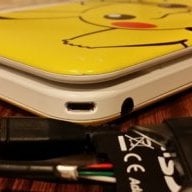
Ok, So I was an unlucky person who upgraded to 5.x a long time ago - so last weekend I swapped my motherboard I swapped my Motherboard with a 4.1 Motherboard (3DS XL). Ive tested my Gateway and everything has been good.
Tonight I tried a Japanese game, it started up and I had no issues but during the game it just seemed washed out ... So I figured it was a rom issue (or Japanese Rom issue... Who knows). I went back to retail and went to a game - Same issue.
I thought it could be a cable - take it all apart, and the top screen cable is solid in there ....
Anyone seen this before? What else can I check?
Thanks
Tonight I tried a Japanese game, it started up and I had no issues but during the game it just seemed washed out ... So I figured it was a rom issue (or Japanese Rom issue... Who knows). I went back to retail and went to a game - Same issue.
I thought it could be a cable - take it all apart, and the top screen cable is solid in there ....
Anyone seen this before? What else can I check?
Thanks