Hacking The M3 Sakura FAQ

  • Thread starter Thread starter Densetsu
  • Start date Start date
  • Views Views 1,509,622
  • Replies Replies 2,118
  • Likes Likes 2
By System Restore type, I meant like the System Restore kinda program on Windows. I think it reverts back to a certain point in time where everything was fully functional, of course it regularly saves the state of the game save.

Select a game from the 5 last loaded games/programs and press the start button, should bring up a - Save file restore menu.
OR
Select a game from your file menu and press start then Save Restore Menu.

Make sure you have started this game a few times beforehand.
 
ok iv down loaded bundle pack and every thing is freeking awsome except for i cannot run the only 2 homebrew software i even care about.
DSNOTES and Phidias (the paint program. just 2 white screens. what am i doing wrong?
i reeeeally need phidias paint ...if sakura cant run it i may have no choice but to go back to real loader software...help?

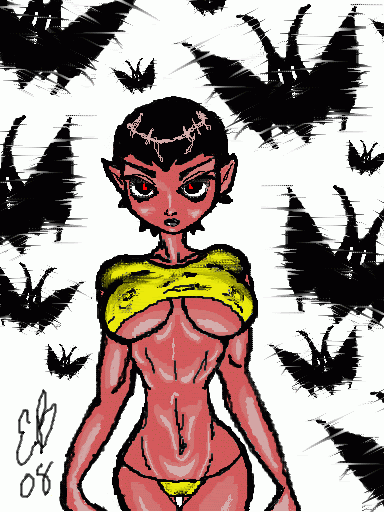
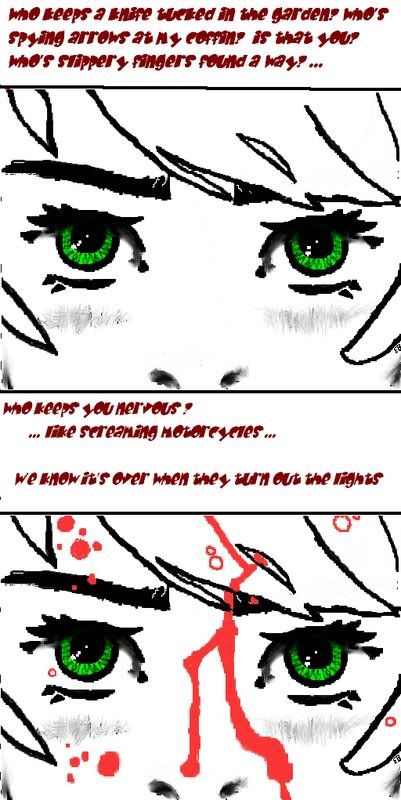
heres some examples of my ds art iv done:
vampychan2.gif
dianacosplaydrawing.jpg
eyesofthenight.jpg
 
thedicemaster said:
cosmo2389 said:
Hi! Since this is the FAQ thread, I have a question that maybe someone would know the answer to!

Does homebrew have to remain in the root of the microSD card like in the previous (non-Sakura) firmware?

Thanks!
homebrews where never required to be in the root.
tough most homebrews need their additional data files to be in the root, because they can't locate those files by themselves.
thedice master i pm'd you. please assist me sir?
 
So far most of the homebrew I've tried booting either gave me a error and refer to the logbuff.txt file, or left me with 2 white screens. Probably this will be fixed in the later versions of the Sakura
 
lilaznkilla said:
So far most of the homebrew I've tried booting either gave me a error and refer to the logbuff.txt file, or left me with 2 white screens. Probably this will be fixed in the later versions of the Sakura
Hmm...most homebrew works for just about everyone else. Are you sure you downloaded this version and NOT this version? The latter one was an earlier release and was buggy whenever you tried to load homebrew. This has been fixed in the new one.
 
kok said:
What speaks for itself?

* The GUI is the best out of all flashcarts, the new firmware simply boasts amazing capabilities.
* One can open images/listen music/watch videos directly through the firmware browser - very fast speed loading.
* Amazing compatibility with homebrew and roms.
* Loads more reasons you can see in the first post...
 
kok said:
Destructobot said:
kok said:
What speaks for itself?
The fact that you shouldn't post the same question in four different topics.

cant people just give an awnser instead of bash
hate2.gif

OK.
wink.gif


-Much better GUI
-More configurable
-Save restore
-Built in media support
 
I'm still finding that I can't run certain homebrew apps such as lmp-ng. I downloaded the latest one from the FAQ, after reading up on the fact that thedicemaster had fixed up homebrew issues, i got excited...it still doesnt work!
 
BoosLee said:
I'm still finding that I can't run certain homebrew apps such as lmp-ng. I downloaded the latest one from the FAQ, after reading up on the fact that thedicemaster had fixed up homebrew issues, i got excited...it still doesnt work!
Re-read the FAQ:
QUOTEQ: I still can't run some/most homebrew. Help?
A: Try using Flashcard OS 2.1. Copy it to your MicroSD card, run it in Sakura, then try to open your homebrew in Flashcard OS. This has been reported to work for problematic homebrew (tip submitted by strata8).
 
BoosLee said:
I'm still finding that I can't run certain homebrew apps such as lmp-ng. I downloaded the latest one from the FAQ, after reading up on the fact that thedicemaster had fixed up homebrew issues, i got excited...it still doesnt work!

Please read the FAQs in detail next time. The hacked version has a few problems.
 
chaotic_geo said:
BoosLee said:
I'm still finding that I can't run certain homebrew apps such as lmp-ng. I downloaded the latest one from the FAQ, after reading up on the fact that thedicemaster had fixed up homebrew issues, i got excited...it still doesnt work!

Please read the FAQs in detail next time. The hacked version has a few problems.


Ermm?

QUOTE
Initially there were problems running homebrew with the unofficial US/EUR Sakura firmware, but thanks to thedicemaster, those problems have been resolved.
blink.gif
blink.gif
 
chaotic_geo said:
BoosLee said:
I'm still finding that I can't run certain homebrew apps such as lmp-ng. I downloaded the latest one from the FAQ, after reading up on the fact that thedicemaster had fixed up homebrew issues, i got excited...it still doesnt work!

Please read the FAQs in detail next time. The hacked version has a few problems.

chaotic_geo, I've updated Paradise to 0.4, so next time it gets updated include the newer version (http://gbatemp.net/index.php?download=2575)
I'll PM you if it gets updated again, or you can just notify me of an upcoming package update, if possible.
smile.gif
 
QUOTE said:
Initially there were problems running homebrew with the unofficial US/EUR Sakura firmware, but thanks to thedicemaster, those problems have been resolved.
blink.gif
blink.gif
The homebrew apps built into M3Sakura, for example moonshell, imageviewer.

Updated with latest skin files.
 

Site & Scene News

Popular threads in this forum