Hi everyone, 2 days ago I run kosmos(atmosphere) cfw on my switch 4.1 with help from sdsetup web.
I decided to update software without burning fuse and all goes ok,
but when I decided to install games with tinfoil I spotted some of them start to asking me about update, but why?
I'm running 6.2 cfw
How to rid of that pop up?
The newer firmware probably updated a list that lets the Switch know there are updates for certain games. Either downgrade or install the updates in .NSP format.
I 3D printed the jig to enter RCM. Used 2 staples and solder them together. Didn't work. So I went online and found a video on youtube using the exact same 3D printed jig as I do and followed how he did it.
Video name: RCM Jig Building and Testing
Posted in July. Not going to link it. Before that I was told that I made it too short as well so I decided to make the wires longer so I went out and got 24 gauge wires. I wrap them under the jig. I then cut it off before they got to the back of the jig just like the guy in the video.
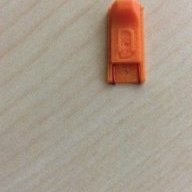
Finished the wiring and tested it and still doesn't work. Since I'm a newbie I can't post picture so I made my profile picture the jig I made.
Steps:
1) Remove right joy con.
2) Slide jig and make sure it goes all the way in. Not forcing it.
3) Hold volume up, press power button.
XAW1006607X so my switch was not patched. Any obvious reason as to why these don't work?
EDIT: Wires made of copper
I just used a paperclip by cutting it with some heavy duty scissors. It takes a couple of tries to work but it gets the job done. If you want real advice, I suggest posting a thread about it since making a jig is not something I'd consider noob-worthy.
P.S. Even if your console was patched, it would still enter RCM. They cannot patch out RCM; they only patched the ability for the console to receive payloads in RCM.
just to be clear once a game in installed it can be removed from the SD or do i have to keep it there like on xbox
If it is a .NSP file, it can be removed from the SD card after it is installed. .XCI files have to stay on the SD card.
Guys does anyone know how long a full raw back up of my clean NAND should take? I’m using hekate via my sxpro, it’s cutrently on 54% and has been on for over 13 hours now.
Dumping the eMMC raw GPP shouldn't take no more than 2 hours. I believe you can cancel the backup if you so wish to.
which homebrew app has the fastest method of transferring files to the switch via wifi?
I only know of one
FTP homebrew application.
Hello again, to make a NAND backup can I use a 32gb microSD Card?
Hekate supports SD cards as small as 2 GB. Just remember that if the SD card is FAT32 and/or there is less than 29.1 GB of free space, the eMMC raw GPP will be dumped in parts.