Homebrew SoundHax dosen't work

Did you receive the same problem?


  • Total voters
    12

AriyaIsTheBest

Well-Known Member
Newcomer
Joined
Feb 11, 2017
Messages
56
Reaction score
2
Trophies
0
Age
24
XP
137
Country
United States
UPDATE!: Arubaro helped me solve the problem. Kudos to him! If you still want to post here, explain to me what happened here.

UPDATE: The video of what happened/happens

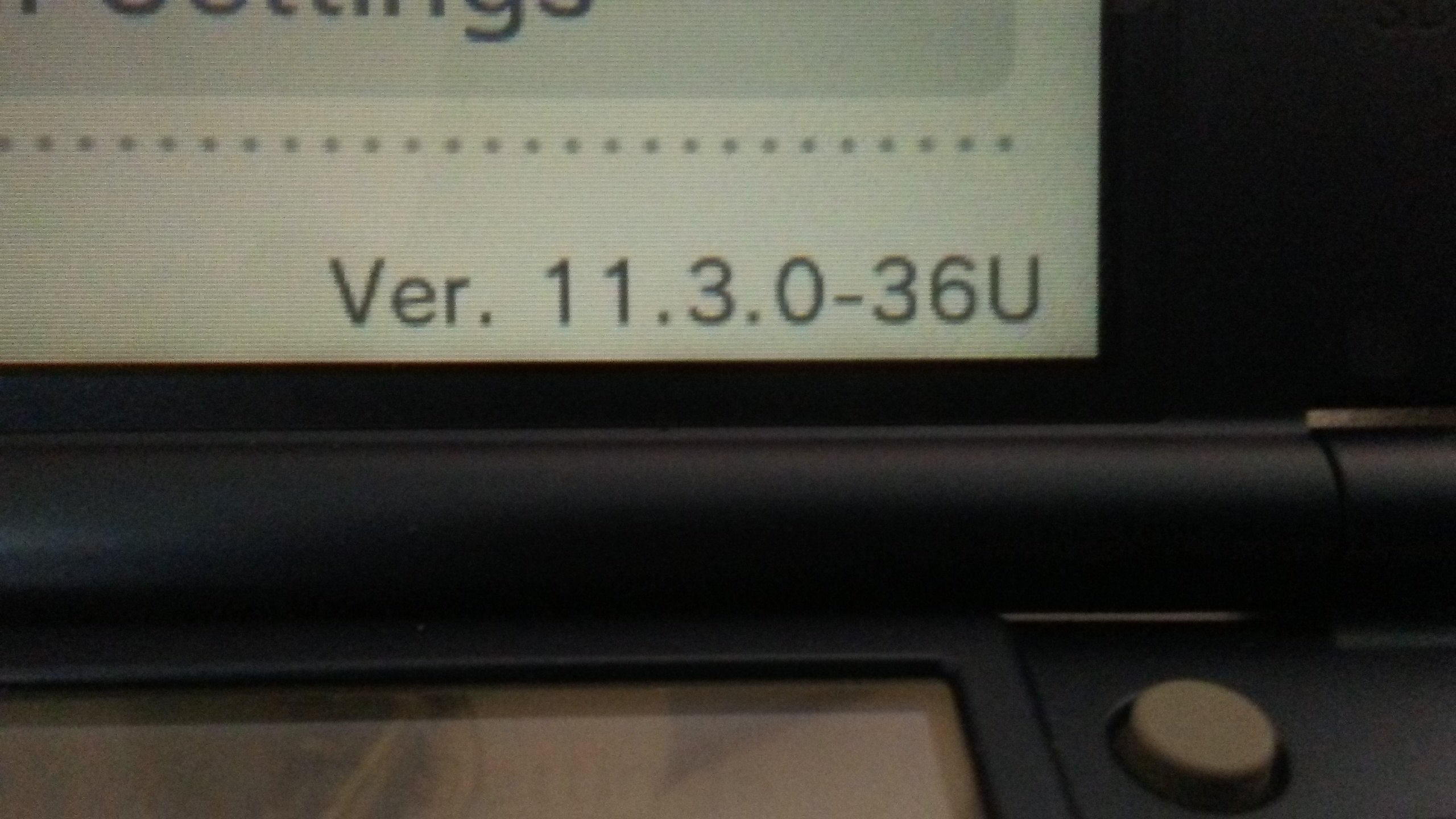
My system is New 3DS 11.3.0-36U.
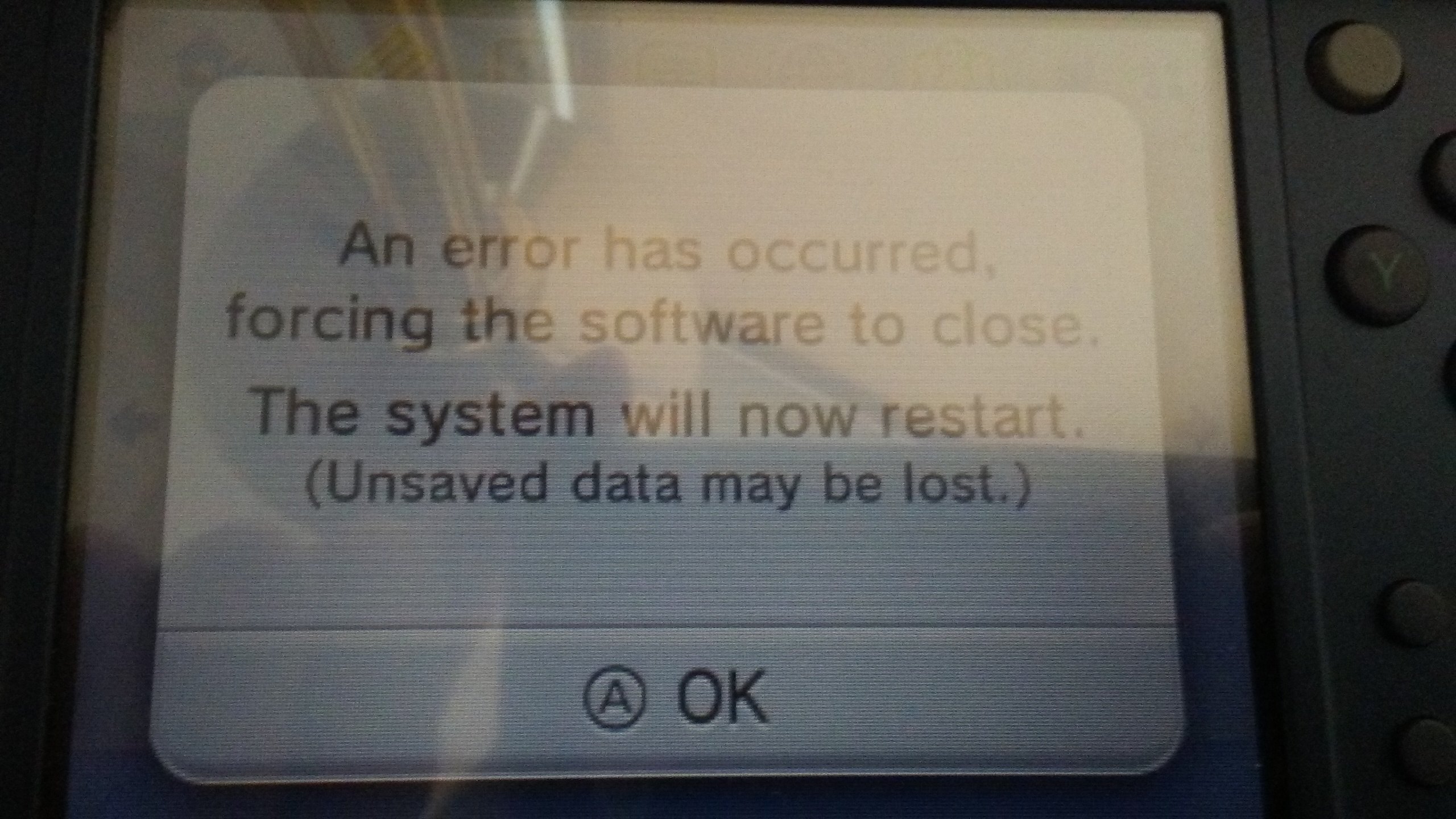
I have been using SoundHax since 11.2. Today, I put some homebrew applications into the 3ds folder via MicroDS Managment and went to Nintendo 3DS Sound, only for it to crash. So, I replaced the otherapp.bin and soundhax sound file to my exact version. When I try to open the Homebrew Launcher using Nintendo 3DS Sound, the screen freezes for a few seconds, kicks me back to the home menu, and presents a message saying "An error has occured, forcing the software to close. The system will now reset." I try again, only for the same thing to happen.
20170211_152639.jpg
20170211_155917.jpg
 

Attachments

  • 20170211_155917.jpg
    20170211_155917.jpg
    586.4 KB · Views: 388
Last edited by AriyaIsTheBest,
Smea's already updated the otherapp payloads for 11.3

Some people have had trouble using it on A9LH+Luma, but they just need to update Luma to the latest Hourly.

Some people also say that changing the New 3DS CPU setting in Luma to Off also works.
 
Mine is still 11.2.0-35E on and Old3DS and it isn't working either! I downloaded the appropriate payload from the homebrew homepage.
 
soundhax should work fine on NORMAL, 11.3.0.36
make sure you have the right files for your 3ds region and system type AND they are NAME RIGHT

if you have file extensions hidden you might have the file name otherapp.bin.bin

get soundhax Here
get payload Here
 
soundhax should work fine on NORMAL, 11.3.0.36
make sure you have the right files for your 3ds region and system type AND they are NAME RIGHT

if you have file extensions hidden you might have the file name otherapp.bin.bin

get soundhax Here
get payload Here
I chose the exact version for both downloads. Don't know what's wrong.
Edit: I'll try it again.
 
Last edited by AriyaIsTheBest,
I chose the exact version for both downloads. Don't know what's wrong.
This is what I just did. I grabbed my payload for my new 3ds and it's region. Then I grabbed the .m4a file for my new 3ds and it's region. Smacked them on my SD card root. Updated Luma to its latest hourly version and boom it works for me.

Sent from my SM-G903W using Tapatalk
 
Do
Smea's already updated the otherapp payloads for 11.3

Some people have had trouble using it on A9LH+Luma, but they just need to update Luma to the latest Hourly.

Some people also say that changing the New 3DS CPU setting in Luma to Off also works.
I don't use anything else, not even luma

--------------------- MERGED ---------------------------

This is what I just did. I grabbed my payload for my new 3ds and it's region. Then I grabbed the .m4a file for my new 3ds and it's region. Smacked them on my SD card root. Updated Luma to its latest hourly version and boom it works for me.

Sent from my SM-G903W using Tapatalk
Change of plans: I don't think I have payload. Will try to install it tommorow and I will let you know what happens.
 
it doesn't work for me either, the bottom screen freezes on a blue screen and the top is just a black screen w/ white text

ive renamed the payload to otherapp.bin, checked file extensions to see if it's otherapp.bin.bin, downloaded the right payload [11.3.0.36-U], reinstalled, restarted, and formatted my sd card. I think my 3ds is just unbale to install homebrew
 

Attachments

  • Screenshot (1).png
    Screenshot (1).png
    28.7 KB · Views: 456
soundhax should work fine on NORMAL, 11.3.0.36
make sure you have the right files for your 3ds region and system type AND they are NAME RIGHT

if you have file extensions hidden you might have the file name otherapp.bin.bin

get soundhax Here
get payload Here
I installed both the soundhax and payload (I named it otherapp.bin.bin.) and it still dosen't work. Is the problem with SoundHax the payload file?
 
It's not "otherapp.bin.bin", it is "otherapp.bin"
I wasn't sure. I tried to see if otherapp.bin.bin worked, but it produced the same result. Now, I renamed it to otherapp.bin, and the top screen flashed green and red quickly, then produced the same result as before. What else could be wrong? I don't have CFW or anything else besides soundhax
 
Red screen means you don't have a "boot.3dsx" on your sd card or something is wrong with your sd.
If you have a boot.3dsx file, sometimes you can solve the problem making a sd backup and reformating the sd
 
Red screen means you don't have a "boot.3dsx" on your sd card or something is wrong with your sd.
If you have a boot.3dsx file, sometimes you can solve the problem making a sd backup and reformating the sd
No, it shouldn't be boot.3dsx because before, the 3ds would freeze and show the message, then reboot the 3ds. Now, for some reason, the top screen would rapidly change from green to red, then revert back to the original freezing screen, then show the message and reboot the 3ds. If it is the boot.3dsx though, do you know where I can find it? I might replace a new one with an old one.
 
No, it shouldn't be boot.3dsx because before, the 3ds would freeze and show the message, then reboot the 3ds. Now, for some reason, the top screen would rapidly change from green to red, then revert back to the original freezing screen, then show the message and reboot the 3ds. If it is the boot.3dsx though, do you know where I can find it? I might replace a new one with an old one.
https://smealum.github.io/ninjhax2/starter.zip
 

Site & Scene News

Popular threads in this forum