PCSX2 HD texture pack group
This group is to collect HD texture packs for the PCSX2 emulator, since there's no centralized location for them right now.
PCSX2 HD texture pack group

PCSX2 HD texture pack group

Shadow Hearts HD Textures

  • Thread starter Thread starter Curse_Arms
  • Start date Start date
  • Views Views 16,562
  • Replies Replies 24
  • Likes Likes 4

Curse_Arms

Well-Known Member
Member
Joined
Nov 16, 2022
Messages
247
Reaction score
580
Trophies
1
Age
46
XP
2,416
Country
United States
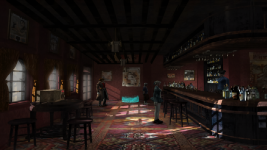
When upscaling this game, there are traces of lines/ black lines due to the source images that are too small. I disabled fog, clouds, and some water to make the game look better. Fonts, game menu, and some background cannot be upscaled either. I've already done playing with the game and it produces 6+ million images when being dumped.

The Higher the internal resolution the more visible the lines/ Black lines. So, either using 3x Native(1080p) or 3.5x Native is the best way to go.

Must enable "Disable Interlace Offset" to fix the blur of the game.

Done upscaling of the game and it has a huge size of almost 30 GB.


Screenshot_25.png

Screenshot_26.png

Screenshot_18.png

Screenshot_21.png

Screenshot_1.png

Screenshot_16.png

Screenshot_17.png

Screenshot_23.png

Screenshot_16.png

Screenshot_7.png

Screenshot_3.png

Screenshot_22.png

Screenshot_10.png

 
Last edited by Curse_Arms,
If I have to rearrange space for the big pack then I will cause this is one of my most wanted games to get upscaled. Count me in once you are done. Your work is the stuff of legends😎😉
 
  • Like
Reactions: Plaidray
Thanks a lot ! I hope to give this a try.This game has 2D background textures,its HD texture pack is as huge as expected.I have no idea how to upscale those fragmented textures.I hope you can complete this difficult project :shy: I look forward to it very much !
 
UPDATE:
The Higher the internal resolution the more visible the lines/ Black lines. So, either using 3x Native(1080p) or 3.5x Native is the best way to go.

Must enable "Disable Interlace Offset" to fix the blur of the game.

Done upscaling of the game and it has a huge size of almost 30 GB.
 
Last edited by Curse_Arms,
  • Like
Reactions: Plaidray
This is the Godzilla of texture packs by the sound of it but to me is worth all the room. I usually like to max out the resolution with my 3080 in pcsx2 but if it creates issues then best bet is to leave it at the resolution you suggested. Are the lines created due to the game or pcsx2 itself do you think?
 
This is the Godzilla of texture packs by the sound of it but to me is worth all the room. I usually like to max out the resolution with my 3080 in pcsx2 but if it creates issues then best bet is to leave it at the resolution you suggested. Are the lines created due to the game or pcsx2 itself do you think?
It is caused by upscaling due to the small sizes produced by dumping in the emulator. Hope it will address in the future build of pcsx2 emulator. It is a nightmare upscaling 6+ million images and yet, there are still images that cannot be upscaled for this game.
 
  • Like
Reactions: Plaidray
Whatever magic you can pull off is great news. Even at 3.5 resolution scale with the textures shown in your photos it looks as good as 4k. Of all the texture packs I could ever want this is number one on the list. Sorry for the pain this causes you:). Thanks for not throwing in the towel with it.
 
  • Like
Reactions: Plaidray
When upscaling this game, there are traces of lines/ black lines due to the source images that are too small. I disabled fog, clouds, and some water to make the game look better. Fonts, game menu, and some background cannot be upscaled either. I've already done playing with the game and it produces 6+ million images when being dumped. For the moment, 50% are already upscaled and it produces 13gb of size. Around 20+gb and still not completely upscaled and it's not worth it. It is a big size when done upscaling and I'm running out of space with my Google Drive. For the fans of the game, just message me here if you want to try this pack when I'm done upscaling.

UPDATE:
The Higher the internal resolution the more visible the lines/ Black lines. So, either using 3x Native(1080p) or 3.5x Native is the best way to go.

Must enable "Disable Interlace Offset" to fix the blur of the game.

Done upscaling of the game and it has a huge size of almost 30gb. For now, I have to split the file to upload and for the moment, my internet connection is very slow but for sure the next few days it will be finished uploading.


View attachment 419867

View attachment 419868

View attachment 419869

View attachment 419870

View attachment 419871

View attachment 419872

View attachment 419873

View attachment 419874

View attachment 419875

View attachment 419876

View attachment 419877

View attachment 419878

View attachment 419879


that looks incredible. may I have downlink sir or madam? the google download links 4,5,and 6 are down.
 
Last edited by jackkane,
Hello, I know this thread is super old but maybe someone can help me:

I installed the HD texture pack and it works...except the moment you move and the camera scrolls, the textures all revert back to the old res. Reloading the game fixes it but the moment the camera pans the textures go back to the original resolution. This only happens with the background textures and text, not the characters or other 3d models on the scene.

In some cases if I don't move the character and wait, the HD textures eventually reload but not all the time.

I'm using the latest nightly build of PCSX2 with Async texture load on. Anyone have any clues what could be causing this and how to fix it?
 
Hello, I know this thread is super old but maybe someone can help me:

I installed the HD texture pack and it works...except the moment you move and the camera scrolls, the textures all revert back to the old res. Reloading the game fixes it but the moment the camera pans the textures go back to the original resolution. This only happens with the background textures and text, not the characters or other 3d models on the scene.

In some cases if I don't move the character and wait, the HD textures eventually reload but not all the time.

I'm using the latest nightly build of PCSX2 with Async texture load on. Anyone have any clues what could be causing this and how to fix it?
Try using old build
 
Any idea what is going on here with the water in Fengtian Sewers?
 

Attachments

  • Screenshot 2024-12-16 154725.png
    Screenshot 2024-12-16 154725.png
    2 MB · Views: 26
My guess is it could involve the way pcsx2 handles the textures as recent builds altered alpha transparency. If not that then it could be a corrupt texture produced in the making of the pack.
 
  • Like
Reactions: Spectro87
Must be a bad connection cause I can verify the textures work just they are godzilla sized in regards for a pack.
 
This is taking forever to extract for me 😅 how long does this normally take?
 

Group statistics

Group owner:
relauby
Members:
3964
Threads:
2649
Messages:
9232

Site & Scene News

Popular threads in this forum