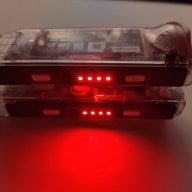
Is this an issue when using jigs? It randomly happened overnight. No additional software installed, no damage, it just started last night. I had the Switch docked with both joycons in and only the left one charged.
So using homebrew is piracy now? Cool, had no idea -_-
Anyways, to everyone else, scratch the topic. It works fine. I think I may have unseated the pins using the jig, I straightened it out and it charges fine. It was a simple fix.
I've had my Switch 3 days and I've already figured out a way to never really have to use the jig anymore. Keep it in sleep mode when I'm not using it and install games through usb. I'm not sure why people use their jigs over and over.
I've had my Switch 3 days and I've already figured out a way to never really have to use the jig anymore. Keep it in sleep mode when I'm not using it and install games through usb. I'm not sure why people use their jigs over and over.
Because people use it in portable mode too. And USB requires the dock. And no matter how you do it, if you're going to keep your games/apps updated, you need to remove the SD card and that forces a shut down. Also save editing, which needs the SD card removed. There are plenty of reasons to need your console turned off a lot.
Is this an issue when using jigs? It randomly happened overnight. No additional software installed, no damage, it just started last night. I had the Switch docked with both joycons in and only the left one charged.
Dirt usually gets stuck inside the crevices at the bottom corners of the console. I have this problem pretty often and I just take a minute and blow real hard on the connectors and it magically works again.
Because people use it in portable mode too. And USB requires the dock. And no matter how you do it, if you're going to keep your games/apps updated, you need to remove the SD card and that forces a shut down. Also save editing, which needs the SD card removed. There are plenty of reasons to need your console turned off a lot.
USB doesn't require the dock. USB C cable to computer. You can transfer your games over that way and you can update your games that way too, and it's faster than putting your games on an sd card not to mention you don't have to delete nsps off your sd card which takes up space after they're installed. Most people don't do save editing. I wasn't really trying to single you out it just seems like everyone uses their jig over and over but it's mostly not necessary even without AutoRCM.
There's even NXShell in your album that allows you to access the files on your sd card without taking out your sd card. So even save editing can be done without removing the card.
But hey, if you want to wear out your joycons to be "right" go ahead.
Sony made a shocking announcement today, revealing that the company plans to move away from physical game releases in the future. Citing claims of how the industry is...
After much speculation, a lot of which being caused by dbrand's unceremonious reveal of their Companion Cube casing, the Steam Machine is finally available to order...
Remember when you could get an Xbox Series S for $300? Those were the days. Microsoft has today announced the latest in their console price hikes, seeing their...
Since being decompiled Super Mario 64 has seen a considerable amount of interest. We've had multiple PC ports, but the efforts beyond that are really astounding. It's...
Happy June 15th! Well, this one was close enough. Atmosphere has been updated to add support for the latest Nintendo Switch firmware, 22.5.0. This means all of you...
The delays may be behind us, but the news isn't all good for Grand Theft Auto VI. Rockstar have today announced that pre-orders for the game will go live tomorrow, on...
It's that time again. Batten down the hatches and ride out the storm, because we've got another Switch update! And Switch 2, but that's somewhat less impactful given...
Last month we got confirmation of a new model of Switch 2 to better comply with upcoming EU regulations. With the legislation set to come into effect in February of...
The end has come for the PlayStation 3 and the PlayStation Vita. After supporting the PSN Store on the PS3 and PS Vita since 2006 and 2011 respectively, Sony has...
In case you missed it following the barrage of summer gaming news and events, Square Enix launched Final Fantasy VII Rebirth (FF7 Rebirth) on the Nintendo Switch 2...
Sony made a shocking announcement today, revealing that the company plans to move away from physical game releases in the future. Citing claims of how the industry is...
After much speculation, a lot of which being caused by dbrand's unceremonious reveal of their Companion Cube casing, the Steam Machine is finally available to order...
Remember when you could get an Xbox Series S for $300? Those were the days. Microsoft has today announced the latest in their console price hikes, seeing their...
The delays may be behind us, but the news isn't all good for Grand Theft Auto VI. Rockstar have today announced that pre-orders for the game will go live tomorrow, on...
Last month we got confirmation of a new model of Switch 2 to better comply with upcoming EU regulations. With the legislation set to come into effect in February of...
The end has come for the PlayStation 3 and the PlayStation Vita. After supporting the PSN Store on the PS3 and PS Vita since 2006 and 2011 respectively, Sony has...
Tired of waiting for Game Freak to bring Pokemon Emerald to modern platforms? We've got you covered with a brand new port in the works. Currently available on GitHub...
Since being decompiled Super Mario 64 has seen a considerable amount of interest. We've had multiple PC ports, but the efforts beyond that are really astounding. It's...
Apple have today announced price increases, primarily focused on their MacBook and iPad lines. These increases have already come into effect, with both prices and the...
It's that time again. Batten down the hatches and ride out the storm, because we've got another Switch update! And Switch 2, but that's somewhat less impactful given...