Homebrew [Release] PS4 SMB Client

  • Thread starter Thread starter cy33hc
  • Start date Start date
  • Views Views 5,085
  • Replies Replies 3
  • Likes Likes 7

cy33hc

Well-Known Member
Member
Joined
Sep 29, 2020
Messages
219
Reaction score
301
Trophies
1
Age
52
XP
1,797
Country
Canada
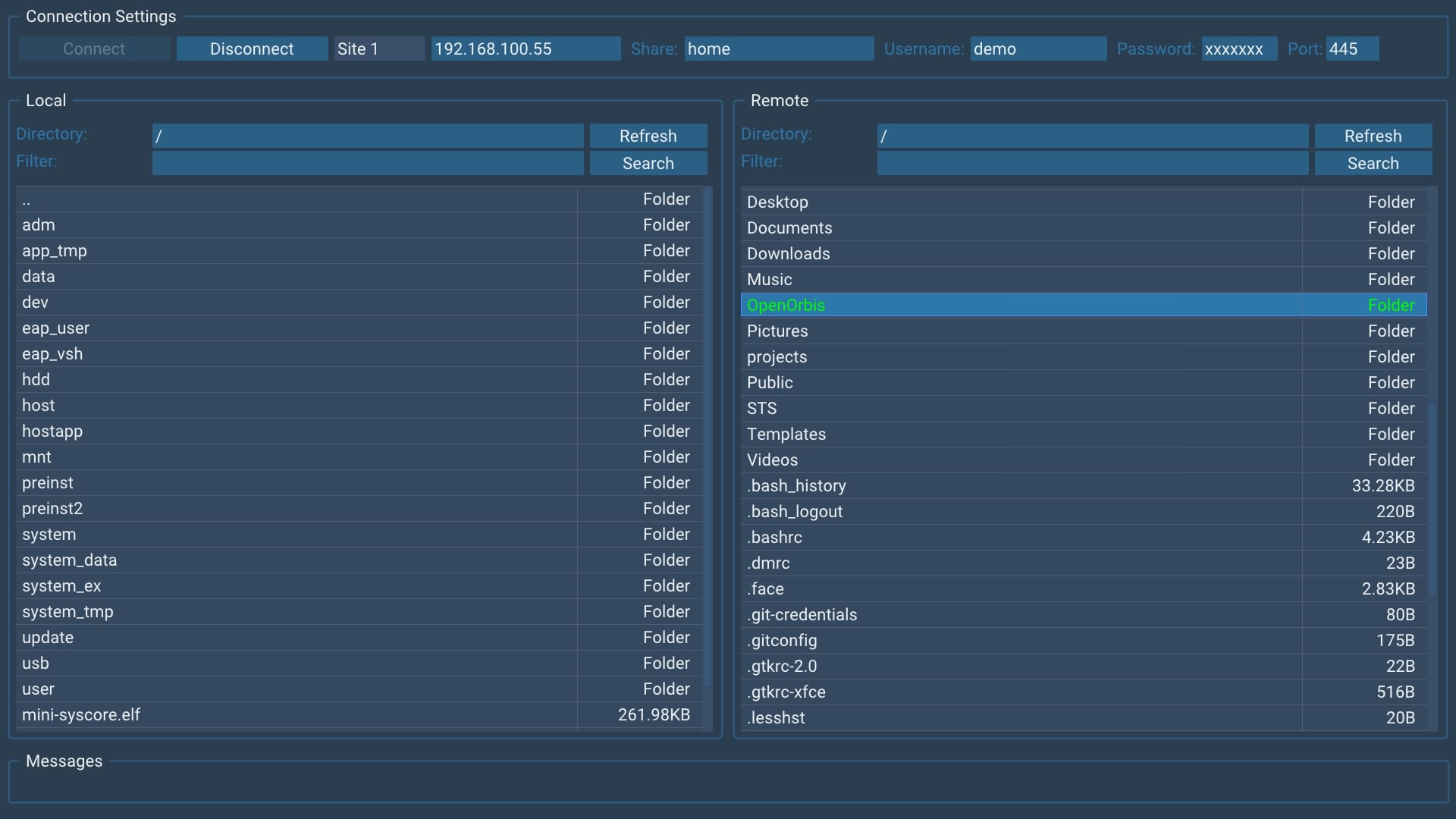
Following the PS4 FTP Client. I've create a SMB Client app for the PS4.

Allows you connect the PS4 to your Windows Shares, Linux SMB Shares and NAS SMB shares to manage and transfer files back and forth.

Known Issue:
- Rename of files/folder in Windows Shares fails. Works on SMB Shares.

https://github.com/cy33hc/ps4-smb-client

Enjoy :)
screenshot.jpg

Post automatically merged:

Release v1.01
- Greatly improved the transfer speed. From my wired lan, speed increase from 23MB/s to 64MB/s. This was achieved by increasing the SO_SNDBUF and SORECBUF of the low level socket connection.

https://github.com/cy33hc/ps4-smb-client/releases/tag/1.01
 
Last edited by cy33hc,
Release v1.03

- Add Greek and Thai language translations and support
- Add Remote package install. New menu item call "Install" add to the remote files popup.

Remote Package Installation is supported if you setup SMB and a HTTP Server on the same machine. You also need to make sure the SMB and HTTP Server share the exact same folder.

No need for "Remote Package Installer" homebrew and "Remote Package Sender" from PC.

Example: If you share the folder C:\MyShare for SMB, then also make sure the C:\MyShare is the root folder for the HTTP Server.


HTTP Servers known to work with RPI.

Leefull's exploit host Place the "Exploit Host Server v1.2.exe" into the SMB share folder and execute.

Microsoft IIS

HELP - Need new translations for the added strings. Please help update the languages files. Use the English.ini for reference
 
Release v1.03

- Add Greek and Thai language translations and support
- Add Remote package install. New menu item call "Install" add to the remote files popup.

Remote Package Installation is supported if you setup SMB and a HTTP Server on the same machine. You also need to make sure the SMB and HTTP Server share the exact same folder.

No need for "Remote Package Installer" homebrew and "Remote Package Sender" from PC.

Example: If you share the folder C:\MyShare for SMB, then also make sure the C:\MyShare is the root folder for the HTTP Server.


HTTP Servers known to work with RPI.

Leefull's exploit host Place the "Exploit Host Server v1.2.exe" into the SMB share folder and execute.

Microsoft IIS

HELP - Need new translations for the added strings. Please help update the languages files. Use the English.ini for reference
Is it possible to install .pkg directly from network shared folder or do i need first to download .pkg onto PS4 drive?

I can connect without problem onto my NAS and download .pkg onto my PS4 drive, but then I have to go to goldhen to install it. I haven't figured out how to use SMB client's install option...
 
Is it possible to install .pkg directly from network shared folder or do i need first to download .pkg onto PS4 drive?

I can connect without problem onto my NAS and download .pkg onto my PS4 drive, but then I have to go to goldhen to install it. I haven't figured out how to use SMB client's install option...
Use ezRemote Client, the successor to this. https://github.com/cy33hc/ps4-ezremote-client
 

Site & Scene News

Popular threads in this forum